When Should You Use an All-in-One Embedded Touch Panel?
When designing an industrial machine, self-service terminal, or smart equipment system, selecting the right touchscreen solution is a key decision. Some projects pair a separate touch monitor with an external computer, while others combine the display and computing hardware in a single device.
An all-in-one embedded touch panel offers a practical solution for this integrated approach.
By bringing together a touchscreen display, processor, memory, storage, and operating system in one unit, it can simplify system architecture, make installation easier, and reduce the overall footprint.
However, this type of solution is not ideal for every project.
When should you choose an all-in-one embedded touch panel? What benefits does it provide, and how does it compare with a separate touchscreen monitor and industrial computer?
This article examines the main considerations to help you make an informed choice.
1. What Is an All-in-One Embedded Touch Panel?
An all-in-one embedded touch panel combines a touchscreen display and a computer in a single device.
Unlike a standard touch monitor, which must be connected to an external computer, an all-in-one panel contains its own processing hardware and runs an operating system.
A typical configuration may include:
- LCD or IPS touchscreen display
- Capacitive or resistive touch technology
- Embedded processor, such as an Intel or Rockchip ARM processor
- RAM and internal storage
- Android, Linux, Ubuntu, Debian, or Windows, depending on the platform
- Ethernet, USB, serial ports, and other interfaces
- Integrated power management and enclosure
The primary advantage is that the display and computing components are engineered to operate together.
This makes an all-in-one panel well suited to equipment that needs a dedicated user interface and local computing capabilities without requiring a separate computer.
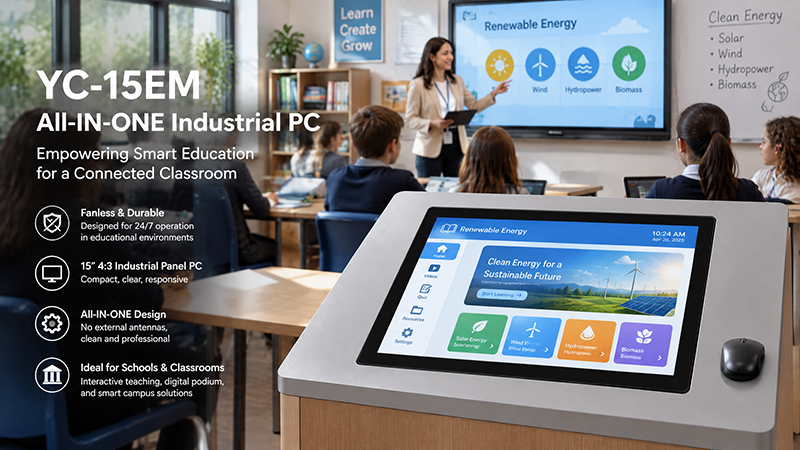
YC-15EM embedded touch screen
2. When Is an All-in-One Embedded Touch Panel the Right Choice?
An all-in-one solution is especially valuable when equipment needs an integrated computing and touchscreen system.
1. When Installation Space Is Restricted
Many industrial machines and commercial devices offer limited space inside their enclosures.
Using a separate touchscreen monitor and computer requires extra room for mounting, cable connections, and power arrangements.
An all-in-one embedded touch panel brings these components together in a single device, simplifying system integration.
Common applications include:
- Compact industrial machines
- Self-service kiosks
- Vending machines
- Medical equipment interfaces
- Smart control terminals
- Automated production equipment
For instance, a vending machine manufacturer may need a touchscreen for product selection, payment software, and system-status monitoring. An integrated panel can reduce the number of separate components that must be installed inside the machine.
2. When a Simplified Hardware Architecture Is Needed
Using a separate monitor and computer requires multiple connections between components.
These can include HDMI or other display cables, USB connections for touch input, power cables, and additional communication interfaces.
An all-in-one panel reduces the number of standalone hardware devices, simplifying the overall system architecture.
This is especially useful for equipment manufacturers whose products are repeatedly installed at different customer locations.
A standardized, integrated panel can help make assembly, testing, and production more consistent.
3. When Local Application Processing Is Needed
Some touchscreen applications do more than present information.
They may need to run software locally, gather data, communicate with external devices, store records, or connect to remote management systems.
An all-in-one embedded touch panel includes its own computing resources to handle these tasks.
For example, an industrial machine interface may need to:
- Display real-time machine status
- Receive operator commands
- Communicate with PLCs or controllers
- Present production information
- Store operating records
- Connect to a factory network
An integrated panel PC can manage the user interface and supported local applications without the need for a separate external computer.
Select the processor and memory configuration to match the actual software workload.
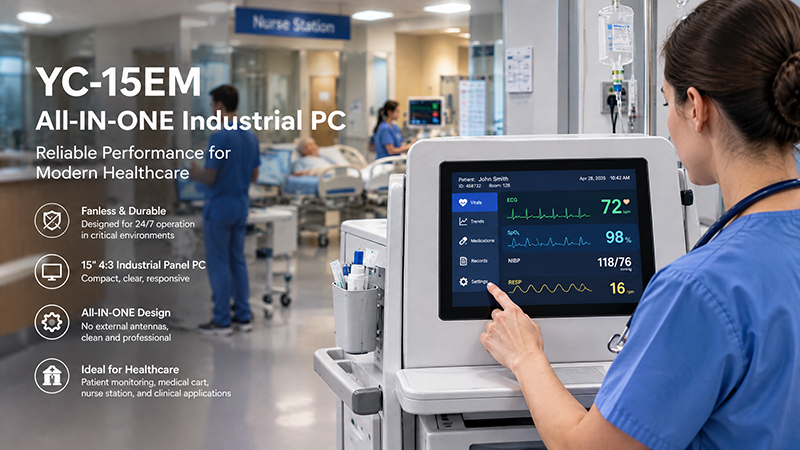
YC-15EM Embedded Touchscreen Solutions
4. When You Need Simpler Installation and Maintenance
- In large-scale equipment deployments, installation and maintenance can have a significant impact on overall project costs.
- A setup with a separate monitor, computer, cables, and power supply may involve additional installation steps.
- An integrated panel can reduce the number of components and make replacement procedures simpler.
- Using a standardized unit across multiple machines can also give maintenance teams a more consistent hardware configuration.
- However, an all-in-one design integrates the display and computing hardware more closely. If a major component fails, the entire unit may require servicing or replacement.
- For this reason, consider serviceability, spare-part availability, and the supplier’s technical support when selecting a product.
5. When a Dedicated Touchscreen Interface Is Required
- Many machines need a fixed interface for operators or end users.
- Examples include production environments, equipment control menus, machine-status dashboards, and self-service applications.
- An all-in-one embedded panel offers a dedicated platform for running interface software.
- Depending on the operating system selected, developers can deploy customized applications, set them to launch automatically, and deliver a consistent user experience.
- This approach is particularly useful for products that do not require a general-purpose desktop computer.
3. All-in-One Embedded Touch Panel vs. Separate Touch Monitor and Computer
While both options offer touchscreen interaction and computing functionality, they differ in their system architectures.
| Comparison | All-in-One Embedded Touch Panel | Separate Touch Monitor + Computer |
|---|---|---|
| Hardware structure | Integrated display and computer | Independent display and computer |
| Installation | Generally simpler | Requires separate installation |
| Cable connections | Fewer external connections | More display, touch, and power connections |
| Space requirements | Often more compact | Requires space for both devices |
| Hardware flexibility | Depends on integrated configuration | Display and computer can be selected separately |
| Maintenance | Integrated unit may need servicing as a whole | Components can often be replaced independently |
| Customization | Depends on supplier and platform | More freedom to combine different components |
| Best suited for | Dedicated embedded equipment | Modular systems and flexible computing setups |
Neither option is universally superior.
An all-in-one panel is often preferable when space-saving installation and integrated operation are key priorities.
A separate monitor and computer may be more suitable when a project calls for frequent hardware upgrades, individual component replacement, or specialized computing equipment.
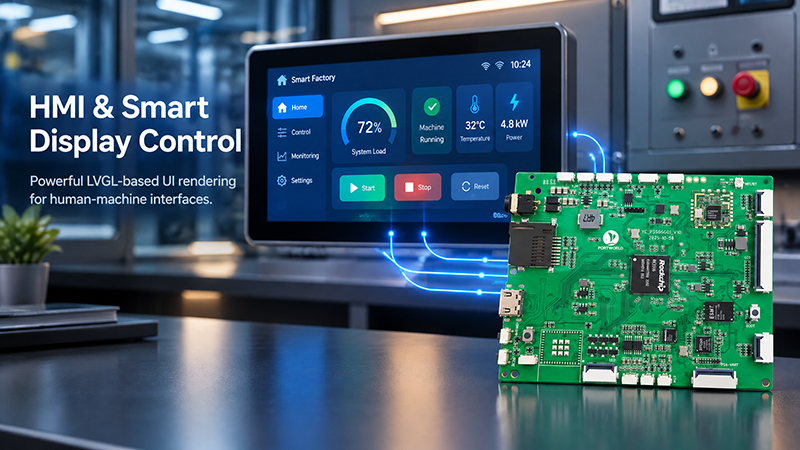
P3506 HMI Smart Display
4. Which Processor Platform Should You Choose?
The processor platform determines which applications an all-in-one embedded touch panel can run.
Two widely used choices are ARM-based and Intel-based platforms.
ARM-Based Embedded Touch Panels
ARM platforms, such as those using Rockchip processors, are common in embedded equipment.
Depending on the processor and system configuration, they may support Android, Linux, Ubuntu, or Debian.
Key benefits typically include:
- Compact hardware design
- Efficient performance for many embedded applications
- Flexible Linux and Android development environments
- Support for touchscreen applications and network connectivity
- Suitability for smart terminals and industrial HMIs
For instance, a panel based on the Rockchip RK3566 can serve equipment that needs a dedicated graphical interface, network communication, and on-device application processing.
More demanding applications may call for a faster processor and additional memory.
Intel-Based Embedded Touch Panels
Intel-based panel PCs are a practical choice when an application relies on Windows software or industrial applications designed for x86 systems.
Common uses include:
- Industrial automation software
- Windows-based machine interfaces
- Factory management applications
- Integration with legacy software
- Equipment that requires specific x86 drivers
The right Intel processor depends on software needs, the operating system version, thermal design, and anticipated workload.
When choosing between ARM and Intel, prioritize software compatibility over processor specifications alone.
5. Key Factors to Evaluate Before Purchasing
Choosing an all-in-one embedded touch panel requires more than selecting a display size.
Before finalizing a hardware configuration, assess the following factors.
1. Display Size and Resolution
The display must offer sufficient space for the application interface while fitting within the equipment’s installation area.
Common industrial touchscreen sizes are 10.1″, 12″, 15″, 15.6″, 17″, 18.5″, and 21.5″.
Consider:
- Active display area
- Screen resolution
- Brightness
- Viewing angle
- Aspect ratio
- Touch accuracy
For instance, a compact machine interface may need only a 10.1-inch screen, whereas a production monitoring terminal may be better suited to a 21.5-inch display.
2. Touchscreen Technology
Projected capacitive (PCAP) touchscreens are commonly used in contemporary industrial and commercial equipment.
They enable multi-touch operation and work well with interfaces that use buttons, menus, gestures, and on-screen controls.
Resistive touchscreens can be suitable for applications that require an alternative touch-input approach.
For equipment used in demanding conditions, assess the touchscreen with the gloves, moisture levels, and operating procedures expected in the field.
3. Processor, RAM, and Storage
The hardware configuration should be selected to suit the software workload.
A basic control interface may operate effectively with a comparatively modest embedded processor.
Software that uses a web browser, several background services, local databases, or multimedia may need greater processing capacity and memory.
Assess the full configuration rather than comparing processor names alone.
4. Operating System and Software Compatibility
Before making a purchase, ensure that the panel supports the operating system required by your application.
Common options include:
- Android
- Linux
- Ubuntu
- Debian
- Windows
Also confirm driver availability, SDK support, peripheral compatibility, application deployment options, and long-term software maintenance requirements.
5. Industrial Interfaces
Many embedded applications need to communicate with external devices.
Depending on the project, relevant interfaces may include:
- Ethernet
- USB
- RS232
- RS485
- GPIO
- CAN
HDMI or other display interfaces
The available interface configuration differs by product.
Keep in mind that a physical interface alone does not guarantee support for a specific protocol. For example, Modbus RTU, Modbus TCP, and other industrial protocols require appropriate software implementation and integration.
YC-15EM Embedded Touchscreen Solutions
6. Enclosure and Installation Method
The mechanical design must be compatible with the equipment’s installation requirements.
Common installation methods include:
- Panel mounting
- Embedded mounting
- VESA mounting
- Custom brackets
- Customized front panels and enclosures
For industrial settings, also assess the operating temperature range, vibration resistance, cooling design, front-panel protection, and enclosure requirements as a whole.
Do not assume that every all-in-one panel is suitable for outdoor use or harsh industrial conditions. Verify the specifications for the exact configuration.
6. Common Applications for All-in-One Embedded Touch Panels
All-in-one embedded touch panels serve a wide range of industries by combining user interaction and local computing in a single device.
Industrial Automation and Machine Control
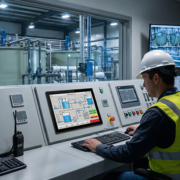
Industrial machinery often needs a dedicated operator interface for monitoring equipment status, changing settings, and communicating with control systems.
An all-in-one panel PC can run the HMI application and connect to external controllers using its supported interfaces.
Self-Service Kiosks
Self-service kiosks need an interface that lets users browse products, choose services, enter details, and complete transactions.
An integrated panel can simplify the kiosk’s internal hardware configuration.
However, payment peripherals, security features, and transaction software still need to be integrated and validated separately.
Vending Machines
Touchscreens in vending machines support product selection, pricing, promotions, and system information.
An all-in-one panel can combine the display with application processing, eliminating the need for a separate computer inside the machine.
Medical and Laboratory Equipment
Medical and laboratory devices often rely on touch panels to present operating parameters, test results, and equipment status.
In these applications, the entire system must comply with applicable electrical safety, regulatory, software validation, and reliability requirements. A standard industrial panel should not be presumed to have medical certification.
Smart Equipment and Control Terminals
Smart devices may need a local interface for configuring settings, monitoring status, and communicating with other connected systems.
An integrated touchscreen panel can serve as a dedicated control platform while delivering a consistent user experience.
7. Portworld All-in-One Embedded Touch Panel Solutions
Portworld offers embedded touchscreen products for industrial equipment, self-service terminals, smart devices, and other commercial uses.
Its portfolio includes standalone touch monitors as well as integrated touchscreen Panel PCs.
For projects that need a combined computing and display system, customers may consider models such as:
YC-104EM Industrial Panel PC
The YC-104EM is a 10.4-inch industrial touchscreen Panel PC developed for embedded equipment and industrial control applications.
Depending on the selected configuration, it offers:
- Intel Celeron J4125 or Intel Core i5-3317U processor options
- 4GB RAM, upgradeable to 8GB
- 128GB of storage
- Windows 10, with Linux or Ubuntu also available
- 10-point capacitive touchscreen
- Aluminum enclosure
- IP65-rated front-panel protection
It is well suited to applications that need a compact industrial platform integrating a display and computing capabilities.
YC-215EM Industrial Panel PC
The YC-215EM is a 21.5-inch industrial all-in-one PC with a touchscreen.
Its integrated design brings a large touchscreen and computing hardware together, making it suitable for machine interfaces, industrial monitoring terminals, and equipment control applications.
Built with a rugged aluminum structure, the product supports a 10-point capacitive touchscreen. Processor and software options should be confirmed based on project requirements.
OEM/ODM Customization
For projects with specialized needs, Portworld offers customization of hardware, software, and mechanical design.
Available customization services include:
- Display size and touchscreen configuration
- Processor, RAM, and storage selection
- Motherboard and PCBA development
- Interface customization
Android, Linux, Ubuntu, Debian, and Windows customization, subject to support by the selected hardware
- Application installation and automatic startup
- Boot logo and UI/UX branding
- Enclosure and mounting structure customization
- SDK and technical documentation
Portworld assists customers throughout the process, from initial product evaluation and prototyping to engineering validation and mass production.
Configuration details, customization scope, minimum order quantities, and lead times vary by project.
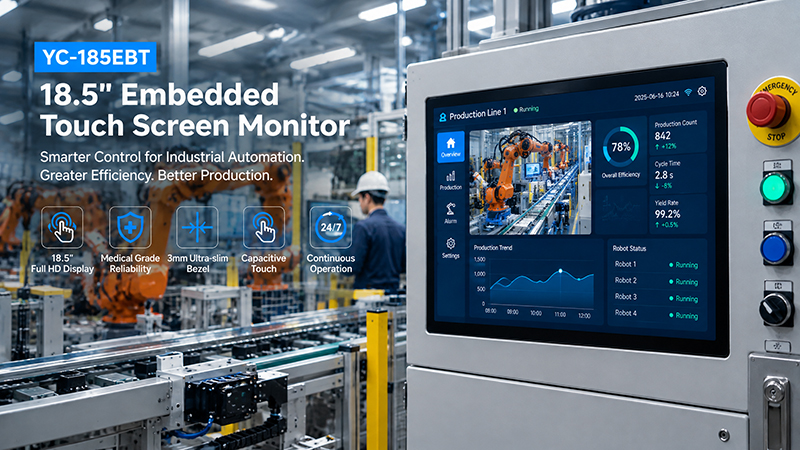
YC-185EBT industrial touch screen solution
8. When Is an All-in-One Panel Not the Right Choice?
Integrated touchscreen panels offer many benefits, but some projects are better suited to a separate monitor and computer.
Consider a modular design when:
You need to upgrade the computer frequently. If the computing hardware must be replaced on a regular basis while the display remains in use, a separate architecture may be easier to maintain.
Your application needs specialized computing hardware. High-performance GPUs, dedicated AI accelerators, and other expansion cards may require a separate industrial computer.
You need to replace components independently. When the display and computer follow different maintenance schedules, separating them can simplify servicing.
Your project requires an unusual display configuration. A custom monitor paired with a separate computing platform may provide greater flexibility if the display needs special dimensions or mechanical properties.
The aim is not to combine every component into one device, but to select an architecture that makes the entire product easier to develop, manufacture, and maintain.
Is an All-in-One Embedded Touch Panel Suitable for Your Project?
An all-in-one embedded touch panel is a practical option for equipment that requires both a dedicated touchscreen interface and local computing in a single integrated unit.
It can streamline installation, limit the number of separate components, and offer a standardized hardware platform for industrial machinery, kiosks, vending machines, and smart equipment.
However, projects that require frequent hardware upgrades, specialized computing resources, or independent component replacement may be better served by a separate monitor and computer.
Before deciding, assess your display needs, processor performance, operating system, interfaces, installation space, and long-term maintenance plans.