How to Choose an Embedded Touch Screen Panel for Industrial HMI
Industrial Human-Machine Interfaces (HMIs) enable operators to control machines, monitor equipment conditions, modify operating settings, and respond to alarms. As industrial systems become more connected and automated, embedded touchscreen panels are increasingly adopted as compact, intuitive, integrated control interfaces.
Unlike standard consumer displays, an embedded industrial touchscreen panel must operate reliably in demanding conditions. It must fit the machine’s mechanical design, run the necessary control software, connect with external devices, and deliver responsive performance over extended periods of operation.
Not every touchscreen is appropriate for industrial HMI use. Before choosing a model, consider its display size, touch technology, computing architecture, connectivity, protective features, and installation requirements.
1. Define the Touch Panel’s Role in Your HMI System
Begin by deciding whether your project requires a touchscreen monitor or a complete embedded Panel PC.
Although these options may appear similar, they are designed for different purposes.
A touchscreen monitor provides display and touch-input capabilities, but depends on an external computer or controller to run the HMI software.
It is appropriate when the machine already includes an industrial PC, embedded controller, or motherboard.
Embedded Touch Screen Panel PC
A Panel PC combines the display, touchscreen, processor, memory, storage, and operating system in a single device. It can run the HMI application locally and communicate with PLCs, sensors, and other equipment.
It is appropriate when a project requires a self-contained operator interface with fewer separate components.
Before selecting hardware, clarify the following:
- Will the HMI software run on the panel or on an external computer?
- Does the panel require its own operating system?
- Will it communicate directly with a PLC or through a gateway?
- Does the application need local data storage?
- Will the touchscreen be used only for monitoring, or also to configure equipment?
- Answering these questions helps determine the right hardware architecture from the outset.
2. Choose the Appropriate Display Size and Resolution
The display size should accommodate the information operators need to see and fit within the available installation space.
A compact HMI may require only a few control buttons, equipment indicators, and basic readings. A more sophisticated interface may need to show process diagrams, trend charts, alarm histories, and the status of multiple pieces of equipment.
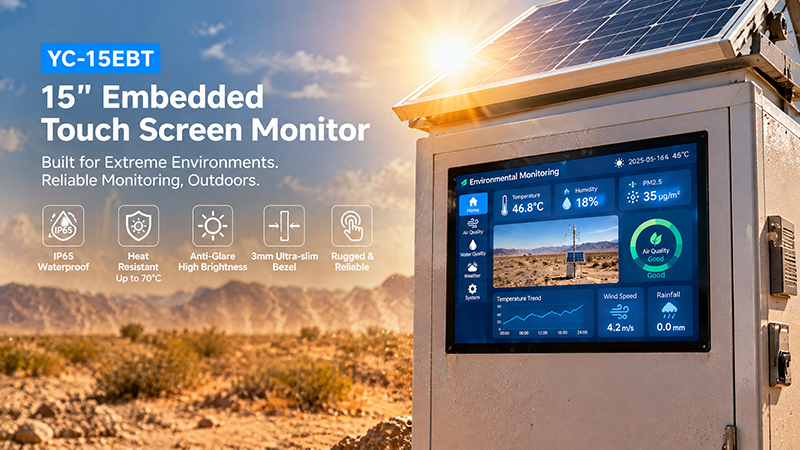
YC-15EBT High-temperature outdoor scene
Common display-size options include:
- 7–10 inches: Suitable for compact machines, local equipment control, and basic monitoring.
- 10.1–12 inches: A practical option for general industrial HMI applications that present more detailed information.
- 15–17 inches: Well suited to production equipment, machine control stations, and process monitoring.
- 18.5–21.5 inches: Appropriate for larger dashboards and applications that require additional screen space.
Resolution is another important factor to consider. Higher resolution can show more information, but the HMI software must be configured for the selected screen size and scaling settings.
For instance, a 10.1-inch, 1280 × 800 display may suit a compact industrial interface, whereas a larger screen may be better for complex dashboards.
Assess viewing angle, contrast, brightness, and orientation as well. The ideal display is not necessarily the largest; it is the one that enables operators to read information and complete tasks comfortably.
3. Select the Right Touch Technology
Touch performance has a direct impact on operator efficiency. Industrial HMI panels typically use projected capacitive (PCAP) or resistive touch technology.
Projected Capacitive Touch
PCAP screens support multi-touch and offer a smooth, smartphone-like user experience.
Key advantages include:
- A clear glass surface.
- Responsive touch operation.
- Multi-touch gesture support.
- Strong durability when used with appropriate cover glass.
PCAP technology is common in modern industrial touch panels, particularly when intuitive interaction is required.
However, glove use and water rejection vary according to the touch controller, cover glass, firmware, and system configuration. Test these capabilities in the actual application environment.
Resistive Touch
Resistive touchscreens detect pressure and can be operated with a finger, stylus, or many types of gloves.
They can be suitable for applications in which operators wear thick gloves or a straightforward touch interface is preferred.
However, resistive panels typically differ from PCAP displays in their optical and touch characteristics.
When evaluating touch technologies, consider operator work habits, glove requirements, exposure to moisture, cleaning procedures, and expected usage frequency.
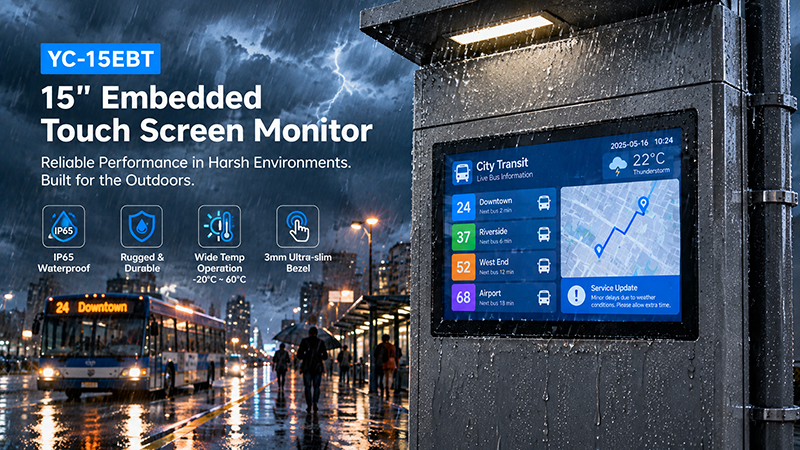
YC-15EBT touch screen solutions
4. Assess the Processor and Computing Platform
If the embedded touch panel must run HMI software locally, choosing the right processor is essential.
The computing power required depends on the application’s complexity.
A basic HMI that displays equipment status and provides simple controls can run efficiently on an entry-level embedded processor. Applications with multiple dashboards, sophisticated graphics, video, local databases, or advanced analytics require greater processing capacity.
Common platform options include:
ARM-based processors
ARM platforms are often well suited to embedded Android and Linux applications. They offer an efficient computing option for compact HMI systems.
Portworld provides several Rockchip-based platforms, including RK3566, RK3568, RK3576, and RK3588 solutions to meet a range of embedded computing needs.
Intel-based processors
Intel platforms may be a better fit when an HMI application depends on Windows, x86 software compatibility, or specialized industrial desktop applications.
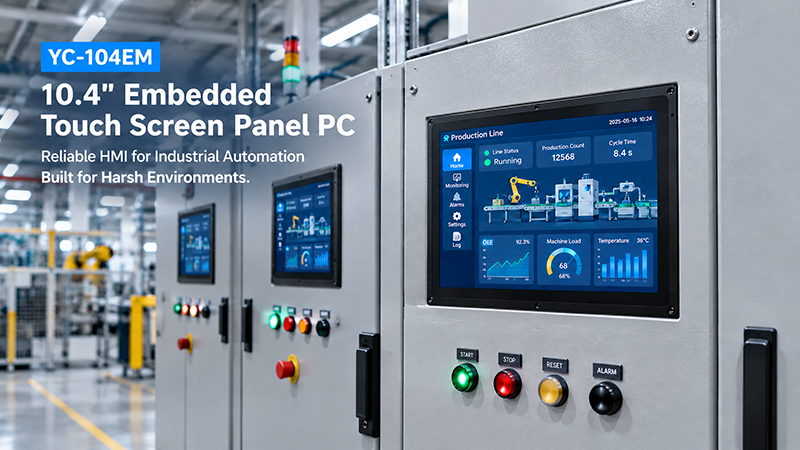
For instance, Portworld’s YC-104EM industrial Panel PC is available with Intel processor options, including the Celeron J4125 and Core i5-3317U, depending on the version selected.
Choose a processor based on the HMI software, operating system, graphics needs, and anticipated workload—not solely on CPU specifications.
5. Verify RAM, Storage, and Operating System Compatibility
Processor performance is only one factor in a system’s overall capability. RAM and storage also affect application responsiveness and long-term usability.
RAM
Memory requirements vary according to the operating system and the number of applications running at the same time.
A lightweight embedded HMI may require less memory than a system running a full desktop application, browser, communication services, and a local database.
Storage
Storage must be sufficient for the operating system, HMI software, configuration files, logs, and future updates.
For systems that continuously collect data or retain local records, carefully assess both storage capacity and endurance.
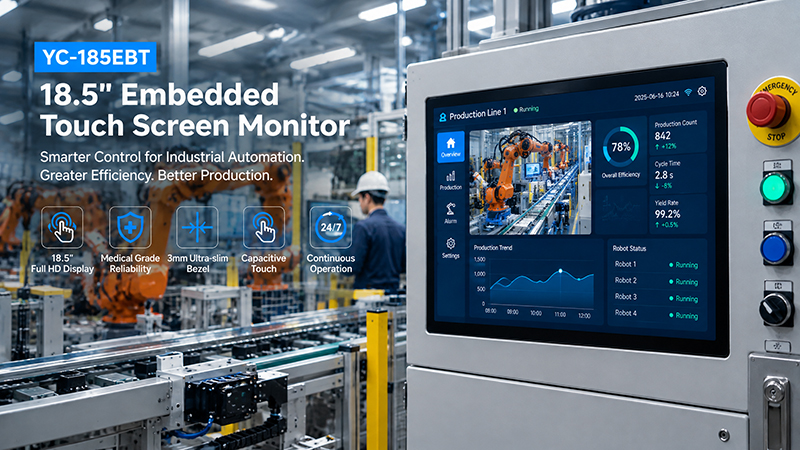
YC-185EBT industrial touch screen solution
Operating System
The operating system must support the HMI development environment.
Android is well suited to touch-focused embedded applications.
Linux and Ubuntu provide flexibility for customized embedded systems.
Windows is a practical choice when the HMI software relies on x86 desktop applications.
Before choosing a panel, confirm driver availability, application compatibility, update processes, and long-term software maintenance requirements.
6. Confirm Industrial Communication Interfaces
An industrial HMI panel rarely operates independently. It usually needs to exchange information with PLCs, sensors, controllers, drives, and other equipment.
The required interfaces depend on the machine architecture.
| Interface | Typical industrial use |
|---|---|
| Ethernet | PLC communication, industrial networks, and remote monitoring |
| RS232 | Serial devices and legacy equipment |
| RS485 | Multi-device serial communication and longer cable runs |
| USB | Configuration tools, scanners, and external peripherals |
| GPIO | External signals and customized hardware integration |
| Wi-Fi | Wireless network access where supported |
Protocol support should also be verified.
Common industrial communication protocols include Modbus RTU, Modbus TCP, and other protocols specific to PLCs or equipment.
A physical interface does not, by itself, ensure protocol compatibility. For instance, an RS485 port does not necessarily support Modbus RTU. The operating system, driver, communications library, and application must each support the required protocol.
For OEM projects, defining the full interface list before motherboard design or product customization begins is advisable.
7. Consider Brightness and Environmental Protection
Industrial HMI panels may be installed in factories, production lines, equipment cabinets, warehouses, and outdoor machinery.
Each setting has distinct display and protection requirements.
Brightness
Indoor machine interfaces may operate effectively with standard industrial brightness levels. In locations exposed to strong ambient light, a brighter display and anti-glare treatment may be necessary.
Front-panel protection
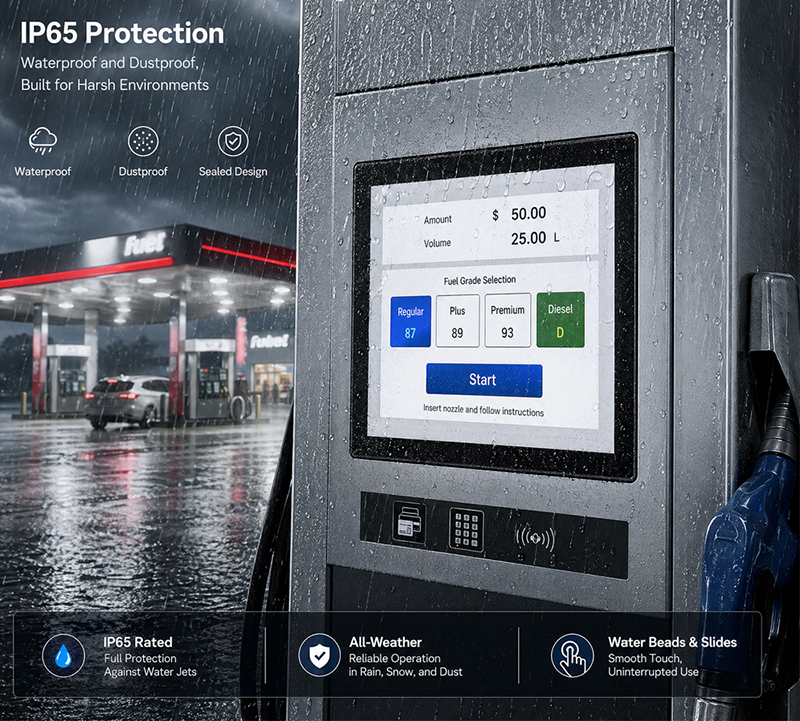
The front panel may need to withstand dust, water splashes, and frequent cleaning. Select an appropriate IP rating based on the installation environment.
Operating temperature
Review the specified operating temperature range and verify that it suits the actual conditions.
Enclosure and cooling
Metal enclosures can provide mechanical protection and support heat dissipation. Fanless designs minimize moving parts, but their thermal performance should still be validated during sustained operation.
Vibration and mechanical durability
Touch panels installed directly on industrial machinery may be exposed to vibration and repeated physical contact. Consider the mounting structure, connectors, and how internal components are secured.
Do not assess protection solely by the display’s front-panel rating. The overall protection level depends on the complete installed assembly, including its mounting, cable entries, and enclosure.
YC-104EM touch screen solutions
8. Select an Appropriate Installation Method
Embedded HMI panels are commonly built directly into machine housings or control cabinets.
Typical mounting options include:
- Panel mounting: The display is fitted into a cutout in a machine or cabinet.
- VESA mounting: Appropriate for compatible brackets or support arms.
- Wall mounting: Suitable for equipment monitoring and fixed operator stations.
- Custom embedded mounting: Tailored to a particular machine structure or enclosure.
Before choosing a model, verify its external dimensions, cutout requirements, mounting depth, connector locations, and cable clearance.
A panel may fit the display opening yet still cause installation or maintenance difficulties if there is not enough room behind the machine enclosure.
For customized HMI projects, review the mechanical drawings before confirming the final hardware configuration.
9. Planning for Long-Term Operation and Maintenance
Industrial HMI systems are commonly required to run for long periods. Hardware choices should therefore account for reliability and maintainability, as well as upfront costs.
Key considerations include:
- Component availability and product lifecycle.
- Stable operating system and firmware versions.
- Remote update and diagnostic features.
- Procedures for recovering from unexpected shutdowns.
- Availability of replacement units.
- Technical documentation and development support.
For equipment manufacturers, using consistent hardware configurations across production batches can make software maintenance and spare-parts management easier.
Testing the complete system under realistic conditions is also valuable. Tests should cover continuous operation, communication load, touch interaction, and the anticipated ambient temperature range.
10. Consider OEM/ODM Customization for Industrial HMI Projects
Standard embedded touch panels serve many general-purpose needs. However, industrial equipment manufacturers may require particular display sizes, interfaces, processor configurations, or mechanical designs.
A customized solution can be tailored to the machine, eliminating the need to adapt the machine design to a standard product.
Portworld offers industrial touchscreen displays, embedded Panel PCs, motherboards, and OEM/ODM customization services.
Relevant product examples include:
- YC-102EBT: A 10.1-inch IPS touchscreen monitor featuring 1280 × 800 resolution and 10-point capacitive touch. It supports HDMI and USB connections and can operate with compatible external computing platforms.
- YC-104EM: A 10.4-inch industrial touchscreen Panel PC featuring Intel processor options, an aluminum enclosure, 10-point capacitive touch, and IP65-rated front-panel protection.
- YC-215EM: A 21.5-inch industrial touchscreen all-in-one PC designed for applications requiring a larger operator interface.
- YC-15EBT / YC-185EBT / YC-215EBT: Industrial embedded touchscreen monitor options offered in various display sizes for projects that use an external computing platform.
These products fulfill distinct functions. The YC-102EBT and EBT series provide touchscreen monitor solutions, whereas the EM series incorporates computing hardware.
For OEM/ODM projects, Portworld offers support with:
- Custom display sizes and resolutions.
- Motherboard and PCBA design.
- Processor, RAM, and storage configurations.
- Customization for Android, Linux, Ubuntu, Debian, and Windows.
- Integration of Ethernet, RS232, RS485, USB, and other interfaces.
- Custom enclosures and mounting structures.
- UI branding, boot logos, and application deployment.
- SDKs, BSPs, and technical documentation.
The appropriate configuration depends on the HMI application, installation environment, and specific project requirements.
Embedded Touch Screen Panel
11. Industrial HMI Touch Panel Selection Checklist
Before finalizing a model, review the following points with the hardware supplier and engineering team.
| Selection factor | What to confirm |
|---|---|
| Product type | Touch monitor or complete Panel PC |
| Screen size | Suitable for the interface and installation space |
| Resolution | Compatible with the HMI software |
| Touch technology | PCAP or resistive, glove and moisture requirements |
| Processor | Sufficient for the intended workload |
| RAM and storage | Adequate for applications and future updates |
| Operating system | Android, Linux, Ubuntu, Debian, or Windows compatibility |
| Interfaces | Ethernet, RS232, RS485, USB, GPIO, and wireless options |
| Protocols | Required PLC and industrial communication protocols |
| Brightness | Suitable for the installation lighting |
| Protection | Front-panel and complete-enclosure requirements |
| Mounting | Panel, VESA, wall, or custom installation |
| Maintenance | Lifecycle, documentation, updates, and technical support |
A clear specification makes it easier to compare products and avoid unnecessary hardware changes during development.
Selecting an embedded touchscreen panel for an industrial HMI involves balancing display quality, touch responsiveness, computing capacity, communication interfaces, environmental protection, and mechanical integration.
If an application already uses an external controller, an embedded touchscreen monitor may be sufficient. If the HMI software must run on the device itself, an integrated industrial Panel PC is often the better choice.
By establishing application and installation requirements in advance, equipment manufacturers can choose a touchscreen solution that delivers dependable operation, comfortable interaction, and simpler long-term maintenance.
Portworld supports industrial touchscreen and embedded Panel PC projects through hardware customization, motherboard development, operating system integration, and OEM/ODM services, helping manufacturers create HMI solutions tailored to their equipment requirements.