RS232 vs. RS485: Which Interface Does Your Industrial Panel PC Need?
When choosing an industrial panel PC, factors such as display size, processor capabilities, and operating system typically garner significant attention. Nonetheless, the importance of communication interfaces should not be overlooked. If a panel PC is required to interact with PLCs, sensors, meters, motor controllers, or other industrial devices, selecting the appropriate serial interface can greatly influence the ease of integration into an existing system.
RS232 and RS485 are two prevalent serial communication standards utilized in industrial settings. Both standards facilitate the connection of an industrial panel PC to external devices; however, they vary in terms of transmission methods, communication distances, network topologies, and their ability to withstand electrical noise.
For equipment manufacturers and system integrators, the decision is not merely about which interface is superior. It involves aligning the communication standard with the connected devices, wiring configurations, and the operational environment.
What distinguishes RS232 from RS485?
RS232 is primarily utilized for direct communication between two devices. It is frequently seen in configuration ports of equipment, older industrial instruments, barcode scanners, and controllers that interact directly with a host computer.
In contrast, RS485 employs differential signaling and facilitates multipoint communication, enabling several compatible devices to utilize a shared communication bus. This standard is extensively applied in industrial networks that include meters, sensors, PLCs, building automation systems, and Modbus RTU devices.

Industrial Panel PCs
The key differences are outlined below.
| Feature | RS232 | RS485 |
|---|---|---|
| Signaling | Single-ended | Differential |
| Typical topology | Point-to-point | Bus or multipoint |
| Typical practical distance | Short-distance connections, commonly up to about 15 m under traditional guidance | Up to about 1,200 m under suitable conditions |
| Noise immunity | Generally lower | Generally higher |
| Multiple devices on one bus | Not natively supported as a shared bus | Supported with compatible transceivers and network design |
| Common applications | Configuration ports, direct device connections, legacy equipment | Industrial control networks, meters, sensors, PLCs |
| Wiring considerations | Usually TX, RX, and signal ground | Usually a differential pair; grounding and reference requirements depend on the installation |
| Typical protocols | Various device-specific protocols | Modbus RTU and many other serial protocols |
These distance measurements serve as guidelines rather than certainties. The actual performance is influenced by factors such as baud rate, cable specifications, grounding, electrical interference, termination, and the design of the devices involved.
It is also crucial to differentiate between the physical interface and the communication protocol. While RS232 and RS485 specify the characteristics of electrical signaling, they do not inherently dictate the structure of the data. For instance, Modbus RTU is a protocol that can function over either RS232 or RS485, contingent upon the design of the system.
When Should You Opt for RS232?
RS232 is typically the more uncomplicated option when an industrial panel PC needs to communicate directly with a single device that is equipped with an RS232 port.
Common applications include connecting to an older controller, configuring industrial instruments, interfacing with a serial printer, or transferring data with equipment that utilizes a dedicated point-to-point serial connection.
Since RS232 is intended for communication between two endpoints, it is suitable for scenarios where the wiring is short and the communication needs are relatively straightforward.
For instance, an industrial operator panel might need to retrieve operating parameters from a controller situated within the same machine enclosure. If the controller is equipped with an RS232 interface and the cable run is short, RS232 could be adequate without the need to implement an RS485 network.
Prior to selecting RS232, ensure the following:
- The device in question indeed utilizes RS232 electrical signaling, as opposed to TTL-level UART or RS485.
- The panel PC and the external device are configured with compatible baud rates, data bits, parity, and stop bits.
- The TX, RX, and signal-ground connections adhere to the equipment documentation.
- The cable length and electrical environment are suitable for dependable communication.
- The application does not necessitate a shared multipoint bus.
It is important to note that RS232 is not interchangeable with a TTL UART connection. While both may utilize serial data, their voltage levels and electrical characteristics are distinct. Directly connecting incompatible interfaces can lead to communication failures or potential damage.
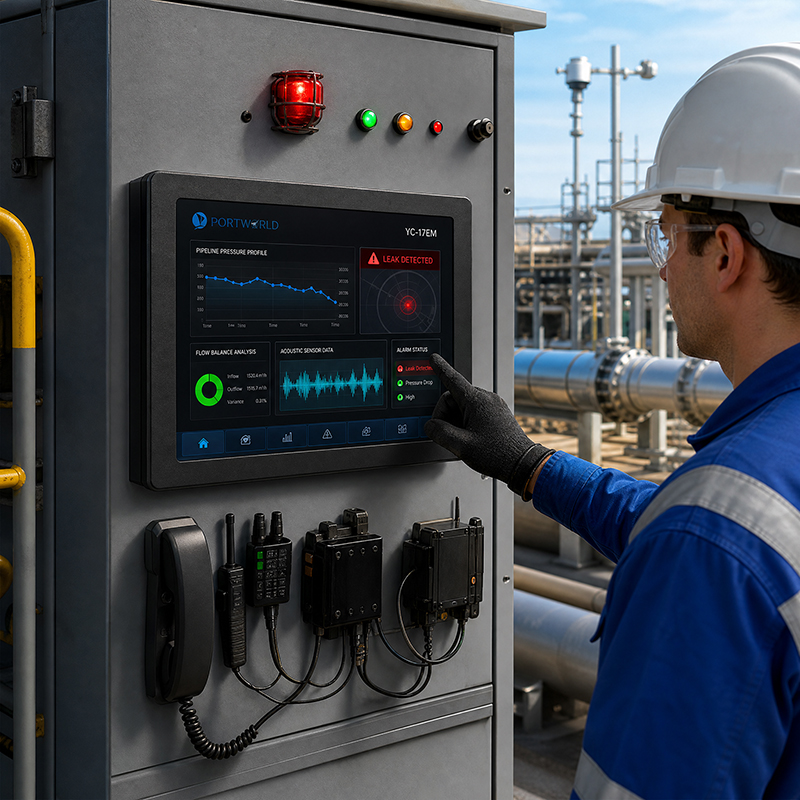
industrial touch screen
When Should You Opt for RS485?
RS485 is frequently the preferred choice when an industrial panel PC needs to interact with multiple devices or function in an environment with significant electrical noise.
Its differential signaling effectively mitigates common-mode electrical noise, rendering it advantageous for industrial settings where cables may be situated close to motors, variable-frequency drives, power supplies, or other interference sources.
RS485 is typically utilized in:
- PLC and machine-controller communication
- Energy meters and power-monitoring systems
- Temperature and humidity sensors
- Building automation and HVAC systems
- Pumping stations and water-treatment equipment
- Distributed monitoring and control networks
- Modbus RTU communication among industrial devices
In a facility where a single panel PC is tasked with gathering data from multiple energy meters, the use of RS485 is advantageous. When the network is structured as a shared bus, a single serial interface can effectively communicate with numerous devices. Each device can be uniquely addressed in accordance with the communication protocol, which minimizes the necessity for individual point-to-point serial connections.
RS485 proves particularly beneficial for extended cable lengths; however, to ensure reliable operation, careful network design is essential. Key considerations include the use of appropriate twisted-pair cabling, implementing termination at the correct ends of the bus, managing biasing as necessary, establishing a suitable grounding or reference strategy, and steering clear of problematic star topologies in standard two-wire bus configurations.
Moreover, a conventional RS485 bus does not inherently allow for simultaneous transmission by all connected devices. In two-wire half-duplex systems, it is typically required for devices to coordinate their transmissions, ensuring that only one transmitter is active on the bus at any given time.
RS232 vs. RS485 for Modbus RTU
Modbus RTU is extensively utilized in industrial monitoring and automation, with both RS232 and RS485 capable of transmitting Modbus RTU messages.
The appropriate selection hinges on the physical network rather than solely on the protocol designation.
If a panel PC is interfacing with a single Modbus RTU device via a short, direct connection, RS232 may be adequate, provided both endpoints are compatible. Conversely, when multiple Modbus RTU devices are connected within a serial network, RS485 is typically the more effective option.
For instance, a water-management system might employ RS485 to link an industrial panel PC with flow meters, pressure sensors, and various other monitoring instruments. This setup allows the panel PC to present gathered data, alerts, and operational status through an HMI application.
Nevertheless, the presence of an RS485 port does not ensure that the application can interact with every Modbus device. The software must adhere to the necessary protocol, addressing, register mapping, timing, and error-handling specifications.
When planning an integration, it is essential to verify both the physical interface and the protocol supported by each device.

Embedded Touch Screen Panel23
Can an Industrial Panel PC Accommodate Both RS232 and RS485?
Indeed. Numerous industrial computing systems can be equipped with both RS232 and RS485 interfaces, either through built-in ports, expansion modules, or a tailored carrier board.
Having support for both interfaces can facilitate the integration of equipment when a system is required to communicate with various generations of industrial devices. For instance, a setup might involve a legacy RS232 controller alongside multiple RS485-based meters.
The specific implementation is crucial. Some devices feature distinct physical ports, while others utilize configurable serial hardware that can function in one mode at any given time. Factors such as isolation, connector type, transmission speed, and driver support may vary across different models.
Portworld provides industrial panel PCs, embedded touch monitors, and embedded computing platforms designed for equipment integration. Their product lineup includes ARM-based motherboards like the YC-P6601, which is built on the Rockchip RK3566, and the YC-P6802, based on the RK3568. These platforms can act as foundational elements for customized embedded systems, depending on the availability of interfaces and the operating system support for the chosen configuration.
For projects necessitating a specific combination of serial ports, Ethernet, USB, GPIO, or other connections, Portworld’s OEM/ODM services can assist with hardware integration and customization. It is essential to verify the number of ports, electrical specifications, isolation requirements, and connector layout during the engineering review, rather than making assumptions based on the processor model.
What Should You Verify Prior to Ordering an Industrial Panel PC?
Selecting between RS232 and RS485 is merely one aspect of determining the communication needs. A panel PC that functions effectively in a laboratory setting may require additional safeguards and interface validation before it can be utilized in a factory or outdoor control cabinet.
- 1. Verify the connected devices. Review the interface type and protocol specified in the manuals for the PLC, meter, sensor, or controller. Avoid making assumptions about the electrical standard based solely on the shape of the connector.
- 2. Assess the number of devices. A single point-to-point connection may be adequate for RS232, whereas a shared multipoint network typically favors RS485.
- 3. Analyze cable distance and interference. Take into account the entire cable route, proximity to electrical equipment, cable shielding, grounding, and installation conditions.
- 4. Confirm communication settings. Validate baud rate, parity, data bits, stop bits, protocol, addressing, and register definitions where relevant.
- 5. Inspect isolation and electrical protection. Certain industrial setups may benefit from galvanic isolation and surge or ESD protection. The requirements will vary based on the equipment, grounding configuration, and environmental factors.
- 6. Ensure operating system and application compatibility. The operating system must have the correct driver, and the HMI or application software should support the communication protocol and device functionality.
- 7. Consider future scalability. If there is a possibility of adding meters, sensors, or controllers in the future, ensure that sufficient interfaces are available and evaluate whether an RS485 bus or an external gateway would facilitate expansion.
For OEM projects, these criteria should be defined before finalizing the motherboard, carrier board, and enclosure. Retrofitting serial interfaces after the mechanical design phase can lead to increased costs and production delays.
How Portworld Can Assist with Industrial Serial Communication Initiatives
Portworld offers a range of industrial touchscreen displays, embedded panel PCs, motherboards, and system-on-module solutions tailored for industrial HMI and equipment integration projects. Depending on the chosen product and its configuration, projects can be developed to meet specifications for Ethernet, RS232, RS485, USB, GPIO, and various other interfaces.
Portworld’s OEM/ODM services encompass hardware customization, PCB/PCBA development, motherboard integration, operating system adaptation, BSP/SDK support, and product branding. These offerings enable equipment manufacturers to synchronize their communication hardware and software with their connected devices.
For instance, a tailored panel PC designed for a building automation project might require an RS485 connection for Modbus RTU devices, Ethernet for network communication, and an interface based on Android or Linux for equipment monitoring. Conversely, a machine-control terminal may necessitate RS232 for a specific controller along with additional GPIO for status signals.
The appropriate configuration is contingent upon the overall system design. Prior to selecting a product, it is essential to provide the manufacturer with details regarding the required interface types, the number of connected devices, communication protocols, cable lengths, operating system, and environmental conditions.
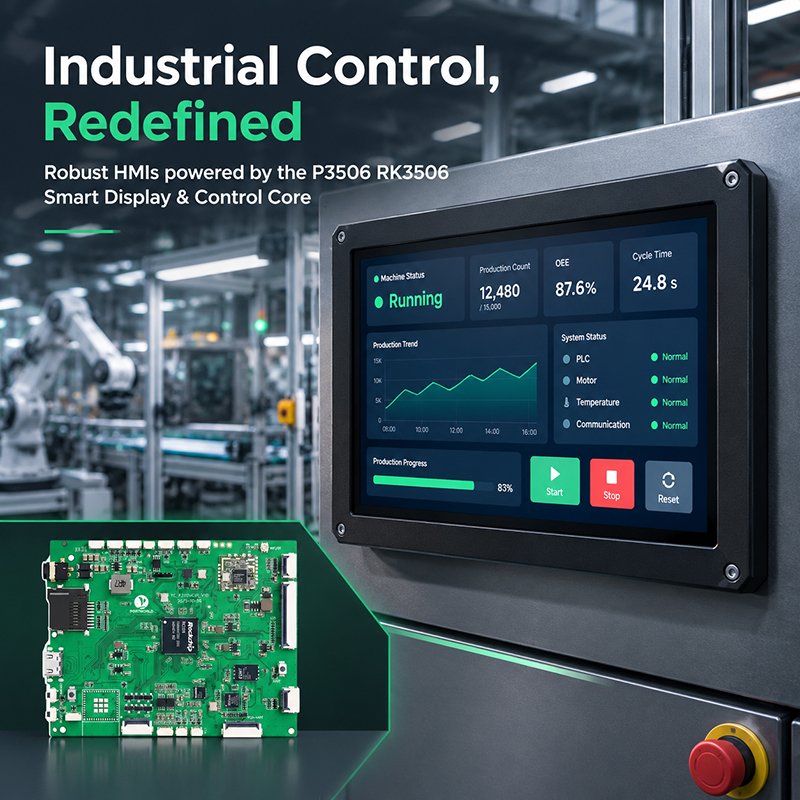
P3506 Industrial HMI Scenario
Which Interface Is Required for Your Industrial Panel PC?
Select RS232 when a straightforward, direct connection to a single compatible device is necessary, utilizing an appropriate short cable run. Opt for RS485 when a more noise-resistant serial connection is required, enabling longer-distance communication or a shared bus that connects multiple compatible devices.
In cases where your project involves both legacy systems and distributed industrial devices, a panel PC equipped with both interfaces—or a tailored platform featuring the necessary serial hardware—might provide the most adaptable solution.
Ultimately, the optimal interface is the one that aligns with the connected equipment, network structure, software, and installation conditions. Clearly defining these requirements at the outset aids in minimizing integration challenges and guarantees that your industrial panel PC can maintain reliable communication throughout its intended product lifecycle.