Industrial HMI Panels for Pump and Water Treatment Systems
Pump stations and water treatment facilities depend on continuous monitoring and dependable equipment control. Operators need a straightforward, efficient way to interact with industrial equipment, whether they are tracking water pressure and flow rates or controlling pumps, valves, and filtration processes.
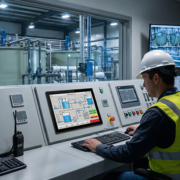
An industrial HMI (Human-Machine Interface) panel serves as the point of interaction between operators and equipment. Through a touchscreen interface, it enables operators to view system data, modify operating parameters, monitor alarms, and communicate with industrial controllers.
As water treatment systems become increasingly automated, selecting the right HMI panel is more important than ever. The display must operate reliably, support the necessary communication interfaces, and integrate effectively with PLCs, sensors, variable frequency drives (VFDs), and other equipment.
This article examines the role of industrial HMI panels in pump and water treatment systems, the features to consider, and how to choose an appropriate touchscreen solution.
1. What Is an Industrial HMI Panel?
An industrial HMI panel is a touchscreen interface that enables operators to monitor and interact with industrial automation systems.
In pump and water treatment applications, the panel typically presents information gathered from PLCs, sensors, meters, and other control devices.
Operators can use the interface to:
- Monitor pump operating status
- View water pressure and flow rates
- Check tank and reservoir levels
- Adjust operating parameters
- Monitor valve and motor status
- View alarms and system warnings
- Switch between operating modes
- Review process information and historical data
An HMI panel generally does not directly control pump motors or provide safety-critical protection. These functions are usually performed by PLCs, dedicated controllers, VFDs, and protection systems.
The HMI serves as the operator interface, while the underlying control equipment carries out the automation logic.
Maintaining this separation is important when designing a reliable industrial control system.
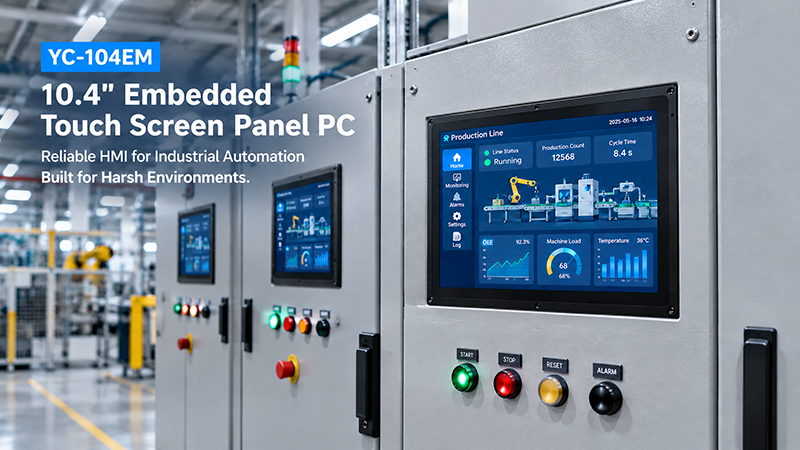
YC-104EM touch screen solutions
2. Why Do Pump and Water Treatment Systems Need HMI Panels?
Water management systems often rely on multiple devices working together. Without a centralized interface, operators may have to inspect each controller, meter, and equipment indicator separately.
An industrial HMI panel consolidates this information in a single interface.
1. Centralized Pump Monitoring
Pump stations may include several pumps running under different conditions.
An HMI can show:
- Whether each pump is running or stopped
- Motor operating frequency
- Current and voltage, if provided by connected equipment
- Water pressure
- Flow rate
- Operating hours
- Fault and maintenance status
This gives operators an overview of the system’s condition without requiring them to check every device individually.
2. Water Level and Flow Monitoring
Water treatment facilities commonly oversee tanks, reservoirs, pipelines, and filtration equipment.
HMI interfaces can present data from connected level sensors, flow meters, and pressure transmitters.
For instance, an operator can use a touchscreen dashboard to track water levels across multiple storage tanks and confirm that the system remains within its configured limits.
3. Alarm and Fault Management
Pump and water treatment systems must quickly detect abnormal operating conditions.
An HMI can display alarms for:
- Pump overload
- Motor faults
- Low water levels
- High pressure
- Abnormal flow rates
- Communication failures
- Filter maintenance requirements
Alarm thresholds and response actions should be configured in the underlying control system. The HMI presents the relevant information and enables authorized operators to review and acknowledge alarms.
4. Simplified Parameter Configuration
Operators may need to modify system settings to meet operational requirements.
Depending on the control architecture and user permissions, the HMI may provide access to parameters such as:
- Pump start and stop commands
- Pressure setpoints
- Flow-control settings
- Automatic and manual operating modes
- Pump changeover sequences
- Alarm thresholds
Appropriate access controls and confirmation steps should be implemented to prevent unauthorized or unintended changes.
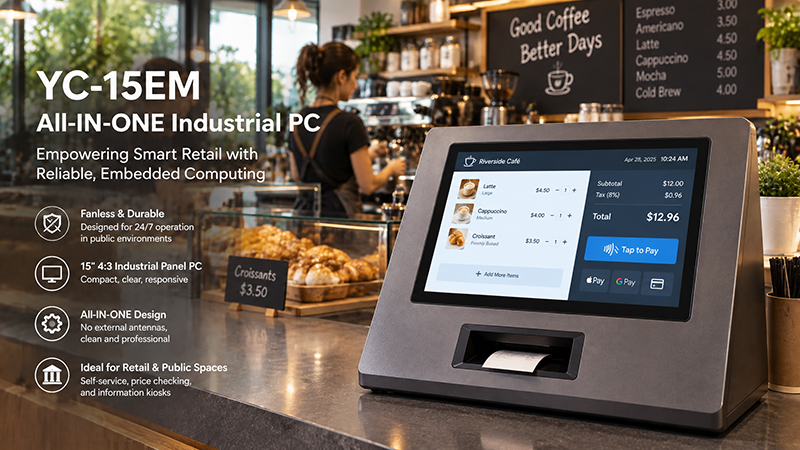
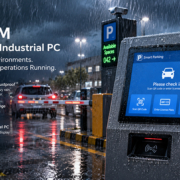
YC-15EM touch screen solution
3. Common Applications of Industrial HMI Panels in Water Systems
Industrial HMI panels support various stages of water supply, wastewater treatment, and industrial water management.
Pump Stations
At pump stations, HMI panels help operators monitor several pumps and manage operational data.
A typical interface can show pump status, pipeline pressure, water flow, motor frequency, and alarm conditions.
In systems with multiple pumps, the HMI may also let operators select operating modes and check the status of duty and standby units.
Water Treatment Plants
Water treatment facilities include processes such as filtration, chemical dosing, sedimentation, and disinfection.
An HMI panel can present process data and enable operators to monitor each treatment stage.
For instance, a touchscreen interface may display:
- Water inlet and outlet flow
- Tank levels
- Filter operating status
- Pump and valve conditions
- Chemical dosing information
- Process alarms
The interface can be tailored to the facility’s actual treatment workflow, helping operators understand the process as a whole.
Wastewater Treatment Systems
Wastewater treatment systems commonly include pumps, blowers, mixers, valves, and monitoring sensors.
An industrial HMI can offer a centralized overview of equipment status and process data.
Operators can use the panel to monitor aeration equipment, wastewater levels, pump operation, and other connected devices.
Reverse Osmosis (RO) Systems
Reverse osmosis equipment relies on pumps, membranes, valves, and pressure-monitoring devices.
An HMI panel can display key operating parameters, including:
- Feed water pressure
- Membrane pressure
- Flow rate
- Conductivity readings
- Pump status
- Filter and maintenance alarms
Relevant sensors and controllers collect these values, which the HMI presents in a clear interface for operators.
Industrial Cooling Water Systems
Manufacturing plants commonly rely on circulating water systems to cool machinery and production equipment.
An HMI enables operators to monitor pump status, water temperature, pressure, flow rate, and system alarms.
In larger installations, several HMI panels can be positioned in different equipment areas and linked to a centralized control system.
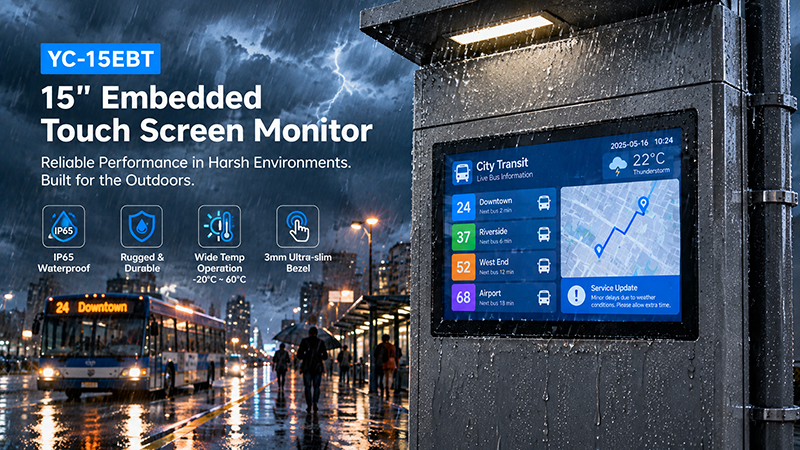
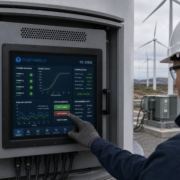
YC-15EBT touch screen solutions
4. Key Features to Consider When Selecting an Industrial HMI Panel
Not all touchscreen panels are appropriate for pump stations or water treatment equipment.
Review the following technical requirements before choosing a product.
1. Display Size and Readability
The screen should offer sufficient space for operators to view process diagrams, equipment status, and operating parameters.
Typical industrial HMI display sizes include:
- 7 inches for compact equipment
- 10.1 inches for general machine interfaces
- 12 inches for more detailed control screens
- 15 inches or larger for complex process monitoring
For instance, a small pump controller may require only a 7-inch interface, whereas a water treatment control cabinet may be better suited to a 15-inch or 21.5-inch touchscreen.
Display brightness, viewing angle, resolution, and anti-glare performance should also be assessed based on the installation environment.
2. Touchscreen Performance
Operators may need to use the HMI frequently while equipment is running.
Projected capacitive (PCAP) touchscreens support multi-touch and work well with modern graphical interfaces.
However, water treatment facilities and pump stations may expose operators to wet hands, protective gloves, dust, and other environmental factors.
When gloves or wet conditions are expected, test the touchscreen using the gloves and environmental conditions that operators will encounter in the field.
Resistive touch technology may also be a suitable option when its input characteristics better fit the operating environment.
3. Processor and Operating System
The processor must deliver adequate performance for the HMI software and any connected applications.
ARM-based platforms suit many embedded HMI applications, particularly those running dedicated Linux or Android interfaces.
Intel-based platforms may be a better choice when a project requires Windows applications or specific industrial software compatible with x86.
Common operating system options include:
- Linux
- Ubuntu
- Debian
- Android
- Windows
The final selection should be based on software compatibility, driver availability, application needs, and long-term maintenance requirements.
4. Industrial Communication Interfaces
Communication compatibility is a key consideration when selecting an HMI for a water system.
Depending on the control architecture, relevant interfaces may include:
- Ethernet
- RS485
- RS232
- USB
- GPIO
- CAN, when required
These interfaces allow the HMI system to connect with PLCs, VFDs, meters, sensors, gateways, and other equipment.
Common industrial communication protocols include:
Modbus RTU: Commonly used over serial interfaces such as RS485.
Modbus TCP: Used to communicate across Ethernet networks.
PROFINET and EtherNet/IP: Used in industrial automation environments when supported by the chosen hardware and software architecture.
MQTT: Suitable for sending equipment data to gateways, servers, or cloud platforms.
Physical interfaces and communication protocols should not be confused. An RS485 port alone does not guarantee support for every serial protocol. The necessary protocol stack, drivers, and application integration must also be available.
5. Enclosure and Environmental Protection
Equipment in pump stations and water treatment facilities may be exposed to moisture, dust, vibration, temperature fluctuations, and electrical interference.
Before choosing an HMI panel, assess:
- Front-panel protection rating
- Overall enclosure protection
- Operating temperature range
- Cooling design
- Vibration resistance
- Electrical noise immunity
- Mounting method
For example, an IP65 rating for the front panel does not indicate that the entire device is protected to IP65. The enclosure, connectors, cable entries, and installation method also determine the system’s overall protection level.
For outdoor installations, verify sunlight readability, UV resistance, condensation management, and temperature performance separately.
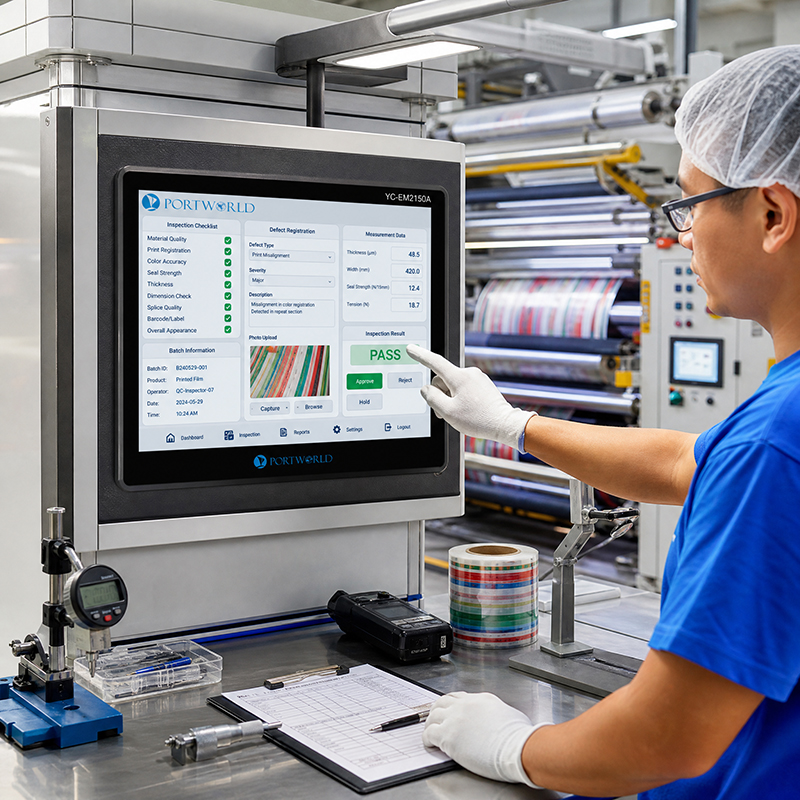
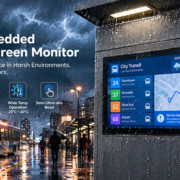
Industrial Embedded Touch Monitor
5. HMI Panel vs. PLC: What Is the Difference?
An HMI panel and a PLC are often used together, but they perform different functions.
| Function | Industrial HMI Panel | PLC |
|---|---|---|
| Operator interface | Primary function | Not its primary function |
| Touchscreen display | Yes, if equipped | Usually no |
| Process visualization | Yes | Provides data |
| Control logic | Usually handled by connected controllers | Primary function |
| Sensor data acquisition | Through supported interfaces and system architecture | Common function |
| Motor control | Sends operator commands through the control system | Executes configured control logic |
| Alarm display | Displays alarms | Detects and processes configured conditions |
| Communication | Connects to PLCs and other devices | Communicates with field devices and other systems |
In a standard pump control system, sensors provide measurements to a PLC, which runs the control logic and sends relevant information to the HMI.
The operator reviews the data on the touchscreen and submits authorized commands through the HMI. The PLC then checks whether the requested action is allowed.
This arrangement keeps the user interface separate from real-time control and protection functions.
6. Designing an HMI Interface for Pump and Water Treatment Systems
Hardware selection is only one part of the project; the software interface also influences operational efficiency.
A well-designed HMI presents essential information clearly and helps operators understand system conditions.
Use Process Flow Diagrams
A simplified process diagram can illustrate pumps, tanks, pipelines, valves, and filters.
Use clear indicators to show whether each piece of equipment is operating, stopped, or in an alarm condition.
Prioritize Key Parameters
Avoid overcrowding a single screen with too much information.
For pump systems, key parameters may include pressure, flow rate, motor frequency, and pump status.
For water treatment systems, important values may include tank levels, conductivity, filtration status, and dosing information.
Organize Screens by Equipment or Process
For larger systems, divide the interface into dedicated pages, such as:
- System overview
- Pump monitoring
- Tank and pipeline monitoring
- Filtration process
- Alarm history
- Maintenance information
- System configuration
This structure enables operators to locate relevant information quickly.
Include Alarm History and User Permissions
Alarm history helps maintenance teams identify recurring problems.
User permissions can distinguish routine monitoring from more sensitive configuration and control tasks.
For critical processes, implement safety interlocks and emergency protection within the appropriate control and safety systems. Do not rely solely on the HMI interface for these safeguards.
7. Portworld Industrial Touchscreen Solutions for Water System Applications
Portworld supplies industrial touchscreen displays and embedded Panel PCs for equipment manufacturers and industrial automation projects.
For pump and water treatment systems, customers can select standalone touchscreen monitors or integrated Panel PCs to suit their system architecture.
The YC-104EM is a 10.4-inch industrial touchscreen Panel PC built for embedded equipment and industrial control applications.
Key specifications include:
- 10.4-inch touchscreen display
- Intel Core i5-3317U or Celeron J4125 processor options
- 4GB RAM, expandable to 8GB
- 128GB storage
- Windows 10, with Linux or Ubuntu options
- 10-point capacitive touch
- Aluminum enclosure
- IP65 front-panel protection
The unit can function as an operator interface for pump monitoring, water treatment equipment, and industrial control cabinets.
Confirm the communication interfaces and software configuration for the specific model selected.
YC-215EM Industrial Panel PC
Designed for applications that require a larger display, the YC-215EM is a 21.5-inch industrial touchscreen Panel PC.
Its spacious screen can present process flow diagrams, status indicators for multiple pumps, operating parameters, and alarm information within a single interface.
It is suitable for industrial equipment that needs an integrated display and computing platform.
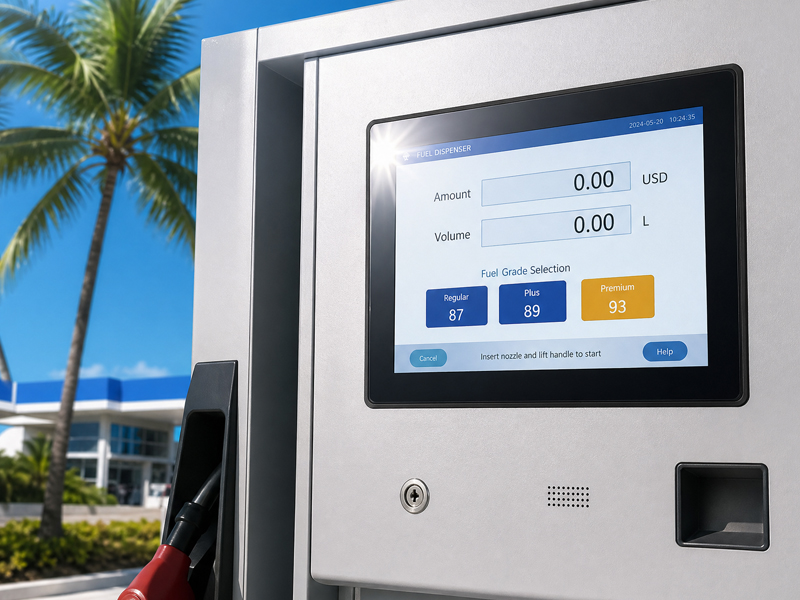
Industrial Embedded Touch Monitor
Standalone Industrial Touch Monitors
For projects that already use an industrial computer or PLC-based visualization system, a standalone touch monitor may be the more suitable option.
Portworld offers models including:
- YC-15EBT
- YC-185EBT
- YC-215EBT
These displays connect to external computing hardware through supported display and touch interfaces.
This configuration offers greater flexibility when the computing platform must be selected or maintained separately.
OEM/ODM Customization for Water Industry Equipment
Water treatment machines and pump systems vary in their installation and communication requirements.
Portworld offers a range of customization options, including:
- Display size and resolution
- Touchscreen configuration
- Motherboard and processor selection
- RAM and storage configuration
- Interface customization
Operating system customization, including Android, Linux, Ubuntu, Debian, and Windows where supported
- Boot logo and application deployment
- Custom enclosure and mounting design
- SDK and technical documentation
For equipment manufacturers developing a dedicated HMI product, these options help ensure the touchscreen hardware aligns with the machine’s overall design.
8. How to Select the Right HMI Panel for Your Project
Before purchasing an industrial HMI panel, prepare a clear technical specification.
The following checklist can help:
| Selection Factor | Questions to Confirm |
|---|---|
| Display size | How much screen space is required? |
| Resolution | Will the interface display detailed process diagrams? |
| Touch technology | Will operators use gloves or work in wet conditions? |
| Processor | What software and processing performance are required? |
| Operating system | Does the application require Windows, Linux, or Android? |
| Interfaces | Are Ethernet, RS485, RS232, or other connections required? |
| Protocols | Does the system use Modbus, PROFINET, MQTT, or another protocol? |
| Environment | Is the installation exposed to water, dust, heat, or vibration? |
| Mounting | Is the panel installed in a control cabinet or directly on equipment? |
| Customization | Are special dimensions, interfaces, or software functions needed? |
It is also important to consider the complete system architecture.
Confirm which device handles sensor acquisition, process control, motor protection, alarm logic, data storage, and remote communication.
This helps ensure that the HMI panel is selected for the right role within the automation system.
Industrial HMI panels are essential in pump stations and water treatment systems, offering a clear interface for equipment monitoring, parameter settings, and alarm management.
Selecting the right solution depends on display needs, processing capacity, communication interfaces, operating system compatibility, and installation conditions.
A compact embedded panel may meet the needs of smaller systems. More complex water treatment operations may benefit from a larger industrial Panel PC, which provides additional space for process visualization and equipment monitoring.
Portworld provides industrial touch monitors, embedded Panel PCs, and OEM/ODM customization services for a range of industrial HMI projects.