Wi-Fi 2.4 GHz vs. 5 GHz for Smart Home Control Panels
Wi-Fi connectivity is an important factor when choosing a smart home control panel. Whether a touchscreen panel controls lighting, air conditioning, curtains, security devices, or other connected equipment, the quality of its wireless connection influences communication reliability and the overall user experience.
Wi-Fi networks, however, do not all operate alike. The two most widely used frequency bands are 2.4 GHz and 5 GHz, each with distinct characteristics related to coverage, speed, interference, and device compatibility.
For smart home integrators and hardware developers, understanding these differences helps identify the most appropriate wireless configuration for a given installation.
1. Understanding 2.4 GHz and 5 GHz Wi-Fi
The 2.4 GHz and 5 GHz bands are frequency ranges that Wi-Fi networks use. They enable smart home control panels to communicate with wireless routers, automation servers, mobile devices, and other network-connected equipment.
Although both bands provide wireless connectivity, their performance differs.
2.4 GHz Wi-Fi
The 2.4 GHz band is widely used in smart home environments because, under comparable conditions, it generally provides broader coverage and penetrates walls more effectively than the 5 GHz band.
Its primary advantages include:
- Longer practical coverage in many indoor settings
- Improved penetration through walls and other obstacles
- Broad compatibility with smart home and IoT devices
- Suitability for low-bandwidth control and monitoring tasks
For instance, a wall-mounted touchscreen panel can connect over 2.4 GHz Wi-Fi to a home automation server, receive status updates from devices, and send commands to connected equipment.
One drawback is that the 2.4 GHz band is often congested. Bluetooth devices, wireless peripherals, nearby Wi-Fi networks, and some other wireless equipment can contribute to interference.
5 GHz Wi-Fi
The 5 GHz band typically offers higher potential data rates and access to a broader range of channels. Actual performance depends on the router, regional regulations, and Wi-Fi standard.
Its advantages include:
- Higher potential throughput
- More available channels in many environments
- Often less congestion than the 2.4 GHz band
- Greater suitability for bandwidth-intensive applications
For smart home control panels, 5 GHz can be beneficial when the panel displays high-resolution images, streams video from network cameras, or uses applications that transfer substantial amounts of data.
However, under comparable conditions, 5 GHz signals generally provide less indoor coverage and penetrate walls less effectively than 2.4 GHz signals. Connectivity may therefore be more difficult when the router is located far from the panel.
smart home control panel-1
2. 2.4 GHz vs. 5 GHz: Key Differences
The following comparison highlights the main considerations when selecting a Wi-Fi band for a smart home control panel.
| Comparison | 2.4 GHz Wi-Fi | 5 GHz Wi-Fi |
|---|---|---|
| Coverage | Generally longer | Generally shorter |
| Wall penetration | Generally better | Generally weaker |
| Potential speed | Lower | Higher |
| Interference | Often more crowded | Often less crowded |
| IoT compatibility | Very common | Depends on device |
| Best use | Control and monitoring | Video and higher-bandwidth applications |
| Power consumption | Depends on implementation | Depends on implementation |
Real-world performance depends on the router, antenna design, transmit power, channel conditions, building materials, and device placement. A 5 GHz connection is not necessarily faster or more reliable in every installation.
3. Which Wi-Fi Band Is Best for Smart Home Control Panels?
The appropriate frequency depends on the panel’s functions and installation location.
For Lighting and Device Control: 2.4 GHz Is Often Enough
Many smart home control tasks involve sending small commands and receiving device status updates.
Examples include:
- Turning lights on and off
- Adjusting brightness and color temperature
- Controlling smart curtains
- Changing air conditioning settings
- Monitoring temperature and humidity
- Activating preset automation scenes
- These tasks generally require low bandwidth, not high data throughput.
For this reason, a 2.4 GHz connection can be a practical option for touchscreen panels in bedrooms, hallways, kitchens, and other areas where coverage is important.
For Video and Multimedia Applications: Consider 5 GHz
Some smart home panels do more than control devices. They may show camera feeds, support video intercoms, display multimedia content, or run other network-based applications.
These features can require additional bandwidth, especially when several video streams or high-resolution content are in use.
In these situations, 5 GHz may deliver a better wireless experience if the panel is within reliable router coverage.
For installations with demanding multimedia needs, wired Ethernet is also worth considering instead of relying solely on Wi-Fi.
For Large Homes: Coverage Matters More Than Peak Speed
In a larger home, the control panel may be located far from the main router or separated from it by several walls.
A high-speed 5 GHz connection can perform poorly when its signal is weak. In the same location, 2.4 GHz may provide more consistent coverage.
For installations spanning multiple rooms, integrators should consider router placement, access points, mesh Wi-Fi coverage, and the number of connected devices.
The goal is not merely to choose the fastest frequency, but to maintain a reliable connection throughout the building.
4. Does a Smart Home Control Panel Require Dual-Band Wi-Fi?
Dual-band Wi-Fi allows a device to connect over both 2.4 GHz and 5 GHz networks.
For smart home control panels, this capability offers more flexibility during installation.
A dual-band panel can use 2.4 GHz when coverage is the main concern and 5 GHz when higher throughput is needed.
This is especially helpful for projects with varied room layouts, building materials, and network configurations.
However, dual-band support does not necessarily mean the device can connect to both frequencies at the same time. Most smart home panels use a single band for their active Wi-Fi connection.
When assessing a control panel, verify:
- Whether it supports 2.4 GHz, 5 GHz, or both
- Which Wi-Fi standards and channels it supports
- Whether the router uses separate SSIDs or band steering
- Whether the panel supports the required network security settings
- Whether the antenna design suits the installation environment
These factors matter in OEM projects because wireless specifications can influence hardware design, antenna placement, enclosure structure, and the certification process.
5. Wi-Fi vs. Ethernet and PoE for Smart Home Control Panels
Wi-Fi is convenient, but it is not the only way to connect a smart home control panel.
For fixed wall-mounted devices, Ethernet and Power over Ethernet (PoE) can be practical alternatives.
Wi-Fi
- Reduces the need for network cabling
- Allows flexible placement
- Well suited to retrofit projects
- Performance depends on wireless signal quality
Ethernet
- Provides a wired network connection
- Eliminates wireless interference
- Ideal for fixed installations that require reliable, predictable connectivity
- Requires network cabling
PoE
- Delivers network connectivity and power through a single Ethernet cable
- Streamlines wiring in compatible installations
- Reduces reliance on a separate local power adapter
- Requires compatible PoE hardware and network equipment
In commercial buildings, hotels, apartments, and larger smart home projects, Ethernet or PoE can provide more predictable installation and maintenance.
Some smart home control panels support multiple connectivity options, enabling integrators to choose the configuration best suited to each project.
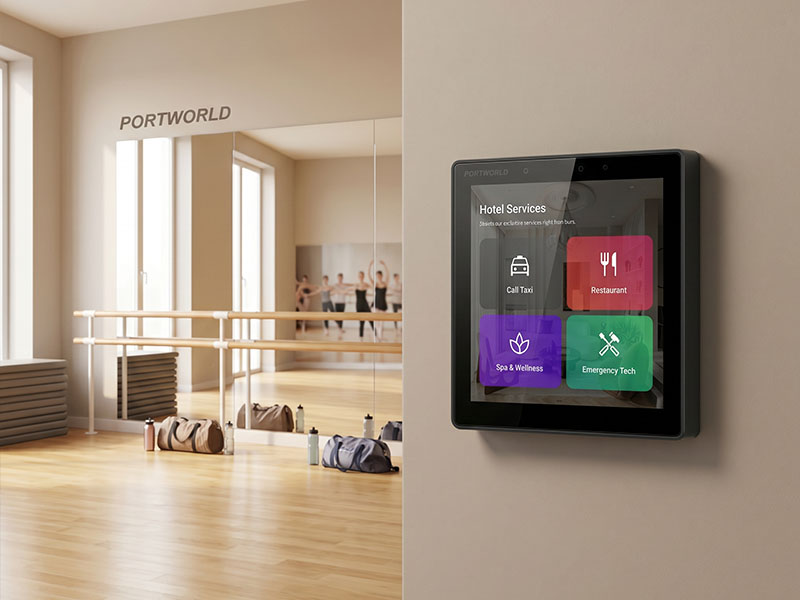
4″ KNX Smart Touch Control Panel
6. Selecting the Appropriate Wi-Fi Solution for Portworld Smart Home Control Panels
Portworld develops touchscreen control panels for residential and commercial smart home applications. Hardware platforms can be chosen to meet specific display requirements, processing needs, communication interfaces, and software requirements.
For instance, the YC-SM43P is a 4-inch ESP32-S3 smart home control panel designed for embedded control applications.
Its main hardware features include:
- ESP32-S3 dual-core processor
- 4-inch touchscreen with 480 × 480 resolution
- 8MB PSRAM and 16MB Flash
- Support for the LVGL graphical interface
- 2.4 GHz Wi-Fi and Bluetooth connectivity
- Ethernet and PoE options, depending on configuration
- RS485 interface
The ESP32-S3 platform supports 2.4 GHz Wi-Fi, but not native 5 GHz Wi-Fi. It is well suited to compact smart home interfaces, device monitoring, and customized control applications that favor a lightweight embedded platform.
For projects that need an Android application environment, a larger display, or broader software integration, Portworld also provides ARM-based touchscreen control panel platforms, such as the YC-SM41P and YC-SM10P.
Depending on the model and configuration, these panels can support Android or Linux-based software environments, touchscreen interfaces, and wired or wireless connectivity options.
For OEM and ODM projects, Portworld can assist customers in assessing:
- Wi-Fi frequency bands and wireless module requirements
- Ethernet, PoE, and RS485 interfaces
- Display dimensions and resolution
- Selection of an Android or Linux platform
- Custom user interface and application development
- Integration with smart home protocols and automation platforms
The final connectivity configuration should be verified against the chosen hardware and the project’s requirements.
smart home control panel
7. What Should Buyers Consider When Choosing a Wi-Fi Smart Home Panel?
When selecting a smart home control panel, look beyond its advertised Wi-Fi frequency and evaluate these factors:
1. Installation environment
Assess the distance from the panel to the router, wall materials, nearby wireless devices, and possible sources of interference.
2. Application requirements
Identify whether the panel will primarily manage lighting and HVAC or also support video, multimedia, and other bandwidth-intensive applications.
3. Router compatibility
Verify that the panel supports the router’s frequency bands, Wi-Fi standards, security settings, and channel configuration.
4. Hardware and antenna design
Wireless performance depends on the complete RF design, including the antenna, enclosure, PCB layout, and installation position.
5. Long-term project requirements
For commercial deployments, account for the number of panels, network management, wired backup options, and maintenance needs.
Considering these factors can help prevent connectivity issues after installation and minimize costly hardware changes.