Embedded Touch Panels for LVGL: Hardware Selection Considerations
LVGL has become a widely used graphics library for embedded devices, including smart home control panels, industrial HMIs, IoT terminals, medical interfaces, and compact touchscreen products. Its lightweight design makes it well suited to systems requiring responsive graphical interfaces without the overhead of a full desktop environment.
However, creating a smooth LVGL interface requires more than the graphics library itself. The hardware platform affects how efficiently the system renders graphics, processes touch input, manages memory, and communicates with external devices.
When choosing an embedded touch panel for an LVGL project, developers should assess the entire hardware platform rather than considering display specifications alone.
1. Select the Appropriate Processor Platform: ESP32, MCU, or ARM Linux
Choosing a processor is one of the first steps in an LVGL hardware project. Platforms differ in computing performance, memory capacity, software flexibility, and development complexity.
MCU-Based Platforms
MCU platforms are appropriate for compact embedded interfaces that require low power consumption and predictable real-time performance.
For instance, the ESP32-S3 offers dual-core processing at speeds of up to 240 MHz, along with Wi-Fi and Bluetooth connectivity. It can run LVGL with an embedded operating system such as FreeRTOS or as part of an ESP-IDF-based application.
An ESP32-S3 touchscreen can be used for a range of applications, including:
- Smart home device control
- Sensor monitoring and status displays
- Industrial parameter interfaces
- IoT dashboards
- Basic equipment configuration menus
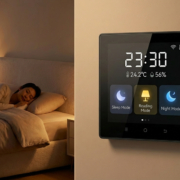
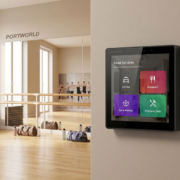
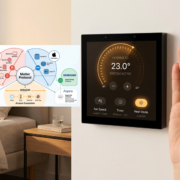
Portworld’s YC-SM43P is a 4-inch smart home control panel powered by the ESP32-S3. It includes a 480 × 480 display, 8 MB of PSRAM, 16 MB of Flash, and LVGL support. Connectivity options include Wi-Fi, Bluetooth 5, RJ45 Ethernet, PoE, and RS485.
This platform is well suited to projects requiring a compact touchscreen interface with network connectivity and peripheral control.
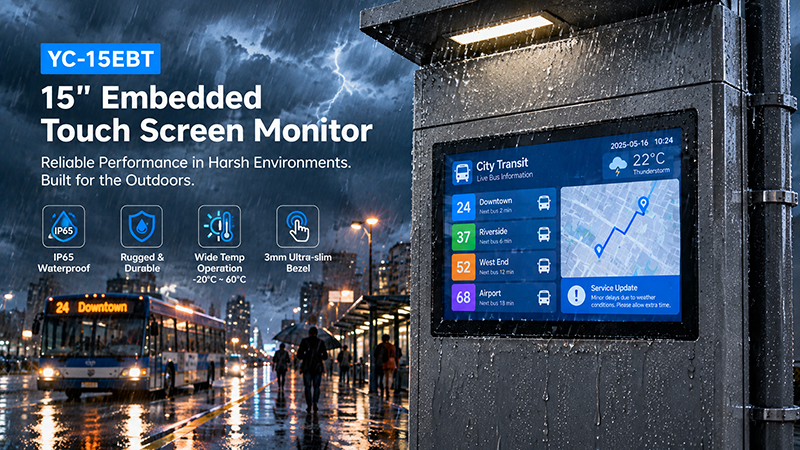
YC-15EBT touch screen solutions
ARM-Based Linux Platforms
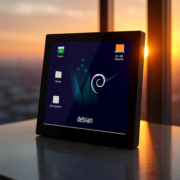
When an application needs greater processing capacity, a more extensive software environment, or more advanced application integration, an ARM-based platform may be the more suitable option.
Rockchip processors, including the RK3566 and RK3568, can run Android or Linux-based operating systems, depending on the hardware and software configuration.
Compared with a typical MCU platform, an ARM Linux system generally offers:
- More memory and storage choices
- A richer operating system environment
- Support for more sophisticated application frameworks
- Greater flexibility for network services and application integration
- Additional resources for multimedia and advanced user interfaces
For instance, an RK3566-based smart control panel may suit a project that requires a more sophisticated interface, multiple software services, or integration with an existing Linux or Android application.
The choice between an MCU and ARM Linux should reflect the application’s workload. A basic control interface may not require a powerful processor, whereas a complex HMI can quickly surpass the practical resource limits of a small MCU.
2. Assess RAM and Flash Requirements
Memory capacity directly affects LVGL performance and application stability.
LVGL requires memory for objects, fonts, images, animations, display buffers, and other graphical resources. The amount needed varies with screen resolution, color depth, interface complexity, and rendering configuration.
RAM: More Than Application Storage
RAM supports more than application variables. It may also be needed for:
- LVGL object and widget management
- Display draw buffers
- Image and font caching
- Network communication
- Sensor data and application logic
- Operating system tasks and stacks
For example, a 480 × 480 display using the RGB565 color format requires approximately:
This amounts to approximately 450 KiB for a single full-screen buffer. Two full-screen buffers would use approximately 900 KiB, not including memory needed by the rest of the application.
Actual requirements depend on whether the display uses full or partial rendering buffers, as well as on the display driver and graphics configuration.
For smaller MCU-based systems, external PSRAM can provide extra working memory for graphics and application tasks.
Industrial Embedded Touch Monitor
Flash: Storage for UI Resources
Flash storage holds firmware, fonts, images, icons, configuration data, and other application resources.
A basic interface with only a few screens may require relatively little storage. Projects that include multiple languages, high-resolution images, extensive animations, or large font libraries need more.
When choosing hardware, account for the current application as well as the potential need for future UI updates.
3. Match Display Resolution and Interface to the Application
The display is the most prominent component of an embedded touchscreen, but choosing a higher resolution is not always the best option.
A larger screen or greater pixel count can improve readability and create more room for controls. However, it may also increase memory requirements and rendering demands.
Key display considerations include:
- Screen size and viewing distance
- Resolution and pixel density
- Brightness and viewing angle
- Color depth
- Refresh requirements
- Display interface compatibility
Common Display Interfaces
Both the processor and the display driver must support the selected display interface.
Common options include:
- SPI: Frequently used with smaller displays and relatively simple interfaces. It offers a straightforward hardware connection, but its bandwidth is lower than that of faster interfaces.
- RGB: Offers a parallel interface suited to many embedded displays. It requires additional signal connections and support for the appropriate timing requirements.
- MIPI DSI: Commonly used with higher-resolution embedded displays. It delivers higher bandwidth with fewer physical connections, provided that the hardware and driver are compatible.
- HDMI: Often used when a system connects to an external monitor rather than directly driving an embedded panel.
- Before finalizing the hardware design, developers should verify compatibility among the processor, display controller, panel timing, and software driver.
4. Check Touchscreen Compatibility
A touchscreen involves more than adding a touch layer to a display. The touch controller, communication interface, driver, and operating system must all function together.
Industrial Embedded Touch Monitor
Two common touch technologies are:
Capacitive touch
Projected capacitive touch is widely used in modern smart home panels, IoT terminals, and interactive HMIs. It supports multi-touch input and provides a smooth user experience.
Resistive touch
Resistive touchscreens detect pressure and may be useful when operation with gloves or a stylus is required. Their performance and suitability depend on the panel design and operating environment.
Touch Controller Interfaces
Touch controllers commonly communicate through I2C or SPI. Developers should check:
- Whether the processor provides the required interface
- Whether a compatible touch controller driver is available
- Whether the touch coordinates match the display orientation
- Whether multi-touch is supported when required
- Whether calibration or firmware configuration is necessary
For LVGL projects, the touch input driver must correctly report pointer or keypad input to the graphics library. Incorrect coordinate mapping or inconsistent input reporting can lead to poor user experience even when the display itself works properly.
5. Evaluate Graphics Acceleration and Rendering Performance
LVGL supports a range of hardware platforms, but rendering speed depends on the processor, memory bandwidth, display interface, and graphics settings.
A basic interface containing buttons, text, and status indicators may perform well on a modest MCU. More complex interfaces featuring large images, transparency, animations, and frequent screen updates demand greater resources.
Developers should assess:
- CPU performance
- Available RAM and memory bandwidth
- Display refresh rate
- Partial or full-screen rendering
- Hardware acceleration support
- LVGL version and driver compatibility
Some platforms include graphics acceleration or dedicated display engines. However, this support is not guaranteed to work automatically with every LVGL setup. Confirm that the required driver, rendering backend, and software integration are compatible.
A practical approach is to test the actual interface on the target hardware rather than relying solely on processor specifications.
6. Review Connectivity and Peripheral Interfaces
Many embedded touch panels need to communicate with sensors, controllers, gateways, or other equipment.
The required interfaces depend on the application.
| Interface | Typical Application |
|---|---|
| Wi-Fi | Wireless network communication |
| Bluetooth | Nearby device connectivity |
| Ethernet | Stable wired network connection |
| RS485 | Industrial and building automation communication |
| UART | Communication with external modules |
| GPIO | Digital input and output |
| USB | Peripheral connection and debugging |
| I2C / SPI | Touch controllers and peripheral devices |
In smart home and building automation systems, RS485 can serve as the physical interface for protocols such as Modbus RTU, as long as the appropriate software stack and configuration are in place.
For industrial applications, developers should also assess electrical isolation, connector type, cable length, noise immunity, and the needs of the connected equipment.
Choosing a panel with the required interfaces from the outset can minimize later hardware design and integration work.
Industrial Embedded Touch Monitor
7. Evaluate Power Supply and Thermal Design
Power and thermal conditions can influence system reliability, particularly in devices intended for continuous operation.
For compact embedded touch panels, developers should assess:
- Input voltage and power consumption
- Display backlight power requirements
- Processor and memory power consumption
- Heat dissipation and enclosure design
- Operating temperature requirements
- Power stability during startup and operation
PoE can streamline installation by providing power and network connectivity over one Ethernet cable, provided the panel supports the necessary PoE implementation and has an adequate power budget.
For instance, Portworld’s YC-SM43P supports PoE, which can be beneficial in smart home and building control installations where minimizing separate power wiring is preferred.
Thermal performance should be tested in the final enclosure. A board that functions reliably on an open test bench may perform differently when fitted inside a compact, wall-mounted housing.
8. Evaluate Software Support and Development Resources
Hardware specifications alone do not determine how quickly an LVGL project can reach production.
Software support is just as important. Developers should verify whether the supplier offers:
- BSP and hardware initialization support
- LVGL integration examples
- Display and touch drivers
- SDK and development documentation
- Communication interface examples
- Firmware customization support
- Long-term software maintenance
For ESP32-based projects, support for ESP-IDF and FreeRTOS can simplify application development. On ARM Linux platforms, developers may need to work with the Linux BSP, display subsystem, device tree, touch drivers, and application environment.
Developers should also confirm the exact LVGL version and ensure that the display and input drivers are compatible. A platform advertised as LVGL-compatible may still require project-specific driver integration.
9. Prototype Before Moving to Mass Production
Evaluate a hardware platform with the actual application, not merely a basic demonstration screen.
Before approving a design, developers should test:
- Display performance: Assess screen refresh rate, brightness, color reproduction, and viewing angles.
- Touch response: Confirm coordinate accuracy, response time, and multi-touch functionality, where applicable.
- Memory usage: Track RAM and Flash consumption while running the complete UI.
- Rendering performance: Evaluate animations, image transitions, and frequent screen updates.
- Communication: Test Wi-Fi, Ethernet, RS485, and any other required interfaces.
- Thermal behavior: Assess the device inside its intended enclosure.
- Continuous operation: Run the application for an extended period to uncover stability problems.
Prototyping can expose issues that datasheets may not reveal, such as driver limitations, memory bottlenecks, touch calibration problems, and thermal challenges caused by the enclosure.
Industrial Embedded Touch Monitor
10. Portworld Embedded Touch Panels for LVGL Projects
Selecting an LVGL hardware platform requires weighing processing power, memory, display needs, connectivity, power consumption, and available software development resources.
Portworld offers embedded touchscreen solutions for smart home control, industrial interfaces, and IoT applications. Its portfolio spans MCU- and ARM-based platforms, giving developers options suited to different levels of application complexity.
For projects built around the ESP32-S3, the YC-SM43P is a 4-inch smart home control panel designed for compact interactive applications. Key specifications include:
- ESP32-S3 dual-core processor
- 4-inch, 480 × 480 display
- 8MB PSRAM and 16MB Flash
- LVGL support
- Wi-Fi and Bluetooth 5
- RJ45 Ethernet and PoE
- RS485 connectivity
For applications that need a more capable operating system environment, Portworld also offers Rockchip-based touchscreen platforms, including RK3566 and RK3568 solutions. Depending on the configuration selected, these platforms may suit projects running Android or Linux applications.