Which Operating System Is Best for a Smart Control Panel: Android or Linux?
Selecting the appropriate operating system is a key decision in developing a smart home control panel. It influences the user interface, application compatibility, hardware requirements, development workflow, and the product’s long-term maintenance.
Android and Linux are widely used options for embedded touchscreen panels. Both can run smart home applications, support network communications, and connect to external devices, but each serves different development goals.
Android is often the preferred choice when a project calls for a familiar touchscreen experience and broad application compatibility. Linux provides more flexibility for tailored embedded systems, streamlined interfaces, and dedicated control functions.
Which operating system is best for a smart control panel? The choice depends on how the panel will be used and the level of customization the project requires.
1. Android and Linux: Key Differences
Android uses the Linux kernel as its foundation, while adding its own application framework, system services, user interface, and application ecosystem. It is designed for touchscreen devices and interactive applications.
In embedded projects, Linux typically refers to distributions such as Ubuntu, Debian, or systems built with Buildroot. Developers can choose the software components they need and tailor the system to the product’s specific functions.
For smart control panels, the differences are especially significant in three areas:
Application compatibility: Android offers an established application environment. Linux applications, by contrast, are usually developed or adapted for the chosen distribution.
System customization: Linux gives developers detailed control over the operating system and software stack. Android can also be customized, but doing so may require work on Android BSPs, framework components, and other system-level elements.
Resource requirements: A minimal embedded Linux system can be configured to support a relatively limited set of functions. Android generally uses more system resources, though its actual requirements vary by version and product configuration.
Neither system is the best choice in every situation. The appropriate option depends on the intended user experience, application requirements, hardware platform, and available development resources.
smart home control panel-1
2. Android Smart Control Panels: Benefits and Applications
Android is a practical platform for smart control panels designed to serve as interactive touchscreen terminals.
Its application framework simplifies the development of graphical apps, integration with third-party software, and creation of familiar touchscreen experiences.
Key Advantages of Android
Extensive application ecosystem
Android offers a broad selection of applications and development tools. Subject to the device’s configuration and software compatibility, a smart control panel can run apps for home automation, video communication, monitoring, and other connected services.
For instance, an Android-based panel can use a dedicated smart home app or a compatible web interface to manage lighting, curtains, HVAC systems, and other devices.
Adaptable touchscreen interface development
Android enables application development with technologies such as Java and Kotlin. Developers can build customized home screens, device dashboards, scene controls, and graphical interfaces.
This flexibility benefits manufacturers seeking to deliver a branded user experience instead of depending on a generic control interface.
Convenient Application Integration
Android offers well-established capabilities for installing and updating applications, managing permissions, and running background services. These features can make it easier to build projects that integrate multiple software applications.
Compatibility should nevertheless be verified against the specific Android version, device architecture, memory configuration, and system permissions required.
When Is Android Suitable?
Android is especially well suited to:
- Smart home control panels with advanced graphical interfaces
- Wall-mounted touchscreen controllers
- Panels that run third-party smart home applications
- Video intercom and communication terminals
- Meeting room and building control displays
- Products that require application-level customization
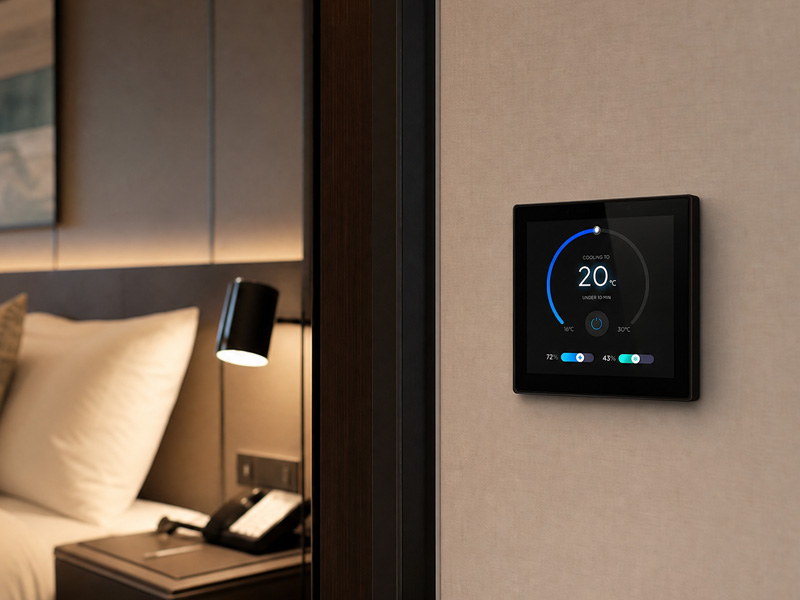
For instance, Portworld’s YC-SM10P is a 10-inch smart control panel powered by the RK3566, running Android 11 and featuring a 1280 × 800 display, 500-nit brightness, 10-point touch, and 2GB RAM with 32GB of storage. It is a suitable option for projects requiring a larger touchscreen interface and an Android application environment.
smart home control panel
3. Linux Smart Control Panels: Benefits and Use Cases
Linux is widely adopted in embedded products because it allows flexibility in system configuration and software development.
For a smart control panel built to support specific control functions, Linux can offer a more purpose-designed operating environment.
Key Benefits of Linux
Extensive system-level customization
Developers can choose the kernel configuration, device drivers, libraries, services, and user interface components needed for the product.
This makes Linux well suited to projects that require a dedicated control interface rather than a general-purpose application environment.
Adaptable software architecture
Linux supports numerous development technologies, including C, C++, Python, and other programming environments.
Developers can create communication services, device management features, local control applications, and graphical interfaces tailored to project requirements.
Options for Lightweight Embedded Systems
A customized Linux distribution can contain only the components required by an application. This helps eliminate unnecessary background services and make more efficient use of system resources.
For instance, a control panel primarily used to display sensor data, communicate over RS485, and manage lighting scenes may not require Android’s full application environment.
Well-Suited to Industrial and Building Automation Integration
Linux is commonly used in embedded systems that connect to external controllers, sensors, and automation equipment.
Based on the software implementation and available hardware interfaces, a Linux-powered panel can support protocols such as Modbus, MQTT, and other communication systems specific to a project.
When Is Linux a Suitable Choice?
Linux is a good fit for:
- Dedicated smart home control terminals
- Industrial touchscreen interfaces
- Building automation control panels
- Applications based on RS485 and Modbus
- Customized embedded monitoring systems
- Projects that require detailed control over the software environment
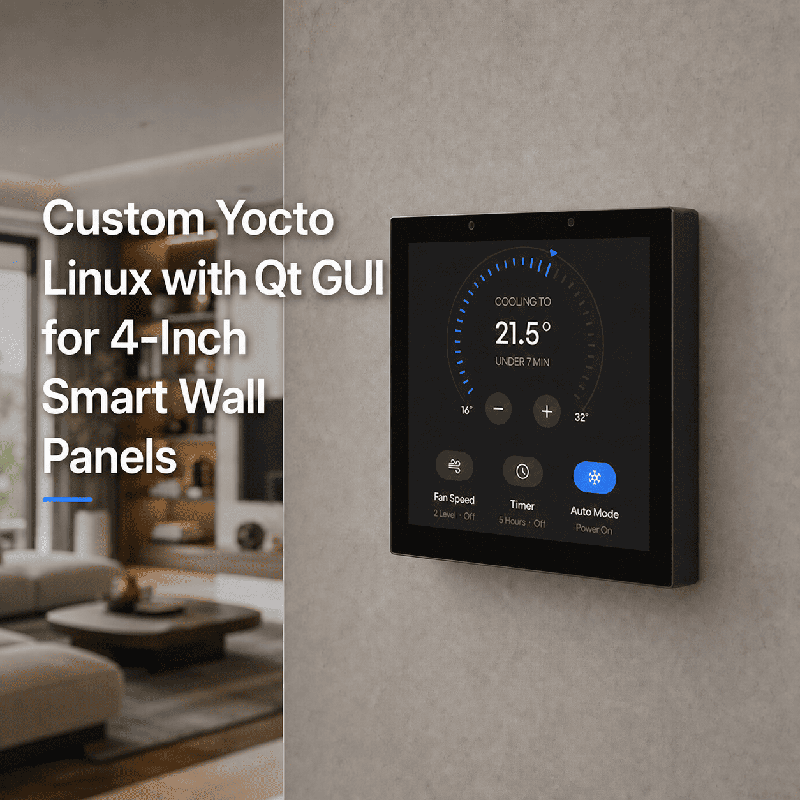
Portworld offers Linux-capable hardware platforms for projects of this kind. For example, the YC-SM41P features a 4-inch, RK3566-based panel with a 480 × 480 display. Depending on the version selected, it supports either Android 11 or Debian 11.
This provides developers with the flexibility to choose between an application-focused Android environment and a customized Linux-based embedded system.
4. Android vs. Linux: A Practical Comparison
The table below summarizes the key considerations when choosing an operating system for a smart control panel.
| Comparison | Android | Linux |
|---|---|---|
| Application ecosystem | Large Android application ecosystem | Depends on the selected distribution and installed software |
| UI development | Android application frameworks | Qt, LVGL, GTK, custom interfaces, and other options |
| System customization | Customizable, with Android-specific development requirements | Extensive kernel and system-level customization |
| Development languages | Java, Kotlin, C/C++ | C, C++, Python, and others |
| Third-party applications | Generally easier when Android compatibility is available | Applications may need adaptation or custom development |
| Resource requirements | Usually higher for a comparable minimal embedded system | Can be optimized for a specific application |
| Embedded integration | Supported through drivers, services, and applications | Flexible integration through drivers, libraries, and services |
| Best suited for | Rich touchscreen applications | Dedicated embedded control systems |
An important consideration is that Linux is not inherently more stable or secure than Android. Both operating systems depend on proper configuration, timely security updates, software testing, and ongoing maintenance.
Similarly, Android is not automatically a poor fit for embedded products. When paired with suitable hardware and a well-configured system, it can reliably power touchscreen terminals designed for continuous operation.
smart home control panel
5. Choosing Between Android and Linux for Your Project
Rather than basing the decision solely on technical specifications, manufacturers should assess the smart control panel’s intended functions.
Choose Android for a Rich User Interface
Android is often a practical option when a panel must run multiple applications, present complex dashboards, support video communication, or deliver a familiar touchscreen experience.
It may also reduce development work if the project relies on existing Android applications or software components.
Choose Linux for a Dedicated Embedded System
Linux may be the better choice when a panel has a clearly defined purpose and needs a tailored software environment.
For instance, a wall-mounted control terminal focused on sensor monitoring, lighting control, HVAC communications, and Modbus data exchange can be built around a specialized Linux software stack.
Assess Hardware Compatibility Before Deciding
The operating system must be supported by the chosen processor platform.
Developers should evaluate:
- Processor architecture and performance
- Available RAM and storage
- Display and touchscreen drivers
- Ethernet, Wi-Fi, and Bluetooth support
- RS232, RS485, GPIO, and other interfaces
- BSP and SDK availability
- Operating system version and update requirements
A processor may support several operating systems, but that does not guarantee that every interface or peripheral will function without driver development and configuration.
6. Which Processor Platform Is Well Suited to Android and Linux?
The processor is another key component in smart control panel development. Rockchip platforms are widely used in embedded touchscreen products because they provide a range of performance options and operating system support.
RK3566: A Practical Choice for Smart Control Panels
The RK3566 is suitable for many compact and mid-range touchscreen control applications.
It includes a quad-core Cortex-A55 CPU and integrated Mali-G52 graphics. Depending on the board design and software configuration, it can run Android or Linux-based systems.
Portworld uses the RK3566 in several smart control panel products, including the YC-SM41P, YC-SM55P, and YC-SM10P.
These models offer different display sizes to meet a range of application needs:
- YC-SM41P: A 4-inch touchscreen panel with a 480 × 480 display.
- YC-SM55P: A 5.5-inch touchscreen panel with a 720 × 1280 display.
- YC-SM10P: A 10-inch touchscreen panel with a 1280 × 800 display.
These products can provide a hardware foundation for smart home interfaces, room controllers, and building automation terminals.
RK3568: Greater Flexibility for Embedded Applications
The RK3568 is an option for smart control panels and embedded systems that require expanded connectivity or greater hardware flexibility.
Its quad-core Cortex-A55 processor supports customized Android or Linux-based solutions, depending on the board and BSP configuration.
Portworld offers RK3568-based motherboard options, such as the YC-P6801 and YC-P6802, for projects involving customized interfaces, PCBA development, and integration with external equipment.
The most suitable configuration depends on the required display outputs, network interfaces, memory capacity, peripheral connections, and software environment.
7. Can Android and Linux Be Customized for OEM Smart Control Panels?
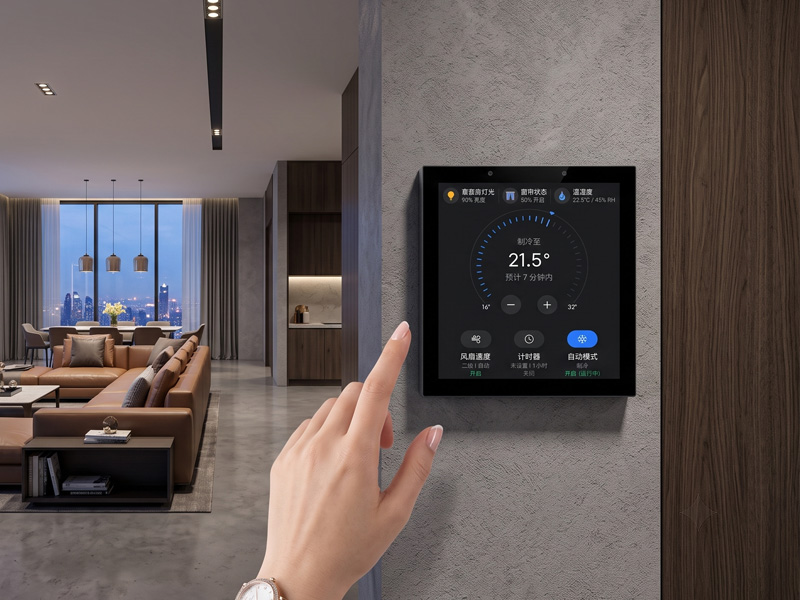
For OEM and ODM projects, choosing Android or Linux is just the first step. The operating system may also need to be tailored to the product’s design, features, and application environment.
Portworld offers hardware and software customization services for smart control panels and embedded touchscreen products.
Smart Home Touch Control Panel
Android customization options may include:
- Customized boot logos and startup animations
- Branded launchers and home screens
- Pre-installed applications
- Automatic application startup
- System settings and permission configuration
- Android BSP and firmware customization
- Support for OTA updates and application management
Linux customization options may include:
- Debian, Ubuntu, or other suitable Linux distributions
- Kernel and device driver configuration
- Customized boot processes and system services
- Development of graphical interfaces using Qt, LVGL, or other technologies
- Integration with RS485, Modbus, MQTT, and external devices
- Firmware optimization and customized system images
Portworld also offers support for PCB and PCBA design, motherboard customization, display and interface selection, logo and enclosure customization, SDK and technical documentation, and mass production.
With more than 18 years of experience in touchscreen and embedded hardware development, Portworld can support projects from initial hardware selection and software adaptation to prototyping and production.
8. Final Recommendation: Android or Linux?
No single operating system is the best choice for every smart control panel.
Android is generally a stronger starting point for projects that require a rich touchscreen experience, wide application compatibility, and straightforward integration with existing Android software.
Linux is often better suited to products that need a dedicated embedded environment, customized system components, or specific industrial communication capabilities.
Manufacturers developing smart home control panels should make their choice based on the intended application, available hardware resources, software requirements, and long-term maintenance plan.
Portworld provides touchscreen hardware compatible with Android and Linux, RK3566 and RK3568 motherboard platforms, and OEM/ODM customization services to help manufacturers develop control panels for a range of smart home and building automation applications.