Outdoor Digital Signage Totems: Brightness and Weather Protection
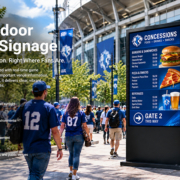
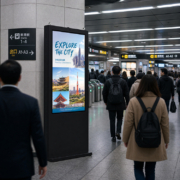
Outdoor digital signage totems are increasingly common in shopping districts, transport hubs, commercial plazas, hotels, campuses, and other public spaces. Their freestanding format makes them well suited to displaying advertisements, wayfinding, event details, and public announcements in locations where conventional indoor screens are impractical.
Yet an outdoor digital signage totem involves far more than a large display and an appealing enclosure. It needs to remain legible as sunlight conditions change, resist rain and dust, dissipate heat from both the screen and its surroundings, and function reliably across seasonal temperature variations.
Businesses planning an outdoor digital signage installation should assess brightness and weather protection together. A high-brightness display without adequate thermal management can overheat, while a weatherproof enclosure cannot make an insufficiently bright screen readable. The entire system must be designed to suit the conditions of its intended location.
1. Why Outdoor Digital Signage Totems Require Specialized Design
Indoor digital signage is typically installed in controlled settings. Outdoor totems, by contrast, must withstand a broader range of conditions, such as direct sunlight, heavy rain, humidity, dust, wind, and temperature variations.
These environmental factors influence both display quality and hardware reliability.
Direct sunlight can reduce screen legibility, especially when the display faces the sun. Rain may penetrate inadequately designed joints or cable openings. Dust can build up around ventilation components, and high ambient temperatures can raise the enclosure’s internal temperature.
Freestanding totems also require careful structural planning. The cabinet, base, mounting system, and protective glass must suit the installation site and anticipated physical exposure.
A dependable outdoor totem should therefore include:
A display with suitable brightness for viewing in sunlight
- Weather-resistant enclosure construction
- Protection against dust and water ingress
- Effective heating and cooling management
- UV-resistant and anti-reflective materials where needed
- Stable structural support and secure installation
- Components that are accessible for maintenance and servicing
These requirements should be assessed as a unified system, rather than treated as independent product specifications.
55 inch digital signage display9
2. Selecting the Appropriate Screen Brightness for Outdoor Visibility
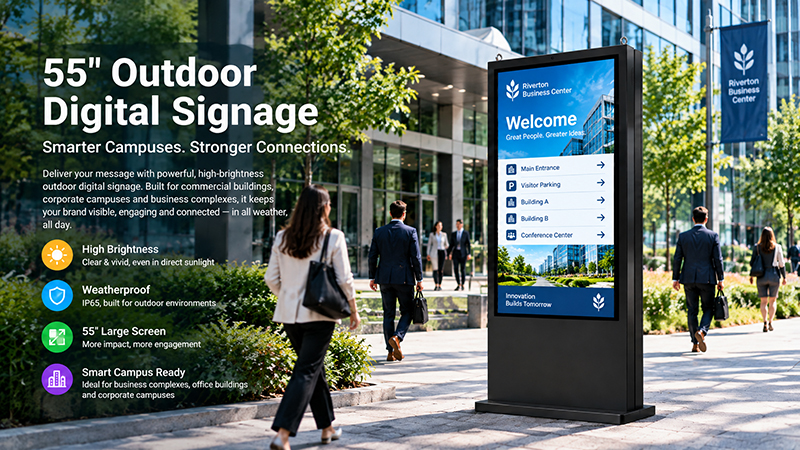
Brightness is among the most important specifications to consider when choosing an outdoor digital signage totem. It is measured in nits, or cd/m². In general, a higher nit rating makes content easier to read in bright conditions, though performance also depends on reflections, viewing angles, contrast, and content design.
A standard indoor commercial display typically delivers about 300–500 nits. This level is generally inadequate for an exposed outdoor installation, particularly in direct sunlight.
The brightness required depends on how much sunlight falls on the screen.
| Installation environment | Indicative brightness range |
|---|---|
| Indoor or controlled lighting | 300–500 nits |
| Covered or shaded outdoor areas | 1,000–2,000 nits |
| Bright outdoor areas with partial sun | 2,500–3,500 nits |
| Direct sunlight exposure | 4,000–5,000+ nits |
These figures are practical starting points, not universal requirements. The exact specification should be confirmed through a site assessment and testing with the intended screen, protective glass, and content. Some installations may require higher brightness depending on orientation and reflections.
Consider the screen’s orientation
The direction a totem faces can have a substantial impact on how easily it can be seen. An east-facing display may receive strong morning sunlight, while a west-facing installation may be exposed to intense afternoon sun. Screens in open plazas may be in direct sunlight for much of the day.
Before choosing a display, evaluate:
- The direction the screen will face
- Its direct sunlight exposure throughout the day
- Nearby reflective surfaces, including glass buildings
- The expected viewing distance
- Whether trees, buildings, or canopies will provide shade
- A partially shaded location may not need the same brightness as an open outdoor site.
- Do not overlook anti-reflective glass
Brightness alone does not ensure clear visibility. Reflections on protective glass can reduce contrast and make content harder to read.
Outdoor totems should be fitted with appropriate anti-glare or anti-reflective front glass, as suited to the display design. Optical treatments can minimize distracting reflections and improve the viewing experience.
Content design matters just as much. High-contrast layouts, legible typefaces, concise messaging, and graphics sized appropriately for the display help people absorb information quickly, especially from a distance.
Use automatic brightness control
Outdoor lighting varies throughout the day. If a display remains at full brightness in the evening, it can waste energy and produce excessive light.
An ambient light sensor adjusts screen brightness to match surrounding conditions. This supports daytime visibility and comfortable nighttime viewing while managing power use and the display’s operating conditions.
55 inch outdoor digital signage display8
3. Understanding IP Ratings for Outdoor Weather Protection
An outdoor digital signage totem needs to shield its display, power components, controller, and internal connections from dust and water.
The Ingress Protection (IP) rating provides an important measure of this protection. In the IEC 60529 classification system, the first digit identifies protection against solid objects and dust, while the second specifies protection against water.
Common IP ratings for outdoor displays
| IP rating | Protection characteristics | Typical consideration |
|---|---|---|
| IP54 | Limited dust protection and protection against water splashes | Certain sheltered environments |
| IP55 | Dust protection and resistance to water jets | Covered or less exposed locations |
| IP65 | Dust-tight and protected against water jets | Many standard outdoor installations |
| IP66 | Dust-tight and protected against stronger water jets | More exposed or rain-prone locations |
| IP67 | Dust-tight and protected against temporary immersion under specified test conditions | Specialized environments with greater water exposure risks |
For many fully exposed outdoor digital signage installations, IP65 is a common minimum standard. IP66 may be more suitable in locations subject to more intense water exposure.
However, an IP rating does not guarantee that a product will withstand every outdoor condition. Buyers should verify which components of the complete totem have been tested and whether the rating covers the assembled enclosure, display front, cable entries, and access panels.
Pay attention to enclosure sealing
Water can enter through areas beyond the front of the display. The rear cabinet, maintenance doors, cable glands, connectors, and joints between enclosure components all need suitable protection.
A well-designed outdoor totem should include:
- Sealed cabinet joints and access doors
- Properly protected cable entry points
- Water-resistant connectors and electrical components
- Appropriate drainage design
- Measures to prevent moisture accumulation
- Corrosion-resistant materials and surface treatments
Drainage and condensation control are especially important. Even if rain cannot enter the enclosure directly, temperature fluctuations can cause condensation to form inside a sealed cabinet. The enclosure must therefore manage moisture as well as resist external water.
4. Thermal Management: Ensuring Reliable Outdoor Display Operation
Managing heat is among the most demanding aspects of designing outdoor digital signage.
High-brightness LCDs generate heat while operating. Direct sunlight can also warm the front glass and enclosure, increasing the internal temperature even when the surrounding air is relatively cool.
Inadequate heat dissipation can reduce display performance, trigger automatic brightness limits, shorten component lifespan, or cause unexpected shutdowns.
Active and passive cooling
Depending on screen size, brightness, enclosure design, and operating conditions, outdoor totems may use different thermal management methods.
Passive cooling
Passive cooling dissipates heat through heat sinks, thermal pathways, ventilation structures, and enclosure design, without relying on conventional cooling fans. This approach can reduce the number of moving parts and simplify maintenance, but its effectiveness depends greatly on the heat load and the surrounding environment.
Active cooling
Active cooling uses equipment such as fans or air-conditioning systems to regulate internal temperatures. It may be required for large, high-brightness displays or installations in hot climates.
Ventilation requires careful design. Adding openings to an outdoor enclosure may let dust, moisture, and insects inside. Depending on the design, filtered airflow or a separate heat-exchange structure may be more appropriate.
55 digital signage display1
Check the operating temperature range
The display’s specified operating temperature range should be suitable for the climate expected at the installation site.
For projects in areas with hot summers, intense sunlight, or cold winters, buyers should verify both the minimum and maximum operating temperatures. These limits should cover the entire system, including the LCD panel, power supply, controller, and other internal electronics.
Thermal performance should also be tested while the display is running at its intended brightness and workload. Testing an enclosure without the actual display and electronics may not accurately reflect real operating conditions.
5. Protective Glass, UV Resistance, and Physical Durability
The front glass is a key component of an outdoor digital signage totem. It shields the display from external contact and also affects its optical performance.
Outdoor units may be exposed to extended sunlight, rain, dust, temperature fluctuations, and accidental impacts. Glass and enclosure materials should therefore be chosen to suit the conditions they are expected to face.
Anti-glare and UV protection
Anti-glare glass can minimize reflections and make content easier to read in bright settings. UV-resistant materials can also help reduce deterioration from prolonged exposure to sunlight.
When optical performance is especially important, buyers should assess the entire front assembly instead of relying solely on the LCD panel’s brightness specification.
Impact resistance
Outdoor totems are frequently placed in public spaces, where accidental impacts or vandalism are possible. Select protective glass based on the anticipated level of risk.
The IK rating indicates how well an enclosure withstands mechanical impacts. IK10 represents a high level of impact protection; however, buyers should confirm that the rating applies to the specific tested assembly and distinguish it from an IP rating, which measures weather protection.
For installations accessible to the public, consider the following features:
- Impact-resistant front glass
- Secure cabinet locks
- Reinforced enclosure construction
- Tamper-resistant fasteners
- Stable mounting and foundation design
- Corrosion resistance
Outdoor equipment may face exposure to humidity, pollution, salt-laden coastal air, or industrial contaminants. Metal cabinets should be made with appropriate materials, coatings, and surface treatments to minimize corrosion risks.
In coastal or industrial environments, standard outdoor protection may not be adequate. Specify materials and coatings based on the actual conditions at the site.
6. Structural Design and Installation Safety
Unlike wall-mounted displays, freestanding digital signage totems must bear their own weight and withstand environmental forces.
Wind load is a key factor, particularly for large-format screens in exposed areas. Tall cabinets with broad front surfaces may be subject to substantial wind pressure. The base, anchor bolts, foundation, and surrounding installation structure must be designed to handle these forces.
Before installation, assess:
- Total cabinet weight and dimensions
- Screen orientation and exposed surface area
- Anticipated wind conditions
- Foundation and anchoring needs
- Ground level and drainage conditions
- Access for installation and future maintenance
A totem mounted on a concrete foundation may require a different installation approach from one placed on an existing paved surface. Installation requirements should be reviewed before cabinet manufacture, rather than left as a final on-site consideration.
The physical layout must also allow technicians adequate access to the display, power supply, controller, and cooling components.
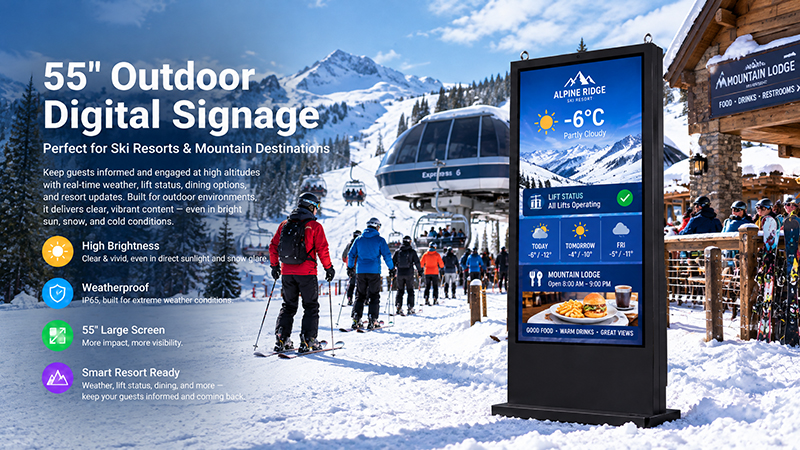
55 digital signage display
7. Display Hardware, Connectivity, and Content Management
While outdoor protection is important, the internal hardware determines how well a digital signage totem fulfills its purpose.
Advertising, wayfinding, and public information systems may require scheduled playback, remote content updates, network connectivity, and automatic restart after a power interruption.
Choose the appropriate operating platform
Android and Windows are both common platforms for commercial digital signage. The best option depends on the software environment and the needs of the application.
Android is well suited to dedicated signage applications, media playback, and customized embedded interfaces. Windows may be preferable when a project relies on existing Windows applications or specialized software.
Choose the processor, memory, storage, and operating system to match the content and software workload. High-resolution video, interactive interfaces, and multiple connected devices may call for different hardware configurations.
Plan connectivity and remote management
Depending on the installation requirements, an outdoor totem may need:
- Ethernet for reliable network communication
- Wi-Fi when a wired connection is unavailable
- USB for local content updates or peripheral devices
- HDMI for external video input or output, if supported
- Cellular connectivity at remote locations
- Remote monitoring and software updates
Consider content management software early in the planning process. A suitable CMS can help operators schedule advertisements, update information, manage multiple displays, and monitor playback status.
Before procurement, verify that the display hardware is compatible with the CMS. If the totem will provide navigation, product browsing, or self-service functions, its touchscreen configuration will also require appropriate interactive software.
8. Applications of Outdoor Digital Signage Totems
Outdoor digital signage totems are used across different industries. Their screen size, brightness, enclosure, and software requirements vary according to the application.
Shopping malls and retail districts
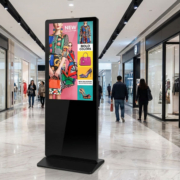
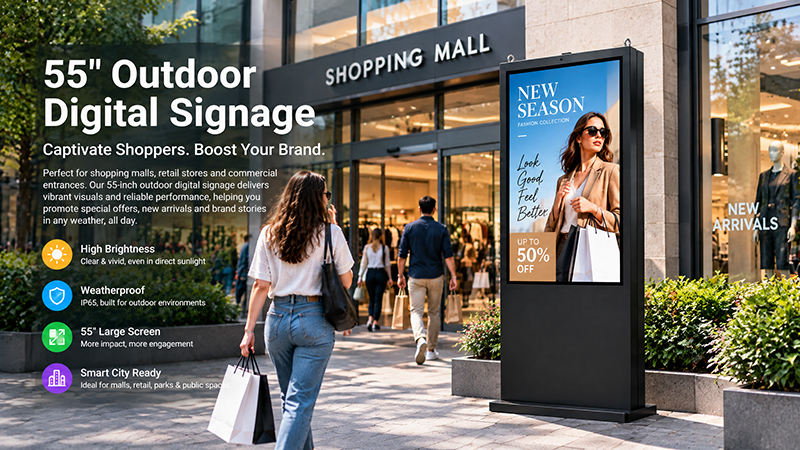
Retail operators use outdoor totems to promote campaigns, introduce products, communicate store information, and guide visitors toward entrances or commercial areas. High brightness and strong visual contrast are especially important in open pedestrian areas.
Stations, bus terminals, and transport facilities can use outdoor totems for route information, service announcements, directions, and public notices. These installations may require extended operating hours, reliable network connectivity, and protection against frequent public contact.
Hotels and tourism destinations
Hotels, resorts, and tourist attractions can use outdoor displays for welcome messages, event information, maps, and visitor guidance. Weather protection and readable content help maintain a consistent visitor experience across changing conditions.
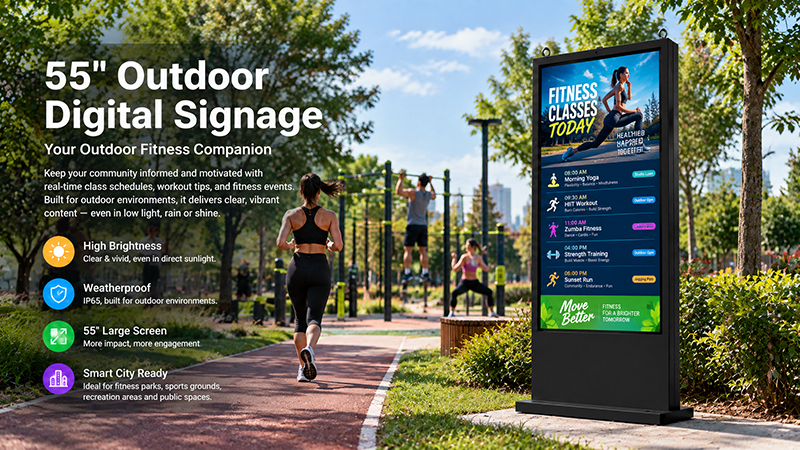
Parks, campuses, exhibition areas, and public squares can use digital totems for event schedules, directional information, announcements, and public communication. Structural stability, impact protection, and remote management are important for installations across multiple locations.
Outdoor advertising and drive-through areas
Commercial venues can use outdoor totems to present promotions, menus, service details, and brand messaging. Screen brightness should be selected according to viewing distance, traffic movement, and ambient sunlight.
9. A Practical Checklist Before Buying an Outdoor Digital Signage Totem
Before requesting a quotation, buyers should prepare a clear project specification. This enables manufacturers to recommend appropriate hardware and lowers the risk of choosing a display that is unsuitable for the installation environment.
| Specification | What to confirm |
|---|---|
| Screen size | Screen dimensions and portrait or landscape orientation |
| Brightness | Required nits based on shade, partial sun, or direct sunlight |
| Optical performance | Anti-glare glass, reflections, contrast, and viewing angle |
| IP protection | Verified rating for the complete outdoor assembly |
| Impact protection | IK rating and front-glass requirements |
| Temperature range | Minimum and maximum operating temperatures |
| Thermal design | Passive cooling, fans, or air-conditioning |
| Enclosure | Material, coating, sealing, and drainage |
| Structural installation | Base, foundation, anchoring, and wind-load requirements |
| Hardware | Processor, RAM, storage, and operating system |
| Connectivity | Ethernet, Wi-Fi, USB, and optional cellular communication |
| Software | CMS compatibility, remote management, and interactive applications |
| Maintenance | Service access, replaceable components, and spare-part availability |
For projects involving multiple units, a prototype or sample evaluation is recommended. Testing should cover outdoor readability, thermal performance, weather protection, network recovery, and the real-world content management workflow.
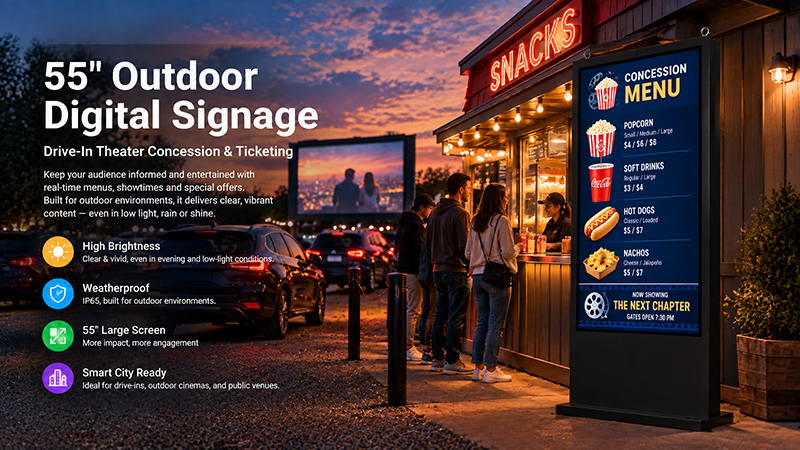
55 inch digital signage display
10. Customizing Outdoor Digital Signage Totems with Portworld
Outdoor digital signage projects often need varied hardware and enclosure configurations to suit the target market, installation site, and software requirements.
Portworld offers commercial displays and embedded hardware solutions, including a 55-inch outdoor digital signage model featuring an IP65-rated enclosure, brightness options from 1,500 to 2,500 nits, and IK10 impact protection. These specifications apply to specific models and should be matched to the project’s actual sunlight exposure and environmental conditions.
For installations exposed to prolonged direct sunlight, buyers should verify that the chosen configuration provides adequate visibility in the expected site conditions. A display rated at 1,500–2,500 nits may work well in shaded or partly exposed areas, but should not be assumed suitable for every full-sun setting.
Portworld also offers OEM and ODM customization for embedded display hardware and digital signage projects. Depending on the product configuration, customization may include:
- Screen size, resolution, and brightness selection
- Android or Linux system configuration
- Motherboard and embedded hardware customization
- Touchscreen and interface options
- Enclosure design and branding
- Application preinstallation and automatic startup
- SDK, technical documentation, and software integration support
- Bulk production and long-term supply planning
For an outdoor totem project, the most important step is to define the installation environment before finalizing the display configuration. Screen brightness, IP protection, thermal management, structural design, and operating hardware should be evaluated together.
Outdoor digital signage totems need to deliver consistent visibility and reliable operation in environments that are far more demanding than typical indoor installations.
Brightness should be selected according to actual sunlight exposure, while IP protection, enclosure sealing, thermal management, protective glass, and structural stability determine how well the system withstands outdoor conditions.