
PoE-Powered Industrial Panel PCs: How to Check Your Power Budget
Power over Ethernet (PoE) is an increasingly practical solution for industrial touchscreen systems. Delivering power and network connectivity over a single Ethernet cable, PoE can streamline installation, eliminate separate power cabling, and simplify the deployment of industrial panel PCs in locations where conventional power access is limited.
Selecting a PoE-powered industrial panel PC, however, requires more than confirming that the device supports PoE. It is also essential to verify that the Ethernet switch or injector supplies adequate power, that its PoE standard is compatible with the device, and that enough power is available during real-world operation.
This consideration is especially important for industrial panel PCs, whose power requirements may vary with display brightness, processor load, network activity, and attached peripherals.
Accurately calculating the PoE power budget helps avoid unexpected shutdowns and unstable performance, while reducing the risk of replacing hardware unnecessarily.
1. What Is a PoE-Powered Industrial Panel PC?
A PoE-powered industrial panel PC draws electrical power through its Ethernet connection instead of depending entirely on a separate DC power adapter.
The device that supplies power is known as the Power Sourcing Equipment (PSE), usually a PoE network switch or injector.
The industrial panel PC is the Powered Device (PD). It receives power through its Ethernet port to run the display, processor, memory, network interface, and other internal components.
A typical PoE setup is arranged as follows:
PoE Switch → Ethernet Cable → Industrial Panel PC
This configuration can reduce the number of cables needed at an operator station. It is particularly useful for wall-mounted control panels, smart building interfaces, distributed monitoring terminals, and industrial equipment installed where power outlets are difficult to access.
For machine manufacturers, PoE can also make installation easier by delivering power and network connectivity over a single cable.
However, the power available is constrained by the PoE standard, the capacity of the PSE port, the switch’s overall power budget, and losses in the cable.

industrial touch screen monitor6
2. Understand the Main PoE Standards Before Selecting a Panel PC
Not all PoE devices provide the same amount of power. The IEEE 802.3 standards define different power levels, and the industrial panel PC must support a compatible PoE type and class.
The following table summarizes the commonly used standards.
| PoE Standard | Common Name | Maximum Power at PSE | Maximum Power Available at PD |
|---|---|---|---|
| IEEE 802.3af | PoE | 15.4 W | 12.95 W |
| IEEE 802.3at | PoE+ | 30 W | 25.5 W |
| IEEE 802.3bt Type 3 | PoE++ | 60 W | 51 W |
| IEEE 802.3bt Type 4 | PoE++ | 90 W | 71 W |
The difference between PSE power and PD power accounts for power lost in the Ethernet cable. These are standard maximum values, not a guarantee that every connected device will receive that amount under every installation condition.
For industrial panel PCs, the key question is:
- How much power does the device actually need at its Ethernet input?
- For instance, an industrial panel PC that requires 18 W cannot be powered reliably through a standard IEEE 802.3af connection, despite the switch advertising a 15.4 W output. A compatible IEEE 802.3at PoE+ connection can deliver up to 25.5 W to the powered device.
- Likewise, a panel PC with greater power requirements may need an IEEE 802.3bt solution.
Always verify the manufacturer’s specified PoE type, class, and maximum input power instead of relying on the broad claim that “PoE is supported.”
3. Understand PSE Power and PD Power
A frequent PoE planning error is mistaking the power supplied by the switch for the power available to the connected device.
These figures are not the same.
PSE power is the amount of power supplied at the output of the PoE switch or injector.
PD power is the power available to the industrial panel PC after it travels through the Ethernet cable.
Because the cable has electrical resistance, some energy is lost as heat when current passes through it. Consequently, less power reaches the receiving device.
For example:
- PSE output: 30 W
- Maximum PD input power under IEEE 802.3at: 25.5 W
- Difference: 4.5 W
This difference is not spare power that the panel PC can use. It accounts for the standard’s cable-loss allowance.
When selecting a PoE switch, therefore, you should check both its per-port output and its total available power budget.
A switch with eight PoE ports may advertise 30 W per port, but that does not necessarily mean it can deliver 30 W to all eight ports simultaneously.
Its internal power supply and total PoE budget determine how many devices can operate at their required power levels at the same time.
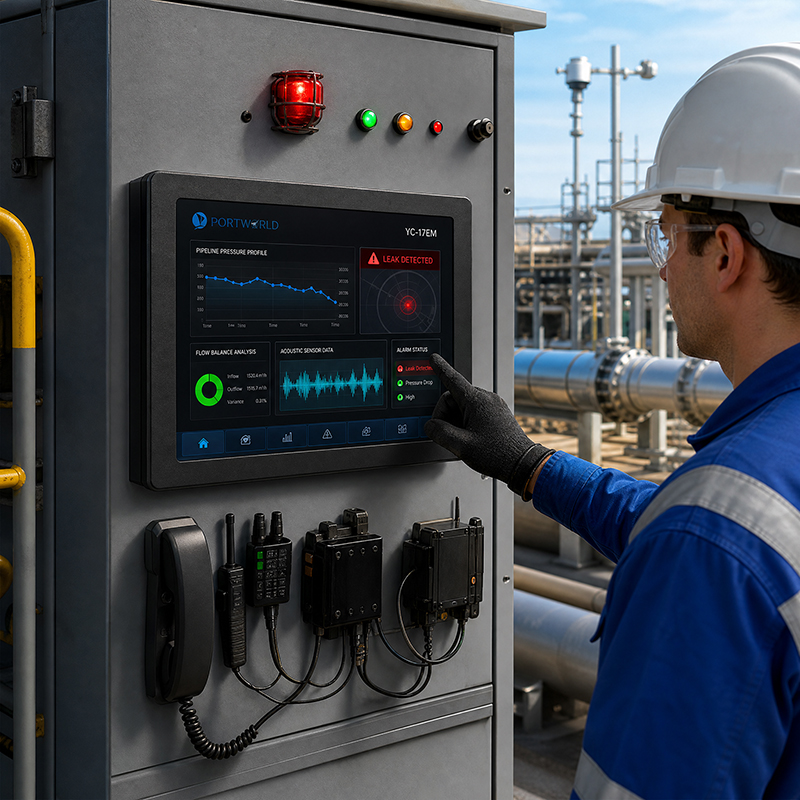
industrial touch screen
4. Calculating the Power Budget for an Industrial Panel PC
A basic PoE power budget calculation begins by determining the power consumption of every connected device.
Follow these steps for a practical assessment.
Step 1: Determine Maximum Power Consumption
First, review the industrial panel PC’s technical specifications.
Check for:
Rated PoE input power.
Maximum power consumption.
Supported IEEE PoE standard and class.
Input voltage range.
Power requirements for optional accessories.
Do not rely solely on the processor’s rated power or the device’s average power consumption.
The PoE connection must supply power to the entire panel PC, including its display, backlight, motherboard, memory, network interface, and any connected peripherals.
Step 2: Determine the Total Device Power
When a system includes multiple industrial panel PCs powered by PoE, sum their maximum power requirements.
For example, assume a machine installation has four industrial panel PCs, each requiring a maximum input power of 20 W.
[
]
Together, the connected devices require 80 W at their PoE inputs.
Use this total as the basis for selecting the network switch.
Step 3: Check the Switch’s Total PoE Budget
The switch must provide sufficient total PoE capacity for every connected device.
For example, a switch with a 120 W total PoE budget could, in principle, power four devices requiring 20 W each:
[
80W<120W
]
This provides 40 W of nominal budget headroom.
You should also check the maximum power available from each port. Even if a switch has an adequate overall power budget, it may not be suitable if an individual port cannot supply the power a device requires.
5. Use This Example to Check a Multi-Panel PC Installation
Consider an industrial monitoring system that uses four PoE-powered panel PCs across a production area.
Assume each device has a maximum PoE input requirement of 20 W.
| Parameter | Calculation | Result |
|---|---|---|
| Number of panel PCs | — | 4 |
| Maximum power per device | — | 20 W |
| Total PD power | 4 × 20 W | 80 W |
| Design margin | 80 W × 25% | 20 W |
| Recommended usable budget | 80 W + 20 W | 100 W |
A switch with a total PoE budget of 120 W and adequate power capacity per port would be a reasonable starting point.
However, the 20 W figure is only an illustrative assumption. Determine the actual power consumption of the industrial panel PC from the selected product’s technical documentation or by measuring it during validation.
If the four devices use long Ethernet cables, account for cable losses and cable quality when verifying the power available to each panel PC.
6. Factors That Affect Industrial Panel PC Power Consumption
A panel PC’s power consumption may vary during operation.
Its power requirements can be influenced by several hardware and operating conditions.
Display brightness: The LCD backlight can account for a substantial share of total power consumption. Higher brightness, particularly in installations with strong ambient light, can increase the device’s power demand.
Processor workload: A panel PC running a basic HMI interface may use less power than one handling complex graphics, multiple applications, or continuous data streams.
Memory and storage: Memory modules, storage devices, and other internal components all contribute to the overall power requirement.
When Is PoE a Good Choice for an Industrial Panel PC?
PoE is especially useful when a panel PC requires network connectivity and a relatively compact power setup.
Common applications include:
- Smart building control panels: Wall-mounted touchscreen terminals can receive both network access and power through a single cable, making installation simpler.
- Factory operator terminals: HMI devices can be installed at multiple production stations without a separate local power adapter at each location.
- Industrial monitoring systems: Several touchscreen terminals can connect to a centralized PoE network switch.
- Machine control interfaces: PoE can reduce wiring complexity for compact machines with suitable power requirements.
- Digital information terminals: Network-connected industrial displays can be deployed where a single Ethernet connection is preferred.
- However, PoE is not necessarily the best choice for every industrial panel PC.
A large display, high-performance processor, power-intensive peripherals, or additional industrial modules may need more power than standard PoE can supply.
In such cases, PoE++ or a separate DC power supply may be more suitable.
The right choice depends on the system’s total power consumption—not simply on whether the device has an Ethernet port.

Industrial Panel PCs
Portworld PoE Industrial Panel PC Solutions
Portworld offers touchscreen hardware and embedded computing solutions for industrial equipment manufacturers and system integrators to evaluate in PoE-powered applications.
Its smart control panel and industrial touchscreen portfolio includes PoE-capable products such as:
- YC-SM41P: A 4-inch smart control panel powered by the Rockchip RK3566 platform, with PoE and RS485 options.
- YC-SM41P-KNX: A 4-inch smart control panel with KNX and Zigbee gateway functionality and PoE connectivity.
- YC-SM55P: A 5.5-inch RK3566-based touchscreen control panel with PoE support.
- YC-SM10P: A 10-inch touchscreen control panel featuring a 1280 × 800 display and PoE connectivity.
- These products may suit smart building control, embedded HMI, equipment monitoring, and other applications that benefit from a combined power and network connection.
- Before planning the PSE power budget, confirm the PoE standard, input power requirements, and supported configuration for the model selected.
Portworld also offers OEM/ODM customization services for projects requiring solutions beyond a standard touchscreen product.
Portworld also provides OEM/ODM customization services for projects that require more than a standard touchscreen product.
Depending on the project, customization can include:
- Motherboard and PCBA design.
- Processor and memory configuration.
- PoE hardware integration.
- RS232, RS485, Ethernet, USB, and GPIO interfaces.
- Android, Linux, Ubuntu, and Debian system customization.
- Display size and touchscreen customization.
- Customized enclosure, mounting, and branding.
- SDK and technical documentation.
For projects with specific power requirements, customers should provide the expected maximum device consumption, PoE standard, connected peripherals, cable length, and operating environment. This helps the engineering team evaluate the appropriate hardware and power configuration before sample development.
With more than 18 years of experience in touchscreen and embedded hardware development, Portworld supports OEM/ODM projects from product evaluation and prototype development to customized production.