Can MQTT Connect an ESP32 Control Panel to Smart Home Devices?
As intelligent home automation systems expand their interconnectivity, property owners and system integrators require adaptable mechanisms to manage illumination, switching devices, environmental sensors, climate control units, and additional IoT devices via a unified control platform. For enterprises manufacturing embedded intelligent control interfaces, MQTT represents a communication technology meriting serious evaluation.
MQTT constitutes a streamlined publish-subscribe communication framework engineered for device-to-device and IoT applications. It facilitates an ESP32-based control interface to transmit directives and operational status across an MQTT message broker to interconnected devices and software solutions. Espressif delivers an MQTT client framework compatible with ESP32 systems, incorporating message distribution, subscription management, verification protocols, and encrypted data transmission.
Within an ESP32 intelligent control interface, this capability enables the display interface to function as an integrated component of a comprehensive smart home ecosystem without necessitating autonomous connections to individual devices.
Nonetheless, MQTT functions as a transmission protocol rather than a standardized smart home device framework. Effective system integration hinges upon whether the intended devices, connection hubs, or residential automation solutions incorporate MQTT compatibility or furnish equivalent interoperability.
How Does MQTT Function with an ESP32 Smart Control Panel?
A typical MQTT-based smart home infrastructure comprises three fundamental components: the control panel, an MQTT broker, and the devices or services responsible for executing commands.
The ESP32 control panel operates as an MQTT client. It transmits messages when a user engages with the touchscreen interface and subscribes to topics that deliver device status information or other relevant updates.
The MQTT broker collects published messages and distributes them to clients subscribed to the corresponding topics. Smart home devices, gateways, or automation platforms can subsequently process these messages and execute the requested operations.
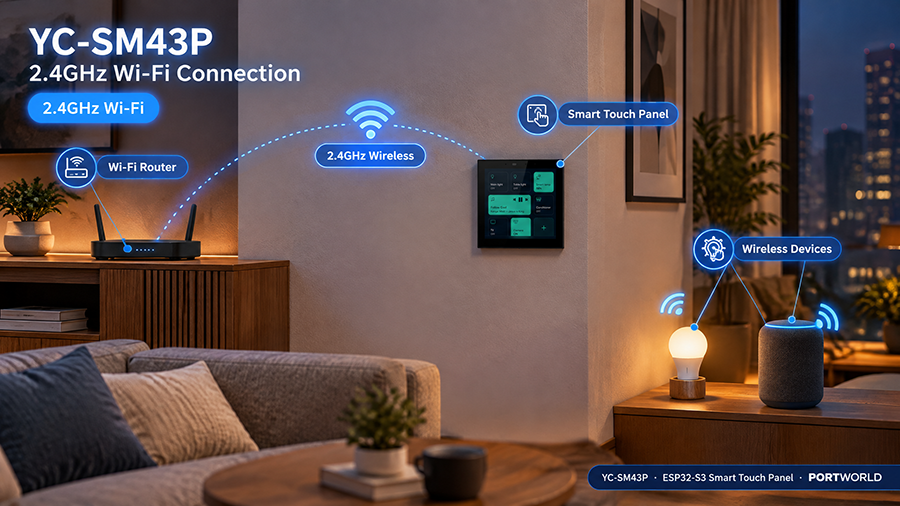
YC-SM43P smart home control panel
Examine a straightforward lighting-control scenario.
A user presses the lighting button on an ESP32 touchscreen. The panel transmits a message such as ON to a lighting command topic. A compatible smart switch or automation platform subscribes to that topic, obtains the command, and activates the light. Subsequently, it transmits its actual status to a distinct topic, enabling the control panel to refresh the displayed state.
A representative topic structure might resemble the following:
- home/living_room/light/set — commands transmitted to the light.
- home/living_room/light/state — the reported lighting status.
- home/living_room/temperature — temperature measurements.
- home/panel/status — the control panel’s connectivity status.
These topic designations serve as illustrations rather than mandatory conventions. The device firmware and automation platform must employ corresponding topics and establish agreement on message structures.
The separation between command and state topics holds considerable significance. A touchscreen should preferably exhibit the device’s reported state rather than presuming that a command was successfully completed solely because the user activated a button.
An ESP32 microcontroller can manage numerous categories of smart home devices through MQTT messaging, contingent upon the devices or their associated gateways providing the requisite commands and status information.
Regarding illumination systems, the control panel may transmit commands to activate or deactivate lights, modify luminosity levels, or activate available lighting configurations. The functional capabilities are contingent upon the specifications of the target device and the communication protocol established by its embedded software or gateway interface.
Concerning climate regulation and thermal management, an ESP32 panel can transmit temperature setpoint values and receive data from climate sensors or environmental monitoring equipment. The implementation must account for permissible temperature parameters, device operational status, and constraints established by the receiving system.
For automated window coverings and shading devices, MQTT communications can initiate available operations including opening, closing, or adjusting positional settings. Status updates from the actuator mechanism can be transmitted to ensure the display interface accurately reflects the current position when such data is accessible.
With respect to environmental monitoring devices, the panel can receive temperature, humidity, air-quality, motion-detection, or entry-point status transmissions and present the most recent measurements. These communications can additionally facilitate modifications to the local interface or enable coordination with an integrated automation framework.
MQTT further facilitates unified device management. A single control panel can monitor multiple device communication channels and consolidate their operational states into a cohesive interface. This approach facilitates the development of tailored user experiences across devices manufactured by various organizations, although each integration necessitates compatible software and standardized communication protocols.
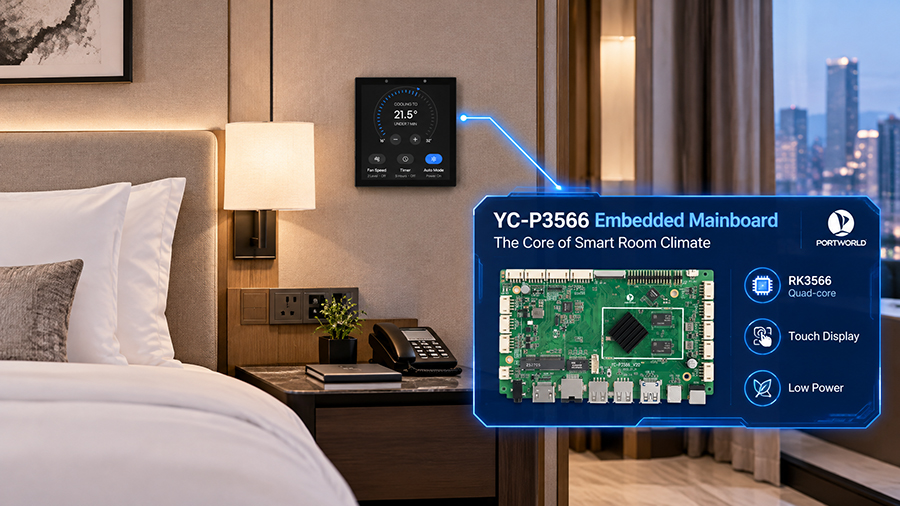
YC-P3566-smart home control panel
Can MQTT Facilitate Connection Between an ESP32 Panel and Zigbee or Bluetooth Devices?
Yes, although this typically requires an intermediary gateway or software bridge rather than relying on MQTT as a standalone solution.
MQTT functions as a protocol operating across IP networks. Zigbee and Bluetooth employ distinct communication protocols, therefore an ESP32 panel cannot inherently establish direct communication with all Zigbee or Bluetooth devices merely through connection to an MQTT broker.
A standard implementation employs a gateway device to convert device events and commands into MQTT message formats.
For instance, a Zigbee coordinator can oversee Zigbee lighting fixtures and sensor devices while gateway software exposes their available capabilities through MQTT topics. The ESP32 panel establishes connection to the identical broker via Wi-Fi or Ethernet and transmits commands or monitors device status through topic subscriptions.
Bluetooth devices can be incorporated using a comparable approach if an appropriate gateway, service, or application collects their information and distributes it via MQTT.
This design pattern isolates wireless device communication from the visual interface layer. The panel does not necessarily require dedicated Zigbee or Bluetooth radio modules for each supported wireless network, provided the appropriate gateway manages those communication functions.
Prior to system implementation, verify which gateway component manages device pairing, command translation, status reporting, and error management.
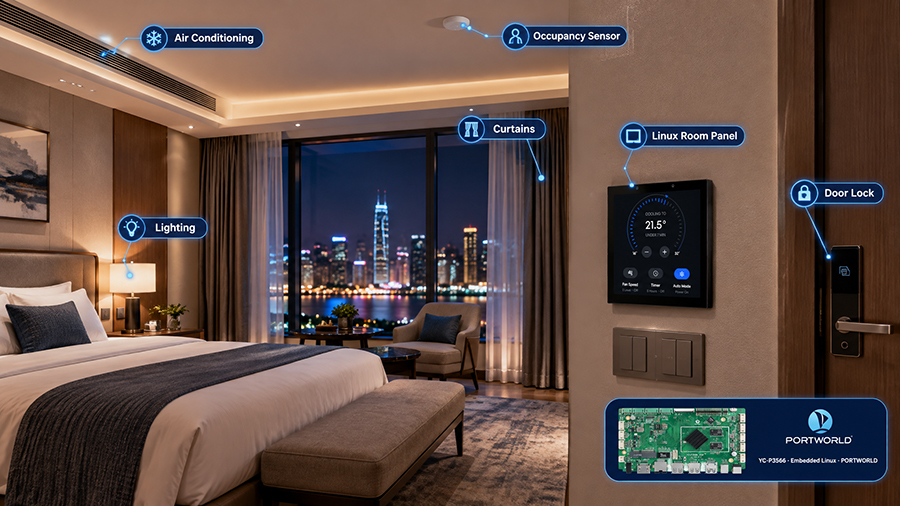
YC-P3566 Linux smart home control panel
Integrating MQTT with Home Assistant
Home Assistant represents a viable option for integrating an ESP32 control panel into a comprehensive smart home ecosystem.
The MQTT integration functionality enables Home Assistant to facilitate message exchange via an MQTT broker. MQTT devices and entities may be configured through manual setup or automatic discovery utilizing supported MQTT discovery protocols.
In a standard implementation, the ESP32 panel establishes a connection to the broker, publishing commands or subscribing to designated status topics. Home Assistant can leverage automations to process MQTT messages and manage compatible devices through its integrated solutions.
As an illustration, activating a scene button on the panel might transmit a message to a topic such as home/scene/evening. A Home Assistant automation can subsequently respond by modifying supported lighting systems, window coverings, or climate control devices.
Bidirectional communication is equally functional. When a sensor detects a change, Home Assistant can transmit an update that the ESP32 panel receives and presents on its display.
This functionality renders MQTT valuable for original equipment manufacturers seeking to develop a proprietary embedded touchscreen interface while leveraging an established automation platform to oversee device integrations.
Nevertheless, MQTT support does not inherently ensure that a product functions as a turnkey solution with Home Assistant. The broker configuration, topic structure, message payloads, security protocols, and entity setup must all be executed with precision. Should a project demand more integrated functionality, the development team should assess the appropriate Home Assistant integration methodology rather than relying exclusively on MQTT to satisfy all requirements.
An effective MQTT control panel implementation requires a compatible ESP32 platform, network connectivity, an MQTT client library, and an application layer that translates user interactions into appropriate messages.
Regarding hardware requirements, the chosen ESP32 variant must offer adequate computational capacity and memory allocation to support both the touchscreen interface and communication protocols. The system additionally requires a compatible display module and touch input controller, supplemented by Wi-Fi or Ethernet connectivity to establish communication with the MQTT broker.
Concerning software implementation, developers must establish the MQTT broker endpoint, configure authentication credentials, define topic subscriptions, implement message handling routines, and develop command-publishing mechanisms. The application architecture should specify the methodology by which incoming messages modify the touchscreen display presentation.
Espressif’s ESP-MQTT library provides comprehensive support for MQTT communication via TCP connections and encrypted TLS protocols, alongside WebSocket-based transport mechanisms. The library additionally facilitates authentication procedures, publish-subscribe functionality, and MQTT quality-of-service level management.
For production-grade smart control panel deployments, developers should incorporate automatic reconnection protocols, visual connection-status feedback, incoming message validation procedures, and predetermined system responses during broker unavailability scenarios.
Security considerations warrant elevated priority. Commercial implementations must employ distinct authentication credentials, enforce access restrictions on command-related topics, and implement TLS encryption with comprehensive server certificate validation where the deployment environment permits. System configurations should prohibit devices from publishing to or subscribing from unrestricted topics unless the established security architecture explicitly mandates such permissions.
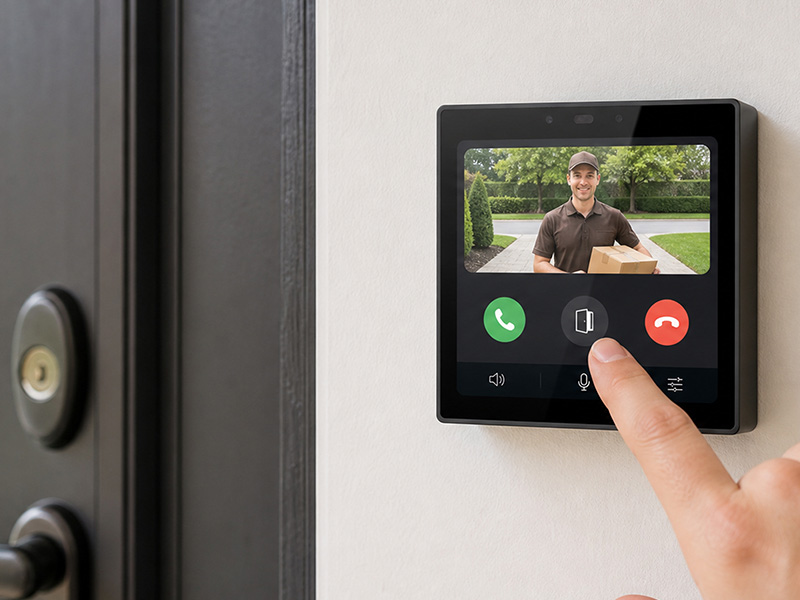
4″ Smart Control Panel
Is MQTT Suitable for Real-Time Smart Home Control?
MQTT demonstrates suitability for numerous responsive smart home applications, encompassing lighting directives, temperature modifications, scene initiation, and sensor alerts. Its streamlined messaging architecture proves particularly effective for managing frequent, compact data transmissions.
Nevertheless, MQTT provides no assurance that every command will be executed with immediate effect. Actual response latency is contingent upon network conditions, broker performance, device firmware capabilities, automation procedures, and the specific target device’s characteristics.
The appropriate Quality of Service (QoS) level must be deliberately selected. QoS 0 transmits messages without protocol-level delivery verification, whereas QoS 1 guarantees minimum-once delivery and may introduce redundant messages. QoS 2 ensures singular delivery at the MQTT protocol stratum; however, it necessitates supplementary message interactions and does not confirm that the physical device has successfully executed the requested operation.
Consequently, command processing should be engineered to accommodate message duplication where applicable. Should verification be essential, the receiving device ought to communicate its operational status following command execution.
Developers must additionally evaluate contingencies for broker or network unavailability scenarios. Essential local operations may require alternative mechanisms rather than relying exclusively on network-based communication infrastructure.
Portworld YC-SM43P: An ESP32 Touchscreen Platform for Evaluation
For organizations developing a dedicated touchscreen interface, the hardware platform represents a critical component of MQTT implementation.
Portworld’s YC-SM43P is a compact intelligent control panel constructed around the ESP32-S3 microcontroller. It incorporates a 4-inch capacitive touchscreen with 480 × 480 pixel resolution and provides support for LVGL to facilitate embedded graphical interface development. The documented connectivity features encompass Wi-Fi, Bluetooth, Ethernet, and RS485 protocols.
These specifications position the YC-SM43P as a viable candidate for assessment in embedded IoT control applications requiring a dedicated touchscreen to interface with networked services or external control systems.
For MQTT-based implementations, developers must validate the selected hardware and firmware configuration, deploy or incorporate an MQTT client library, and establish the topics and message payloads required by the smart home infrastructure. Although Wi-Fi or Ethernet connectivity is available, this does not guarantee that MQTT application software is inherently included or pre-established.
Based on specific project requirements, Portworld’s OEM/ODM capabilities merit consideration for hardware customization, user interface adaptation, brand integration, and embedded system development. The appropriate engagement scope should align with the intended application and the chosen platform specifications.
Establishing a dependable MQTT smart control panel requires a systematic approach. The implementation process commences with cataloging all devices and operational functions that the panel must accommodate. For each operational function, it is essential to establish the command topic, specify the message format, determine the anticipated state feedback, and document the system’s response protocol when the target device becomes unavailable.
Subsequently, the broker selection process must be undertaken, and its deployment location must be determined. The broker infrastructure may be established on a local smart home server, a dedicated gateway device, or an appropriate cloud-based service platform. For residential applications, deploying the broker locally can diminish reliance on external cloud connectivity, provided that the entire device-control infrastructure is similarly configured for local operation.
Following this phase, the MQTT client must be developed and integrated with the touchscreen application interface. Command publishing and state subscription functionality should be tested in isolation prior to their integration into the comprehensive user interface.
Ultimately, the complete system must be validated using operational devices. Comprehensive testing should encompass connection failures, broker restarts, message duplication, malformed payloads, device state transitions, and power loss scenarios. Verification must confirm that the displayed status corresponds accurately to the device’s reported condition and that unauthorized clients are prevented from accessing system controls.
Adherence to these procedural steps facilitates the transformation of a fundamental MQTT prototype into a production-grade smart home control solution.