PortPi 3A vs. Raspberry Pi 5 for Embedded HMI Projects
Embedded Human-Machine Interface (HMI) systems are common in industrial equipment, smart home control panels, retail kiosks, medical terminals, and building automation systems. As these devices grow more interactive, developers need computing platforms capable of supporting touchscreen interfaces, display output, peripheral connectivity, and reliable, continuous operation.
Two single-board computers to consider for embedded HMI development are the PortPi 3A, based on the Rockchip RK3568, and the Raspberry Pi 5, powered by the Broadcom BCM2712.
Both boards offer display connectivity, networking, and peripheral expansion, but each has distinct advantages. The Raspberry Pi 5 delivers greater CPU performance and benefits from a well-established developer ecosystem. The PortPi 3A offers flexible configurations and OEM/ODM customization options suited to embedded product development.
Which board is the right choice for your next HMI project?
1. What Requirements Does an Embedded HMI Project Have?
An embedded HMI involves more than connecting a computer to a touchscreen. It must coordinate the display, touch input, application software, and communications with external devices.
Before choosing a development board, evaluate these requirements:
- Display compatibility: Support for HDMI, MIPI DSI, or other display interfaces.
- Touchscreen integration: Compatibility with capacitive or resistive touchscreens.
- Processing performance: Adequate CPU and GPU resources to run the user interface.
- Peripheral connectivity: Interfaces such as USB, UART, RS485, GPIO, and I2C.
- Operating system: Android or Linux, as determined by the application’s requirements.
- Memory and storage: Sufficient capacity for the operating system and application.
- Mechanical integration: Appropriate board dimensions, connectors, power supply, and cooling.
- Long-term production: Reliable hardware availability, consistent configurations, and support for customization.
- The best board is one that fits the complete HMI system—not merely its display resolution or processor specifications.
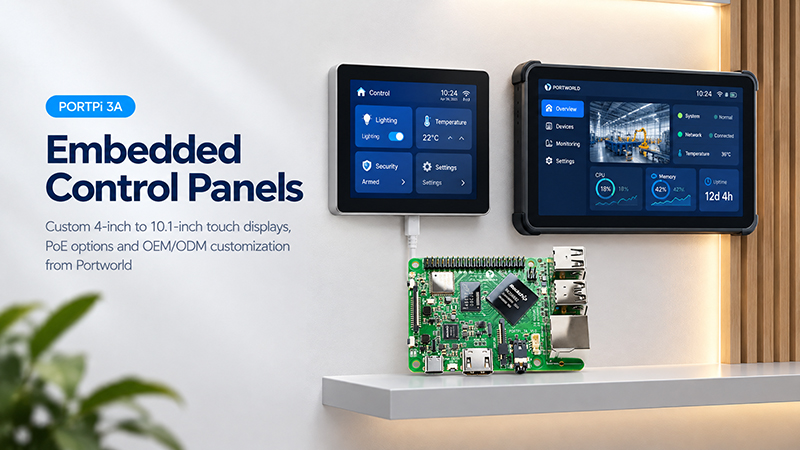
PortPi 3A single board computer
2. PortPi 3A vs. Raspberry Pi 5: Hardware Comparison
These boards feature different processor architectures and distinct hardware configurations.
| Specification | PortPi 3A | Raspberry Pi 5 |
|---|---|---|
| Processor | Rockchip RK3568 | Broadcom BCM2712 |
| CPU | Quad-core Cortex-A55, up to 2.0GHz | Quad-core Cortex-A76, 2.4GHz |
| GPU | Mali-G52 | VideoCore VII |
| NPU | Up to 0.8 TOPS INT8 | No dedicated on-board NPU |
| RAM | 2GB, optional 4GB/8GB | 1GB/2GB/4GB/8GB/16GB variants |
| Storage | 16GB eMMC, optional 32GB/64GB/128GB | microSD, external storage options |
| Display output | HDMI 2.0, MIPI DSI | Dual micro-HDMI, dual MIPI CSI/DSI connectors |
| Ethernet | Gigabit Ethernet | Gigabit Ethernet |
| Wireless | Wi-Fi and Bluetooth 5.2 | Dual-band Wi-Fi and Bluetooth 5.0 |
| USB | USB 2.0 and USB 3.0 | USB 2.0 and USB 3.0 |
| GPIO | 40-pin GPIO | 40-pin GPIO |
| OS options | Android, Ubuntu, Debian, Buildroot | Raspberry Pi OS and other supported Linux distributions |
The specifications above reflect the available product configurations and published platform capabilities. Actual interface combinations and software support should be confirmed for the selected hardware revision.
One important distinction is CPU performance. Raspberry Pi 5 uses the newer Cortex-A76 architecture and offers considerably more processing headroom. PortPi 3A Single Board Computer uses Cortex-A55 cores and is intended for embedded applications where its processing capabilities and customization options meet the project requirements.
3. Display and Touchscreen Integration
Display connectivity is a key consideration in embedded HMI development.
Raspberry Pi 5: Flexible Display Connectivity
Raspberry Pi 5 supports:
- Two micro-HDMI outputs.
- Dual display output at resolutions up to 4Kp60.
- Two four-lane MIPI camera/display transceivers.
- A wide range of compatible display accessories.
These capabilities make the Raspberry Pi 5 well suited to HMI prototypes that require high-resolution displays, multiple screens, or sophisticated graphical applications.
When connecting third-party panels, however, developers should verify display-controller compatibility, device-tree configuration, touchscreen drivers, and cable connections.
PortPi 3A
Single Board Computer
PortPi 3A Single Board Computer: HDMI and MIPI DSI Display Options
PortPi 3A offers:
- HDMI 2.0 output with support for resolutions up to 4K at 60 Hz.
- A two-lane MIPI DSI interface for displays.
- USB connectivity for compatible touchscreen controllers.
- An optional 10.1-inch HDMI touchscreen kit.
Together, these features support both conventional HDMI displays and compatible embedded MIPI display panels.
For instance, a retail kiosk can use an HDMI touchscreen for simple integration, whereas a custom embedded control panel can use a compatible MIPI DSI display.
Before selecting the hardware, verify compatibility of the display panel, touch controller, resolution, cable pinout, and software drivers.
4. Operating System and HMI Software Development
The operating system influences application development, graphics performance, peripheral driver support, and long-term maintenance.
Raspberry Pi 5
Raspberry Pi 5 offers a well-established developer ecosystem, comprehensive documentation, and a broad selection of software resources.
It is well suited to:
- Python-based HMI applications.
- Linux desktop interfaces.
- Qt-based applications.
- Development and testing with Raspberry Pi OS.
- Projects that use existing Raspberry Pi software libraries.
PortPi 3A Single Board Computer
Depending on the hardware and firmware configuration, PortPi 3A supports several operating systems, including Android, Ubuntu, Debian, and Buildroot.
It may be suitable for:
- Android-based touchscreen interfaces.
- Embedded Linux control applications.
- Customized boot and startup behavior.
- Embedded device integration.
Projects requiring hardware and software customization supported by the manufacturer.
For Android HMI projects, verify that compatible firmware, display and touch drivers, and application frameworks are available for the specific configuration.
5. Peripheral Interfaces for Industrial HMI
An industrial HMI often needs to communicate with equipment beyond the touchscreen itself.
For example, a control panel may connect to a PLC, temperature sensor, motor controller, barcode scanner, or external communication module.
| Interface | Typical HMI Application |
|---|---|
| USB | Touch controllers, keyboards, scanners |
| UART | Embedded modules and serial devices |
| RS485 | PLCs and industrial equipment |
| I2C | Sensors and peripheral controllers |
| SPI | Display and expansion modules |
| GPIO | Buttons, indicators, and control signals |
| CAN | Industrial and vehicle-related communication |
| Ethernet | Network communication and remote management |
PortPi 3A Single Board Computer features a 40-pin GPIO header with a range of interface options, including UART, SPI, I2C, CAN, PWM, ADC, and GPIO.
PortPi 3A smart home control hub
Raspberry Pi 5 also has a 40-pin GPIO header and supports further peripheral expansion.
However, neither board should be presumed to include every industrial interface as a dedicated external connector. Certain functions require compatible expansion hardware or a customized carrier-board integration.
For applications that need RS485, isolated I/O, multiple serial ports, or specialized connectors, assess the complete hardware design before choosing a platform.
6. Memory and Storage: What Matters for an HMI?
HMI applications can differ considerably in their resource needs.
A basic equipment control panel that shows operating status and a few buttons may need relatively little memory and processing power. A more sophisticated interface featuring animations, charts, multiple applications, and local data storage may require greater capacity.
PortPi 3A supports configurable memory and eMMC storage:
- 2GB LPDDR4 RAM, with 4GB and 8GB options.
- 16GB eMMC, with 32GB, 64GB, and 128GB options.
- These configurations provide flexibility when selecting hardware for a particular embedded product.
Raspberry Pi 5 is available with 2GB, 4GB, 8GB, or 16GB of RAM. It uses microSD storage and supports expansion through external storage devices.
When planning a commercial HMI device, look beyond its initial memory capacity. Consider storage reliability, operating system write activity, application size, data-logging needs, and the product’s expected service life.
7. Which Board Is Better for Different HMI Applications?
No single platform is ideal for every HMI project. The right choice depends on the application’s requirements.
Industrial Machine Control Panel
Industrial control panels commonly require serial communication, equipment monitoring, and tailored interface layouts.
PortPi 3A may be a suitable option for projects that need an RK3568-based platform, Android/Linux support, or customized hardware integration.
For demanding industrial communication needs, verify the implementation of RS485, CAN, electrical isolation, and connectors.
Smart Home Control Panel
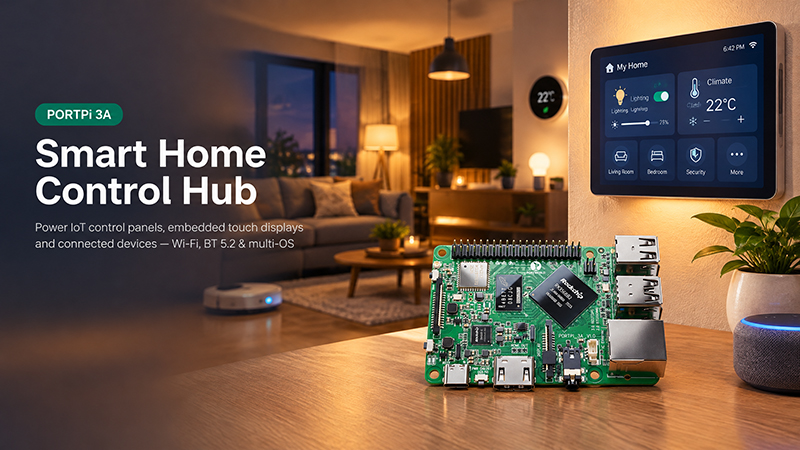
Smart home panels require responsive touch interfaces, network connectivity, and integration with automation devices.
PortPi 3A can function as an embedded computing platform in compatible touchscreen systems, especially when the manufacturer needs customized hardware and software integration.
Retail Self-Service Kiosk
Retail kiosks can present product details, interactive menus, advertisements, and customer-facing interfaces.
Raspberry Pi 5 is an appealing choice for developers seeking greater CPU performance and a well-established software ecosystem. PortPi 3A is worth considering when configurable memory and storage, embedded display integration, and OEM/ODM support are priorities.
Industrial Monitoring Terminal
Monitoring terminals present machine status, production details, alarms, and operational data.
Both boards can serve as computing platforms, as long as their processing performance, display compatibility, and peripheral connectivity satisfy the application’s requirements.
8. Why OEM/ODM Customization Is Important for Commercial HMI Products
A development board can be suitable for prototyping, but commercial HMI products frequently require capabilities beyond those offered by standard hardware.
For example:
- A manufacturer may need a specific combination of RAM and eMMC.
- A touchscreen product may require a particular display connector.
- An industrial terminal may need additional UART or RS485 ports.
- A smart home panel may require a customized boot process and application software.
- A commercial product may need a dedicated PCB layout to fit its enclosure.
This highlights the importance of choosing an OEM-oriented hardware solution rather than relying on a standard development board.
Portworld offers OEM/ODM services for embedded computing and touchscreen products, including:
- Custom PCB and PCBA design.
- RAM and storage configuration.
- Hardware interface expansion.
- Display and touchscreen integration.
- Android and Linux OS adaptation.
- BSP, SDK, and technical documentation.
- Prototype development and mass production.
By customizing both hardware and software, the computing platform can be tailored to the requirements of the finished HMI product.
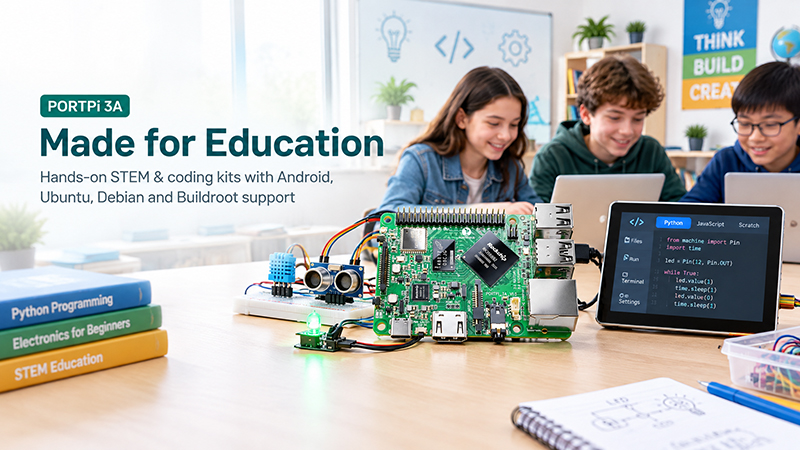
PortPi 3A DIY Education
9. PortPi 3A: Portworld’s Embedded Computing Platform
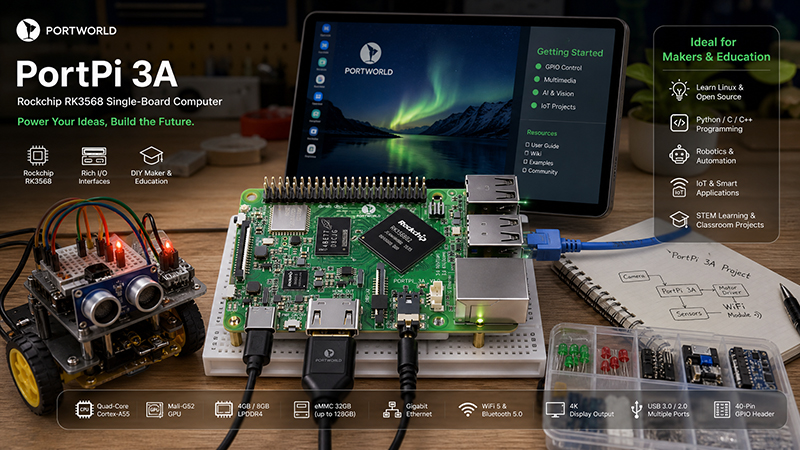
The PortPi 3A is a single-board computer built around the Rockchip RK3568 processor. Developed by Portworld, it is designed for embedded computing and tailored applications.
Key specifications include:
- Rockchip RK3568 quad-core Cortex-A55 processor.
- Mali-G52 GPU.
- Integrated 0.8 TOPS INT8 NPU.
- 2GB LPDDR4 RAM, with 4GB and 8GB options.
- 16GB eMMC storage, with 32GB, 64GB, and 128GB options.
- HDMI 2.0 with support for resolutions up to 4K@60Hz.
- MIPI DSI and MIPI CSI interfaces.
- Gigabit Ethernet.
- Wi-Fi and Bluetooth 5.2.
- USB 2.0, USB 3.0, and a 40-pin GPIO header.
An optional 10.1-inch HDMI touchscreen kit is available for the PortPi 3A, offering a practical starting point for touchscreen development and integration.
For companies creating embedded HMI products, Portworld can offer additional customization to meet project-specific hardware, software, and manufacturing requirements.
10. Final Verdict: PortPi 3A or Raspberry Pi 5?
The choice depends on what matters most in your HMI project.
| Project Requirement | Suggested Platform |
|---|---|
| Higher CPU performance | Raspberry Pi 5 |
| Mature developer ecosystem | Raspberry Pi 5 |
| Advanced graphical prototypes | Raspberry Pi 5 |
| Custom RAM and eMMC configurations | PortPi 3A |
| Android-based embedded HMI development | PortPi 3A, subject to software compatibility |
| Customized hardware integration | PortPi 3A with Portworld OEM/ODM support |
| Standard maker and educational projects | Raspberry Pi 5 |
| Commercial embedded product development | Evaluate PortPi 3A and OEM/ODM customization |
9. PortPi 3A: Portworld’s Embedded Computing Platform
The PortPi 3A is a single-board computer built around the Rockchip RK3568 processor. Developed by Portworld, it is designed for embedded computing and tailored applications.
Key specifications include:
- Rockchip RK3568 quad-core Cortex-A55 processor.
- Mali-G52 GPU.
- Integrated 0.8 TOPS INT8 NPU.
- 2GB LPDDR4 RAM, with 4GB and 8GB options.
- 16GB eMMC storage, with 32GB, 64GB, and 128GB options.
- HDMI 2.0 with support for resolutions up to 4K@60Hz.
- MIPI DSI and MIPI CSI interfaces.
- Gigabit Ethernet.
- Wi-Fi and Bluetooth 5.2.
- USB 2.0, USB 3.0, and a 40-pin GPIO header.
An optional 10.1-inch HDMI touchscreen kit is available for the PortPi 3A, offering a practical starting point for touchscreen development and integration.
For companies creating embedded HMI products, Portworld can offer additional customization to meet project-specific hardware, software, and manufacturing requirements.