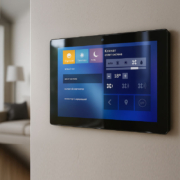
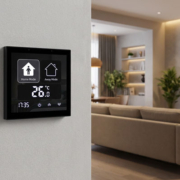
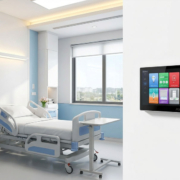
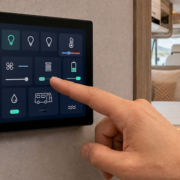
Local Push Smart Panel for HomeKit Automation
As smart home technology continues to evolve, one of the most critical factors for homeowners is the ability to have seamless, reliable, and responsive control of their connected devices. While many smart home systems rely on cloud-based solutions for communication, the demand for local, offline control is growing. This is where Local Push Smart Panels for HomeKit Automation come into play.
These smart panels allow users to manage their HomeKit-enabled devices locally, without relying on the cloud. This approach not only improves the reliability and speed of smart home operations but also enhances security and privacy. Let’s dive into why local push smart panels are becoming a game-changer for HomeKit automation and how they provide an advanced control solution for modern homes.
What is a Local Push Smart Panel for HomeKit Automation?
A local push smart panel for HomeKit is a control interface that allows users to interact with and control their HomeKit-enabled devices directly from the panel, without requiring an internet connection. Unlike traditional cloud-based systems, which send commands to devices via the cloud, local push panels operate on local Wi-Fi or other direct communication protocols such as Zigbee or Thread, enabling fast and reliable control without latency or dependence on external servers.
These panels communicate directly with the HomeKit hub (such as an iPad, Apple TV, or HomePod) on the local network, allowing users to control lights, thermostats, locks, and other smart devices in real-time, without the delay associated with cloud communication.
Key Features of a Local Push Smart Panel for HomeKit Automation
- Instant, Offline Control
- No cloud dependency: Commands are pushed locally to devices, eliminating the need for an internet connection or cloud service. This improves both speed and reliability, especially in environments where internet connectivity may be unstable.
- Zero latency: Users can instantly control devices in their home, without the usual delay experienced with cloud-based automation systems.
- Seamless Integration with HomeKit
- Native HomeKit Support: A local push smart panel is designed to seamlessly integrate with the HomeKit ecosystem, allowing users to control a wide range of devices including lights, shades, security cameras, locks, and more—all from a single interface.
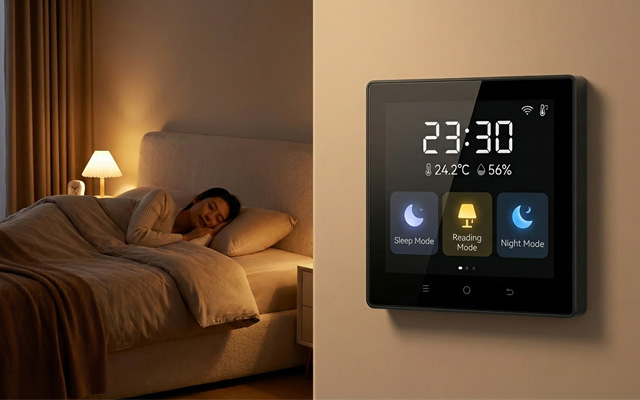
- HomeKit Scenes: The panel allows users to create and activate custom scenes, like “Good Morning” or “Movie Night,” where multiple devices are controlled simultaneously.
- Enhanced Security and Privacy
- Local Control = Greater Security: Since the system operates locally, there’s no need to send data to the cloud, reducing the risk of security breaches. Only local devices are involved in the communication process, ensuring sensitive information never leaves the premises.
- No Data Collection: Local push panels ensure that user data stays within the home, offering enhanced privacy compared to cloud-based alternatives.
smart home control panel-2
- Multi-Device Control at Your Fingertips
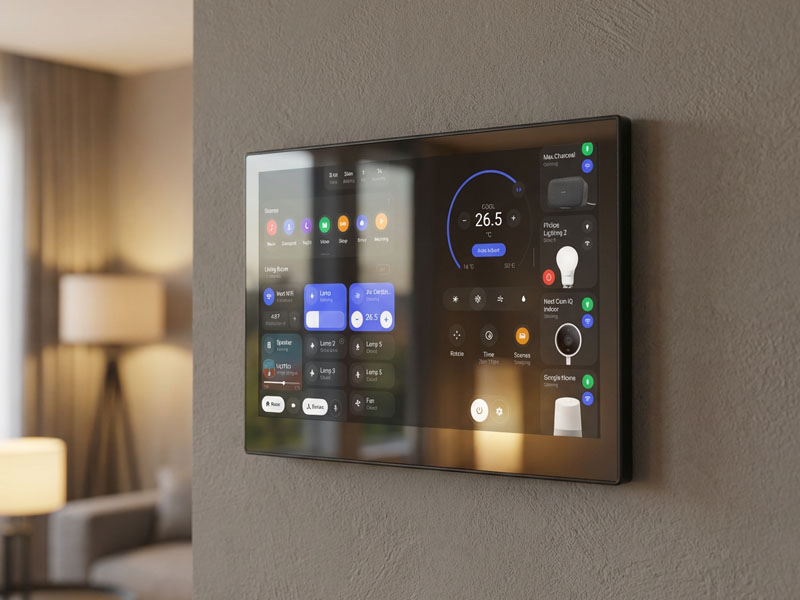
- Unified Control Panel: The smart panel acts as the central hub for all HomeKit devices, allowing users to control lights, locks, thermostats, blinds, and more from one easy-to-use interface.
- Customizable UI: The UI can be customized to meet the needs of individual users, displaying key devices and controls that are most frequently used.
- Voice Control Integration
- Siri Voice Commands: As part of the HomeKit ecosystem, the local push smart panel integrates with Siri, allowing users to use voice commands to control their smart devices.
- Advanced Automation: Users can create automation routines based on voice commands, schedules, or sensor triggers to control multiple devices automatically.
- Reliable Connectivity with Low Power Consumption
- Wi-Fi and Thread Connectivity: The panel can connect via Wi-Fi, or even better, Thread—Apple’s low-power mesh network that ensures the panel remains connected to all HomeKit devices with minimal power consumption.
- PoE (Power over Ethernet): Some models come with PoE support, allowing the device to be powered and connected with a single Ethernet cable, making installation simple and clean.
- Real-Time Notifications
- Instant Updates: The panel can provide real-time notifications regarding your HomeKit system, such as security camera alerts or notifications for devices that need attention (e.g., low battery, maintenance required).
- Customizable Alerts: Alerts can be customized based on user preferences, ensuring that you only get the notifications that matter most.
Applications of Local Push Smart Panels in HomeKit Automation
- Centralized Smart Home Control
- The local push smart panel serves as the central control unit for managing all HomeKit-compatible devices. Users can control lights, security systems, heating and cooling, and more from a single interface, streamlining their home automation experience.
- Enhanced Home Security
- These panels allow homeowners to quickly lock doors, adjust security cameras, and even check the status of their home security system. The ability to control everything from one place, without relying on cloud servers, enhances peace of mind, especially in critical moments.
- Energy Management
- Thermostats, smart plugs, and lighting systems can all be monitored and controlled locally, ensuring efficient energy use in the home. Homeowners can schedule devices to turn off when not in use, track energy consumption, and adjust settings remotely, all from the panel.
- Convenient Automation
- Homeowners can create automated schedules to control lights, heating, and other devices based on their daily routines. For example, the panel can automatically turn off lights when no one is home, adjust the temperature based on time of day, or close blinds at sunset—all without requiring an internet connection.

YC-SM14P-smart control panel
Portworld Smart Panels for HomeKit Automation
Portworld offers several smart control panels that integrate seamlessly with HomeKit, providing both local push functionality and ease of use. Here are some of the smart control panels ideal for HomeKit automation:
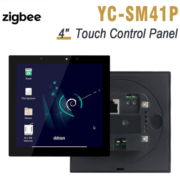
- YC-SM41P 4-Inch Smart Home Control Panel
- Display: 480×480 capacitive touchscreen
- OS: Android 11/13, Linux Debian 11
- Connectivity: Wi-Fi, Bluetooth, Ethernet (PoE supported)
- Ideal for: Small spaces like entryways or living rooms, offering simple control of HomeKit devices.
- YC-SM55P 5.5-Inch Smart Touch Control Panel
- Display: 720×1280 high-resolution capacitive touchscreen
- OS: Android 11
- Connectivity: Dual-band Wi-Fi, Bluetooth 4.0, PoE support
- Ideal for: Larger living areas or control hubs, supporting multiple HomeKit devices with a larger screen for better visibility.
- YC-SM10P 10-Inch Smart Touch Control Panel
- Display: 1280×800 capacitive touchscreen
- OS: Android 11
- Connectivity: Wi-Fi, Bluetooth, PoE
- Ideal for: Home offices, living rooms, or larger spaces, offering full control and visibility for a wide range of HomeKit devices.
Portworld’s OEM/ODM Customization Services for Smart Panels
Portworld also offers OEM/ODM services, allowing clients to customize the smart control panel to meet specific branding, hardware, and software needs:
- Appearance Customization: Tailor the design, material, and color of the control panel to match your brand identity.
- Hardware Customization: Customize the hardware, including ports like RS485, Zigbee, or GPIO, to meet specialized requirements.
- Software Customization: Develop customized software solutions, including full SDK/BSP development, tailored to your system’s needs.
- Branding: Add custom logos, boot animations, and UI designs to create a personalized experience.
Local push smart panels for HomeKit automation represent the future of smart home control. Offering offline, real-time control with no latency, they provide users with unparalleled reliability, security, and privacy. With Portworld’s OEM/ODM solutions, you can customize your smart panel to perfectly match your HomeKit setup, providing a seamless and intuitive experience for homeowners.