Custom Android Digital Signage Displays: What to Specify Before Ordering
Android digital signage displays are extensively utilized in various sectors including retail stores, shopping malls, hotels, restaurants, corporate offices, transportation hubs, and public information systems. In contrast to conventional static advertising, digital signage enables businesses to update content more effectively, showcase videos and promotional images, and manage information across numerous locations.
Nevertheless, not every commercial project can utilize a standard display. Some projects necessitate a specific screen size, a tailored enclosure, unique connectivity options, integration with an existing content management system, or an embedded motherboard that adheres to long-term supply requirements.
For businesses intending to make a bulk purchase or develop a branded digital signage product, selecting the appropriate hardware is merely the initial step. It is crucial to establish the technical specifications prior to placing an order to ensure that the final product aligns with the intended application.
If you are in the process of sourcing custom Android digital signage displays, here are the primary specifications to discuss with your manufacturer.
1. Establish the Screen Size, Resolution, and Display Specifications
Determining the screen size is one of the initial steps in creating a custom digital signage display. Smaller screens may be ideal for shelf-edge promotions, menu boards, or informational panels, whereas larger displays are typically utilized for advertising, reception areas, and public-facing digital signage.
Prior to placing an order, it is essential to consider the installation location, the distance viewers will be from the screen, and the amount of information that needs to be conveyed.
Resolution is also a critical factor. The suitable resolution is contingent upon the screen size, content type, and viewing distance. Different display requirements may arise for product images, promotional videos, text, and interactive interfaces.
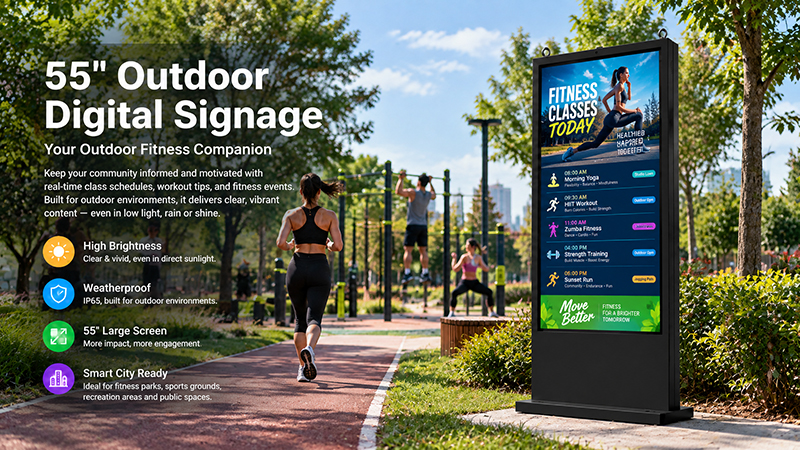
Brightness specifications should be tailored to the installation environment. Indoor displays in offices or hotel corridors may have distinct requirements compared to screens positioned near windows or in brightly lit commercial spaces. For outdoor use, it is important for buyers to assess sunlight readability, environmental protection, and operating temperature alongside brightness.
When engaging in discussions about a custom project, it is advisable to provide the manufacturer with details regarding the desired screen size, resolution, brightness, viewing orientation, and installation environment. This information is crucial in determining whether a standard display configuration is adequate or if a customized solution is necessary.
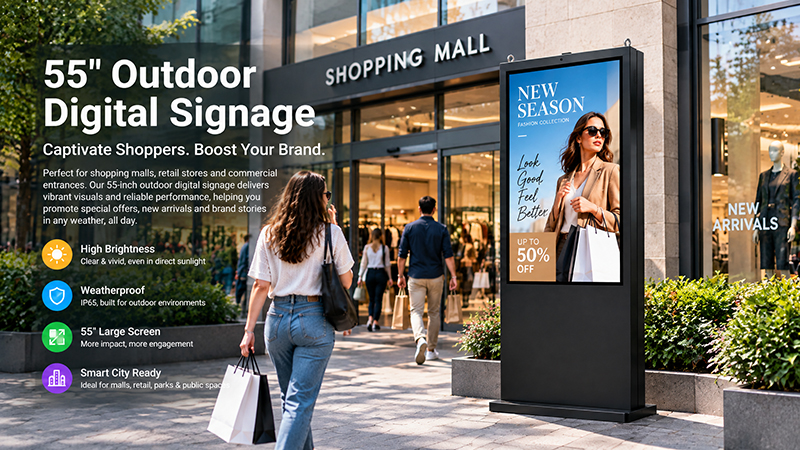
55 inch outdoor digital signage display8
2. Selecting the Appropriate Android Motherboard and Hardware Configuration
The motherboard plays a crucial role in determining the computing capabilities of an Android digital signage display. It influences system responsiveness, video playback quality, application compatibility, available interfaces, and the capacity to support software tailored to specific projects.
For basic advertising applications, the hardware requirements may be quite minimal. However, more complex projects might necessitate high-resolution video playback, interactive touch interfaces, multiple peripherals, or the continuous operation of customized applications.
When choosing the hardware platform, it is essential to specify the processor, RAM, internal storage, and multimedia needs. Additionally, consider whether the system will operate a single advertising application, a digital signage content management client, or multiple applications simultaneously.
Portworld offers embedded motherboards and System on Modules designed for commercial display projects. Depending on the specific application, businesses can assess appropriate hardware platforms and explore customized configurations as part of an OEM/ODM development initiative.
It is vital to select the motherboard based on the actual workload rather than merely opting for the highest specifications available. A well-suited hardware configuration can effectively balance performance, power consumption, product cost, and long-term availability.
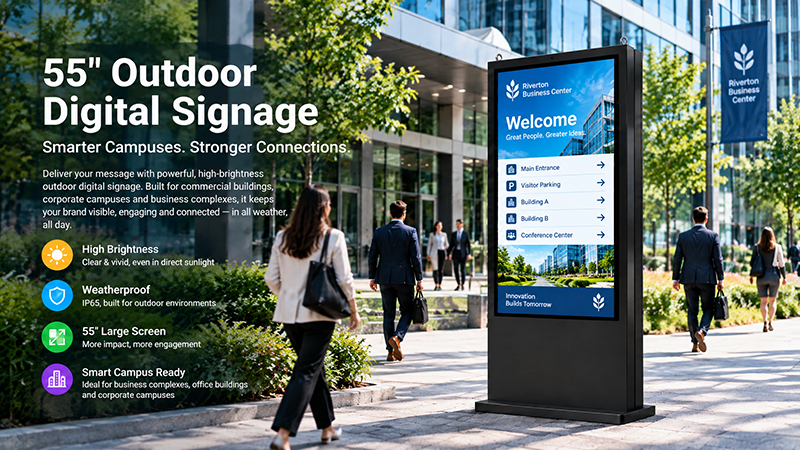
55 inch digital signage display9
3. Verify the Android Version and Software Compatibility
It is essential to verify the Android version prior to ordering a customized digital signage display. Not all applications are compatible with every Android release, and software compatibility can significantly influence deployment, updates, and ongoing maintenance.
If your project utilizes an existing content management system (CMS), advertising application, remote device management platform, or proprietary software, it is advisable to test compatibility with the designated hardware and operating system.
Additionally, you should ascertain whether the device requires Google Mobile Services, specific methods for application installation, automatic application launch upon startup, customized boot animations, or a branded user interface. These specifications should be addressed with the manufacturer early in the development phase.
For projects that necessitate system-level modifications, Android customization may encompass boot configuration, application preinstallation, system settings, interface branding, and other adjustments that depend on the hardware platform and software requirements.
Portworld offers support for Android system customization tailored to embedded hardware projects. Clearly defining the software requirements prior to mass production aids in minimizing integration issues and facilitates the preparation of the device for the intended deployment environment.
4. Define Connectivity and Peripheral Interfaces
Connectivity needs are frequently neglected during the initial acquisition phase. A display might possess the appropriate screen and processor yet remain unsuitable for a project if it does not include the necessary network connection or peripheral interface.
For instance, a digital signage setup may necessitate Ethernet for reliable network communication, Wi-Fi for adaptable deployment, USB for peripherals or local content updates, or HDMI for linking to an external video source. Bluetooth could also be advantageous in projects that involve compatible wireless peripherals.
Certain customized displays might additionally require serial communication interfaces, extra control signals, or specific expansion connectors to seamlessly integrate with existing equipment.
Prior to placing an order, compile a list of interfaces that delineates which connections are critical, which are optional, and the intended use of each. Additionally, verify whether the interfaces need to be accessible on the enclosure or can be supplied via internal connectors.
Portworld provides hardware customization and embedded motherboard solutions for projects with particular interface needs. The viability of each interface is contingent upon the chosen hardware platform, the available board space, and the design of the enclosure.
5. Determine the Necessity of Touchscreen Functionality
Not every digital signage display requires touch capabilities. A screen designated solely for advertising playback can function effectively as a non-touch display, whereas an interactive kiosk, self-service terminal, or information point may necessitate direct user interaction with the content.
If touch functionality is essential, it is important to specify the desired touch technology, the number of supported touch points, the screen size, and the anticipated method of interaction. Additionally, ensure compatibility with the Android operating system and the intended application.
The integration of touchscreen technology can affect the assembly of the display, the design of the front cover, the structure of the enclosure, the software interface, and the overall cost of the product. Therefore, it is advisable to establish touch requirements early in the process rather than attempting to incorporate them after the hardware configuration has been completed.
For custom projects, it is crucial to assess the display and embedded system as a unified solution to guarantee that the touch hardware, drivers, and application function cohesively as intended.
55 digital signage display1
9. Prepare a Technical Checklist Prior to Requesting a Quote
A comprehensive specification enables the manufacturer to grasp the project without the need for repeated clarifications. Before seeking a quotation for custom Android digital signage displays, compile the following information:
- Display: Screen dimensions, resolution, brightness levels, orientation, and touch capabilities.
- Hardware: Processor type, RAM specifications, storage capacity, and video playback requirements.
- Operating system: Version of Android, compatibility with applications, and customization needs for the system.
- Connectivity: Ethernet, Wi-Fi, Bluetooth, USB, HDMI, serial interfaces, and any other necessary connections.
- Mechanical design: External dimensions, materials for the enclosure, mounting methods, and positions of connectors.
- Environment: Intended use (indoor or outdoor), operating temperature range, required IP rating, and anticipated operating hours.
- Power: Input voltage specifications, power consumption details, power supply configuration, and PoE requirements if applicable.
- Software: Compatibility with CMS, preinstallation of applications, automatic startup features, remote management capabilities, and branding specifications.
- Production: Quantity of samples, estimated order volume, packaging specifications, testing criteria, and anticipated delivery timeline.
- Not every project necessitates customization of all items. Distinguishing between essential requirements and optional features aids in managing costs while ensuring that the final product aligns with the project’s actual needs.
Why Collaborate with a Manufacturer That Offers OEM and ODM Support?
A standard Android digital signage display may be a suitable option when its specifications align with the application requirements. However, in cases where a project necessitates unique interfaces, system modifications, enclosure limitations, or integration with pre-existing equipment, partnering with a manufacturer that possesses expertise in both embedded hardware and display systems can streamline the development process.
Portworld specializes in digital signage products and embedded hardware solutions, providing OEM/ODM support for commercial initiatives. Their offerings encompass hardware configuration, selection of embedded motherboards, customization of Android systems, and integration tailored to specific project needs.
By clearly outlining the application, hardware, software, mechanical, and production specifications from the outset, businesses can pursue a display solution that is well-suited to their intended purpose, thereby avoiding expensive alterations post-ordering.