Android Floor Standing Digital Signage: A Buyer’s Guide
Floor-standing digital signage has become a widely used display solution in shopping malls, retail stores, hotels, restaurants, exhibition venues, and corporate settings. Unlike traditional printed advertising boards, digital displays enable businesses to update promotional materials more efficiently, showcase dynamic video content, and maintain consistent brand messaging across multiple locations.
Among the available solutions, Android floor-standing digital signage combines commercial-grade display hardware with a versatile operating system. It can support advertising playback, remote content management, interactive applications, and customized business software.
Selecting the right model, however, involves more than comparing screen sizes and prices. Buyers should assess display quality, Android hardware performance, software compatibility, connectivity, enclosure design, and long-term operational requirements.
1. Define the Application and Installation Environment
Before choosing a floor-standing digital signage display, determine its primary purpose and where it will be installed. These considerations affect nearly every hardware choice.
In shopping malls, floor-standing displays often support promotional campaigns, provide store directories, announce events, and help visitors find their way. Retailers use them to introduce products, promote discounts, and showcase new arrivals. Hotels and restaurants may place displays near entrances or reception areas to share service information, present menus, and show promotional videos.
Requirements vary by environment.
For instance, a display inside a shopping mall may operate in controlled indoor lighting, while a screen positioned near a storefront exposed to bright daylight may need greater brightness. An interactive information kiosk may also require touchscreen hardware and dedicated software, while a standard advertising display can function without touch capabilities.
55寸 digital signage display
Consider the following factors before selecting a model:
- Indoor or outdoor installation
- Available floor space and viewing distance
- Expected daily operating hours
- Advertising playback or interactive use
- Single-device or multi-location deployment
- Local content updates or centralized remote management
Defining these requirements at the outset helps identify the most suitable display configuration and prevents spending on features you do not need.
2. Select the Appropriate Screen Size and Display Quality
Screen size is among the first specifications buyers compare. Floor-standing digital signage comes in various sizes, with 43-inch, 49-inch, and 55-inch screens commonly considered for commercial indoor use. Larger displays may suit spacious public areas where content must remain visible from farther away.
For instance, a 55-inch display offers a generous viewing area for promotional videos, product presentations, and public announcements.
Screen size should also be assessed in relation to the installation environment. Although a larger display may draw more attention, it also needs adequate floor space and a suitable viewing distance.
Resolution
Resolution determines image sharpness and text legibility. Full HD (1920 × 1080) is a practical choice for many standard commercial advertising applications. Higher resolutions may be appropriate when the display must show detailed product imagery, small text, or high-resolution video.
Brightness
Brightness should be suited to the ambient lighting. Standard indoor displays are often effective in shopping malls, offices, and hotel lobbies, while locations exposed to strong sunlight may need high-brightness panels.
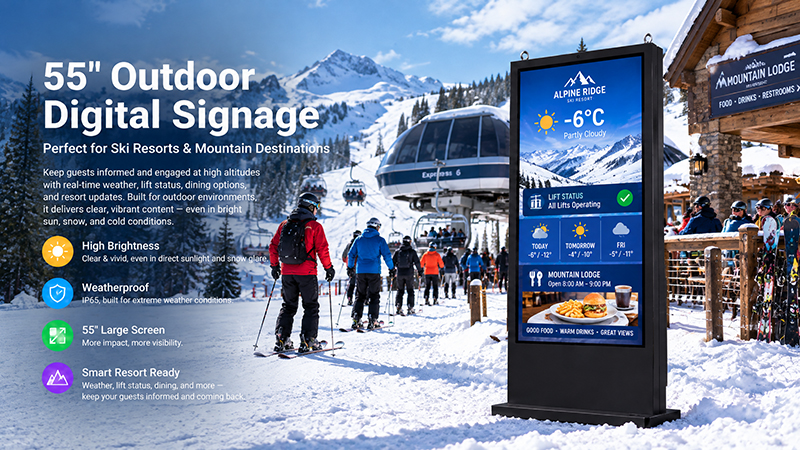
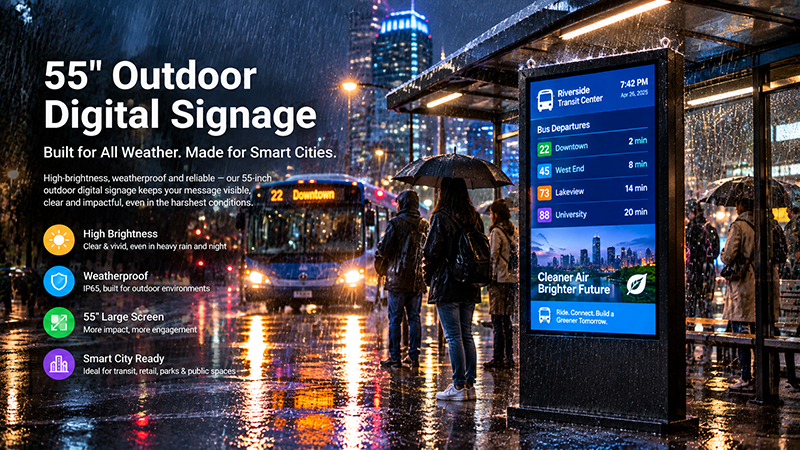
Buyers should not assume that every floor-standing display is suitable for outdoor use. Outdoor projects require further assessment of brightness, weather resistance, temperature control, and enclosure durability.
Viewing angle
A wide viewing angle helps keep advertisements visible to people approaching the display from different directions. This is especially important in shopping malls, exhibition halls, and other public spaces.
55 inch digital signage display
3. Evaluate the Android Hardware Platform
The Android motherboard is the central component of an Android floor-standing digital signage system. It affects how effectively the device runs advertising applications, decodes video, handles background tasks, and connects with external systems.
A stable ARM-based platform may be adequate for standard advertising playback. More resource-intensive uses, including interactive product catalogs and customized multimedia applications, may need greater CPU and memory capacity.
Key hardware specifications to review include:
Processor
Assess the processor architecture, core configuration, clock speed, graphics performance, and multimedia decoding capabilities. Ensure that the platform supports the required Android version and the video formats used by the advertising software.
RAM and storage
RAM influences application speed and multitasking, while internal storage determines the amount of content and software that can be kept on the device.
Basic video playback may call for different specifications than a system running multiple applications or storing extensive media libraries. Choose memory and storage based on the actual workload.
Operating system
Android offers flexibility for commercial signage applications, but confirm the operating system version before purchase. Verify application compatibility, system stability, SDK availability, and whether firmware customization is possible.
For commercial projects, consider automatic application startup as well. Once the display powers on, the advertising application should launch automatically and resume its intended playback workflow.
4. Understand Content Management and Remote Control
An Android floor-standing display is more than a large screen. In many commercial settings, the content management system (CMS) is just as significant as the display hardware.
For a single display, advertising content can be stored on the device and played using a preinstalled application. This may be sufficient for straightforward installations where content is updated infrequently.
For businesses with multiple displays, centralized content management is generally more practical.
Depending on the CMS, useful features may include:
- Remote uploading and updating of advertising materials
- Playlist creation and playback scheduling
- Grouping devices by store or location
- Centralized control of multiple displays
- Online monitoring of device status
- Remote configuration and maintenance
A CMS enables businesses to coordinate advertising campaigns across locations without having to update each display manually.
Before making a purchase, verify that the display is compatible with the intended CMS. Some systems require particular Android versions, background services, network permissions, or device management features.
It is also important to distinguish Android hardware from signage software. An Android operating system does not, by itself, guarantee that a device comes with a complete advertising management platform.
55 digital signage display
5. Choose Between Touchscreen and Non-Touch Displays
A key purchasing consideration is whether the floor-standing display requires touchscreen capabilities.
Non-touch displays are typically well suited to passive advertising. They can automatically show promotional videos, product images, announcements, and other scheduled content.
Touchscreen displays support applications that involve customer interaction, including:
- Shopping mall directories
- Product catalogs
- Interactive information terminals
- Hotel service information
- Exhibition navigation
- Self-service interfaces
Projected capacitive (PCAP) and infrared (IR) are two widely used touchscreen technologies. The best option depends on factors such as screen size, interaction needs, front-glass design, and project budget.
However, touchscreen hardware alone does not provide a complete interactive solution. Features such as product search, online ordering, appointment booking, or payment require compatible applications and system integration.
If the main purpose is simply to display advertisements, a non-touch model may be more cost-effective and require less maintenance.
6. Verify Connectivity and Expansion Interfaces
Connectivity determines how a digital signage display communicates with networks and external devices.
Wi-Fi supports wireless content updates and remote management. Ethernet is often preferable for installations that need a reliable wired network connection.
Depending on the project, additional interfaces may be required:
- USB: Connects peripherals, transfers local media, or supports maintenance.
- HDMI: Enables external video input or output when the hardware supports it.
- Bluetooth: Connects compatible wireless peripherals.
- Audio interfaces: Connect external audio equipment or meet specific sound requirements.
Not every installation requires all available interfaces. Before confirming the motherboard configuration, buyers should identify the connections they need.
For projects involving custom applications or external equipment, confirm interface availability with the manufacturer during the design stage.
7. Assess Enclosure Design, Stability, and Thermal Management
The enclosure is another key factor to consider, particularly for floor-standing displays installed in public areas.
A commercial digital signage enclosure should offer sufficient structural support, safeguard internal components, and maintain a professional appearance.
Structural stability
The base must securely support the screen. Buyers should assess the display’s overall height, center of gravity, base dimensions, and installation environment.
Material and appearance
Metal enclosures are widely used in commercial displays because they provide strength and accommodate various surface finishes. Depending on the product design and cost requirements, some components may also be made of plastic.
Heat dissipation
Android motherboards, display panels, and power components produce heat during operation. The enclosure should provide appropriate thermal management to help ensure reliable performance.
Ventilation openings, the internal layout, and component placement should be considered as interconnected design factors.
Maintenance access
For commercial installations, consider how technicians will reach internal components when maintenance is required. A well-designed enclosure can simplify repairs and servicing.
8. Assess Indoor and Outdoor Requirements Separately
Indoor and outdoor floor-standing digital signage are distinct product categories and should not be considered interchangeable.
Indoor displays are typically intended for shopping malls, hotels, retail stores, offices, and exhibition venues. Their brightness levels, enclosure protection, and thermal design are selected to suit indoor operating conditions.
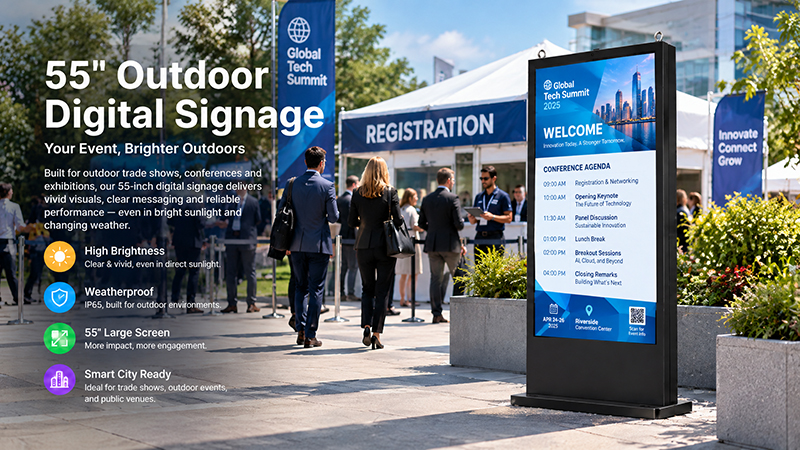
Outdoor models need additional specifications, such as:
- High-brightness panels for visibility in direct sunlight
- Suitable IP-rated protection against water and dust
- Impact-resistant construction when required
- Temperature management for variable weather conditions
- Appropriate power and cable protection
When installing a display near an entrance or in a semi-outdoor location, assess its actual exposure to sunlight, rain, dust, and temperature fluctuations.
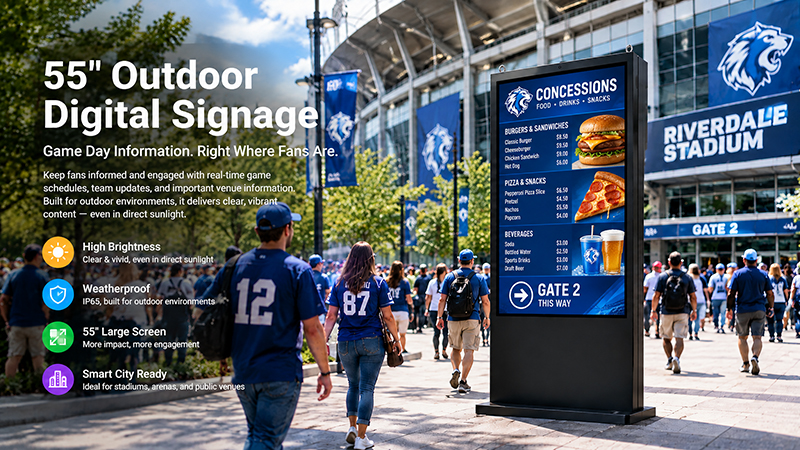
For example, Portworld offers a separate 55-inch outdoor digital signage configuration featuring IP65 protection and high-brightness options. These specifications are specific to that model and should not be assumed to apply to standard indoor floor-standing displays.
55 inch digital signage display
9. Evaluate Total Cost, Not Just Unit Price
The upfront purchase price represents only one element of the total cost of ownership.
A more affordable display may work well for basic advertising playback, but it may lack the hardware capacity, connectivity, or customization needed for a more demanding project.
When comparing suppliers, assess:
- Display panel quality and anticipated service life
- Processor, RAM, and storage specifications
- Android system customization
- CMS compatibility and software expenses
- Available touchscreen options
- Enclosure materials and manufacturing standards
- Warranty coverage and technical support
- Spare parts and long-term component availability
For projects spanning multiple locations, a dependable hardware supply and consistent production quality can be especially important.
Requesting a sample to test before mass production is a practical way to assess screen performance, playback reliability, network connectivity, enclosure quality, and real-world installation requirements.
10. Portworld Android Floor-Standing Digital Signage Solutions
Businesses seeking commercial digital signage hardware with customization options can turn to Portworld for embedded display solutions and OEM/ODM manufacturing support.
One example is Portworld’s 55-inch indoor floor-standing digital signage display. It is equipped with a Full HD 1920 × 1080 screen offering 350 cd/m² brightness, along with a Rockchip RK3566 quad-core Cortex-A55 processor that runs at up to 1.8 GHz. The standard configuration provides 2 GB of RAM, 16 GB of storage, and Android 11.
The display supports Wi-Fi and Bluetooth and features dual 5 W speakers. Its metal enclosure includes cooling openings and a carrying handle. IR and capacitive touchscreen configurations are available as options.
For customized product projects, Portworld can provide support with hardware configuration, Android system customization, touchscreen integration, enclosure branding, application preinstallation, and OEM/ODM production.
Depending on project requirements, customization can include screen specifications, motherboard selection, memory and storage, connectivity, software configuration, logo placement, packaging, and other product details.
Drawing on its experience in embedded hardware and commercial touchscreen products, Portworld can support projects from initial configuration and sample development through to production.