How to Customize Yocto Linux for an Android-Free Digital Signage Display
As digital signage applications increasingly move beyond conventional advertising, numerous businesses are seeking digital signage displays that operate without Android, utilizing embedded Linux systems instead.
Although Android is prevalent in commercial displays, Linux-based alternatives offer enhanced control, superior customization options, and improved long-term stability for industrial and enterprise applications.
Among the embedded Linux options, Yocto Linux is gaining traction among manufacturers who are creating tailored digital signage displays, as it provides complete oversight of the operating system, hardware drivers, and application environment.
Why Opt for Yocto Linux for an Android-Free Digital Signage Display?
While Android presents a user-friendly application ecosystem, certain commercial projects necessitate a more regulated environment.
Yocto Linux presents several benefits:
Comprehensive System Customization
In contrast to standard operating systems, Yocto enables developers to create a Linux image specifically tailored to the target hardware.
Manufacturers can modify:
- Linux kernel
- Bootloader
- Device drivers
- Display interface
- Network configuration
- Security settings
- Applications
This is particularly advantageous for digital signage products that require specific functionalities without extraneous system components.
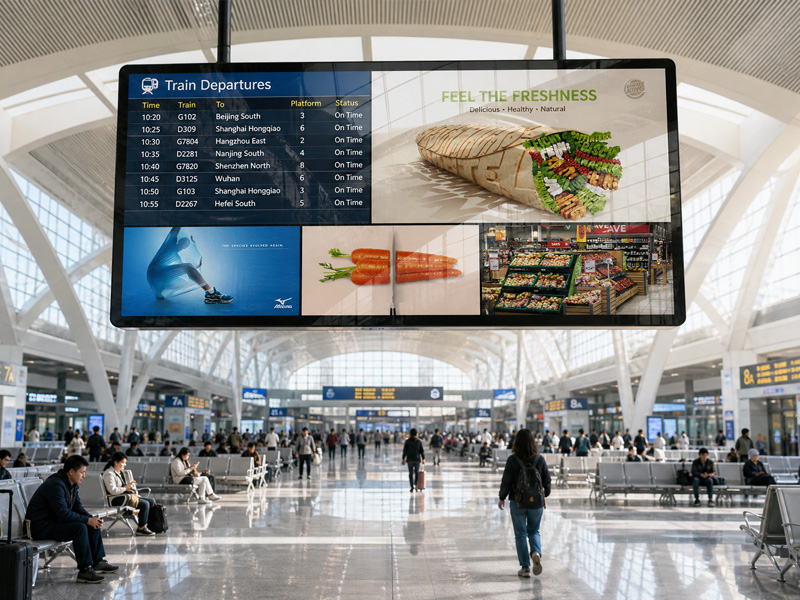
Advertising Digital Signage
Enhanced Resource Optimization
A commercial signage display typically operates a restricted set of functions:
Video playback
- Content management
- Remote monitoring
- Touch interaction
- Network communication
By utilizing Yocto, developers have the capability to eliminate superfluous services and establish a streamlined system.
Advantages encompass:
- Quicker boot time
- Decreased memory usage
- Enhanced stability
- Minimized power consumption
Key Steps to Tailor Yocto Linux for Digital Signage Displays
1. Choose the Embedded Hardware Platform
The initial step involves selecting appropriate hardware.
Contemporary digital signage displays frequently utilize ARM-based processors due to their:
- Low power consumption
- Robust multimedia capabilities
- Compact design
Commonly used platforms consist of:
- Rockchip processors
- NXP i.MX series
- Qualcomm embedded platforms
For instance, Portworld embedded solutions are compatible with Rockchip platforms such as:
- RK3566
- RK3568
- RK3576
- RK3588
These processors are suitable for various commercial applications, including:
- Digital signage
- Industrial displays
- Edge AI terminals
- Interactive kiosks
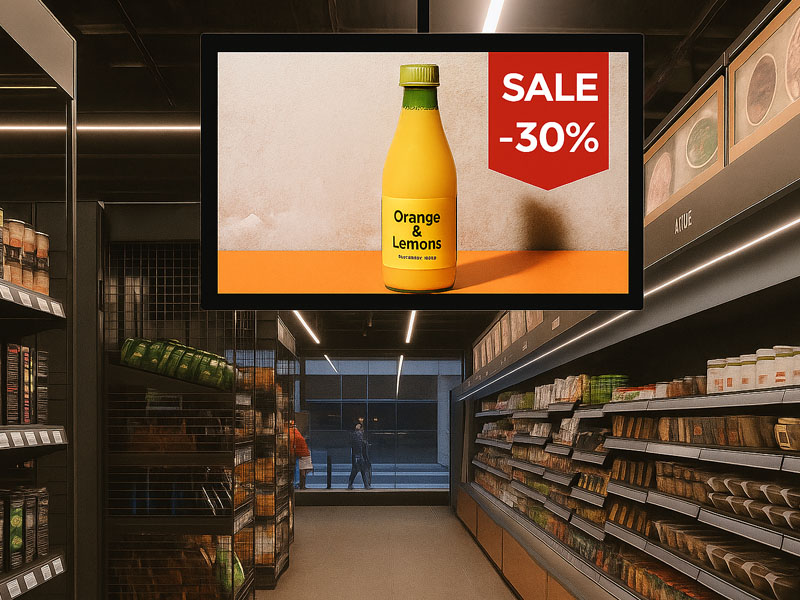
digital signage display solutions
2. Tailor the Yocto BSP
The Board Support Package (BSP) serves as the bridge between Yocto Linux and the underlying hardware.
When customizing the BSP for a digital signage display, considerations may encompass:
- Display Support
- Configuration of the LCD panel
- HDMI output capabilities
- MIPI-DSI interface integration
- Settings for resolution
- Support for multiple displays
- Integration of touchscreen functionality
Support for:
- Capacitive touch controllers
- USB touch devices
- I2C touch interfaces
- Peripheral Drivers
This includes:
- Wi-Fi connectivity
- Ethernet support
- Bluetooth functionality
- USB interfaces
- Camera integration
- NFC/RFID modules
A well-configured BSP guarantees that all hardware components operate reliably.
3. Tailor the Linux Kernel
The Linux kernel facilitates communication between software and hardware.
For a digital signage display devoid of Android, customizing the kernel may encompass:
- Display drivers
- GPU acceleration
- Audio drivers
- Network drivers
- Power management
- Storage drivers
For instance, a touchscreen advertising display might necessitate enhanced support for:
- High-resolution video output
- Touch interaction
- Continuous operation
- Remote management
4. Establish a Digital Signage Application Environment
Once the operating system has been customized, developers can integrate the necessary applications.
Typical components of digital signage software include:
Media Playback Engine
Facilitates:
- Video playback
- Image display
- Audio playback
- Scheduled content switching
- Content Management System (CMS)
Enables:
- Remote content updates
- Device monitoring
- Group management
- Playback scheduling
- Touch Applications
For interactive displays:
- Product catalogs
- Self-service ordering
- Information kiosks
- Wayfinding systems
Applications can be created using:
- Qt
- Chromium kiosk mode
- Custom Linux GUI frameworks
5. Enhance Boot and System Performance
Commercial digital signage displays typically necessitate immediate startup and continuous operation around the clock.
Yocto facilitates the optimization of:
- Boot sequence
- Startup services
- Background processes
- Memory utilization
Potential enhancements encompass:
- Reduced power-on duration
- Automatic application initiation
- Watchdog monitoring
- System recovery capabilities
6. Implement Security and Remote Management
In extensive digital signage implementations, security is of utmost importance.
Yocto provides support for:
- Secure boot
- Firmware validation
- Encrypted storage
- User access management
- Over-the-air firmware updates
These functionalities enable businesses to oversee hundreds or even thousands of displays from a remote location.
Yocto Linux vs Android for Digital Signage Displays
| Feature | Yocto Linux | Android |
|---|---|---|
| System customization | Excellent | Limited |
| Hardware control | Very high | Medium |
| Application ecosystem | Custom development | Large Android ecosystem |
| Resource usage | Lower | Higher |
| Security control | Strong | Good |
| Long-term product support | Excellent | Good |
| Best for | Enterprise/custom projects | General commercial displays |
Applications of Android-Free Yocto Digital Signage Displays
Yocto-based digital signage solutions are ideal for:
Retail
- Interactive product showcases
- Digital shelf promotions
- Self-service kiosks
Transportation
- Airport information boards
- Bus stop displays
- Passenger information systems
Healthcare
- Patient information terminals
- Queue management screens
- Industrial Applications
Factory dashboards
- Machine interfaces
- Industrial HMIs
- Smart Buildings
- Room scheduling displays
- Access control panels
Touch Screen Android tablet
Portworld Yocto Linux Digital Signage Solutions
Portworld offers tailored embedded Linux display solutions for clients seeking alternatives to Android-based systems.
With expertise in ARM embedded hardware development, Portworld provides support for:
- Yocto Linux customization
- Linux BSP development
- Kernel adaptation
- Driver integration
- Custom PCBA design
- Touchscreen display integration
- Digital signage hardware customization
The supported platforms feature high-performance ARM processors such as RK3566, RK3568, RK3576, and RK3588.
These solutions cater to various applications, including:
- Commercial digital signage
- Industrial touch displays
- Smart kiosks
- Edge computing terminals
- Embedded AI devices
Tailoring Yocto Linux for a digital signage display without Android grants manufacturers total authority over hardware, software, and system efficiency.
For enterprises seeking enduring stability, extensive customization, and industrial-level dependability, Yocto Linux presents a robust alternative to Android.