Zigbee Wall-Mounted Touch Panels for Whole-Home Automation
As smart home technology advances, homeowners are seeking more convenient ways to manage lighting, curtains, climate control, security, and other connected devices. Rather than switching among multiple mobile apps, an increasing number of residential projects are adopting centralized control through wall-mounted touchscreen panels.
Zigbee is a widely used wireless technology for home automation, supporting low-power devices and mesh networking. Paired with wall-mounted touch panels, it can deliver a convenient control experience in bedrooms, living rooms, kitchens, bathrooms, and other spaces.
Yet whole-home automation involves more than installing a touchscreen in every room. Control panels, the Zigbee gateway, network infrastructure, and software platform must operate together effectively.
This article examines how Zigbee wall-mounted touch panels enable whole-home automation, which features to consider when choosing hardware, and how to create a flexible multi-room control system.
1. Why Choose Wall-Mounted Touch Panels for Whole-Home Automation?
Mobile apps are convenient for remote access, but they may not be the easiest way to manage devices throughout the day. To switch off the bedroom lights, for instance, users might have to unlock their phone, launch an app, and work through multiple menus.
Wall-mounted touch panels offer a dedicated control interface that is readily accessible in the room where it is needed.
In a whole-home automation system, these panels provide several benefits.
Centralized Control in Multiple Rooms
A touchscreen panel can show the smart devices and automation features assigned to a specific room.
For example:
- Living room: lighting, curtains, air conditioning, and entertainment scenes
- Bedroom: bedside lighting, temperature, curtains, and sleep scenes
- Kitchen: lighting, ventilation, and environmental monitoring
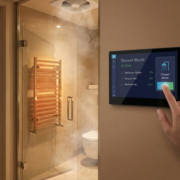
- Bathroom: lighting, ventilation, and humidity information
- Entrance: whole-home lighting, security status, and away mode
Several panels can also connect to the same home automation platform, enabling users to access selected functions from locations across the property.
More Convenient Everyday Operation
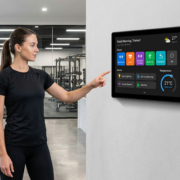
Touchscreens offer an intuitive graphical interface featuring icons, sliders, buttons, and dashboards organized by room.
With a single touch, users can activate a scene rather than operate multiple devices separately.
For instance, a “Good Night” scene can turn off selected lights, close the curtains, and adjust climate settings through the automation platform.
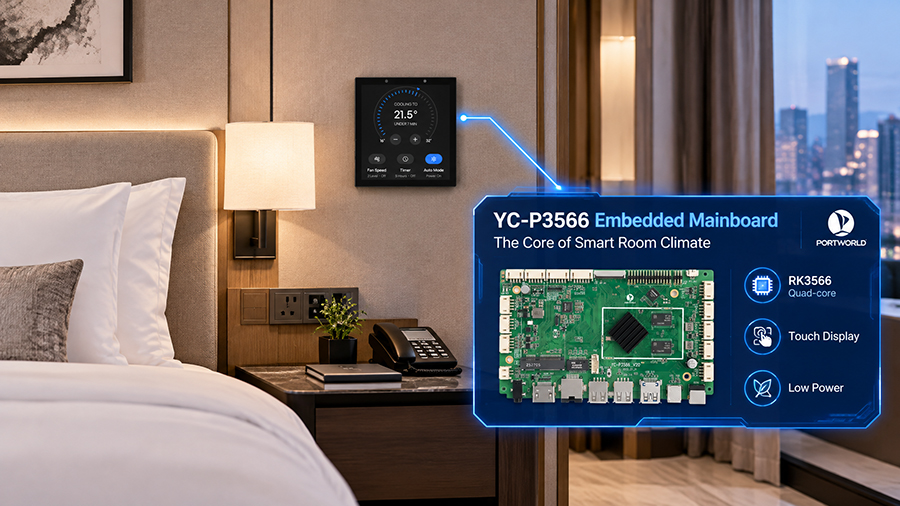
YC-P3566-smart home control panel
A Consistent Smart Home Experience
Using panels with the same interface in different rooms creates a more cohesive user experience.
For residential developers, hotels, and smart building integrators, this approach also helps standardize device operation across multiple properties.
2. How Zigbee Wall-Mounted Touch Panels Work
A typical Zigbee smart home system includes a touchscreen interface, a home automation platform, a Zigbee coordinator, and connected Zigbee devices.
A common system architecture is:
Wall-Mounted Touch Panel → Home Automation Platform → Zigbee Coordinator → Zigbee Devices
- Each component serves a distinct purpose.
- Wall-Mounted Touch Panel
The panel gives users a graphical interface. It displays device information and sends commands to the home automation platform over Ethernet or Wi-Fi.
Home Automation Platform
The platform handles user commands, manages automation rules, and connects different smart home technologies.
Zigbee Coordinator
The coordinator creates and manages the Zigbee network. It communicates with compatible Zigbee lights, switches, sensors, and other devices.
Zigbee Devices
These devices carry out tasks such as turning lights on or off, changing brightness, detecting motion, and reporting temperature.
A key distinction is that a wall-mounted touchscreen is not necessarily a Zigbee coordinator. Some panels include built-in Zigbee radio hardware, whereas others connect to an external gateway.
For instance, a Rockchip-based Android panel can show a Home Assistant dashboard and control Zigbee devices via a separate coordinator connected to the Home Assistant system.
With this setup, multiple touchscreen panels can access the same Zigbee network, eliminating the need for a dedicated coordinator in each room.
3. Whole-Home Automation Applications by Room
The primary benefit of wall-mounted touch panels is that their interfaces can be tailored to the needs of each room.
3.1 Living Room: Centralized Scene and Lighting Control
The living room is often the main point of interaction in a smart home.
A wall-mounted touchscreen can provide control over:
- Main and ambient lighting
- Dimming and color temperature
- Motorized curtains and blinds
- Air conditioning and temperature settings
- Entertainment scenes
- Whole-home automation modes
For instance, a “Movie Mode” scene could dim the lights, close the curtains, and adjust other connected devices to suit the user’s preferences.
A 7-inch or 10-inch touchscreen is often well suited to this interface, as it offers sufficient space for multiple controls.
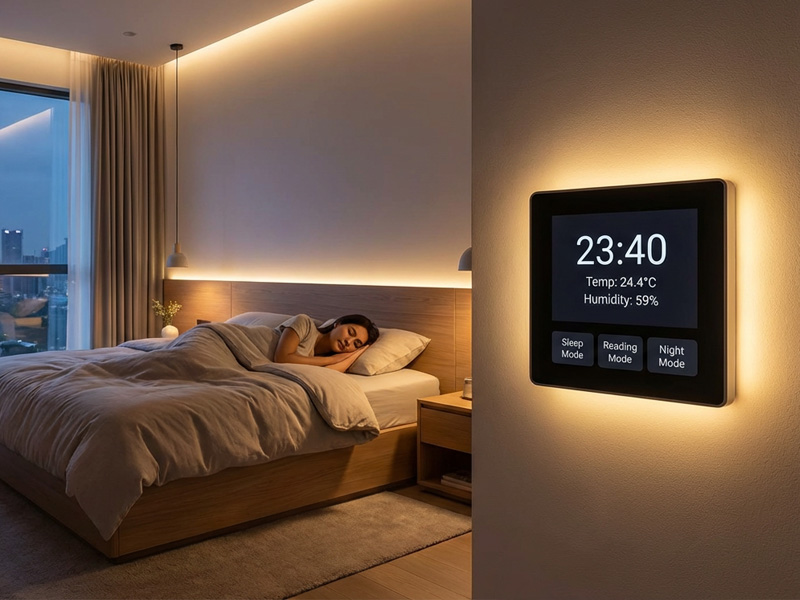
3.2 Bedroom: Personalized Comfort Control
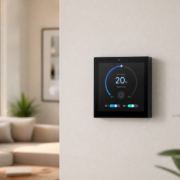
Bedroom controls should be straightforward and easy to use at night.
A compact wall-mounted panel can manage:
- Bedside and ceiling lighting
- Curtain opening and closing
- Temperature settings
- Humidity monitoring
- Sleep and wake-up scenes
A 4-inch or 5-inch panel may be sufficient for basic bedroom automation.
For instance, tapping a “Sleep Mode” button can run a preset scene that turns off selected lights, closes the curtains, and adjusts the room environment.
3.3 Kitchen: Lighting and Environmental Monitoring
Kitchen automation needs differ from those in the living room or bedroom.
A touchscreen panel can provide access to:
- Kitchen lighting
- Ventilation controls
- Temperature and humidity readings
- Smart plug status
- Notifications from selected safety sensors
A compact panel is often appropriate when only a limited number of control functions are needed.
3.4 Bathroom: Lighting and Ventilation
Bathroom automation commonly centers on lighting, ventilation, and environmental conditions.
A wall-mounted interface can manage lighting scenes and ventilation settings while presenting information from available sensors.
Before installation, consider the environment when selecting a panel. Verify its actual ingress protection rating, operating temperature, and mounting location, particularly in areas exposed to moisture.
smart control panel factory-1
3.5 Entrance: Whole-Home Status and Away Mode
The entrance is a practical location for a centralized control interface.
A panel installed near the entrance can provide:
- Whole-home lighting control
- Home and Away modes
- Status information for selected door and motion sensors
- Curtain control
- Security system status
- Quick access to frequently used scenes
When leaving, users can activate “Away Mode” to switch off selected lights, adjust climate settings, and initiate configured security automations.
4. Key Hardware Features of Zigbee Wall-Mounted Touch Panels
Choosing a suitable panel requires evaluating its display, processor, operating system, connectivity, and software capabilities.
4.1 Screen Size and Resolution
Screen size should match the room’s control requirements.
| Screen Size | Recommended Applications |
|---|---|
| 4-inch | Bedroom and compact room control |
| 5-inch–5.5-inch | General room-level automation |
| 7-inch | Multi-function room dashboards |
| 10-inch | Centralized home automation control |
Resolution also affects how clearly users can read information and operate touchscreen controls.
For compact panels, a square display can work well for simple room controls. Larger rectangular displays offer more space for dashboards, device lists, and environmental information.
4.2 Processor Performance
The processor influences how smoothly the panel operates its user interface and applications.
For advanced smart home dashboards, ARM-based platforms such as the Rockchip RK3566 and RK3568 offer the processing capacity required to run Android- or Linux-based applications.
For simpler interfaces with modest processing needs, an ESP32-S3 platform running LVGL may be adequate.
The appropriate choice depends on whether the project requires a full operating system, third-party applications, complex dashboards, or a lightweight embedded interface.
4.3 Operating System
The operating system determines the panel’s development flexibility and software compatibility.
Android
Android is well suited to projects requiring application installation, graphical dashboards, and integration with Android-based smart home software.
Linux
Linux supports customized applications, system services, and embedded automation platforms.
ESP32-S3 with LVGL
Panels based on the ESP32-S3 are suitable for lightweight, dedicated touchscreen interfaces. They use embedded firmware development instead of Android application installation.
For example, Portworld offers a range of smart home touchscreen platforms that can be chosen to match a project’s software architecture.
4.4 Network and Power Connectivity
A dependable connection between the touchscreen panel and the home automation platform is essential.
Common connectivity options include:
- Ethernet for reliable wired communication
- Wi-Fi for flexible installation
- PoE for combined power and network connectivity
- RS485 for certain wired building automation integrations
PoE is particularly useful for wall-mounted control panels, as it can simplify power installation.
Keep in mind that PoE does not replace Zigbee. The panel can connect to the automation platform through Ethernet or Wi-Fi, while the Zigbee coordinator handles wireless communication with smart devices.
5. Zigbee Mesh Networking for Whole-Home Coverage
A key benefit of Zigbee is its mesh networking design.
Rather than relying on a basic point-to-point wireless connection, Zigbee networks can use router devices to relay messages among nodes.
A typical network consists of:
- Coordinator: Creates and manages the Zigbee network.
- Routers: Typically mains-powered devices that relay messages and expand network coverage.
- End Devices: Often battery-operated sensors and other low-power devices that communicate via a parent router or the coordinator.
- For a large home, careful network planning is essential.
Consider these recommendations:
- Install enough router devices. Smart plugs and compatible mains-powered lights can help expand Zigbee coverage.
- Account for building materials. Concrete walls, metal structures, and other obstacles can disrupt wireless communication.
- Choose the coordinator’s location carefully. Keep it away from powerful sources of radio interference, and avoid placing it inside an unsuitable metal enclosure.
- Check for Wi-Fi interference. Zigbee and many Wi-Fi networks use the 2.4 GHz band, so careful channel selection can improve reliability.
- Test coverage throughout the property. Before finalizing the installation, confirm that devices in distant rooms can communicate with the coordinator.
- A well-planned mesh network is especially important in large, multi-story homes.
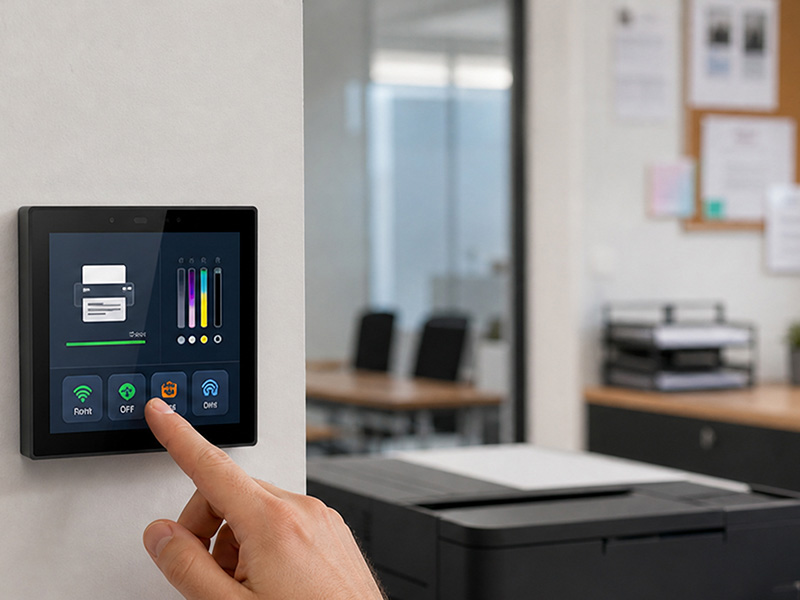
ESP32 4″ Smart Touch Panel
6. Integrating Zigbee Wall Panels with Home Assistant
Home Assistant is a versatile platform for controlling a range of smart home devices and automation features.
Zigbee integration is commonly handled in one of two ways:
Zigbee Home Automation (ZHA)
Built into Home Assistant, ZHA connects compatible Zigbee devices through a supported coordinator.
Zigbee2MQTT
Zigbee2MQTT operates as a separate application and links to Home Assistant using MQTT.
A typical whole-home setup may include:
- Several Android touchscreen panels mounted on walls
- A Home Assistant server
- A compatible Zigbee coordinator
- Zigbee lights and switches
- Motion, temperature, and door sensors
- Ethernet or Wi-Fi connectivity
- Each touchscreen can present a tailored Home Assistant dashboard.
For instance, a living room panel could provide lighting and entertainment controls, while a bedroom panel could display options for curtains, climate, and sleep scenes.
The automation platform coordinates shared devices and rules, enabling multiple panels to control the same smart home system.
Before deployment, test device compatibility. Some Zigbee devices may need extra configuration or support through a device-specific integration.
7. How to Select the Right Panel for a Whole-Home Project
Before choosing wall-mounted touch panels, consider the following factors.
| Selection Factor | Important Considerations |
|---|---|
| Screen size | Match the interface to each room |
| Processor | Select according to dashboard complexity |
| Operating system | Android, Linux, or ESP32-based firmware |
| Zigbee integration | Built-in radio or external coordinator architecture |
| Network connectivity | Ethernet, Wi-Fi, and PoE |
| Installation | Wall mounting, wiring, and power supply |
| Software | Home Assistant, custom dashboards, or proprietary platforms |
| Customization | UI design, firmware, branding, and hardware interfaces |
| Long-term support | SDK, documentation, firmware updates, and supply stability |
For larger projects, combining panels of different sizes is often more practical than installing the same model throughout the property.
For instance, a 10-inch panel can serve as the main control point in a living room or at the primary entrance, while 4-inch and 5.5-inch panels can provide dedicated controls in bedrooms and other smaller areas.
This configuration helps balance installation costs with usability and functionality.
8. Portworld Wall-Mounted Smart Home Touch Panels
Portworld offers touchscreen panels and embedded hardware solutions for residential automation, hotels, and smart-building projects.
Drawing on more than 18 years of experience in embedded hardware and touchscreen manufacturing, Portworld supports OEM/ODM projects that require hardware customization, operating system development, or user interface design.
Several panel models may be suitable for whole-home automation.
YC-SM41P – 4-Inch Compact Smart Home Panel
The YC-SM41P is designed for compact, wall-mounted control applications.
Key features include:
- 4-inch touchscreen
- 480 × 480 resolution
- Rockchip RK3566 processor
- 2GB RAM + 32GB storage configuration
- Android 11 or Debian 11 options
- Optional PoE connectivity
It is suitable for bedroom controls, lighting scenes, and other room-level smart home applications.
YC-SM55P – 5.5-Inch Smart Home Panel
The YC-SM55P features a larger screen that supports more detailed control interfaces.
Key features include:
- 5.5-inch touchscreen
- 720 × 1280 resolution
- Rockchip RK3566 processor
- 2GB RAM + 16GB storage
- Android platform
- PoE option
The panel can support living room controls, lighting management, and multifunction room dashboards.
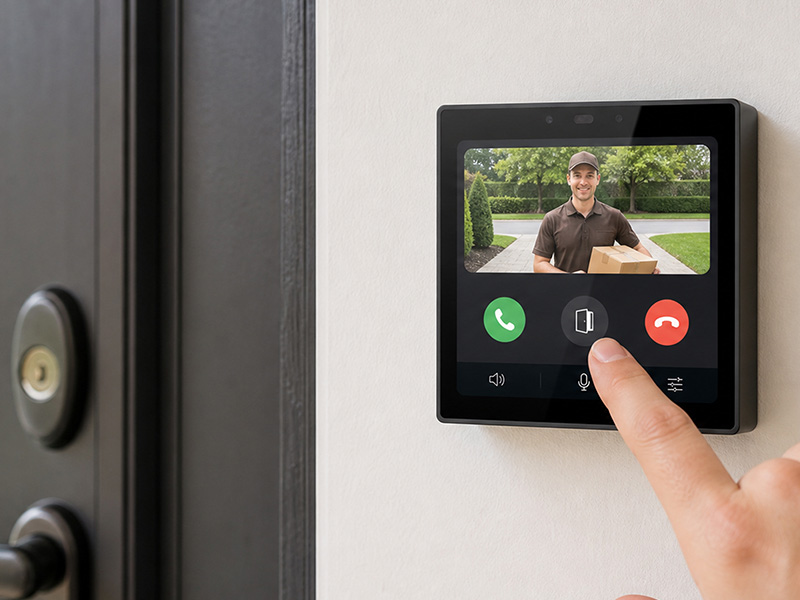
4″ Smart Control Panel
YC-SM10P – 10-Inch Centralized Control Panel
The YC-SM10P is intended for applications that benefit from a larger touchscreen interface.
Key features include:
- 10-inch touchscreen
- 1280 × 800 resolution
- 500-nit brightness
- 10-point capacitive touch
- Rockchip RK3566 processor
- Android 11
- 2GB RAM + 32GB storage
- PoE connectivity
It is well suited to centralized home automation dashboards and larger room-level control interfaces.
Whole-Home Automation Customization
Smart home projects may call for different hardware and software configurations.
Portworld offers:
- OEM/ODM touchscreen panel development
- PCB and motherboard customization
- Android and Linux system customization
- UI/UX design and branded interfaces
- Logo, packaging, and boot animation customization
- Ethernet, Wi-Fi, PoE, RS485, and other interface options, depending on the model
- Smart home gateway and protocol integration
- SDKs, technical documentation, and development support
For Zigbee-based projects, Portworld can provide touchscreen hardware and customization support to integrate with a selected Zigbee coordinator or gateway.
Zigbee wall-mounted touch panels provide a convenient way to bring whole-home automation into everyday life.
By installing touchscreen interfaces in key areas, homeowners can manage lighting, curtains, climate control, sensors, and automation scenes without relying entirely on mobile applications.
However, successful deployment depends on choosing the right display, processor, operating system, network connectivity, and Zigbee gateway architecture.