Stretched Bar Displays vs. Standard LCD Displays: What’s the Difference?
LCD technology is widely used in digital signage, retail equipment, transportation systems, industrial machinery, and commercial display products. However, some applications lack the space needed for a conventional rectangular screen. In narrow locations—such as retail shelf edges, elevator panels, equipment fronts, and transportation information strips—a standard LCD may not fit the available installation area.
Stretched bar displays address this challenge. Their elongated form and ultra-wide aspect ratios enable businesses and equipment manufacturers to present information in spaces where traditional screens are difficult to install.
While stretched bar displays and standard LCD displays rely on similar underlying LCD technology, they differ significantly in screen proportions, applications, content layouts, and integration requirements.
1. What Is a Stretched Bar Display?
A stretched bar display, also known as a bar-type LCD or ultra-wide LCD, features a long, narrow screen. Unlike standard LCD panels, which typically have 16:9, 16:10, or 4:3 aspect ratios, these displays are designed with significantly wider proportions.
Common aspect ratios include 32:9, 16:3, and other custom formats, depending on the application and available panel sizes.
Their elongated design suits locations with ample horizontal space but limited vertical space.
Typical applications include:
- Retail shelf-edge advertising and product information
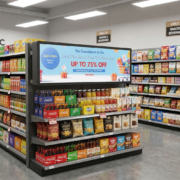
- Supermarket promotional displays
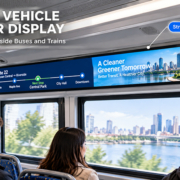
- Transportation information screens
- Elevator and building information panels
- Restaurant menu boards
- Industrial equipment status displays
- Vending machines and self-service terminals
For example, a supermarket may mount a stretched display along a shelf to show product promotions, prices, or category details. Transportation systems can use the same format to present route information and passenger announcements.
The key benefit is the ability to display information across a wide horizontal area without needing a conventional large-format monitor.
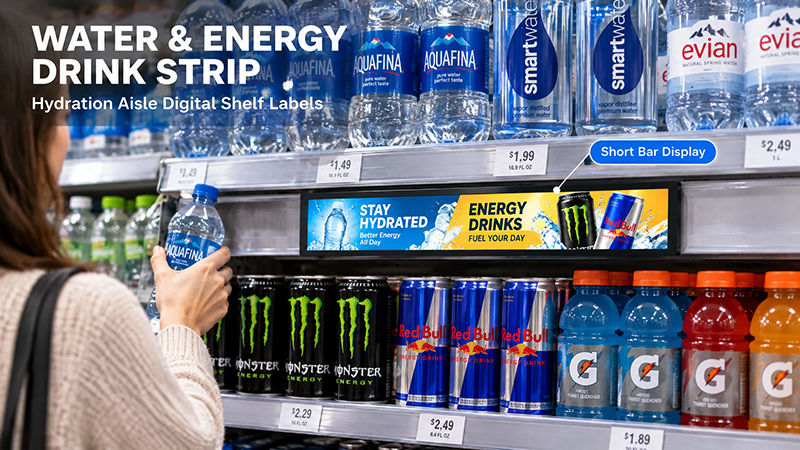
Stretched Display Series
3. Stretched Bar Displays Compared with Standard LCD Displays
The primary distinction between these display types is their aspect ratio. This affects not only their physical appearance but also how content is designed and how each display is incorporated into a product.
| Comparison | Stretched Bar Display | Standard LCD Display |
|---|---|---|
| Screen shape | Long and narrow | Conventional rectangle |
| Aspect ratio | Ultra-wide, such as 32:9 or 16:3 | Commonly 16:9, 16:10, or 4:3 |
| Installation | Narrow horizontal or vertical spaces | General display openings |
| Content layout | Scrolling text, product information, status data | Images, videos, full-screen interfaces |
| Availability | More specialized panel options | Broad market availability |
| Customization | Often requires application-specific integration | More standard configurations |
| Typical applications | Shelf displays, elevators, transportation | Digital signage, monitors, kiosks, industrial panels |
Neither format is inherently superior. The best option depends on the physical space available and the information the display must convey.
A stretched bar display works well in spaces with unusual dimensions. A standard LCD is typically better suited to applications that need a conventional viewing area for presenting varied content.
4. Screen Resolution and Content Layout
Resolution is another key factor to consider when comparing stretched bar displays with standard LCD panels.
A standard 1920 × 1080 LCD has a 16:9 aspect ratio, providing sufficient vertical space for video, images, text, and multiple interface elements.
A stretched display may have a resolution such as 1920 × 540 or another format tailored to a specific application. While its total pixel count may be lower than that of a standard Full HD screen, its elongated shape is better suited to horizontal information layouts.
It is important to distinguish between resolution and aspect ratio. Resolution specifies the number of pixels, whereas aspect ratio defines the relationship between a screen’s width and height.
Content should match the screen’s native format.
A conventional 16:9 video shown on an ultra-wide panel may leave unused space at either side. Alternatively, the system may crop or stretch the image to fill the display, which can remove important information or distort the original content.
For optimal results, design advertising images, videos, and interface layouts for the display’s actual resolution.
For stretched displays, suitable content often includes:
- Scrolling promotional messages
- Product names and prices
- Short advertising animations
- Time, date, and location information
- Transportation schedules
- Equipment status and alerts
This approach makes better use of the available horizontal space and improves readability.
5. Brightness, Viewing Angle, and Display Performance
Both display types need appropriate brightness and viewing characteristics, though the specific requirements vary with the installation environment.
Customers may view retail shelf displays from fairly close range, making legible text, consistent color reproduction, and adequate brightness essential.
Transportation and public information displays may need to stay readable as ambient lighting changes. In industrial settings, viewing angle, operating temperature, and long-term stability may be higher priorities.
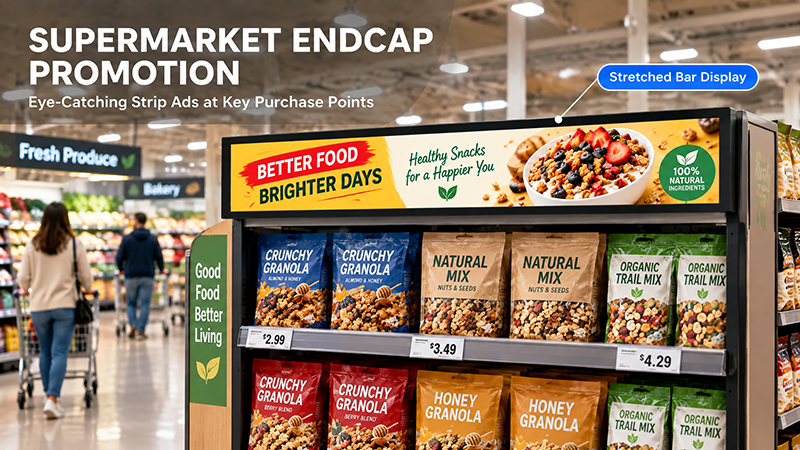
Stretched bar displays
When assessing either display type, consider the following:
Brightness: Choose a panel suited to the surrounding light. Brighter panels may be needed in well-lit locations, but they also increase power consumption and heat output.
Viewing angle: A wide viewing angle helps preserve image quality for users approaching the screen from different positions.
Resolution: The necessary pixel density depends on the screen’s dimensions, viewing distance, and the level of detail in the content.
Operating conditions: Consider temperature, ventilation, operating hours, and enclosure design as related factors.
A stretched display is not inherently more visible than a standard LCD. Panel quality and installation conditions matter, whatever the screen’s shape.
6. Hardware and System Integration
The hardware integration requirements may also vary between the two display types.
A standard LCD display can typically use a well-established display module and a compatible controller board. Depending on the panel, common interfaces include HDMI, LVDS, MIPI, and eDP.
Stretched bar displays may need more specialized display modules and controller configurations. Their driver board must support the panel’s native resolution and timing requirements.
For embedded applications, buyers should verify:
- Native panel resolution and interface
- Controller board compatibility
- Connector type and location
- Power input requirements
- Android or Linux compatibility, where applicable
- Touchscreen requirements
- Mounting dimensions and available enclosure space
If the display will run advertising applications or connect to a content management system, buyers should also assess the processor and software platform.
For instance, an Android-based signage system may provide local advertising playback, network connectivity, and support for customized applications. Its actual capabilities depend on the motherboard, firmware, and software integration.
7. Cost, Availability, and Customization
Standard LCD displays are typically more widely available and produced at greater scale. As a result, buyers can often choose from more suppliers, compare panel specifications, and evaluate a broader range of prices.
Stretched bar displays are more specialized. Some sizes and aspect ratios may have fewer panel options, potentially affecting procurement, development timelines, and per-unit costs.
However, the display module price alone may not represent the project’s total cost.
In some cases, a stretched display can simplify the overall mechanical design by fitting directly into a narrow opening. Installing a standard LCD in the same space may instead require structural modifications or a redesigned enclosure.
For OEM projects, buyers should assess:
- Panel availability and continuity of production
- Custom dimensions and aspect ratios
- Driver board development
- Mechanical mounting requirements
- Touch integration
- Firmware and software compatibility
- Sample development and mass-production costs
When a project calls for a non-standard screen format, it is especially important to contact the panel manufacturer early.
8. How to Select the Right Display for Your Application
Start by considering the available installation space and the type of content the display will show.
Choose a stretched bar display when:
- The installation space is long and narrow.
- A standard rectangular screen will not fit properly.
- The content is primarily horizontal.
- The display must be integrated into shelving, equipment fronts, elevators, or transportation interiors.
- A custom screen format would enhance the product’s overall design.
Choose a standard LCD display when:
- The installation space can accommodate a conventional rectangular screen.
- You need to display full-screen images and videos.
- The application requires a general-purpose graphical interface.
- You prefer a broader range of standard panel sizes and resolutions.
- Cost, availability, and ease of replacement are key considerations.
Some commercial products use both formats. A standard LCD can serve as the primary advertising or interactive interface, while a stretched display provides supplementary information, such as prices, promotions, or status updates.
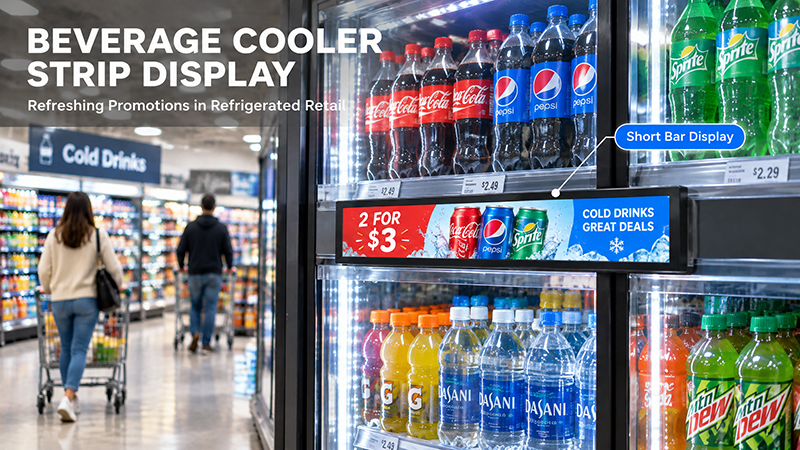
stretched display
9. Portworld’s Embedded Display and OEM/ODM Capabilities
Choosing the appropriate LCD panel is just one step in developing a commercial display product. The motherboard, operating system, interfaces, enclosure, and application software must also function together seamlessly.
Portworld offers embedded display and hardware solutions for commercial and industrial uses, including touchscreen displays, digital signage, industrial touch panels, and customized motherboard solutions.
For projects with specific display dimensions or system requirements, OEM/ODM support may include:
- LCD panel and screen configuration
- Embedded motherboard selection
- Customization of Android, Linux, Ubuntu, or Debian systems
- Touchscreen integration
- Interface and connectivity customization
- Enclosure and mechanical design
- Application preinstallation and automatic startup
- SDK and technical documentation
- Prototype development and mass production
For stretched bar display projects, confirm the panel’s native resolution, interface, driver board, mechanical dimensions, and content layout during the initial engineering phase.
Portworld can support the broader embedded hardware and system integration requirements of customized display products. The final panel configuration and availability should be evaluated according to the project’s dimensions, application, and production requirements.
Stretched bar displays are designed for narrow spaces and elongated information layouts, making them useful for retail shelves, transportation systems, elevators, and industrial equipment. Standard LCD displays offer more conventional screen proportions and are better suited to general advertising, video playback, interactive interfaces, and industrial monitoring.