How to Develop an LVGL-Based Smart Display with an RK3506 Mainboard
Intelligent display systems are progressively establishing themselves as a fundamental interface component for industrial machinery, residential automation solutions, entry management frameworks, power consumption regulation devices, and comparable networked applications. In contrast to conventional displays that merely present data, contemporary integrated display technologies enable operators to supervise operational metrics, modify configuration settings, command peripheral devices, and engage with networked platforms via an intuitive graphical presentation.
For numerous such implementations, a streamlined graphical interface proves more suitable than a comprehensive operating system modeled after desktop environments. LVGL, a freely available open-source graphics library designed for embedded systems, furnishes an adaptable methodology for constructing interactive touch-responsive interfaces incorporating buttons, data visualizations, measurement indicators, visual transitions, and supplementary graphical components. When paired with an RK3506 processing module, it establishes a viable development framework for producing miniaturized intelligent display solutions and manufacturing control interfaces (HMIs).
The foundation of an effective deployment extends beyond merely designing an aesthetically pleasing interface. Technical professionals must additionally coordinate the visual output hardware, input device firmware, computational framework, data transmission protocols, and functional programming components into a dependable embedded infrastructure.
Why Select the RK3506 for an LVGL-Based Smart Display?
The Rockchip RK3506 has been engineered to serve cost-effective industrial embedded applications, encompassing HMI terminals, industrial controllers, and communication gateways. Its design integrates three ARM Cortex-A7 application processor cores alongside a Cortex-M0 core, facilitating the distribution of distinct processing and control operations in accordance with system architecture requirements.
This characteristic positions the RK3506 as a compelling option for smart displays requiring the integration of graphical user interfaces with equipment monitoring, peripheral communication, and control capabilities.
Consider an industrial display application that must present temperature, pressure, motor speed, and alarm status information while maintaining communication with a PLC through a serial connection. Alternatively, a smart home terminal might present lighting and environmental data while issuing commands to networked devices. In such scenarios, the system demands a responsive interface and dependable communication functionality rather than sophisticated three-dimensional graphics capabilities.
The RK3506 platform further delivers peripheral connectivity options pertinent to embedded product development, including display interfaces, UART, I2C, SPI, USB, Ethernet, and CAN connections, contingent upon the specific chip variant and board configuration.
Prior to mainboard selection, developers must verify the specific interface configuration, memory and storage specifications, display compatibility, and accessible software resources. These considerations are instrumental in determining whether the hardware satisfies the requirements of the intended application.
LVGL, an acronym for Light and Versatile Graphics Library, represents an open-source graphics library engineered for embedded user interface applications. This library demonstrates compatibility with diverse systems, spanning from microcontrollers to Linux-based embedded processors, thereby establishing its appropriateness for an extensive variety of display solutions.
Rather than constructing each graphical component independently, developers can leverage LVGL’s pre-existing widget collection and styling framework to establish a unified interface design.
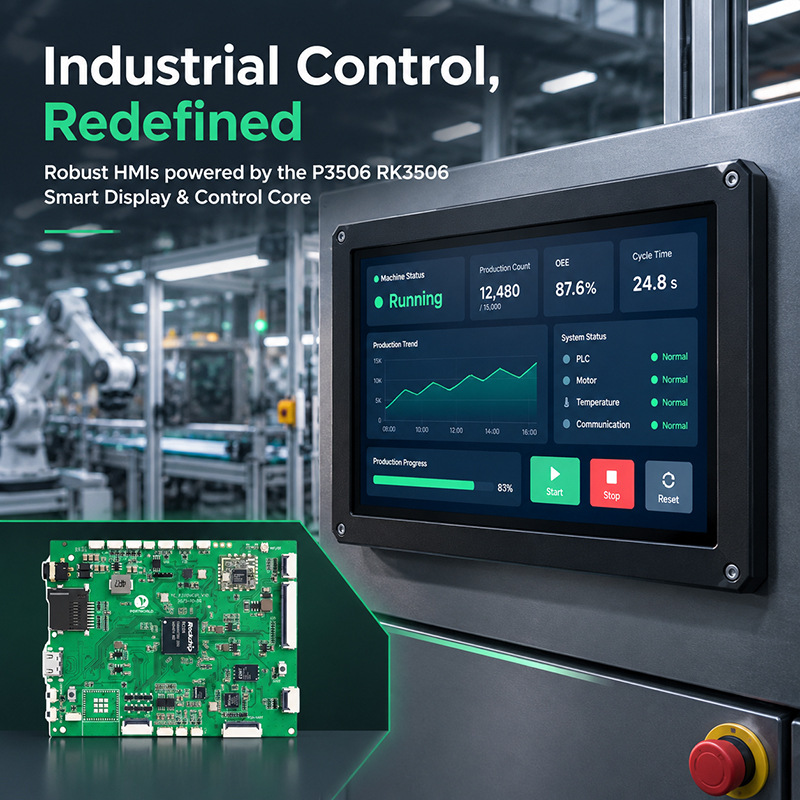
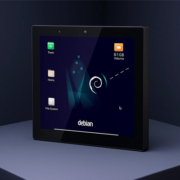
P3506 Industrial HMI Scenario
A representative smart display interface typically encompasses:
- Buttons and switches designated for device management.
- Sliders employed for modulating brightness, temperature, or velocity.
- Gauges and meters utilized for presenting operational metrics.
- Charts implemented for representing temporal measurement data.
- Status indicators designated for illustrating network connectivity and equipment notifications.
- Touch-optimized navigation systems for transitioning among operational modes.
- Animations and interactive visual responses for user engagement.
LVGL is implemented in C programming language and maintains compatibility with C++ development environments. Its comparatively minimal architectural footprint enables developers to construct graphical interfaces without requiring the deployment of resource-intensive graphical desktop systems.
Nevertheless, the ultimate memory consumption and visual rendering efficiency are contingent upon the particular widgets selected, typeface specifications, graphical resources, screen dimensions, color bit-depth, and rendering parameters. These considerations warrant thorough assessment on the designated RK3506 platform rather than reliance upon theoretical projections derived solely from the graphics library specifications.
Step 1: Establish the Smart Display’s Hardware Specifications
Prior to commencing software development, ascertain the technical capabilities that the display product must provide.
The display resolution and connection methodology represent critical initial considerations. A minimalist control interface with fundamental status presentation operates under different constraints than a high-resolution system incorporating dynamic dashboards and comprehensive data visualization capabilities.
Evaluate the subsequent hardware specifications:
Display interface: Verify that the selected mainboard accommodates the requisite RGB or MIPI-DSI display connectivity, consistent with the particular board architecture. Validate resolution parameters, timing specifications, color depth, backlight management functionality, and connector configuration details.
Touchscreen interface: Determine the communication protocol employed by the touch controller, whether I2C, USB, or an alternative supported mechanism. Ensure that compatible drivers exist for the designated operating system platform.
Communication interfaces: Assess whether the display requires UART, RS485, CAN, Ethernet, or supplementary connections to peripheral systems. A standard UART connection does not inherently deliver RS485 electrical characteristics; appropriate transceiver components and protective circuitry must be incorporated.
Memory and Storage Allocation: Reserve adequate memory capacity for the operating system, LVGL buffers, fonts, images, application data, and communication services.
Power and Thermal Management: Account for sustained operation, backlight energy consumption, enclosure airflow requirements, and anticipated environmental temperature conditions.
Establishing these specifications at an early stage mitigates a prevalent development challenge: finalizing the graphical user interface only to determine that the chosen hardware platform cannot adequately accommodate the necessary display or communication components.
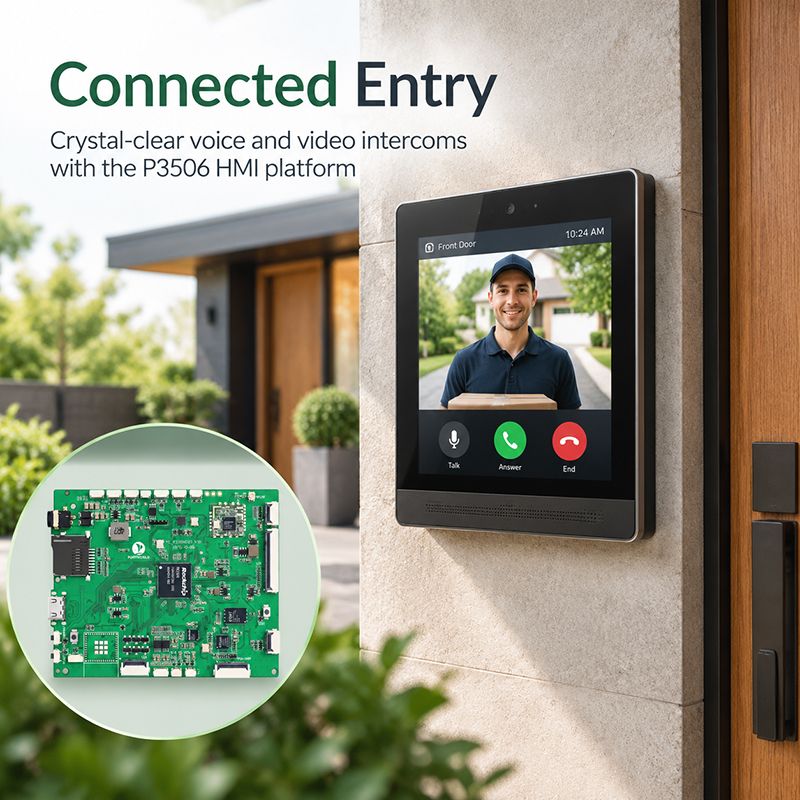
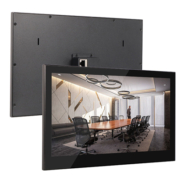
P3506 Intercom System Scenario
Step 2: Select Linux or RTOS as the Software Architecture Foundation
A critical decision in RK3506 smart display development involves determining the software architecture approach.
The optimal selection hinges upon whether the application emphasizes interface adaptability, deterministic performance, rapid initialization, or a synthesis of these considerations.
In a Linux-based configuration, LVGL functions as an application utilizing suitable display and input interfaces. Linux facilitates the incorporation of networking capabilities, file system management, device administration tools, and application-level data exchange.
For a more economical resource utilization approach, an RTOS-based framework proves advantageous when the user interface maintains moderate complexity and the system requires guaranteed task execution timing. The accessible development toolkit and confirmed LVGL compatibility should be validated for the particular RK3506 model variant.
The RK3506’s heterogeneous architecture facilitates Linux-and-RTOS combinations within supported software configurations. For instance, an application processor core may execute higher-level functions while a dedicated real-time task manages time-sensitive I/O operations. The specific allocation and inter-core communication methodology depend on the vendor’s BSP and SDK.
A fundamental principle is to select the operating system according to the product’s functional requirements rather than presuming that any single architecture offers universal superiority.
Should the device require a flexible network-connected interface with multiple application services, Linux may represent an appropriate selection. Should predictable control timing and a minimal system footprint prove more critical, an RTOS implementation warrants serious evaluation.
Step 3: Integrate LVGL with the RK3506 SDK
Following the selection of hardware and operating system, the subsequent objective is integrating LVGL into the board’s software environment.
Commence with the SDK or Board Support Package provided for the selected RK3506 mainboard. It should furnish the pertinent kernel or RTOS configuration, display driver, touch input support, build tools, and hardware initialization code.
The integration process typically encompasses multiple stages.
Initially, configure the display subsystem to enable the operating system to initialize the panel appropriately. This may encompass establishing the display timing, resolution, pixel format, backlight, and requisite pin configuration.
Second, establish configuration for the touchscreen or alternative input mechanism. Confirm that touch coordinates are transmitted with precision and that the input orientation aligns with the display orientation.
Third, incorporate the suitable LVGL version and establish its memory resource allocation, timing source, operational scheduling, and display update protocol. The approach to implementation varies between Linux and RTOS platforms, therefore select an integration methodology endorsed by the chosen SDK.
Fourth, compile and execute a fundamental graphical interface prior to incorporating sophisticated visual elements. A display featuring a background layer, text element, and interactive button suffices to validate that both rendering and input functionality operate as intended.
For Linux-based development environments, the official LVGL Linux integration reference materials and lv_port_linux initiative furnish valuable example implementations. The appropriate backend selection depends upon the particular graphics infrastructure of the system. A board presenting an accessible framebuffer may employ fbdev, whereas a platform featuring DRM/KMS capabilities may utilize the DRM backend. Touch input integration can be accomplished through an appropriate input management system such as evdev.
These reference implementations serve as beneficial foundational resources; however, they do not supersede the RK3506-specific board support package and hardware-level configuration essential for the intended target platform.
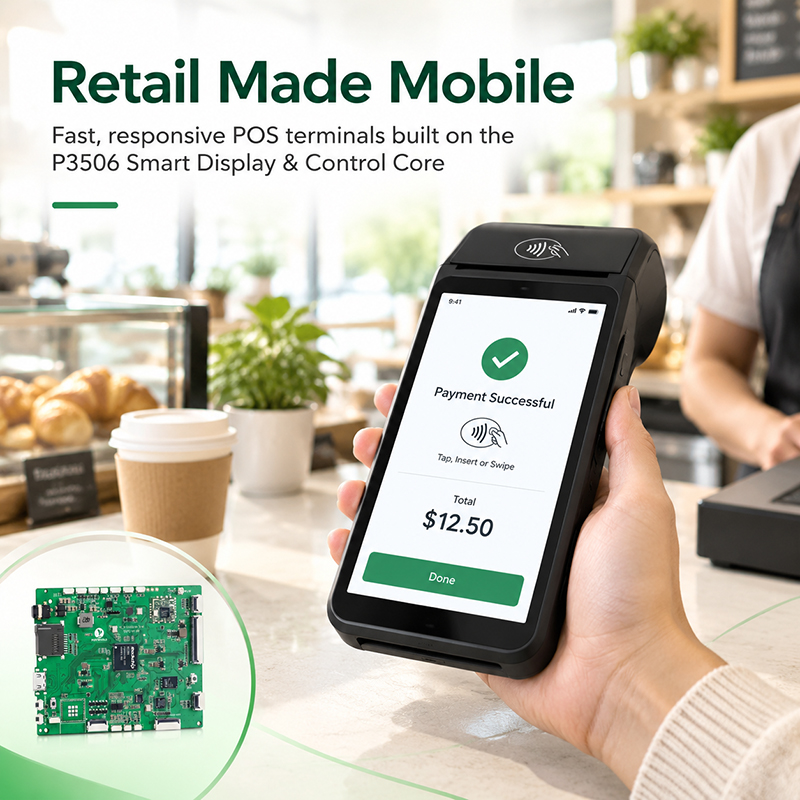
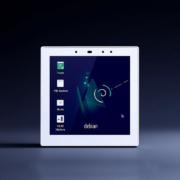
P3506 POS Terminal Scenario
Step 4: Establish the Intelligent Display Interface
Once the display and touch input mechanisms are operational, developers can direct their attention toward enhancing the user experience.
Consider an industrial monitoring display. The primary screen might present machine operational status, temperature readings, operating mode, network connectivity status, and any active alarms. An alternative interface could enable operators to modify configuration parameters or review historical measurement data.
LVGL supplies the necessary widgets to construct these components, whereas the application layer specifies the significance of displayed values and determines how user interactions influence equipment behavior.
A well-organized software framework isolates the interface from the underlying device-control mechanisms.
For instance, a temperature indicator should not autonomously manage the hardware communication protocol. Rather, a data service retrieves the sensor reading, performs measurement validation, and refreshes the application’s current state. The interface subsequently renders the most recent validated value.
Likewise, activating a control button should initiate an application-level command instead of directly controlling hardware through a graphical event handler.
This architectural separation facilitates interface maintenance, communication protocol replacement, product variant expansion, and independent software validation.
For smart home displays, this architecture can accommodate lighting, window covering, climate control, and power consumption monitoring capabilities. For industrial human-machine interfaces, it can facilitate equipment status monitoring, parameter configuration, alarm notification, and service management functions.
Step 5: Establish Connectivity Between the Interface and Physical Devices
A smart display achieves practical utility when it possesses the capability to exchange information with the devices it manages.
The communication infrastructure selection is contingent upon the specific application requirements. Prevalent alternatives encompass UART-based protocols, RS485 networks, CAN, Ethernet, and protocol implementations supported by the chosen software framework.
A representative data flow sequence follows this pattern:
Sensor or controller → Communication driver → Application logic → LVGL interface
When a user modifies a parameter, the information pathway reverses direction:
Touch input → LVGL event → Application command → Communication driver → Target device
This structural design facilitates the segregation of communication processing from graphical rendering operations.
As an illustration, an industrial control panel might continuously retrieve temperature readings and operational status information from a controller via RS485. The application subsequently modifies its internal data representation and refreshes the pertinent LVGL labels and status indicators.
Communication failures must likewise be conveyed through the interface. Should a device become unresponsive, the display must communicate that the information is inaccessible or outdated rather than persisting in displaying an antiquated value as though it retained current validity.
For implementations demanding rigorous control timing requirements, time-critical operations must remain independent from the graphical refresh frequency. The user interface should transmit directives and communicate operational status, whereas the designated control mechanism or subsystem maintains responsibility for executing the actual real-time functionality.
Step 6: Optimize Rendering, Memory, and Startup Time
A graphical user interface that functions adequately during the development phase may still require significant optimization before deployment in a production environment.
Manage display buffers with precision. Display buffer dimensions directly influence memory utilization and rendering performance. Implementing a partial buffer strategy can minimize RAM consumption, whereas full-frame buffering may prove advantageous for specific display configurations. The optimal approach is determined by screen resolution, color depth, available system memory, and display driver specifications.
Select appropriate image and font resources. Oversized images and excessively large fonts can expand storage footprint and degrade rendering efficiency. Calibrate resources to match the actual display resolution and accommodate all required language support for the product.
Eliminate superfluous user interface updates. Refresh exclusively those interface components whose values have been modified. Regenerating the complete display for each sensor reading represents inefficient CPU utilization and introduces unnecessary visual fluctuations.
Verify hardware acceleration capabilities. The RK3506 SDK may offer 2D acceleration functionality for compatible operations. Determine which specific operations receive hardware acceleration support from the actual software implementation and whether LVGL is properly configured to leverage this capability. Hardware acceleration performance should be validated through measurement rather than presumed.
Examine boot and recovery performance characteristics. For a dedicated smart display, stakeholders typically anticipate that the user interface will be operational shortly following power activation. Streamline superfluous services, initialization procedures, and application launch sequences while maintaining essential hardware validation and safety-critical operations.
Subsequently, execute prolonged testing incorporating authentic sensor data streams, network communications, tactile interactions, and display rendering. Assess processor utilization and memory consumption, frame rate consistency, thermal management, and system restoration following power disruptions or communication interruptions.
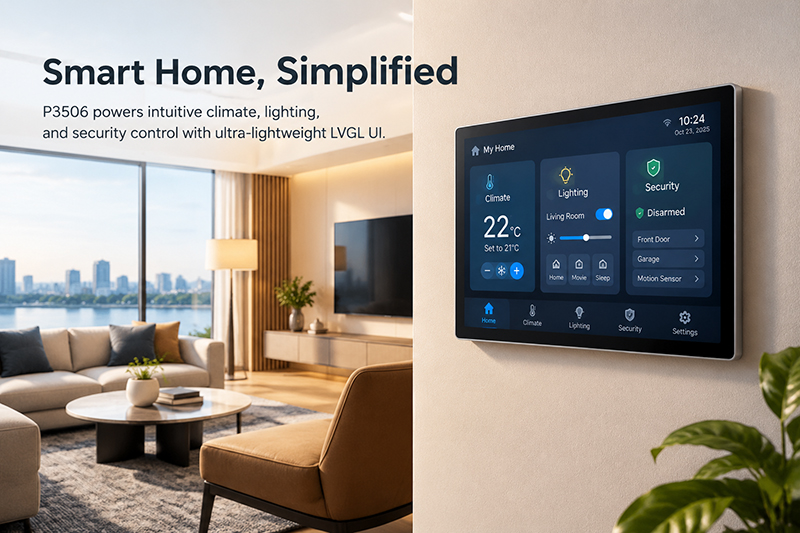
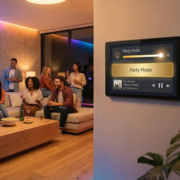
P3506 Smart Home Scenario
Step 7: Authenticate the Comprehensive System Prior to Commercial Manufacturing
Constructing a functional prototype represents merely one component of a commercial embedded display initiative.
In advance of commercial manufacturing, confirm complete system performance under anticipated field deployment scenarios. Validate display fidelity, touch responsiveness, application reliability, energy efficiency, thermal characteristics, initialization and termination procedures, and restoration capabilities following unexpected failures.
Should the product require uninterrupted operation, conduct extended-duration testing with recurring data requests and continuous interface modifications. Should installation occur within an industrial setting, examine the protective housing, installation methodology, surge protection, and operational environmental specifications as well.
The firmware distribution methodology must be established. This encompasses release version tracking, deployment mechanisms, configuration preservation, diagnostic data collection, and contingency protocols for managing malfunctions in operational installations.
For a customized smart display, system component and application validation must occur concurrently. A modification in screen dimensions, input sensor hardware, physical interface configuration, or data transmission protocol may necessitate corresponding revisions to the board support package and software application.
How Portworld Can Support RK3506 Smart Display Development
For organizations developing smart home control panels, industrial human-machine interfaces, and compact embedded display solutions, selecting an appropriate mainboard represents merely one component of the undertaking. Display integration, touch functionality support, communication interface configuration, enclosure engineering, and software customization significantly influence both the development timeline and the ultimate product performance.
Portworld delivers embedded hardware development services and comprehensive OEM/ODM customization solutions tailored to smart control panels, industrial touch displays, and motherboard platforms.
When initiating an RK3506-based initiative, preliminary development discussions should address the target screen dimensions and resolution specifications, display and touch interface requirements, necessary communication port configurations, operating system selection, UI framework preferences, and manufacturing volume expectations. Following evaluation of the particular project parameters and existing hardware platform capabilities, these specifications can be assessed regarding board selection, interface integration requirements, software customization needs, and production feasibility.
Should a standard board fail to provide the necessary interface configurations, evaluating a customized PCB or PCBA design may prove advantageous. For products requiring distinctive branding elements or specialized application functionality, software development may encompass LVGL UI customization, device communication protocol integration, initialization parameter configuration, and comprehensive system validation.
The ultimate goal involves transitioning from an experimental development prototype to a scalable embedded product wherein hardware and software components are engineered for optimal integration and performance.