How to Develop an LVGL-Based Smart Display with an RK3506 Mainboard
Smart displays have emerged as a fundamental component within contemporary embedded systems. Spanning applications from intelligent home automation control interfaces and industrial human-machine interfaces (HMIs) to connected appliances and IoT endpoints, manufacturers require displays characterized by rapid responsiveness, minimal power consumption, and straightforward adaptability. For applications demanding a graphical interface while circumventing the complexity of a comprehensive desktop operating system, LVGL presents an efficient methodology for embedded graphical user interface development.
When integrated with a Rockchip RK3506 processor board, LVGL functions as the graphical presentation layer supporting diverse compact intelligent display implementations. Nevertheless, establishing a dependable commercial product transcends mere interface design and application programming. Hardware architecture, display control systems, tactile input mechanisms, operating system compatibility, device interconnectivity, and manufacturing considerations must operate in coordinated harmony.
Advantages of Implementing LVGL on an RK3506 Smart Display
LVGL represents an open-source visual rendering framework engineered specifically for embedded computing environments. It incorporates user interface elements including switches, adjustment controls, data visualizations, text fields, navigation structures, and visual transitions, enabling programmers to construct dynamic user experiences without constructing a proprietary graphics processing system independently.
Within a smart display context, LVGL facilitates the development of residential automation management dashboards, manufacturing equipment performance monitoring displays, environmental data collection platforms, or operational interfaces for connected household devices. Its modular component architecture additionally enables the creation of specialized user experiences aligned with particular product specifications and functional requirements.
The RK3506 serves as the foundational embedded computing platform upon which the display application operates. The processor specifications, memory architecture, display connectivity options, and peripheral integration collectively influence the overall system performance. The specific capabilities accessible to an LVGL application are contingent upon the particular board configuration selected, the software framework employed, and the driver architecture implemented.
This approach proves especially valuable for applications requiring a specialized control interface as opposed to a conventional tablet-based user experience.
.jpg)
P3506 EV Dashboard
Step 1: Select an RK3506 Mainboard Aligned with Display Specifications
The initial phase involves establishing the hardware specifications prior to commencing GUI development. An RK3506-based smart display may require support for a specific screen resolution, touch sensing technology, communication standard, or physical form factor. These specifications shape the mainboard architecture and the underlying software design.
Begin by validating the display panel’s resolution, connection protocol, timing parameters, and electrical requirements. Based on the panel characteristics and mainboard architecture, the display connection may utilize an RGB interface or an alternative supported display protocol. Touch input functionality may employ I2C, USB, or another compatible controller protocol.
Memory represents an important factor to evaluate. LVGL is engineered for embedded applications; however, its specific memory demands are contingent upon resolution, color depth, quantity of frame buffers, image resources, typefaces, transitions, and the scope of application development. A control panel featuring several status indicators presents substantially different resource needs compared to an interface incorporating extensive imagery, multiple data visualizations, and continuous screen refreshes.
Interface connectivity requirements warrant early assessment as well. An intelligent display may necessitate UART, I2C, SPI, RS485, GPIO, relay management, or measurement device interfaces. Determining the appropriate processing board and making necessary interfaces accessible during the hardware development phase can substantially decrease subsequent integration efforts.
Phase 2: Establish the Software Configuration
Following hardware specification, the subsequent objective involves creating a dependable software configuration. Development teams must validate which operating system, development kit, compilation tools, and display integration capabilities are compatible with the designated RK3506 board.
The implementation methodology will fluctuate based on whether the infrastructure employs a Linux-based framework or an alternative supported software arrangement. Prior to developing the user interface, ensure that the board initializes successfully, essential frameworks are obtainable, and the display infrastructure can activate the designated screen technology.
In a Linux-based deployment, development teams generally must configure the board’s hardware abstraction layer and pertinent screen management modules. They must additionally validate that the designated graphics framework aligns with the intended software ecosystem.
LVGL can be integrated with various display and input backends. The specific backend selection depends on the project requirements and may encompass a Linux framebuffer, a compatible graphics library integration, or an alternative display interface. The optimal approach is determined by the SDK and driver support available for the particular board; it is inadvisable to presume that all backends function without supplementary configuration.
An effective initial objective is a basic application that initializes automatically and renders a diagnostic screen on the target display. This verification step confirms the fundamental software and hardware integration prior to implementing more sophisticated interface capabilities.
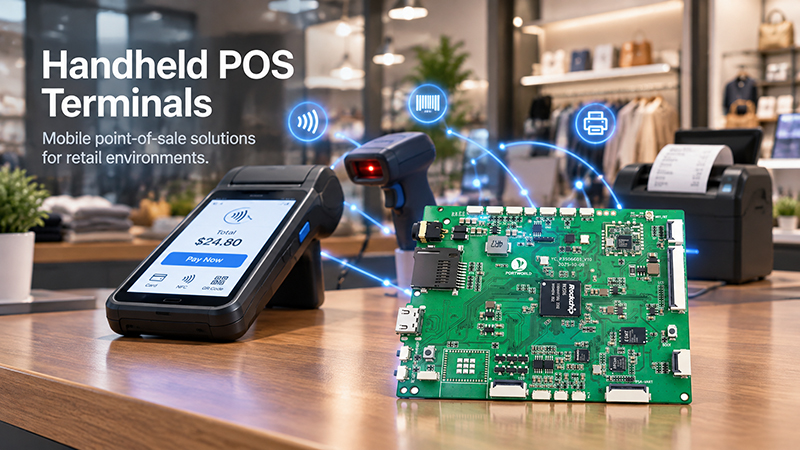
P3506 Handheld POS Terminals
Step 3: Establish Display and Touch Controller Connection
Display integration represents a critical phase in smart display development. Despite successful GUI application compilation, improper panel timing, incorrect pixel format configuration, or inadequate driver setup may result in a blank display, visual flickering, color distortion, or unreliable screen updates.
Developers must validate the panel’s electrical specifications and interface requirements, subsequently configuring the appropriate driver and display settings. Resolution, refresh rate, color format, and buffer administration must correspond precisely to the actual hardware specifications.
Touch integration demands equivalent consideration. The touch controller must be supported by the operating system or furnished with an appropriate driver. Its input events must subsequently be translated accurately into the LVGL input framework. Should the touch coordinates be inverted, displaced, or transformed improperly, the interface may render correctly while remaining cumbersome to operate.
Testing must encompass more than a single contact point. Evaluate touch precision throughout the display area, multi-touch functionality when applicable, display orientation changes, repeated interactions, and system responsiveness during ongoing interface refreshes.
For applications designed for wall installation or industrial settings, it is equally critical to assess the display and touch system within the final housing. Protective glass, panel adhesion, wire management, and electromagnetic interference can significantly affect the end-user experience.
Step 4: Develop the User Interface Using LVGL
Once the display and touch input are operational, developers can proceed with constructing the application interface.
An effective approach involves establishing the primary screens and user workflows prior to implementing specific code. For instance, an intelligent home control interface may incorporate illumination management, thermal readings, window covering status, and preset configuration selection. An industrial control system may emphasize equipment condition, process settings, warning notifications, and hands-on operation capabilities.
LVGL offers reusable widgets and layout functionalities designed to facilitate the organization of user interfaces. Developers are able to construct uniform button designs, navigation structures, status indicators, and data visualization modules. The utilization of reusable UI components facilitates interface maintenance when project specifications evolve.
Performance optimization must be prioritized during the development process. Substantial image files, excessive animation effects, recurrent full-screen updates, and suboptimal event management can elevate memory consumption or diminish system responsiveness. Developers should implement image and font optimization techniques, refresh exclusively the components requiring modification, and exclude resource-intensive operations from the primary UI task.
For applications requiring instantaneous status information, the user interface must be decoupled from the core application functionality. Sensor data, network interactions, and device status can be managed through independent tasks or modules, whereas the LVGL interface presents the most current accessible information via a systematic update protocol.
This methodology effectively mitigates the risk of communication latencies compromising interface responsiveness.
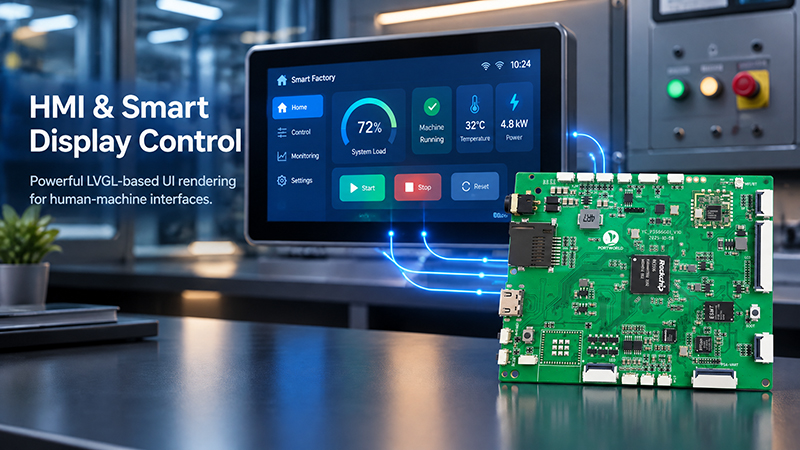
P3506 HMI Smart Display
Step 5: Integrate Sensors, Communication, and Control Functions
A smart display typically extends beyond a graphical interface, functioning as the user-facing control layer for an integrated system.
For instance, an industrial terminal may receive equipment data via UART or RS485 connectivity. A smart home panel may establish communication with a gateway or controller unit. An IoT device may present temperature, humidity, power consumption, or network status information obtained from external sensors.
The RK3506 mainboard must provide the necessary hardware interfaces, and the operating system or firmware must deliver appropriate drivers and software capabilities. Communication protocols and data formats should be established prior to connecting the interface to the production environment.
An effective architecture implements separation between communication, application logic, and GUI rendering functions. The communication layer acquires and verifies incoming data, the application layer manages system state, and the UI layer presents information and processes user commands.
For safety-critical or industrial control applications, commands require validation before implementation. The interface should deliver explicit feedback when a device becomes unavailable, a command encounters failure, or a sensor provides erroneous data. These considerations are fundamental to ensuring reliable operation in contexts beyond experimental settings.
Step 6: Enhance System Performance and Conduct Comprehensive Testing
A smart display that functions adequately during the initial development phase requires rigorous testing protocols before it can be released to production.
Memory utilization must be evaluated under authentic operational scenarios, encompassing screen navigation, graphical asset retrieval, user input handling, and persistent information synchronization. Development teams should assess processor load, display refresh rates, application reliability, and system initialization duration.
The system must undergo validation following multiple restart cycles and prolonged continuous operation. For applications designed for uninterrupted functionality, evaluate display performance when network connectivity fails, connected devices become inaccessible, or the application experiences unforeseen exceptions.
Hardware validation is equally critical as software validation. Verify electrical supply consistency, connection point durability, heat dissipation characteristics, and integrated system functionality under the designated operating environment. Should the product be intended for industrial applications, its operational temperature specifications, electromagnetic compatibility standards, and additional environmental parameters must be established and confirmed against the actual device.
The comprehensive testing strategy should simulate the product’s genuine operational circumstances rather than depending solely on a functional user interface presentation.
Step 7: Customize the Mainboard for the Target Product
While development boards serve an important function in software validation, commercial products typically demand a more specialized hardware design tailored to specific applications. The final product may require alternative connector configurations, a reduced PCB footprint, expanded communication protocols, a specialized power management system, or a unique mounting arrangement.
Mainboard customization plays a critical role in this context. The hardware architecture must be engineered in alignment with the display specifications, enclosure design, external peripheral devices, manufacturing processes, and long-term component availability considerations of the end product.
Portworld delivers embedded hardware engineering services and OEM/ODM customization solutions for intelligent control panels, industrial touch-enabled displays, and mainboard-centric systems. Depending on specific project parameters, customization services encompass PCB layout and design, interface specifications, memory and storage configurations, display integration procedures, firmware customization, and comprehensive system validation.
For an RK3506 intelligent display initiative, the essential initial phase involves verifying the processor module’s accessible interfaces, display integration capabilities, software development kit compatibility, and necessary peripheral device connections. This foundational assessment determines whether the proposed LVGL framework can be deployed as-is or necessitates modifications at the hardware or software level.
From an LVGL Prototype to a Production-Ready Smart Display
Developing an LVGL-based smart display with an RK3506 mainboard requires coordinated work across hardware, drivers, GUI software, communication protocols, and system testing. LVGL simplifies the graphical interface development process, but the quality of the final product still depends on the compatibility and reliability of the complete embedded platform.
By defining display and interface requirements early, validating the driver environment, separating application logic from GUI rendering, and testing the system under realistic conditions, developers can build a more reliable foundation for smart home, industrial, and IoT display products.
For businesses planning a customized embedded display, working with a hardware development partner can help align the mainboard design, display integration, software requirements, and production needs from the beginning. Portworld supports OEM/ODM embedded hardware development for projects that require application-specific smart display and control solutions.