
How to Customize Yocto Linux for an Embedded Device
As embedded devices gain in power, numerous manufacturers are transitioning from standard operating systems to tailored Linux solutions to enhance performance, security, and hardware optimization.
Yocto Linux has emerged as one of the leading frameworks for the development of embedded products, as it enables engineers to design a fully customized Linux distribution that is optimized for specific hardware platforms.
From industrial control systems and smart displays to robotics and edge AI devices, Yocto empowers manufacturers to construct Linux systems that align precisely with their product specifications.
What Is Yocto Linux?
The Yocto Project is an open-source collaborative initiative that offers tools and templates for developing custom Linux operating systems tailored for embedded devices.
In contrast to conventional Linux distributions, Yocto does not deliver a pre-packaged operating system. Rather, it offers a build framework that allows developers to personalize:
- Linux kernel
- Bootloader
- Root filesystem
- System services
- Applications
- Hardware drivers
- Security configurations
This makes Yocto particularly suitable for products that necessitate long-term support and extensive hardware integration.
Reasons to Customize Yocto Linux for Embedded Devices
Standard Linux distributions are typically tailored for general-purpose computers. In contrast, embedded products often necessitate more specialized configurations.
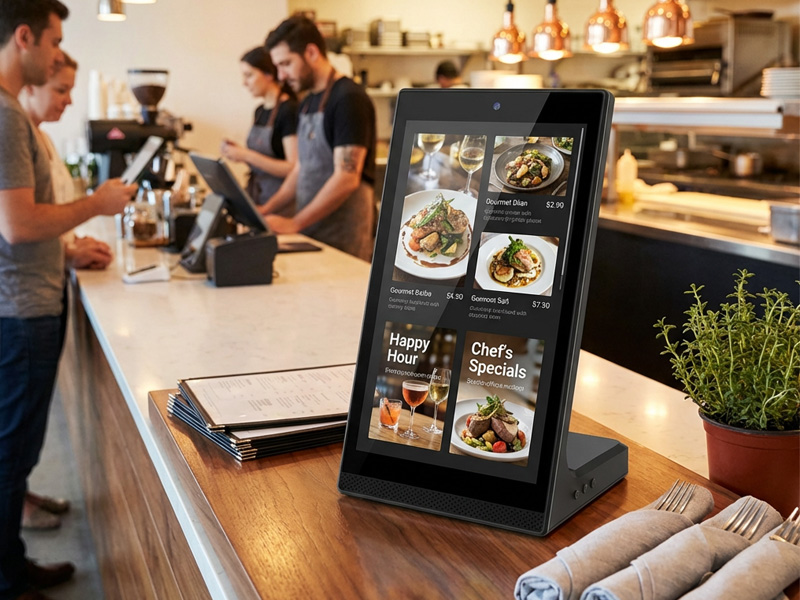
YC-L106 10.1-inch L-Shaped Digital Signage Display
Custom Yocto Linux offers several benefits, including:
Enhanced Hardware Performance
Developers have the ability to tailor the system to fit the specific hardware platform, eliminating superfluous components and enhancing:
- Boot speed
- Memory efficiency
- Processing performance
- System reliability
For instance, an industrial touchscreen terminal does not require the same software environment as a desktop computer.
Improved Hardware Integration
Embedded devices frequently incorporate custom components such as:
- Touchscreens
- Cameras
- Sensors
- GPIO interfaces
- Communication modules
- AI accelerators
Yocto enables developers to seamlessly integrate these hardware components into the Linux system.
Long-Term Product Support
Commercial embedded products typically necessitate a lifecycle of 5 to 10 years.
Through Yocto customization, manufacturers can ensure the following:
Fixed software versions
Security updates
Kernel modifications
– Application compatibility
This aspect is particularly crucial for industrial and commercial applications.

YC-5520FL-IP Floor Standing Digital Signage
The Main Steps to Customize Yocto Linux
1. Select the Hardware Platform
The initial step involves selecting the embedded hardware platform.
Commonly utilized platforms consist of:
- ARM-based processors
- Rockchip processors
- NXP i.MX series
- Qualcomm platforms
- Intel embedded processors
For instance, Portworld embedded solutions are compatible with ARM platforms such as Rockchip processors, which include:
- RK3566
- RK3568
- RK3576
- RK3588
These platforms find extensive application in:
- Industrial computers
- Smart displays
- Robotics systems
- Edge AI devices
2. Set Up the Yocto Build Environment
Once the hardware has been selected, developers proceed to establish the Yocto development environment.
The primary components consist of:
Board Support Package (BSP)
The BSP includes files that are specific to the hardware, such as:
- Kernel configuration
- Device tree files
- Bootloader settings
- Hardware drivers
- Machine Configuration
The machine configuration specifies:
- CPU architecture
- Memory settings
- Storage configuration
- Hardware features
This configuration enables Yocto to produce images tailored for the designated device.
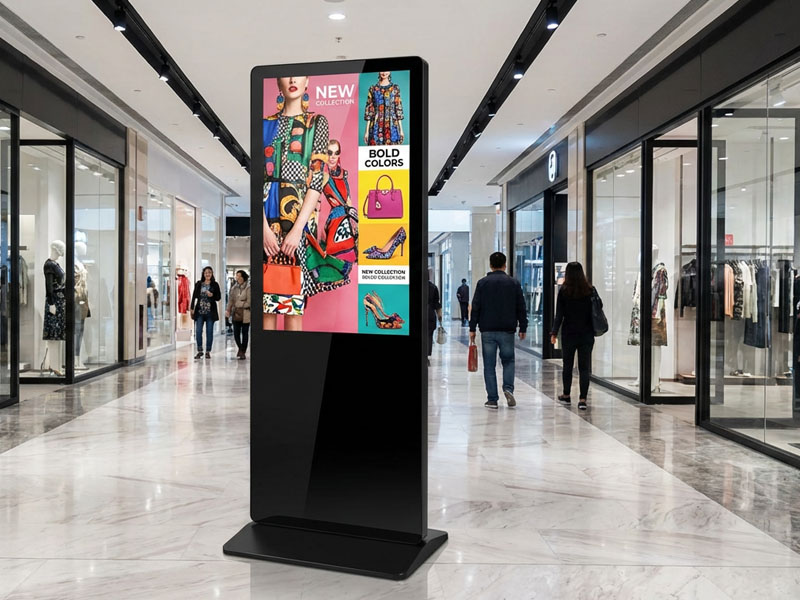
YC-5520FL
55″ Floor Standing Digital Signage
3. Tailor the Linux Kernel
The Linux kernel serves as the foundation of an embedded system.
Yocto provides developers with the capability to customize:
- Kernel version
- Driver support
- Hardware interfaces
- Power management
- Networking functions
For instance, a specialized industrial display might necessitate:
- Touchscreen driver
- Display controller support
- GPIO control
- USB device support
- Ethernet driver
Customizing the kernel guarantees that all hardware components function properly.
4. Incorporate Custom Applications and Software
Embedded devices typically operate with specialized applications.
Yocto enables developers to integrate:
- Tailored UI applications
- Industrial control software
- IoT communication services
- AI applications
- Device management tools
Applications can be introduced via custom Yocto recipes.
A recipe specifies:
- Location of source code
- Dependencies
- Instructions for building
- Rules for installation
5. Personalize the User Interface
For commercial products, the user interface is frequently tailored to align with the product’s intended use.
Common choices include:
- Qt-based interfaces
- Chromium kiosk mode
- Custom graphical applications
- Lightweight embedded GUIs
Illustrations include:
- Smart home control panels
- Digital signage interfaces
- Industrial HMI systems
- Self-service terminals
6. Establish System Security
Security is paramount for connected embedded devices.
Yocto facilitates the customization of:
- Secure boot
- Encryption
- Firewall configurations
- User permissions
- Remote update systems
This is particularly crucial for:
- Smart city devices
- Industrial equipment
- Commercial terminals

55 inch Wall-Mounted Signage Display | YC-55MT Series
7. Construct and Deploy the Linux Image
Upon completion of the configuration, Yocto produces a tailored Linux image.
This image may encompass:
- Bootloader
- Linux kernel
- Root filesystem
- Applications
- Configuration files
The finalized image can subsequently be deployed via:
- SD card
- eMMC
- NAND storage
- OTA update systems
Yocto Linux Applications in Commercial Embedded Devices
The customized Yocto Linux is extensively utilized across various industries, including:
Industrial Automation
Illustrations:
- Machine control panels
- Factory monitoring systems
- Industrial HMIs
Smart Retail
Illustrations:
- Interactive displays
- Smart shelves
- Self-service terminals
Robotics
Illustrations:
- Robot controllers
- Vision systems
- Edge AI platforms
Smart Buildings
Illustrations:
- Access control terminals
- Building management panels
- Room scheduling systems
Yocto Linux vs Standard Linux Distribution
| Feature | Yocto Linux | Standard Linux |
|---|---|---|
| Hardware customization | Excellent | Limited |
| System optimization | High | Medium |
| Embedded support | Excellent | General |
| Long-term maintenance | Strong | Depends |
| Development flexibility | Very high | Moderate |
Portworld Embedded Linux Customization Services
Portworld offers tailored embedded solutions utilizing ARM platforms, catering to clients requiring Linux-based commercial and industrial products.
The services provided encompass:
- Yocto Linux customization
- Linux BSP development
- Kernel adaptation
- Driver development
- System optimization
- Hardware customization
- Embedded software integration
When combined with Portworld’s hardware platforms, including ARM-based motherboards and smart display solutions, clients can develop customized products for:
- Industrial control
- Digital signage
- Smart terminals
- Robotics
AI edge devices
Customizing Yocto Linux for an embedded device enables manufacturers to develop a highly optimized operating system specifically designed for particular hardware and application needs.
From kernel customization and driver integration to application deployment and security optimization, Yocto offers the necessary flexibility for contemporary embedded products.

