How to Choose a 15.6-Inch Android Advertising Display
A 15.6-inch Android advertising display is well suited to retail counters, restaurants, reception desks, product displays, and self-service information stations. Its compact footprint conserves space while offering sufficient screen area for promotional videos, product details, and customer-facing applications.
Unlike larger digital signage screens, a 15.6-inch display can be positioned closer to customers and incorporated into existing furniture or retail equipment. Selecting the right model, however, requires more than comparing screen dimensions. Display performance, Android hardware, connectivity, mounting options, and software compatibility all influence the outcome.
Consider these key factors before choosing a 15.6-inch Android advertising display.
1. Determine the Intended Application
Begin by identifying where the display will be installed and the type of content it must present.
Common applications include:
- Retail counters: Showcase product promotions, discounts, new arrivals, and loyalty programs.
- Restaurants and cafés: Present menus, meal deals, daily specials, and promotional videos.
- Shopping malls: Share product details, brand advertisements, and service information.
- Reception areas: Display greetings, company introductions, and visitor information.
- Exhibition booths: Showcase product demonstrations, company videos, and technical details.
- Self-service terminals: Enable interactive catalogs, information searches, and customer guidance when used with appropriate applications.
The intended application will help determine whether you need a non-touch advertising display or an interactive touchscreen.
For instance, a retail checkout screen that continuously plays promotional videos may not require touch functionality. A product information terminal, by contrast, may benefit from a touchscreen that lets customers explore different categories.
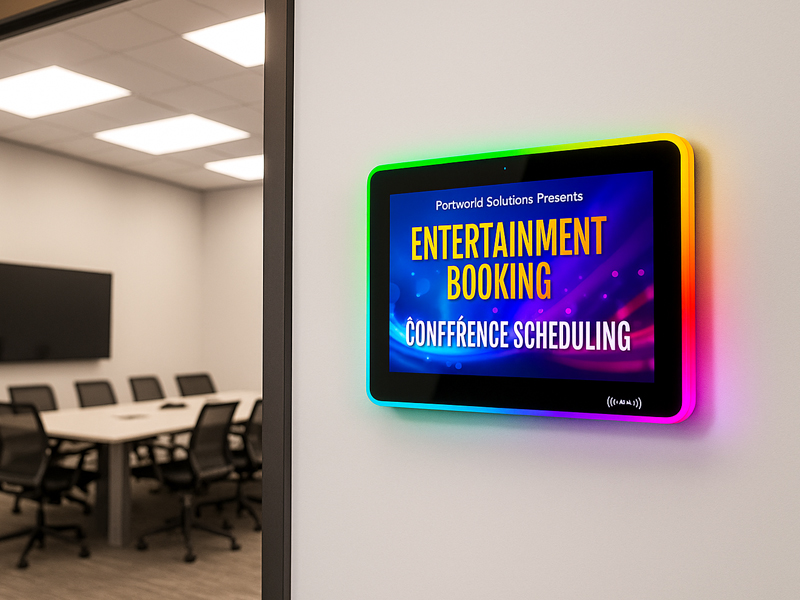
YC-LE156
15.6″ Meeting Room Display Panels
2. Check Screen Resolution and Display Quality
Resolution determines how clearly the display presents text, images, and video.
A 15.6-inch advertising display commonly uses a 16:9 format, although the exact aspect ratio should always be confirmed from the product specification.
Typical resolution options include:
| Resolution | Application |
|---|---|
| 1366 × 768 | Basic promotional content |
| 1920 × 1080 (Full HD) | Product images, videos, menus, and detailed text |
For most new commercial advertising projects, Full HD is a sensible option. It provides sufficient detail for product images, promotional graphics, and text viewed from typical countertop distances.
Other display specifications are also important:
- Viewing angle: A wide viewing angle makes content easier for customers to see from different positions.
- Contrast ratio: This determines how distinctly bright and dark areas appear.
- Color reproduction: Accurate color is important for food images, product photography, and brand materials.
- Panel technology: IPS panels may be beneficial when viewers see the screen from off-center positions.
Do not assess resolution in isolation. Even a high-resolution screen may provide a poor customer experience if its brightness or viewing angles are inadequate.
3. Select the Right Brightness
A 15.6-inch advertising display is typically used indoors, although lighting conditions can differ from one location to another.
For instance, a screen inside a café may need a different brightness level than one placed near a retail storefront window.
Consider the following installation environments:
- Reception desks and offices: Standard indoor brightness is usually adequate.
- Retail counters: Account for strong overhead lighting and possible reflections.
- Restaurants: Make sure menu images and prices remain easy to read in indoor lighting.
- Storefront windows: A higher brightness level may be needed when exposed to strong natural light.
As a general guide, many indoor commercial displays operate at around 250–500 nits, while brighter retail settings may require higher levels. The right choice depends on ambient light, screen placement, and glare.
If the display will be exposed to direct sunlight, do not assume that a standard indoor advertising screen will be adequate. A purpose-built, high-brightness display may be necessary.
digital signage display-1
4. Assess the Android Hardware Configuration
Android is widely used in embedded advertising displays because it supports dedicated applications, multimedia playback, and customized interfaces.
However, Android advertising displays can vary considerably in hardware performance.
Key specifications to consider include:
- Processor: Determines how efficiently the display runs applications, decodes video, and manages interactive content.
- RAM: Adequate memory helps applications run smoothly, particularly when the display uses multiple services or more demanding interfaces.
- Internal storage: The available capacity determines how many applications, images, and videos can be stored on the device.
- Operating system version: Verify compatibility with the applications you plan to use and confirm that the manufacturer provides suitable system support.
- A relatively basic hardware configuration may be adequate for simple advertising loops. Interactive product catalogs, browser-based applications, and more complex interfaces may need greater processing power.
Also confirm that the system supports application preinstallation and automatic startup. These features are valuable when displays must resume content playback as soon as power is restored.
5. Choose Between Touchscreen and Non-Touch Displays
A touchscreen changes how customers engage with advertising content.
Non-touch advertising display
Suitable for:
- Promotional videos.
- Product introductions.
- Digital posters.
- Menu displays.
- Brand advertising.
This setup is generally simpler when the display only needs to play scheduled content.
Touchscreen advertising display
Suitable for:
- Interactive product catalogs.
- Product specification searches.
- Service selection.
- Digital directories.
- Customer information terminals.
Capacitive touch is a common choice for interactive applications. Before purchasing, verify touch accuracy, response time, the number of supported touch points, and the durability of the screen surface.
Keep in mind that touch hardware alone does not create an interactive system. A suitable Android application must be developed or installed to enable product browsing, ordering, and other customer operations.
6. Check Connectivity and Power Options
Connectivity affects how the display receives content and integrates with other equipment.
| Interface | Main Purpose |
|---|---|
| Wi-Fi | Wireless network access and content updates |
| Ethernet | Wired network connectivity |
| USB | Local media playback and peripheral connections |
| HDMI | Connection to external media players or computers |
| Bluetooth | Connection to supported wireless accessories |
| RS232 / RS485 | Specialized device control and system integration |
| PoE | Combined power and network connection on compatible hardware |
Not every project needs every interface.
For a standalone advertising display, Wi-Fi and USB may be sufficient. For a retail installation connected to other equipment, Ethernet or serial interfaces may be more useful.
PoE can simplify installation by reducing the number of separate cables, but the display, power source, and network equipment must all support the required PoE standard and power level.
7. Consider the Mounting Options and Physical Design
A 15.6-inch display is compact enough for use on many countertops and walls. Its physical design, however, should suit the installation environment.
Common mounting options include:
- Desktop stand: Ideal for checkout counters, reception desks, and product displays.
- Wall mounting: A practical choice when counter space is limited.
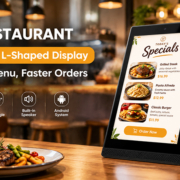
- L-shaped countertop structure: Angles the screen toward customers while keeping its footprint small.
- Embedded installation: Incorporates the screen into retail fixtures, kiosks, or custom equipment.
Before choosing a model, verify its overall dimensions, mounting compatibility, cable locations, enclosure material, and ventilation needs.
In retail settings, a stable base and neatly routed cables can reduce accidental movement and help keep the counter area organized.
8. Understand Content Management and Remote Control
Android provides the operating system foundation for advertising applications, while content management capabilities depend on the software selected.
For a single display, playing content from a USB drive or using a dedicated Android application may be sufficient.
For multiple displays across several stores, a content management system can help administrators:
- Upload promotional images and videos.
- Schedule campaigns.
- Update content remotely.
- Group displays by location.
- Monitor device status, when supported.
If the project requires remote monitoring, POS integration, or cloud-based control, verify that the chosen CMS or application includes the necessary APIs and device-management features.
Do not assume that an Android advertising display includes a complete cloud CMS by default.

meeting digital signage display-12
Explore OEM/ODM Customization with Portworld
Standard advertising displays may not satisfy the needs of every project. Retail equipment manufacturers, digital signage integrators, and brand owners may require tailored hardware, software, or mechanical designs.
Portworld offers commercial advertising players, touchscreen displays, and embedded hardware solutions, including compact 15.6-inch display models.
For projects using a 15.6-inch Android advertising display, Portworld can support OEM/ODM requirements, including:
- Android system customization.
- Touchscreen and display configurations.
- Mainboard and PCBA design.
- Wi-Fi, Ethernet, USB, PoE, and serial connectivity, depending on the selected platform.
- Application preinstallation and automatic startup.
- Customized enclosures, logos, and packaging.
- SDKs and technical documentation for supported hardware configurations.
These options enable businesses to develop advertising displays suited to their specific counter layouts, software needs, and deployment environments.