Custom ARM Motherboard Development: A Complete Guide
ARM-based motherboards are commonly deployed in industrial automation, smart home systems, robotics, medical devices, commercial displays, and edge computing equipment. As embedded products become increasingly specialized, standard development boards may no longer satisfy every project’s needs.
Manufacturers may require a specific processor, memory configuration, display interface, communication protocol, PCB dimensions, power input, or operating system. In such cases, developing a custom ARM motherboard provides greater flexibility than depending solely on off-the-shelf hardware.
Yet custom motherboard development involves far more than choosing an ARM processor and designing a PCB. The process calls for coordinated decisions about hardware architecture, component selection, power management, high-speed signal routing, software integration, testing, and manufacturing.
This guide outlines the key stages of custom ARM motherboard development and the factors that help transform an embedded hardware concept into a product ready for production.
1. What Is a Custom ARM Motherboard?
A custom ARM motherboard is an embedded computing board built around an ARM-based processor and tailored to the needs of a specific product or application.
Unlike a standard single-board computer, it can be designed to match the product’s actual functional requirements.
Depending on the project, customization may cover:
- ARM processor selection
- RAM and storage configuration
- PCB size and mounting locations
- Ethernet and wireless connectivity
- USB, UART, RS485, SPI, and I2C interfaces
- HDMI, MIPI-DSI, eDP, and LVDS display connections
- Camera and audio interfaces
- Power input and power management
- Cooling and thermal design
- Android or Linux operating system integration
- Custom connectors and mechanical structures
For instance, a smart building control panel may require an ARM processor, a touchscreen interface, Ethernet with PoE, RS485 communication, and a customized Android application.
By contrast, an industrial gateway may need dual Ethernet, several serial ports, isolated communication interfaces, and a customized Linux system.
Although both products can use ARM architecture, their motherboard designs may differ substantially.
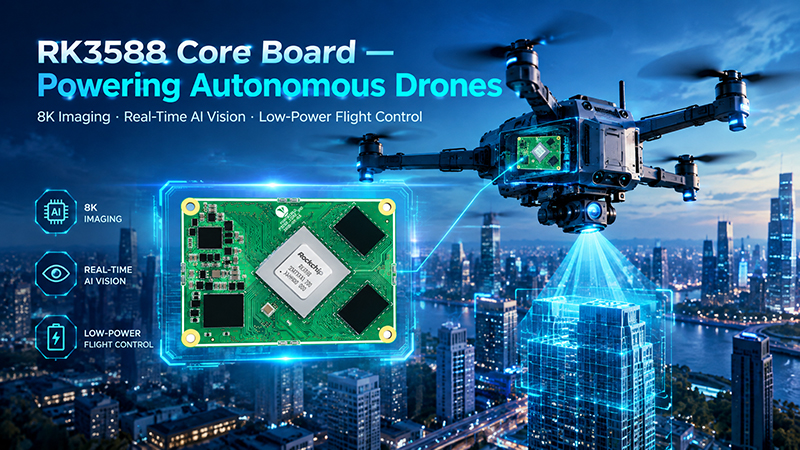
RK3588 Drone Application Scene 1
2. Choosing the Appropriate ARM Development Architecture
Before beginning schematic design, developers should determine how to integrate the processor and other key computing components.
Three approaches are commonly used.
Option 1: Use a Standard SBC
A Single Board Computer (SBC) combines the processor, memory, storage, and peripheral interfaces on a single board.
An SBC is well suited to:
- Early-stage software development
- Application testing
- Proof-of-concept projects
- Low-volume products
- Projects compatible with standard interfaces and dimensions
Its primary benefit is faster development. Engineers can start testing applications without having to design a complete motherboard.
However, standard SBCs may impose constraints on PCB size, connector locations, power input, and peripheral configuration.
Option 2: Adopt a System on Module (SoM)
A System on Module combines the core computing components in a compact unit. It typically contains the processor, RAM, power management circuitry, and, in some cases, onboard storage.
A separate carrier board supplies the connections required for the specific application.
This approach is well suited to products that need custom interfaces and mechanical dimensions while allowing developers to avoid designing the processor and memory subsystems from the ground up.
Key advantages include:
- Reduced complexity in high-speed PCB design
- Faster hardware development
- Simpler carrier board customization
- Reusable computing architecture
- More manageable product variants
For many commercial embedded products, a SoM-based architecture provides a practical balance between customization and development risk.
Option 3: Create a Fully Custom ARM Motherboard
A fully custom motherboard combines the processor, memory, power management, storage, and peripheral circuitry on a single PCB.
This approach offers the greatest control over:
- PCB dimensions and form
- Component positioning
- Connector layout
- Power design
- Peripheral choices
- Mechanical integration
- Production cost optimization
- However, it also demands greater hardware engineering resources.
High-speed memory routing, BGA design, power sequencing, signal integrity, and hardware validation can substantially increase development complexity.
How should you choose?
| Development approach | Main advantage | Suitable applications |
|---|---|---|
| Standard SBC | Fastest initial development | Prototypes and standard applications |
| SoM + carrier board | Balance of flexibility and development risk | Commercial embedded products |
| Fully custom motherboard | Maximum hardware integration and control | High-volume or highly specialized products |
The optimal approach depends on available development resources, product requirements, production volume, and plans for long-term maintenance.
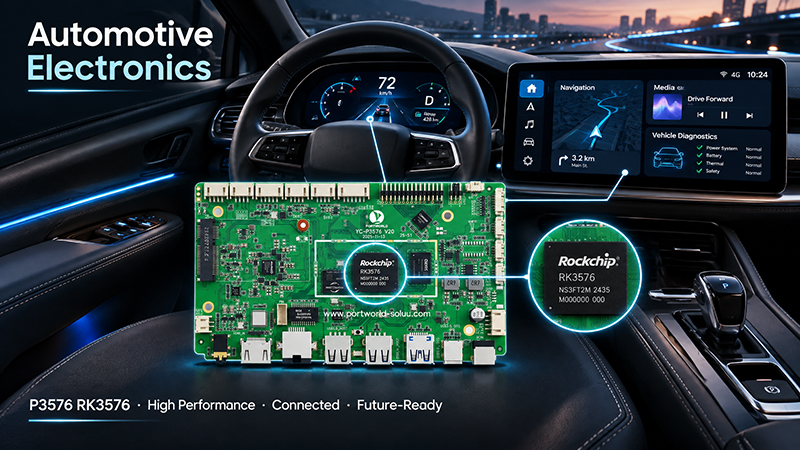
P3576 Automotive Electronics
3. Choosing the Right ARM Processor
Selecting a processor is one of the most consequential decisions in custom motherboard development.
The processor defines the supported computing architecture, memory interfaces, graphics performance, multimedia features, and peripheral connectivity.
It also influences power consumption, thermal requirements, PCB complexity, and software development effort.
Entry-Level ARM Processors
Entry-level ARM platforms are designed for products with modest processing needs.
Common applications include:
- Basic industrial controllers
- Smart appliance interfaces
- Lightweight IoT gateways
- Simple touchscreen devices
- Sensor monitoring terminals
These applications may not need advanced graphics or dedicated AI acceleration.
Mid-Range ARM Processors
Mid-range processors offer greater computing capacity for products that require graphical interfaces, multimedia features, and several communication services.
Common applications include:
- Industrial HMI panels
- Smart home control panels
- Digital signage players
- Building automation gateways
- Commercial touchscreen terminals
The Rockchip RK3566 and RK3568 are examples of platforms in this category.
High-Performance ARM Processors
More demanding embedded applications may need advanced CPU architectures, GPU acceleration, multimedia capabilities, or an integrated NPU.
Typical applications include:
- AI-enabled robotics
- Industrial machine vision
- Multi-camera systems
- Advanced digital signage
- Edge AI computing terminals
Rockchip RK3576 and RK3588 processors are suitable options for workloads at different performance levels.
Portworld offers two Core Board products for these applications:
- Portworld RK3576 SoM
- Rockchip RK3576 octa-core processor
- 4× Cortex-A72 cores, up to 2.2GHz
- 4× Cortex-A53 cores, up to 1.8GHz
- Mali-G52 MC3 GPU
NPU performance of up to 6 TOPS INT8 under supported sparse-computing conditions
- 4GB LPDDR4 memory
- 38 × 38 mm module
- 240-pin board-to-board connector
- Portworld RK3588 Core Board
- Rockchip RK3588 octa-core processor
- 4× Cortex-A76 cores, up to 2.3GHz
- 4× Cortex-A55 cores, up to 1.8GHz
- Mali-G610 MP4 GPU
- NPU performance of up to 6 TOPS INT8
8K-class multimedia processing capabilities with supported configurations
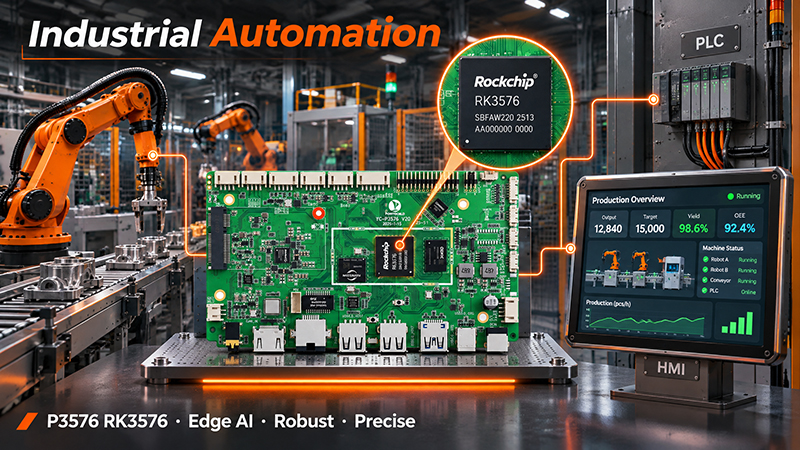
P3576 rk3576 motherboard Industrial Automation
400-pin board-to-board connector
Expansion options include PCIe, SATA, USB, Ethernet, and display interfaces
The RK3576 SoM is suitable for compact embedded systems requiring balanced computing performance. The RK3588 Core Board is better suited to more demanding applications involving advanced graphics, AI processing, and high-speed expansion.
The processor should be selected according to the actual application workload rather than choosing the highest specification available.
4. Defining the Motherboard Hardware Requirements
After selecting the processor architecture, the next step is to establish the full hardware specification.
A well-defined hardware requirements document can help avoid costly design revisions at a later stage.
Memory and Storage
Select RAM and storage based on the operating system and application workload.
Consider:
- Android or Linux memory requirements
- The number of applications expected to run simultaneously
- Display resolution and graphics workload
- Database and local data storage needs
- Firmware and software update requirements
- The anticipated product lifecycle
Common options for embedded memory and storage include LPDDR4, LPDDR4X, LPDDR5, eMMC, SPI NOR Flash, and external storage connected through supported interfaces.
Verify that the selected memory is compatible with the processor’s supported configurations.
Display Interfaces
Display requirements are especially important for touchscreen products and commercial terminals.
Common interfaces include:
| Interface | Typical application |
|---|---|
| HDMI | External monitors and commercial displays |
| MIPI-DSI | Embedded LCD touchscreens |
| eDP | High-resolution embedded displays |
| LVDS | Industrial and embedded LCD panels |
| RGB | Certain low-cost embedded display designs |
Developers should establish the display’s size, resolution, brightness, touch technology, refresh rate, and connector requirements at the beginning of the project.
The motherboard or carrier board must also correctly route and enable a display interface supported by the processor.
Communication Interfaces
Embedded products frequently need to communicate with sensors, controllers, and external equipment.
Depending on the application, a custom ARM motherboard may provide:
- Gigabit Ethernet
- Wi-Fi and Bluetooth
- USB 2.0 and USB 3.0
- RS232 and RS485
- CAN and CAN FD
- UART
- SPI
- I2C
- GPIO
In industrial automation and smart building applications, communication interfaces can be as important as CPU performance.
For instance, a smart building gateway may require Ethernet for network connectivity and RS485 to connect Modbus-based field devices.
Camera and Audio Interfaces
Products involving visual recognition, video monitoring, or voice interaction may require additional hardware.
Potential interfaces include:
- MIPI-CSI for camera sensors
- USB camera connections
- I2S audio
- Digital microphone interfaces
- Speaker amplifiers
- Audio input and output circuits
The number of supported cameras and their resolutions depend on the processor, interface routing, sensor compatibility, and software support.
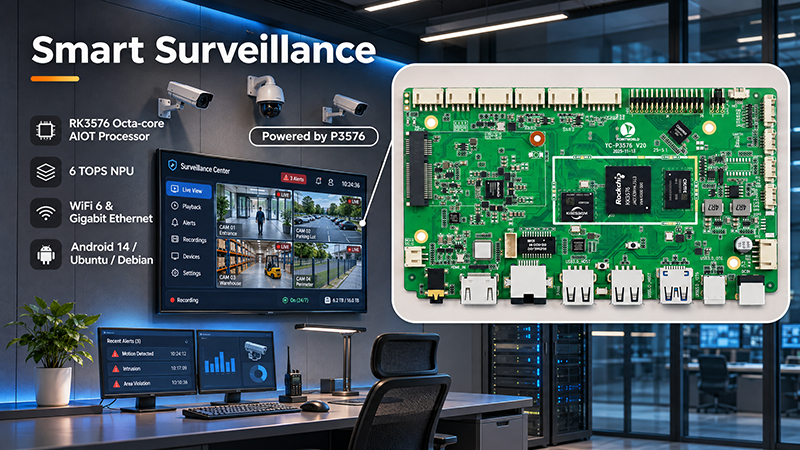
P3576 RK3576 Motherboard Smart Surveillance
5. Power Supply and Thermal Design
Power architecture is a fundamental element of custom ARM motherboard development.
An ARM processor cannot operate directly from a single external power source. The motherboard needs multiple voltage rails to supply the processor core, memory, I/O, storage, and peripheral components.
Power Management
A typical power architecture may include:
- DC or battery input
- Input protection and filtering
- DC/DC conversion
- PMIC-controlled power sequencing
- Processor and memory power rails
- Peripheral power supplies
- The design must consider:
- Input voltage range
- Maximum current requirements
- Startup sequence
- Power stability
- Voltage ripple
- Transient response
- Reverse-polarity and overvoltage protection
For products powered over Ethernet, the PoE powered-device (PD) circuitry and DC/DC conversion must also comply with the applicable PoE standard and meet the system’s power budget.
Thermal Management
Processor performance and long-term reliability depend on operating temperature.
Thermal design should account for:
- CPU and GPU workloads
- NPU utilization
- Memory temperature
- Power conversion losses
- Enclosure material
- Installation environment
- Continuous operating conditions
Depending on the product, cooling solutions may include a heatsink, thermal pad, metal enclosure, or active cooling.
A motherboard intended for an open development environment may need a different thermal solution when installed in a sealed industrial enclosure.
6. PCB Design: Signal Integrity and Layout Considerations
PCB design is among the most technically challenging phases of custom ARM motherboard development.
Modern ARM processors commonly use BGA packages and high-speed interfaces. Inadequate routing or power distribution can lead to unstable operation, communication errors, or total hardware failure.
PCB Layer Stack-Up
The required number of PCB layers depends on the processor, memory routing, interface density, and signal integrity requirements.
A complex ARM motherboard may need a multilayer PCB to provide enough routing capacity and uninterrupted reference planes.
Plan the layer stack-up before beginning the routing process.
High-Speed Signal Routing
High-speed interfaces require meticulous layout and electrical verification.
Key considerations include:
- Controlled impedance
- Differential pair routing
- Trace length matching where necessary
- Suitable reference planes
- Via placement and stub control
- Return current paths
- Crosstalk mitigation
- Connector and component placement
DDR memory, PCIe, USB 3.0, Ethernet, and MIPI interfaces each have distinct electrical and routing requirements.
Designers should adhere to the processor manufacturer’s hardware design guidelines and applicable interface specifications, rather than relying solely on general PCB layout practices.