What to Check Before Buying Outdoor Digital Signage in Bulk
Purchasing outdoor digital signage in bulk is more complex than buying a few commercial displays. When dozens or hundreds of screens are installed across multiple locations, even minor hardware or quality problems can result in recurring maintenance expenses, installation delays, and inconsistent customer experiences.
A low per-unit price may seem appealing, but it does not always translate into a lower total project cost. Buyers should assess the displays, the supplier’s manufacturing capabilities, product consistency, delivery arrangements, and long-term technical support.
Before placing a large order, review these essential points.
1. Define the Project Requirements First
Before requesting quotations, determine exactly where and how the displays will be used.
Outdoor digital signage serves a range of purposes, such as roadside advertising, shopping center promotions, transportation information, gas station advertising, and public information displays. Each application has its own requirements.
Prepare a project specification that includes:
- Screen size: Typical options include 32″, 43″, 55″, and 65″.
- Installation type: Wall-mounted, floor-standing, pole-mounted, or fitted in a custom enclosure.
- Operating schedule: Business hours or continuous operation.
- Viewing conditions: Direct sunlight, partial shade, or covered outdoor locations.
- Environment: Rain, humidity, dust, extreme temperatures, or exposure to coastal conditions.
- Software requirements: Android, Windows, Linux, or compatibility with an existing CMS.
- Connectivity: Ethernet, Wi-Fi, 4G/5G, or other communication options.
- Order quantity: Sample quantity, initial production volume, and anticipated repeat orders.
A well-defined specification enables suppliers to recommend appropriate configurations rather than quote products that may not suit the actual installation requirements.
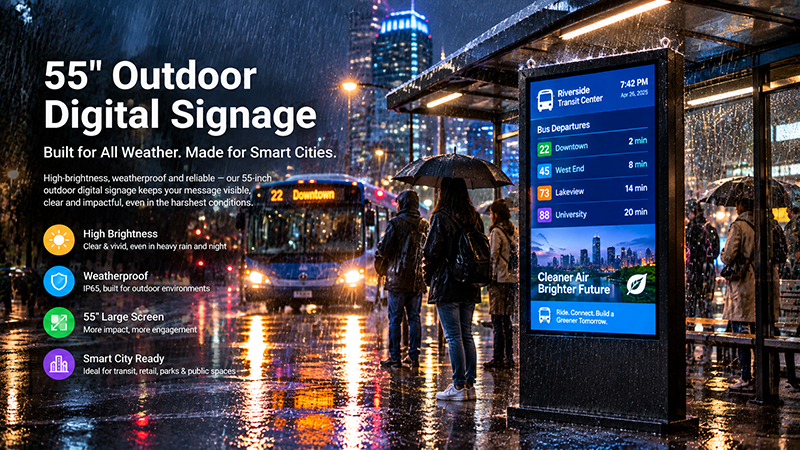
55 inch digital signage display
2. Assess Brightness for Outdoor Readability
Brightness is among the key specifications to consider when choosing an outdoor advertising display.
A screen designed for indoor use with standard brightness can be hard to read in strong daylight. For outdoor installations, buyers should assess the site’s actual conditions instead of relying solely on the brightness listed in a product description.
Use the following ranges as general planning guidance:
- 1,000–1,500 nits: May be suitable for certain shaded or partially sheltered outdoor settings.
- 1,500–2,500 nits: Can provide improved visibility for many outdoor advertising uses.
- Above 2,500 nits: May be appropriate in locations exposed to substantial direct sunlight.
These ranges are indicative only and do not guarantee performance in every setting. Readability is also influenced by screen orientation, sun exposure, viewing distance, anti-glare treatment, and display contrast.
For bulk purchases, confirm whether the quoted brightness refers to sustained operating output or a peak value. Request the measurement conditions and assess a sample in an environment representative of the intended installation.
Portworld’s 55-inch outdoor digital signage model provides a brightness range of 1,500–2,500 nits, with configuration options for a variety of outdoor applications.
3. Verify IP Ratings and Physical Protection
Outdoor displays need to withstand rain and dust, but terms such as “waterproof” and “weather-resistant” do not guarantee a consistent level of protection across products.
An IP rating specifies how well an enclosure protects against solid particles and water under defined testing conditions.
For example:
- IP65: Dust-tight and protected against water jets.
- IP66: Dust-tight and protected against more powerful water jets.
The right rating depends on the installation environment. Check, too, whether the rating covers the fully assembled display or only specific components.
For public installations, resistance to physical impact may also be important. An IK rating indicates an enclosure’s resistance to mechanical impacts. IK10 may be suitable for locations where vandalism or accidental impact is more likely.
Keep in mind that IP65 does not, by itself, guarantee resistance to salt corrosion, chemicals, immersion, or all forms of outdoor exposure. Coastal and industrial installations may require additional material specifications and corrosion testing.
Portworld’s 55-inch outdoor model offers IP65 protection and IK10 impact resistance. Buyers should nevertheless verify that the chosen configuration meets the needs of their specific installation.
4. Assess Thermal Management and Operational Stability
Outdoor digital signage is exposed to seasonal temperature fluctuations. Direct sunlight may further heat the enclosure, increasing the demands on the display panel, power supply, and internal electronics.
When purchasing in bulk, ask suppliers about:
- The supported operating temperature range.
- The cooling design and temperature-control approach.
- Whether internal temperature monitoring is available.
- Power supply specifications and protective features.
- Testing for continuous operation.
- Performance in high-temperature conditions.
Do not rely only on claims such as “24/7 operation” or “industrial-grade design.” Request technical documentation or test records for the specific model under consideration.
Thermal management is especially important when deploying the same display in multiple climates. A setup that performs well in a temperate environment may require further assessment in a hot, sun-exposed location.
5. Review the Hardware and Software Configuration
The display panel is just one component of an outdoor digital signage system. Its internal hardware and software determine how content is played, updated, and managed.
For Android-based displays, assess the processor, memory, storage, operating system version, and available interfaces. Verify that the configuration can run your intended signage application reliably.
Also clarify:
- Whether the media player is built in or provided separately.
- Whether the display is compatible with your current CMS.
- How content is uploaded and scheduled.
- Whether remote updates and device monitoring are supported.
- Whether the display supports Ethernet, Wi-Fi, or cellular connectivity.
- Whether software licensing or subscription charges apply.
An Android display does not necessarily include a complete content management platform. Confirm CMS compatibility, remote management capabilities, and licensing separately.
For large deployments, test the complete software workflow on a sample unit before placing an order for the full quantity.
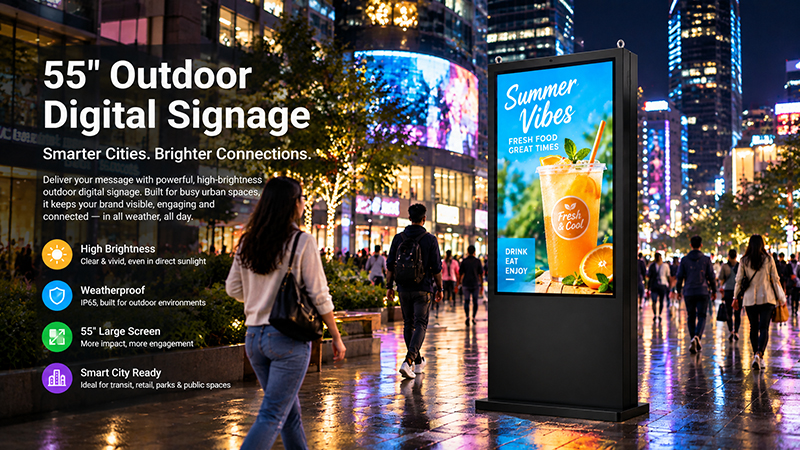
55 inch outdoor digital signage display
6. Assess the Supplier’s Manufacturing Capacity
A supplier capable of delivering a small number of samples may not be equipped to fulfill a large, recurring production order.
When assessing manufacturers, look beyond product images and price quotations. Confirm that the supplier has the engineering expertise and production resources required to deliver your project.
Key questions to consider include:
- Does the supplier operate its own manufacturing facilities?
- Can it share information about its production capacity?
- Are quality checks carried out during manufacturing?
- Does it conduct aging and functional testing?
- Can it keep hardware configurations consistent?
- Has it handled comparable bulk orders?
- Can it fulfill repeat orders throughout the product’s expected lifecycle?
For OEM and ODM projects, assess the supplier’s engineering team as well. Custom enclosure design, motherboard configuration, operating system adaptation, and interface development may call for close coordination between engineering and manufacturing.
A supplier with direct oversight of these processes can simplify product-change management and help ensure consistency from one production batch to the next.
8. Verify Quality Control and Production Consistency
A successful sample does not ensure that every item in a bulk order will be the same.
Before production begins, buyers should ask suppliers to describe their quality control procedures and agree on inspection requirements.
A practical quality control process may include:
- Incoming inspections of LCD panels and electronic components.
- Functional testing of PCBs and motherboards.
- Assembly and enclosure inspections.
- Testing of the display, audio, and connectivity.
- Aging tests and operational checks.
- Final visual inspections.
- Packaging checks before shipment.
For larger projects, establish an inspection and acceptance procedure. Specify which cosmetic defects are acceptable, the required functional tests, brightness standards, and how defective units will be handled.
It is also important to establish change-control procedures. If supply constraints require a component replacement, the supplier should notify the buyer and obtain approval when necessary.
These measures help avoid unexpected differences between the initial shipment and subsequent repeat orders.
9. Review MOQ, Lead Time, Packaging, and Logistics
Bulk purchasing requires more than negotiating the price per unit.
Before signing the purchase agreement, confirm the commercial terms and delivery arrangements.
Minimum order quantity (MOQ): Determine whether the MOQ applies to standard products, customized configurations, or specific screen sizes. Ask whether sample orders or pilot batches are available.
Production lead time: Confirm the timelines for samples and mass production, as well as the schedule for phased deliveries. For customized products, allow sufficient time for design approval and testing.
Packaging: Outdoor displays can be large and heavy. Ask about protective packaging, pallet requirements, moisture protection, and suitability for transportation.
Shipping arrangements: Confirm the delivery terms, responsibility for freight costs, insurance coverage, customs documentation, and the process for handling damage claims.
For projects involving multiple locations, phased deliveries may be more practical than shipping the full order at once. Agree on delivery milestones before production begins.
10. Assess Warranty Coverage, Spare Parts, and Technical Support
After-sales service becomes more important as the number of deployed displays grows.
If displays fail at multiple locations, the buyer needs a clear process for diagnosing faults, arranging repairs, and obtaining replacements.
Ask suppliers to confirm:
- Warranty length and the components it covers.
- Exclusions involving outdoor installations or environmental damage.
- Processes for repair or replacement.
- Spare-parts availability and how long supplies are expected to remain available.
- How technical support requests are handled and answered.
- Access to firmware updates and troubleshooting assistance.
Availability of replacement power supplies, controllers, and other serviceable parts.
Do not compare warranty durations in isolation. An effective warranty should clearly specify coverage, responsibilities, shipping costs, and repair procedures.
For projects spanning multiple sites, consider whether remote diagnostics can help avoid unnecessary service visits.
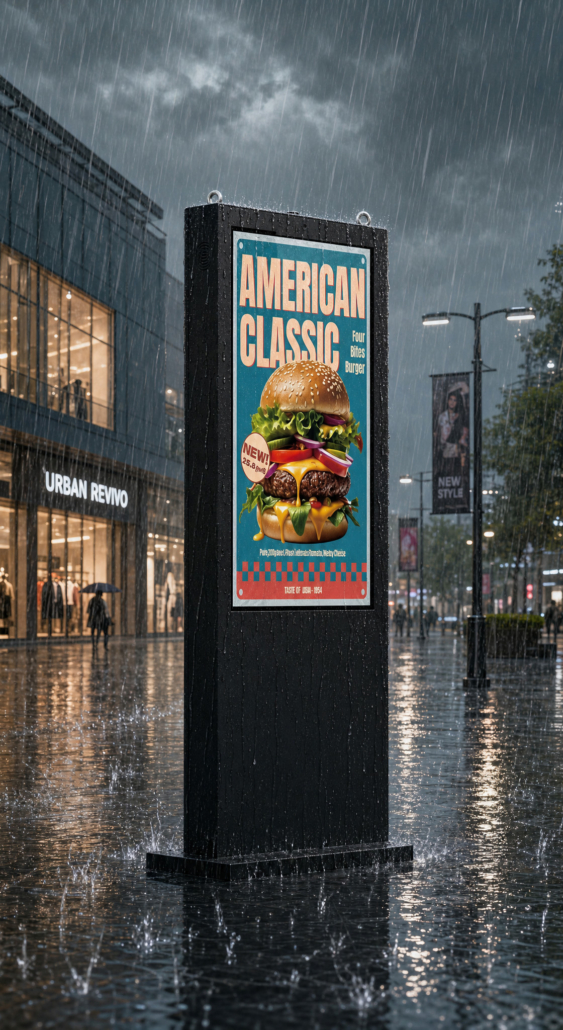
55″ Outside Floor Standing Digital Signage
10. Assess Warranty Coverage, Spare Parts, and Technical Support
After-sales service becomes more important as the number of deployed displays grows.
If displays fail at multiple locations, the buyer needs a clear process for diagnosing faults, arranging repairs, and obtaining replacements.
Ask suppliers to confirm:
- Warranty length and the components it covers.
- Exclusions involving outdoor installations or environmental damage.
- Processes for repair or replacement.
- Spare-parts availability and how long supplies are expected to remain available.
- How technical support requests are handled and answered.
- Access to firmware updates and troubleshooting assistance.
- Availability of replacement power supplies, controllers, and other serviceable parts.
Do not compare warranty durations in isolation. An effective warranty should clearly specify coverage, responsibilities, shipping costs, and repair procedures.
For projects spanning multiple sites, consider whether remote diagnostics can help avoid unnecessary service visits.
Purchasing outdoor digital signage in bulk calls for a systematic evaluation. Brightness, IP rating, thermal management, hardware specifications, production capacity, sample validation, quality assurance, shipping, and after-sales service all affect deployment outcomes.
A sound process begins by defining project requirements, then assessing suppliers against consistent specifications. Before committing to the full order, test a sample representative of production and document quality standards and delivery expectations.