KNX vs. Modbus vs. MQTT: Which Protocol Fits Your Project?
In smart home automation, building management, and industrial IoT systems, communication protocols define how devices share information and coordinate their operations.
A smart home control panel may communicate with lighting controllers, HVAC equipment, and sensors. An industrial gateway may gather data from meters, PLCs, and monitoring systems. An IoT platform, meanwhile, may send device information to a local server or cloud application.
Three technologies commonly used in these settings are KNX, Modbus, and MQTT.
While all three enable communication between devices, they serve distinct purposes. KNX is tailored to home and building automation, Modbus is widely used for industrial equipment and data exchange, and MQTT offers lightweight messaging for IoT applications.
Which technology is best suited to your project? Let’s compare their architectures, benefits, limitations, and hardware requirements.
1. What Is the KNX Protocol?
KNX is an open communication system for home and building automation, standardized internationally. It is widely deployed in residences, commercial buildings, hotels, and smart office projects.
KNX enables devices such as lighting controllers, switches, sensors, thermostats, and actuators to communicate as part of a unified automation system.
Unlike general-purpose messaging protocols, KNX defines standardized device functions and communication structures tailored specifically to building control.
How Does KNX Work?
Traditional KNX installations typically connect devices using a dedicated twisted-pair bus known as KNX TP.
For example:
- A wall-mounted KNX switch sends a command to control the lighting.
- The command travels across the KNX bus.
- A configured lighting actuator receives the relevant telegram.
- The actuator switches the connected lighting circuit.
- KNX devices can also communicate using other media, including KNX RF and KNXnet/IP.
KNXnet/IP carries KNX communications over Ethernet-based IP networks. This makes it easier to connect separate KNX network segments and integrate building systems.
Advantages of KNX
- Designed for home and building automation.
- Supports standardized device functions and data points.
- Enables interoperability among compatible, certified products.
- Works across multiple communication media.
- Suitable for lighting, HVAC, shading, and other building controls.
- Provides structured configuration and commissioning through ETS.
Limitations of KNX
Requires dedicated KNX hardware or compatible interfaces.
Configuring and commissioning devices requires technical expertise.
KNX equipment and installation can have higher upfront costs than simpler communication solutions.
Connecting to external IoT platforms may require gateways or software interfaces.
- Typical KNX Applications
- Smart home lighting control
- Smart hotel room automation
- Office building management
- HVAC and temperature control
- Curtain and blind automation
- Centralized building control panels
KNX is often a suitable choice for projects that need a structured, interoperable building automation network.
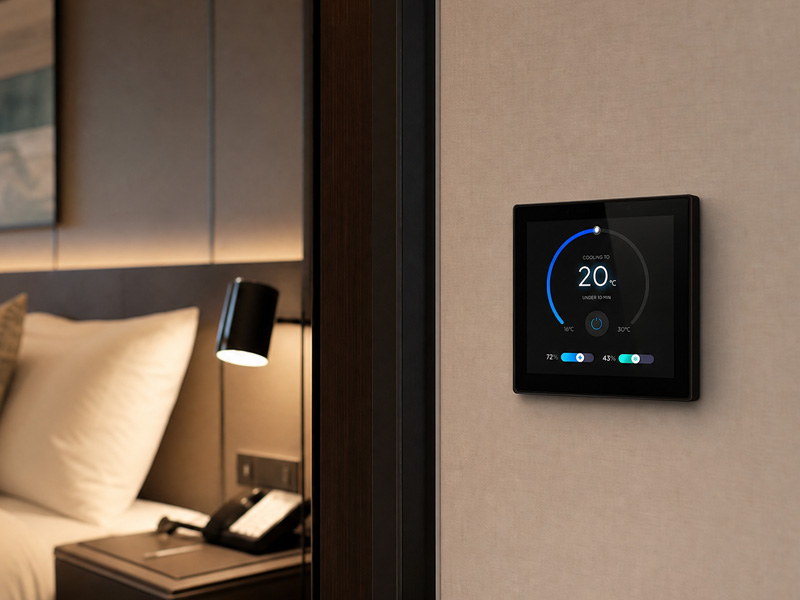
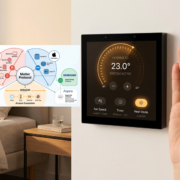
smart home control panel
2. What Is the Modbus Protocol?
Modbus is an industrial communication protocol initially designed to enable communication between industrial controllers and electronic devices.
It is commonly used in PLCs, energy meters, temperature controllers, frequency converters, sensors, and industrial monitoring equipment.
Unlike KNX, which is focused on building automation functions, Modbus offers a straightforward way to read data from and write data to connected devices.
How Does Modbus Work?
Modbus uses a client-server communication model, traditionally referred to as master-slave.
A client sends a request to a server to read or write particular data.
Devices organize information into data areas, including:
- Coils
- Discrete inputs
- Input registers
- Holding registers
For example, an industrial controller might retrieve a temperature reading from a Modbus temperature sensor.
The client sends a request to the device using a register address, and the device replies with the relevant data.
Developers need to understand the device’s register map, including its data types, scaling factors, byte order, and register definitions.
Modbus RTU vs. Modbus TCP
Modbus is available in two widely used implementations.
Modbus RTU
Modbus RTU typically uses serial communication interfaces, such as RS485.
Its advantages include:
- A simple communication architecture
- Low hardware costs
- Suitability for industrial field devices
- Support for serial networks with multiple devices
It is commonly used in energy meters, PLCs, temperature controllers, and industrial sensors.
Modbus TCP
Modbus TCP runs over TCP/IP networks, usually through Ethernet.
Its advantages include:
- Compatibility with existing Ethernet infrastructure
- Communication across IP networks
- Simpler connections to industrial computers and gateways
- Flexible network deployment
| Feature | Modbus RTU | Modbus TCP |
|---|---|---|
| Communication interface | Serial, commonly RS485 | Ethernet/IP |
| Transport | Serial transmission | TCP |
| Common application | Field devices | Industrial network integration |
| Network structure | Serial bus | IP network |
| Hardware requirement | Serial interface | Ethernet interface |
Advantages of Modbus
- A simple, widely adopted protocol for industrial environments.
- Suitable for reading data from and writing data to equipment.
- Available in RS485 and Ethernet-based implementations.
- Easy to integrate with many industrial monitoring systems.
- Compatible with a wide range of PLCs, meters, and controllers.
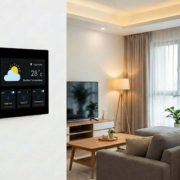
smart home control panel
Limitations of Modbus
- Register definitions are often specific to each manufacturer.
- Interpreting data may require additional documentation.
- Unlike KNX, it does not provide a standardized application model for building automation.
- It does not natively support MQTT-style publish/subscribe messaging.
- Security must be addressed through network and system architecture.
Typical Modbus Applications
- Industrial equipment monitoring
- Energy meter data collection
- PLC communications
- HVAC equipment monitoring
- Factory automation
- Water treatment systems
- Industrial touchscreen interfaces
For projects that require direct communication with industrial equipment, particularly over RS485 or Ethernet, Modbus is often a practical option.
3. What Is the MQTT Protocol?
MQTT (Message Queuing Telemetry Transport) is a lightweight publish/subscribe messaging protocol created for machine-to-machine communication and Internet of Things applications.
Unlike KNX and Modbus, MQTT is not mainly a fieldbus protocol used to connect physical devices. Instead, it enables applications and devices to exchange information through a broker.
MQTT is especially useful when many devices need to publish data and multiple applications need to receive it without creating separate direct connections.
How Does MQTT Work?
An MQTT system typically has three main components:
1. Publisher
- A publisher sends information to an MQTT broker using a specific topic.
- For example, a temperature sensor may publish data to:
- building/room101/temperature
2. MQTT Broker
The broker receives published messages and forwards them to clients that subscribe to the relevant topics.
3. Subscriber
A subscriber receives messages from the topics to which it has subscribed.
For example, a smart home dashboard can subscribe to the temperature topic and display real-time sensor readings.
A simplified communication process works as follows:
- A sensor gathers temperature readings.
- It publishes the readings to an MQTT topic.
- The MQTT broker receives the message.
- A monitoring application subscribed to the topic receives the data.
- The application refreshes its display or activates an automation rule.
MQTT offers three Quality of Service (QoS) levels:
- QoS 0: Delivery at most once.
- QoS 1: Delivery at least once.
- QoS 2: Delivery exactly once.
The suitable QoS level depends on the message’s importance and the application’s delivery requirements.
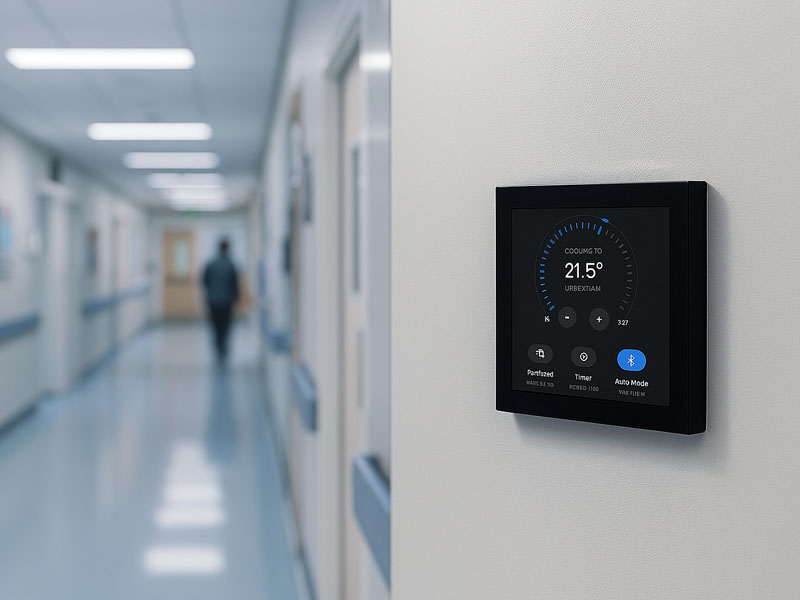
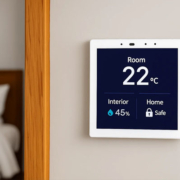
YC-SM10P
10.1 inch Smart Home Control Panel
Advantages of MQTT
- Lightweight messaging with relatively low communication overhead.
- Well suited to resource-constrained IoT devices.
- Supports the publish/subscribe communication model.
- Enables multiple applications to receive data from the same device.
- Facilitates communication between local systems and cloud platforms.
- Organizes messages flexibly through topics.
Limitations of MQTT
MQTT requires a broker.
It does not provide a universal device-control model or standardized definitions for payloads.
Developers must design the topic hierarchy and data formats.
Network security, authentication, and access controls require careful configuration.
Reliable performance depends on the broker, network, and application architecture.
Typical MQTT Applications
- IoT sensor monitoring
- Smart home data communication
- Remote equipment monitoring
- Cloud-connected devices
- Industrial IoT gateways
- Energy management platforms
- Real-time data dashboards
MQTT is a strong choice for projects that collect data from numerous devices and distribute it to applications or cloud platforms.
4. KNX vs. Modbus vs. MQTT: Key Differences
Although these three technologies can all be used in automation projects, their communication models and application scenarios are quite different.
| Feature | KNX | Modbus | MQTT |
|---|---|---|---|
| Main purpose | Home and building automation | Industrial device communication | IoT messaging |
| Communication model | Group-address-based telegrams | Client-server request/response | Publish/subscribe |
| Common interfaces | KNX TP, RF, IP | RS485, Ethernet | TCP/IP, commonly over Ethernet or Wi-Fi |
| Data structure | Standardized functional data points | Coils and registers | Topics and application-defined payloads |
| Typical hardware | KNX switches, sensors, actuators | PLCs, meters, controllers | IoT devices, gateways, servers |
| Main strength | Building automation interoperability | Simple equipment data exchange | Flexible data distribution |
| Common integration | ETS and KNX gateways | Serial or TCP gateways | MQTT broker and clients |
| Typical application | Lighting and HVAC control | Industrial monitoring | IoT platforms and dashboards |
Their primary difference lies in their intended purpose:
- KNX is designed for standardized building automation.
- Modbus is designed to exchange data with industrial equipment.
- MQTT is designed to distribute messages among devices and software applications.
- These technologies do not necessarily compete; many projects use them together.
5. How to Choose the Right Protocol for Your Project
The best protocol depends on the equipment involved, the communication architecture, application requirements, and plans for future expansion.
Choose KNX for Smart Homes and Building Automation
- KNX is a good fit for projects that require standardized control of lighting, HVAC, curtains, switches, and other building systems.
- For instance, a smart hotel could use KNX to coordinate room lighting, air conditioning, and curtain operation.
- A touchscreen control panel could give users a centralized interface for managing these functions.
Choose Modbus for Industrial Equipment
- Modbus is a good fit for systems that need to communicate with PLCs, energy meters, industrial sensors, inverters, or other equipment.
- For instance, a factory monitoring system could use Modbus RTU over RS485 to gather data from multiple energy meters.
- An embedded gateway could then process and display the collected data.
Choose MQTT for IoT Data Communication
MQTT is suitable when devices need to exchange data with multiple applications, monitoring platforms, or cloud services.
For example, an environmental monitoring system may collect temperature, humidity, and air-quality data from multiple sensors and publish the information through an MQTT broker.
A dashboard can subscribe to these topics and display the data centrally.
Quick Selection Guide
| Project Requirement | Recommended Protocol |
|---|---|
| Smart home lighting and curtain control | KNX |
| Smart hotel room automation | KNX |
| Industrial energy meter communication | Modbus |
| PLC and sensor data collection | Modbus |
| IoT cloud data transmission | MQTT |
| Remote monitoring dashboard | MQTT |
| Industrial equipment connected to an IoT platform | Modbus + MQTT |
| Smart building with centralized data monitoring | KNX + MQTT |
6. Can KNX, Modbus, and MQTT Work Together?
Yes. Combining these protocols is a practical solution for many smart-building and industrial IoT projects.
Each protocol can serve a different communication layer or subsystem.
For example, consider a smart commercial building with lighting controls, HVAC equipment, energy monitoring, and a centralized management platform.
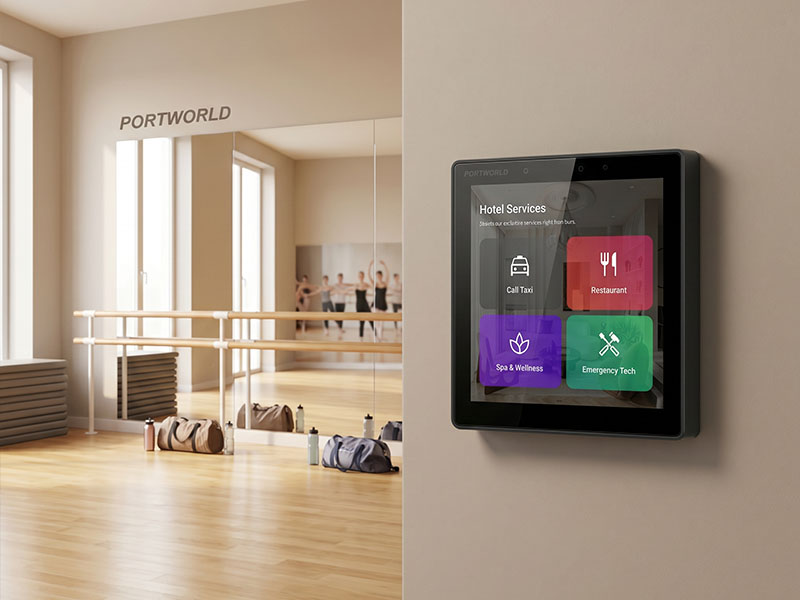
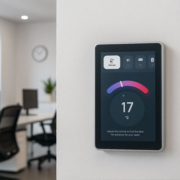
4″ KNX Smart Touch Control Panel
One possible architecture is:
KNX for Building Control
KNX devices control lighting, room switches, thermostats, and curtain actuators.
Modbus for Equipment Monitoring
Modbus connects energy meters, HVAC controllers, and industrial equipment to collect operational data.
MQTT for Data Distribution
A gateway reads data from KNX and Modbus systems, converts it into an appropriate format, and publishes it through an MQTT broker.
Smart Control Panel for Visualization
A touchscreen panel displays equipment status, energy consumption, temperature, and other building information.
This architecture enables each protocol to handle the tasks for which it is best suited.
However, integration involves more than establishing physical connections. Developers must also define data mappings, message formats, device addressing, command permissions, error handling, and security policies.
7. What Hardware Is Required for KNX, Modbus, and MQTT?
Selecting the right hardware is a key part of protocol integration.
Each communication protocol has specific requirements for interfaces, processors, and software support.
Hardware Requirements for KNX
A KNX-compatible product may need:
- A KNX bus interface or transceiver
- Suitable KNX power and bus connectivity
- A KNX communication stack
- Device configuration and commissioning tools
- An Ethernet interface for KNXnet/IP applications, if required
A standard RS485 interface or Ethernet port alone does not ensure KNX compatibility. The required KNX hardware and software implementation must also be present.
Hardware Requirements for Modbus
Modbus RTU typically requires an RS485 transceiver and a compatible UART interface.
- Modbus TCP generally requires an Ethernet interface.
- Additional factors to consider include:
- Electrical isolation, where appropriate
- Serial communication settings
- Terminal block design
- Surge and ESD protection
- Software support for Modbus RTU or TCP
Depending on the model and configuration, Portworld’s embedded motherboard solutions can be customized with interfaces such as RS485, RS232, UART, Ethernet, and GPIO.
MQTT Hardware Requirements
MQTT devices require an IP network connection and software that can communicate with an MQTT broker.
Common hardware choices include:
- Wi-Fi-enabled ESP32 platforms
- ARM-based Linux motherboards
- Android smart home control panels
- Industrial IoT gateways
- Ethernet-connected embedded systems
The software architecture must implement or configure the MQTT client, broker, topic structure, authentication, and data format.
The presence of Wi-Fi or Ethernet on a device does not automatically provide MQTT support.
8. How Portworld Supports Multi-Protocol Embedded Solutions
Portworld supplies smart home control panels, embedded motherboards, and customized hardware for smart home, building automation, and industrial applications.
For projects using KNX, Modbus, or MQTT, Portworld can assist with hardware selection, interface customization, software development, and product manufacturing.
Smart Home Control Panels
Portworld offers smart home control panels built on Rockchip and ESP32 platforms.
For instance, the YC-SM41P-KNX is designed for smart home control and offers KNX and Zigbee gateway integration options.
It can serve as a touchscreen interface for lighting, room automation, and smart building management.
Embedded Motherboards with Communication Interfaces
Portworld offers embedded motherboard solutions with configurable interfaces, including:
- RS485 and RS232
- UART and I2C
- Ethernet
- GPIO
- Display and touch interfaces
Depending on the selected hardware and required protocol implementation, these interfaces can support a range of communication architectures.
ESP32-Based Embedded Solutions
For compact control devices, the ESP32-S3 platform enables customized firmware and touchscreen applications built with LVGL.
For instance, the YC-SM43P is a 4-inch ESP32-S3 smart panel offering Wi-Fi, Bluetooth, Ethernet, and RS485 options.
It may be suitable for embedded control interfaces and Modbus-based applications. MQTT capabilities require compatible firmware and software integration.
Since the ESP32-S3 does not include a native IEEE 802.15.4 radio, additional hardware is needed for projects that require Thread or Zigbee connectivity.
OEM/ODM and Custom Development
Portworld offers:
- Custom PCB and PCBA development
- Embedded Linux and Android customization
- Firmware and communication protocol integration
- Hardware interface customization
- SDK and technical documentation
- CKD/SKD manufacturing
- Prototype and mass production
From hardware design through production, Portworld helps customers create embedded products tailored to their application requirements.
9. Choosing the Right Protocol for Your Project
KNX, Modbus, and MQTT address distinct communication requirements.
KNX is well suited to standardized smart home and building automation. Modbus offers a practical solution for communicating with industrial equipment and collecting data. MQTT is ideal for lightweight messaging among IoT devices, gateways, and software platforms.
Instead of selecting a single protocol for every use case, developers should assess the overall system architecture and identify where each technology delivers the greatest value.
For projects spanning smart building control, industrial monitoring, and IoT data management, combining multiple protocols can create a flexible, scalable solution.
Portworld offers smart home control panels, embedded motherboards, PCBA solutions, and OEM/ODM customization services to support your next automation project.