Stretched Bar LCD Displays for Retail Shelves: A Selection Guide
Retail shelves are no longer limited to displaying products and printed price labels. Retailers are increasingly adopting digital displays to promote offers, introduce products, share pricing details, and capture shoppers’ attention at the point of purchase.
For stores with limited shelf space, stretched bar LCD displays provide a practical option. Their elongated, narrow design fits along shelf edges and product displays in locations where standard 16:9 screens may be difficult to install.
Selecting the right display, however, involves more than matching a screen to the space available. Aspect ratio, resolution, brightness, mounting, connectivity, and content management all influence the end result.
This guide outlines the factors retailers and system integrators should consider when choosing stretched bar LCD displays for retail shelves.
1. What Is a Stretched Bar LCD Display?
A stretched bar LCD display is an ultra-wide screen with an elongated aspect ratio, created to fit narrow horizontal or vertical spaces.
Unlike standard digital signage, which typically uses a 16:9 aspect ratio, stretched bar displays offer a significantly wider viewing area compared with their height.
In retail settings, these displays can be installed along shelf edges, above product rows, inside display cabinets, or near checkout counters.
Typical applications include:
- Shelf-edge promotions: Showcase discounts, special offers, and seasonal campaigns.
- Product information: Present product names, features, specifications, and comparisons.
- Price communication: Display prices alongside promotional messages.
- Brand advertising: Feature product images, brand logos, and short promotional videos.
- Cross-selling: Suggest related products or complementary items.
A stretched LCD display does not necessarily replace an electronic shelf label (ESL). ESL systems are often better for communicating simple, frequently updated prices across many products, while stretched LCD displays are better suited to retailers seeking larger, full-color visuals, motion graphics, or more engaging promotional content.
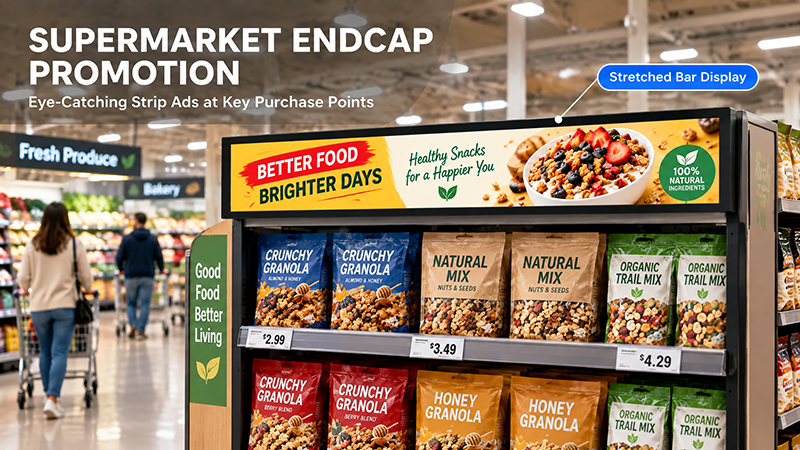
Stretched bar displays
2. Select the Appropriate Screen Size and Aspect Ratio
Begin by measuring the space available for installation.
Retail shelving differs in length, height, depth, and design. A display suited to one shelving system may not fit another, particularly where price rails, product dividers, or mounting brackets take up space.
Before choosing a display, measure:
- The available horizontal installation length
- The maximum screen height
- The depth available behind the shelf edge
- The mounting location and viewing angle
- The space needed for cables and connectors
- Common stretched display formats
Stretched bar LCD displays are offered in a range of aspect ratios and resolutions. Common formats include:
| Format | Example resolution | Typical content |
|---|---|---|
| 3:1 | 1920 × 640 | Product promotions and information |
| 16:3 | 1920 × 360 | Shelf-edge advertising |
| 32:9 | 1920 × 540 | Ultra-wide promotional content |
| Custom | Project-dependent | Special shelf dimensions |
These formats are examples, not universal standards. Actual panel dimensions and supported resolutions vary by display manufacturer.
For retail projects, do not choose a display solely by its advertised diagonal measurement. Verify the active display area in millimeters, overall dimensions, bezel width, and mounting points.
A narrow shelf may call for an especially slim display, while a longer product section may be better served by a wider screen capable of showing multiple content zones.
3. Choose a Resolution Suited to Your Content
Resolution determines how clearly the display shows product names, prices, promotional graphics, and other information.
Since stretched bar displays use unusual aspect ratios, standard Full HD or 4K labels may not indicate whether a screen is right for your project.
Instead, assess the native resolution alongside the physical dimensions.
Consider the following questions:
- Can shoppers read product names and prices from the expected viewing distance?
- Can the screen show product images without distortion?
- Is there sufficient horizontal space for several information zones?
- Does the content player support the panel’s native resolution?
For instance, a 1920 × 360 display may suit a long promotional banner, but it requires content designed specifically for that format. Simply resizing a standard 16:9 video may stretch images, crop information, or leave unused screen space.
It is better to design promotional layouts specifically for the display’s native resolution.
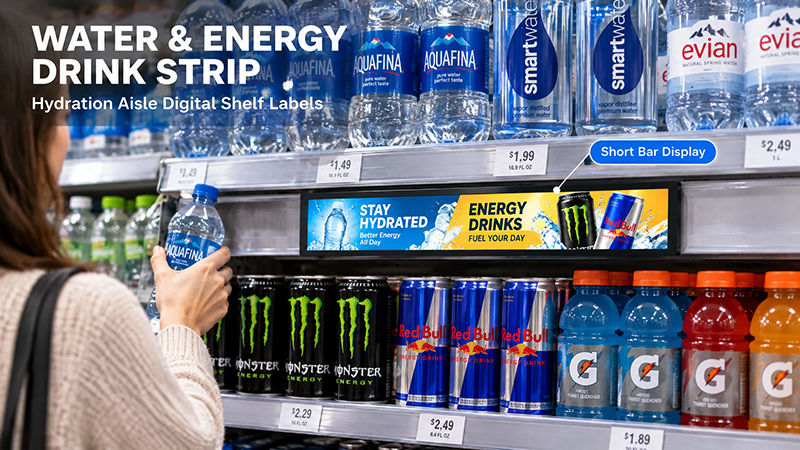
Stretched Display Series
4. Consider Brightness and Viewing Angle
Retail spaces have varying lighting conditions. A display beneath bright ceiling lights may require a different brightness setting than one located in a shaded product cabinet.
Insufficient brightness can make promotional content look faded or hard to read. By contrast, excessive brightness may cause glare and waste energy.
When assessing brightness, take into account:
- Ambient light around the shelf
- Direct exposure to spotlights or sunlight
- The distance between the display and shoppers
- The screen finish and potential reflections
- Whether brightness needs to be adjustable
Viewing angle is also essential. Customers do not always stand directly in front of each shelf display. They may look at the screen while walking along an aisle or approaching products from the side.
A panel with appropriate horizontal and vertical viewing angles helps keep images visible from a range of positions.
Whenever possible, evaluate the display in the store’s actual lighting conditions instead of relying solely on its specifications.
5. Verify the Installation and Mechanical Design
A stretched bar LCD display should fit the retail fixture without disrupting product placement or routine store operations.
Installation needs depend on the shelf construction and display format.
Typical mounting options include:
- Shelf-edge brackets
- Recessed installation within custom shelf structures
- Rail-based mounting systems
- Custom metal frames
- Integration with cabinets or product displays
The mechanical design should ensure a secure fit while providing convenient access for maintenance.
Cable routing also requires attention. Arrange power and signal cables so they do not obstruct products, impede shelf adjustments, or create avoidable hazards during restocking.
For larger retail installations, consistent mounting dimensions are especially important. Displays spanning multiple shelf sections should have uniform alignment and spacing.
When a project includes custom shelving, confirm the display dimensions and mounting drawings before completing the furniture design.
6. Select the Appropriate Connectivity and Control System
A stretched bar LCD display requires a dependable method for receiving and playing content.
Depending on its architecture, the display may use an integrated Android mainboard, an external media player, or a dedicated controller.
Typical interfaces and connectivity options include:
- HDMI for external video sources
- USB for local media playback or updates
- Ethernet for wired network communication
- Wi-Fi for wireless connectivity
- Serial interfaces for supported control and integration needs
The appropriate setup depends on the number of displays and how the retailer intends to manage content.
For a small store, playback from a local USB drive may be adequate. For a retail chain operating across multiple locations, network-based content management is usually more practical.
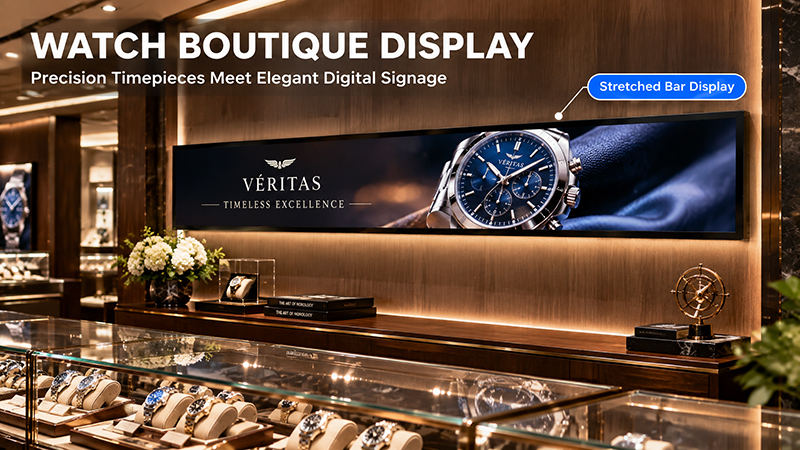
Stretched bar LCD displays8
Before purchasing, verify that the system supports:
- Remote content updates
- Scheduled promotional campaigns
- Store-specific content
- Automatic startup after a power interruption
- Local playback during network outages
- Synchronized playback across multiple displays, if needed
It is also important to distinguish the display hardware from the content management platform. An Android mainboard or network interface does not, by itself, provide a complete retail CMS. Confirm the required software and integrations separately.
7. Plan for Reliable, Ongoing Operation and Maintenance
Retail displays may run for many hours each day, so reliability should be considered from the outset when selecting a model.
Key factors include:
- Thermal management: Narrow enclosures offer limited internal space. Ensure the display and controller have a suitable heat-dissipation design.
- Operating hours: Verify that the chosen model supports the project’s daily schedule, including extended or continuous use when necessary.
- Power stability: Review the power supply specifications and confirm how the display recovers after an unexpected power outage.
- Service access: Choose a display that can be inspected or replaced easily without dismantling substantial portions of the retail fixture.
- Display consistency: For projects with multiple units, assess brightness, color, screen alignment, and mechanical dimensions across both samples and production batches.
Before deploying at scale, conduct a pilot installation. Test actual content, shelf mounting, cable routing, network recovery, and extended operation under typical store conditions.
8. Stretched Bar LCD Displays Compared with Conventional Digital Signage
Retailers may be unsure whether to choose a stretched bar display or a conventional digital signage screen.
The decision largely depends on the available installation space and the content to be displayed.
| Consideration | Stretched Bar LCD | Conventional Digital Signage |
|---|---|---|
| Screen shape | Long and narrow | Usually 16:9 |
| Installation | Shelf edges and narrow spaces | Walls, counters, and stands |
| Main content | Product information and shelf promotions | Videos, advertisements, and menus |
| Space requirements | Fits narrow fixtures | Requires more vertical space |
| Content design | Wide, horizontal layouts | Standard landscape or portrait layouts |
For shelf-edge advertising and product-specific promotions, stretched bar displays can make more efficient use of limited space.
Conventional digital signage may be better suited to larger promotional campaigns, brand videos, and general in-store announcements.
The two formats can also complement each other: stretched displays present product information near the shelf, while larger screens convey broader brand messages across the store.
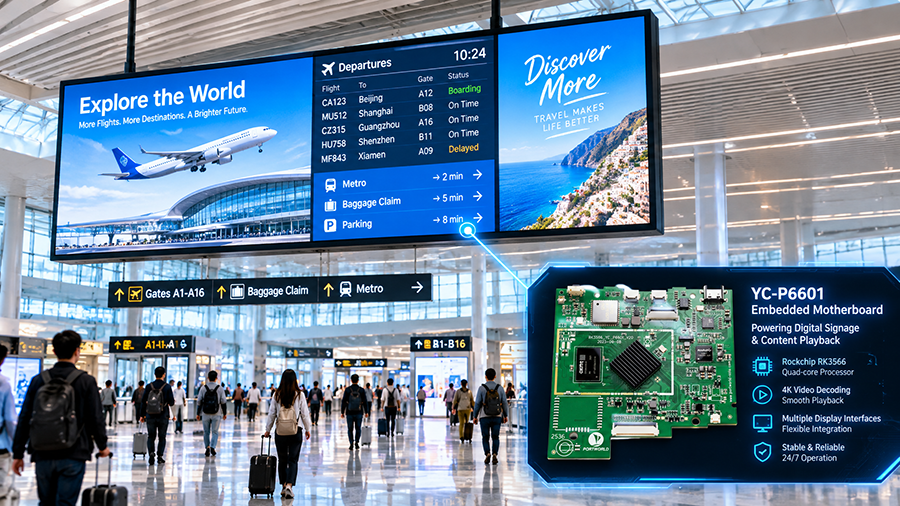
YC-P6601 digital signage display
9. Consider OEM and ODM Customization
Not all retail shelves have standard dimensions. Some projects may require specific screen lengths, unusual aspect ratios, customized mounting structures, or integration with an existing retail control system.
In such cases, OEM and ODM development may be worth considering.
Subject to panel availability and project requirements, customization options may include:
- Display dimensions and active-area configuration
- LCD panel and resolution selection
- Brightness and viewing-angle requirements
- Custom housing and mounting brackets
- Android mainboard or external controller integration
- Wi-Fi, Ethernet, HDMI, USB, and other supported interfaces
- Operating system and application customization
- Logo, enclosure finish, and packaging
Portworld provides embedded display hardware, advertising players, motherboard solutions, and OEM/ODM development services. For retail shelf projects, the hardware configuration can be evaluated around the required display panel, control platform, interfaces, and mechanical installation.
The exact customization scope depends on panel sourcing, controller compatibility, and project volume. For a custom stretched bar display, buyers should provide shelf drawings, target screen dimensions, resolution requirements, and intended content before confirming the hardware design.