Standard vs. Custom Embedded Touch Screen Panels: How to Choose
Embedded touch screen panels are used across a wide range of applications, including industrial equipment, self-service kiosks, smart home systems, medical devices, and EV charging stations. Yet selecting the right display solution can be challenging.
Some projects can use an off-the-shelf panel with few modifications. Others need a customized screen size, interface, operating system, mechanical design, or software functionality.
Should you choose a standard embedded touch screen panel or invest in a custom solution?
The best choice depends on your application requirements, development resources, budget, and production plans. This guide compares the two options and helps you determine which one is right for your project.
1. What Is a Standard Embedded Touchscreen Panel?
A standard embedded touchscreen panel is a ready-made product intended for general-purpose applications. It usually has a predetermined display size, touchscreen technology, hardware configuration, interfaces, and mechanical design.
For example, a standard industrial touch monitor may include:
- A fixed display size, such as 10.1″, 15.6″, or 21.5″
- Capacitive or resistive touchscreen technology
- HDMI and USB ports
- A standard metal enclosure
- Common mounting options
- Compatibility with external computing systems
Standard products work well for projects whose existing specifications already satisfy most application needs.
Key advantages:
- Reduced development time
- Lower upfront investment
- Simpler product evaluation and testing
- More predictable procurement
- Suitable for prototyping and small-scale production
For companies seeking to integrate a touchscreen into existing equipment quickly, a standard panel can provide a practical starting point.
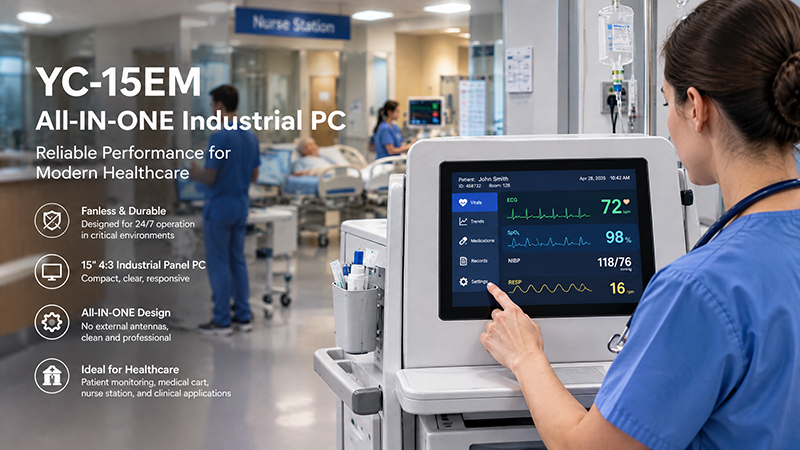
YC-15EM Embedded Touchscreen Solutions
2. What Is a Custom Embedded Touchscreen Panel?
A custom embedded touchscreen panel is designed or modified to meet the requirements of a particular project. Rather than adapting the equipment to an existing display, the hardware and software can be tailored to suit the device and its intended application.
Depending on the project, customization may cover:
- Display size, resolution, brightness, and touch technology
- Custom front panels, bezels, and enclosure dimensions
- HDMI, USB, Ethernet, RS232, RS485, and GPIO interfaces
- Android, Linux, Ubuntu, or Windows operating systems
- Customized motherboard and processor configurations
- Boot logos, user interfaces, and application software
- Special mounting structures and cable positions
For instance, an industrial equipment manufacturer may require a 12-inch touchscreen with a specific enclosure depth, RS485 communications, and a customized Linux application. A standard display may not meet all these specifications.
A custom solution integrates the touchscreen into the equipment’s overall design instead of treating it as a separate component.
Key advantages:
- Better mechanical and electrical integration
- More flexibility in hardware and software
- Greater control over product appearance
- Easier adaptation to specific application requirements
- More suitable for long-term product development and repeat production
However, customization usually requires additional engineering time, validation, and upfront investment.
3. Standard vs. Custom: Key Differences
The following comparison highlights the main differences.
| Comparison | Standard Panel | Custom Panel |
|---|---|---|
| Hardware | Predefined configuration | Adjustable to project needs |
| Display size | Available standard sizes | Custom sizes may be possible |
| Interfaces | Fixed interface options | Custom interface combinations |
| Operating system | Available standard OS | OS and BSP customization |
| Mechanical design | Existing enclosure | Customized structure |
| Development time | Usually shorter | Usually longer |
| Initial cost | Generally lower | Generally higher |
| Minimum order | Depends on supplier | Depends on customization scope |
| Best for | Prototypes and standard applications | Specialized equipment and long-term projects |
One key consideration is that a custom solution does not always require developing a completely new product. Many manufacturers provide semi-custom options by adapting an existing platform. This approach can lower development costs while still satisfying essential project requirements.

Embedded Touch Screen Monitor
4. When Is a Standard Embedded Touch Screen Panel the Right Choice?
A standard panel is often the preferable option when your project has straightforward requirements and calls for few, if any, hardware or mechanical modifications.
Choose a standard product when:
1. Your application uses widely available display sizes
If a 10.1-inch, 15.6-inch, or 21.5-inch display suits your equipment, an existing model may already meet your needs.
2. You need to shorten development time
For prototypes, product demonstrations, or projects with demanding schedules, an existing panel eliminates the extra time involved in custom engineering.
3. Your interface requirements are conventional
If HDMI, USB, Ethernet, or another available interface satisfies your system requirements, redesigning the hardware may be unnecessary.
4. You are evaluating a new product concept
During the early stages of development, standard panels provide a convenient way to assess display performance, touch responsiveness, software compatibility, and user experience before committing to a custom design.
For instance, a company creating a self-service kiosk might begin with a standard 15.6-inch or 21.5-inch touchscreen monitor to validate its interface and enclosure design.
5. When Is a Custom Embedded Touch Screen Panel Necessary?
A custom solution offers greater value when standard products cannot satisfy critical project requirements.
1. Your equipment has limited installation space
Industrial machinery and embedded devices often have strict size constraints. A standard panel may be too thick or too wide, or it may not fit the existing mounting structure.
A customized enclosure, bezel, or mounting design can address these challenges.
2. You need specific communication interfaces
Certain industrial applications require a particular combination of RS232, RS485, GPIO, CAN, Ethernet, or other interfaces.
If standard configurations lack the necessary connections, hardware customization may be required. Be sure to confirm that the corresponding software drivers and protocol support are also available.
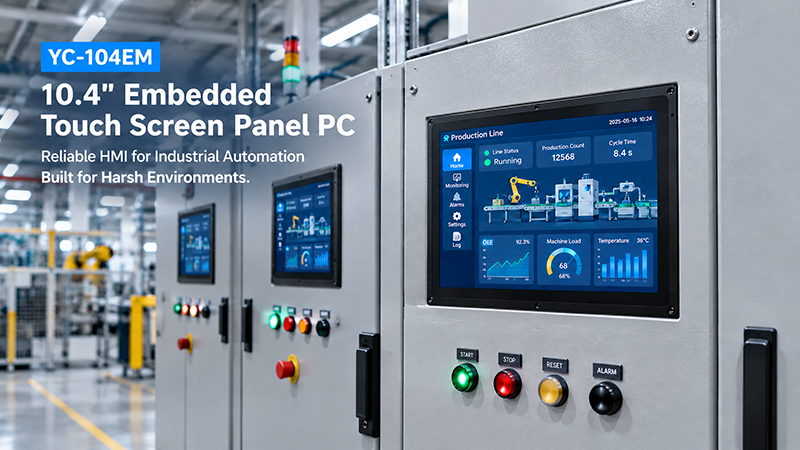
YC-104EM touch screen solutions
3. Your project requires a specific operating system
Some equipment manufacturers require Android for application development, while others prefer Linux, Ubuntu, Debian, or Windows.
Custom BSP development, driver integration, boot configuration, and application deployment may be necessary to ensure compatibility with the entire system.
4. You need a branded product
For companies developing their own equipment or commercial products, appearance and user experience are important.
Customization options may include logos, startup animations, interface design, front panels, enclosure colors, and packaging.
5. You plan to manufacture at scale
For sustained production, a customized panel can standardize hardware configurations, simplify equipment integration, and deliver a more consistent product experience.
Although the initial engineering investment may be greater, it can pay off when the same design is used across multiple production runs.
6. What About Semi-Custom Embedded Touchscreen Panels?
Semi-customization provides an alternative to standard and fully custom products.
Rather than developing a product from the ground up, you begin with an existing platform and modify only the features that require changes.
For instance, you could retain the original display and motherboard while customizing:
- The front panel or mounting structure
- Interface combinations
- Operating system and software configuration
- Logo and startup screen
- Application installation and auto-launch settings
- Memory or storage configuration, where supported
- This approach can simplify engineering and reduce development costs.
For many industrial touchscreen projects, semi-customization strikes a practical balance between flexibility and time to market.
7. Five Questions to Consider Before Making Your Decision
Before choosing a standard or custom embedded touch screen panel, assess these five factors.
1. Will the standard display size fit your equipment?
Verify the active display area, external dimensions, mounting-hole locations, panel cutout, and installation depth.
2. Are the available interfaces adequate?
Inspect the physical connectors and confirm support for the required communication protocols, drivers, and software functions.
3. Is the operating system compatible with your application?
Check OS versions, SDK availability, driver compatibility, application requirements, and plans for future updates.
4. What are your production volumes and future plans?
A standard panel may work well for prototypes and early testing. As the project progresses toward consistent, repeat production, a custom or semi-custom design may become more suitable.
5. What is the project’s total cost?
Compare more than the unit price. Account for engineering fees, tooling, software development, testing, certification requirements, lead time, maintenance, and future replacement availability.
A standard product with a lower purchase price may not be the most economical option if extensive modifications are needed during integration.
8. How Portworld Supports Standard and Custom Touchscreen Projects
Portworld delivers embedded touchscreen solutions for industrial equipment, self-service terminals, smart home systems, digital signage, and a range of other applications.
Customers may select an existing touchscreen product or collaborate with Portworld’s engineering team to develop a solution tailored to their needs.
Available product categories include:
Industrial Touch Monitors: Models including the YC-15EBT, YC-185EBT, and YC-215EBT, designed for applications that use an external computing system.
Embedded Touchscreen Panel PCs: Models such as the YC-104EM and YC-215EM, which combine computing hardware with touchscreen functionality.
Compact Touch Displays: Options including the YC-102EBT 10.1-inch HDMI touchscreen monitor for embedded display integration.
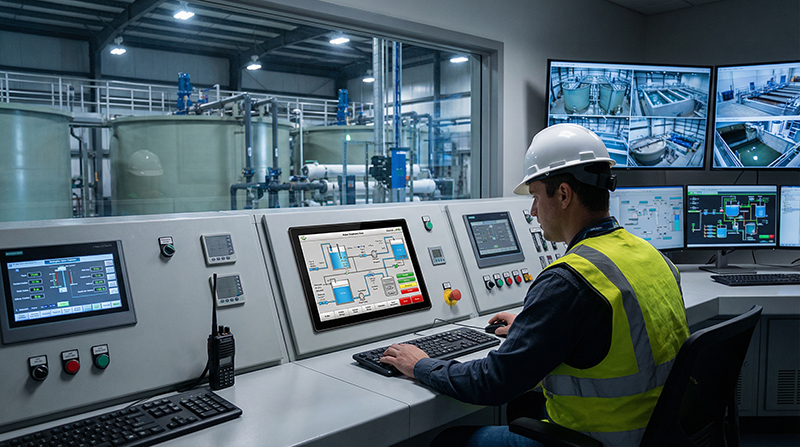
industrial touch screen monitor
For projects that require further customization, Portworld offers support for:
- OEM/ODM hardware and enclosure development
- PCB, PCBA, and motherboard design
- Processor and memory configuration
- Customization for Android, Linux, Ubuntu, Debian, and Windows
- Interface and peripheral integration
- UI/UX customization and application deployment
- Branding, packaging, and mass-production support
Drawing on its manufacturing capabilities and engineering resources, Portworld supports projects from initial assessment and prototyping through product validation and volume production.
Available customization options, minimum order quantities, development costs, and lead times vary according to the selected platform and project requirements.
Choose According to Your Project Requirements
There is no single best choice between standard and custom embedded touch screen panels.
When a project calls for common display sizes, conventional interfaces, and standard operating systems, an off-the-shelf product can lower costs and accelerate development.
If your equipment needs unusual dimensions, a tailored interface, specific software capabilities, or a distinctive mechanical design, a custom solution may deliver better integration over the long term.
For many projects, a semi-custom option is also worth considering. It builds on an established hardware platform while allowing you to adapt the features that matter most.
Begin by defining your display, mechanical, interface, software, and production requirements. These needs will guide you toward the right solution.