RK3506 Core Board Selection Guide for Embedded HMI Projects
Embedded Human-Machine Interface (HMI) projects are increasingly prevalent in smart home controllers, industrial instruments, medical devices, access control terminals, and compact automation systems. As these products advance, developers require hardware that can provide responsive graphical interfaces without incurring excessive costs, power consumption, or system complexity.
The Rockchip RK3506 is a viable option for projects that emphasize lightweight graphical interfaces, touch interaction, audio capabilities, and peripheral connectivity. However, choosing an RK3506 core board entails more than merely comparing processor specifications. Developers must also assess display requirements, memory resources, communication interfaces, software support, and the degree of customization necessary for the final product.
1. Begin With the HMI Application, Not the Processor
The optimal starting point is to clarify the interface’s functional requirements. A wall-mounted smart home controller that displays lighting, temperature, and curtain controls has distinctly different needs compared to an industrial operator panel that showcases animated process diagrams or a medical terminal that manages audio prompts and sensor readings.
For relatively lightweight HMI applications, the RK3506 platform offers a practical equilibrium between embedded processing and graphical control. Its triple-core Cortex-A7 CPU and integrated 2D graphics engine can accommodate appropriate display and control workloads, contingent upon the software implementation and the interface’s complexity.
For instance, an interface based on LVGL featuring buttons, icons, status indicators, charts, and basic animations could be suitable. Conversely, applications that demand high-performance 3D graphics, intricate visual effects, or extensive AI inference may necessitate a more robust platform.
The crucial consideration is not merely whether a processor can render graphics, but whether it can provide the necessary responsiveness while executing the entire application.
2. Evaluate Display Resolution and LVGL Performance
Display specifications are among the most critical elements when choosing a core board for an embedded HMI project. Factors such as screen resolution, color depth, refresh rate, animation complexity, and touch responsiveness all affect the processing and memory resources required.
The RK3506 incorporates a 2D graphics engine tailored to facilitate efficient graphical operations. Rockchip markets this platform for HMI display management, industrial control, IP telephony, and voice-related applications. Its hardware and software features position it as a viable option for lightweight interfaces developed with LVGL.
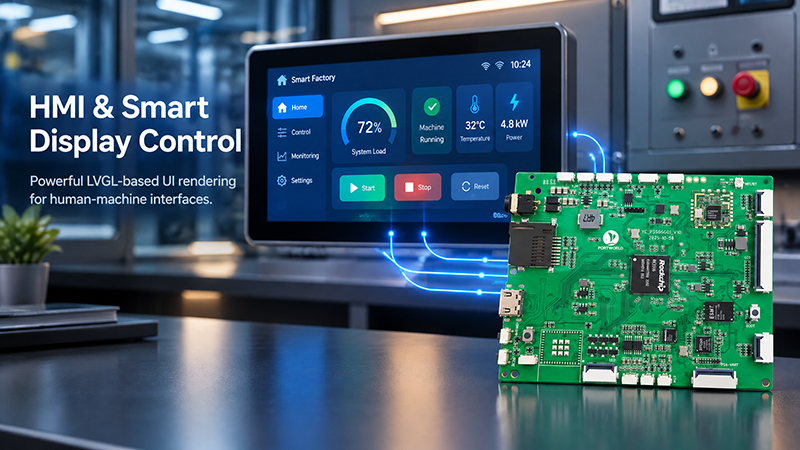
P3506 HMI Smart Display
Prior to selecting a core board, developers must confirm the following:
- The display interface required by the screen, which may include RGB or MIPI DSI, based on the specific board.
- The desired resolution and refresh rate.
- Whether the graphics pipeline can accommodate the planned animations and transitions.
- The interface of the touch controller and the availability of its driver.
- The memory requirements for frame buffers, fonts, images, and application data.
For instance, a compact control panel featuring a dashboard, touch buttons, temperature readings, and status icons could be a suitable application for the RK3506. Conversely, a display-intensive product that incorporates advanced 3D graphics or multiple high-resolution video streams should undergo a more thorough evaluation and may necessitate a more powerful processor.
3. Selecting RAM and Storage for the Complete Application
A frequent error is to determine memory solely based on the minimum requirements of the graphics library. The overall system footprint encompasses not only the operating system but also application code, fonts, images, communication services, logging, and any background processes.
LVGL is tailored for embedded devices with limited resources; however, the actual memory needs vary based on the interface and display setup. A relatively straightforward user interface with a limited number of widgets may have significantly different resource demands compared to a multi-screen interface featuring large images, various fonts, charts, and rapid screen transitions.
When evaluating RK3506 core boards, it is essential to examine the available RAM and storage configurations instead of presuming that all modules utilizing the same SoC possess identical specifications. Rockchip’s published information on the RK3506 includes various chip variants and memory configurations, thus the specific module datasheet should inform the decision-making process.
For effective production planning, developers must also allocate adequate storage for firmware updates, application assets, diagnostic logs, and prospective software modifications.
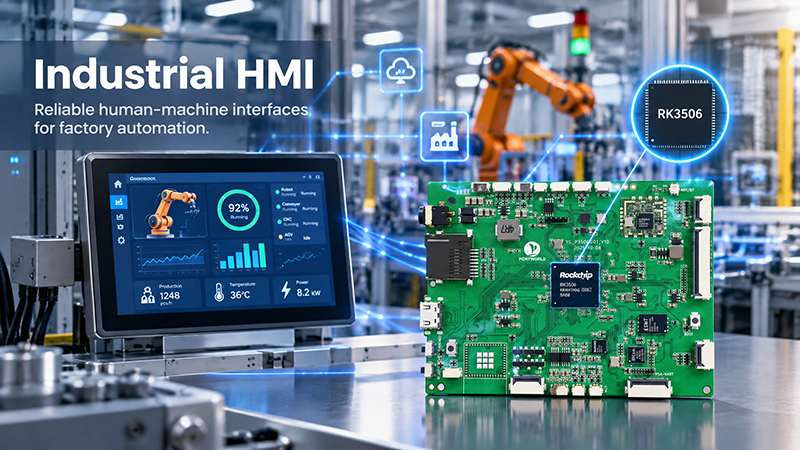
P3506 Industrial HMI 6
4. Assess Interfaces for Sensors and External Devices
Many embedded HMI solutions do more than merely present information. They also interact with sensors, actuators, controllers, and various other devices.
The RK3506 platform provides a variety of peripheral interfaces, such as UART, I²C, SPI, USB OTG, PWM, ADC, CAN, and Ethernet-related interfaces, which vary based on the chip variant and its implementation. These interfaces can facilitate applications like industrial control panels, smart appliance interfaces, and connected operator terminals.
It is crucial to differentiate between the interfaces available at the SoC level and those that are actually accessible on a specific core board or carrier board. For instance, a product may necessitate RS485 or RS232; however, these connections generally require the appropriate transceiver circuitry and board-level implementation. Similarly, the availability of Ethernet is contingent upon the PHY, connector, and routing design.
Prior to finalizing a board selection, create an interface checklist that includes the display, touch panel, sensor connections, serial communication, network connectivity, audio, and necessary expansion ports. Verify each item against the board schematic and pinout.
5. Evaluate Operating System and Development Resources
The software environment significantly influences development timelines. For an HMI project, the optimal platform should not only boot successfully but also offer a functional development toolchain, display drivers, peripheral drivers, firmware update methods, and comprehensive documentation.
For lightweight HMI applications, Linux-based systems utilizing LVGL may be suitable. Depending on the chosen RK3506 implementation, developers might have access to a Buildroot-based system, a Linux kernel along with a board support package, and sample applications. Additionally, Rockchip provides an open-source documentation resource that details supported platforms and software components.
When assessing a supplier, inquire about the specific SDK version, kernel version, display examples, touch-driver support, peripheral test programs, and firmware flashing instructions. It is essential to verify whether the provided software is production-ready or if further board-specific integration is necessary.
This consideration is particularly crucial for products anticipated to be in production for multiple years. A stable software foundation and a well-defined update process can be as critical as the initial hardware investment.
6. Align the Core Board with the Product’s Environment
The operating environment should dictate the selection of the module and the overall design of the device.
A smart home controller situated indoors may have relatively moderate environmental demands. Conversely, an industrial HMI positioned near machinery may encounter a broader temperature range, electrical interference, vibration, and the necessity for continuous operation.
Verify the specified operating temperature of the particular module, power requirements, connector reliability, and thermal design. If the application involves industrial power supplies or extensive cable runs, assess electrical protection, grounding, EMC performance, and isolation as necessary.
Do not presume that every RK3506 core board is industrial-grade solely due to the use of the same processor. Temperature ratings and reliability are contingent upon the specific components, board construction, and qualification process.
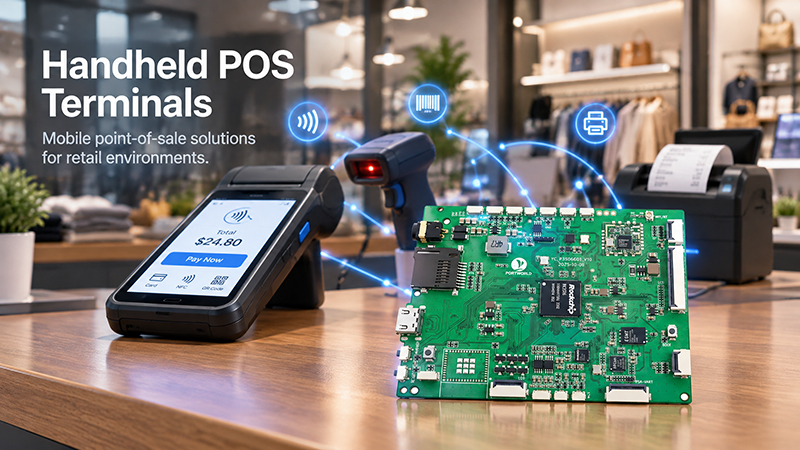
P3506 Handheld POS Terminals
7. When Should You Choose an RK3506 Core Board?
The RK3506 is most worth evaluating when an embedded product needs a lightweight graphical interface, responsive touch control, peripheral connectivity, and a practical balance between system resources and development cost.
Compact operator interfaces for equipment status, parameter adjustment, alarms, and basic machine control, provided the required interfaces and environmental specifications are met.
Smart Home and Appliance Controllers
Touch interfaces for lighting, climate settings, appliance operation, and sensor readings, with UI complexity matched to available memory and graphics performance.
Compact POS and Smart Terminals
Lightweight transactional interfaces, device status displays, and peripheral control. Payment-related peripherals and security requirements must be validated separately.
Intercom and Voice-Control Devices
User interfaces combined with audio input/output and communication peripherals, subject to the selected board’s audio circuitry and software support.
These applications correspond with the general use cases for the RK3506 identified by Rockchip, which encompass HMI display control, industrial control, IP phones, and voice modules.
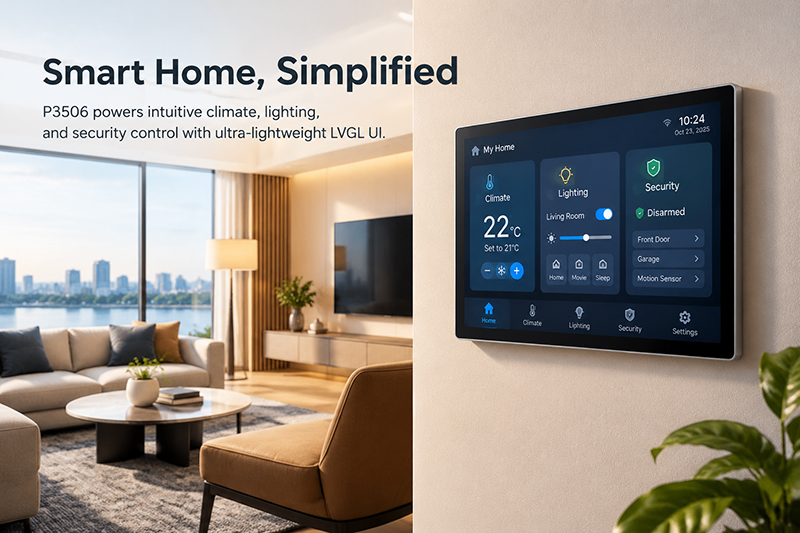
P3506 Smart Home Scenario
8. How Portworld Can Assist in RK3506 HMI Development
Selecting the processor represents merely one phase of an embedded HMI project. Developers are also tasked with integrating the display, touch controller, power circuitry, peripheral interfaces, firmware, and application software into a product that can be manufactured.
Portworld offers embedded hardware and motherboard customization services for projects that necessitate a bespoke computing platform. Depending on the specific project requirements, development may involve core board evaluation, carrier board design, integration of displays and peripherals, software adaptation, and support for OEM/ODM manufacturing.
For an HMI based on the RK3506, an effective development process begins with defining the screen resolution, UI complexity, memory requirements, necessary interfaces, operating environment, and anticipated production volume. The engineering team can then determine whether an existing module is adequate or if a customized hardware design is required.
This methodology aids in identifying technical constraints early on and minimizes the risk of uncovering display, interface, or software incompatibilities later in the development process.