How to Customize Buildroot for a Digital Signage Display
As digital signage applications evolve to become more specialized, numerous businesses are transitioning from standard Android solutions to custom embedded Linux systems to achieve enhanced performance, security, and long-term stability.
Among the various embedded Linux development frameworks, Buildroot stands out as a favored option for developing lightweight and tailored operating systems for digital signage displays.
In contrast to conventional Linux distributions, Buildroot enables developers to construct a complete embedded Linux system from the ground up, encompassing the bootloader, Linux kernel, root filesystem, libraries, and applications.
For manufacturers engaged in the production of commercial displays, Buildroot offers the necessary flexibility to create customized digital signage products.
Why Opt for Buildroot for Digital Signage Displays?
A digital signage display typically executes specific tasks such as:
- Video playback
- Image and advertisement display
- Remote content management
- Touch interaction
- Network communication
Employing a customized Buildroot system empowers manufacturers to eliminate superfluous software components and fine-tune the device specifically for these functions.
Key benefits include:
Lightweight System Design
Buildroot generates a minimal Linux image that includes only the essential components.
Advantages:
- Quicker boot time
- Reduced storage needs
- Lower memory consumption
- Enhanced system stability
This is particularly advantageous for embedded displays with fixed functionalities.
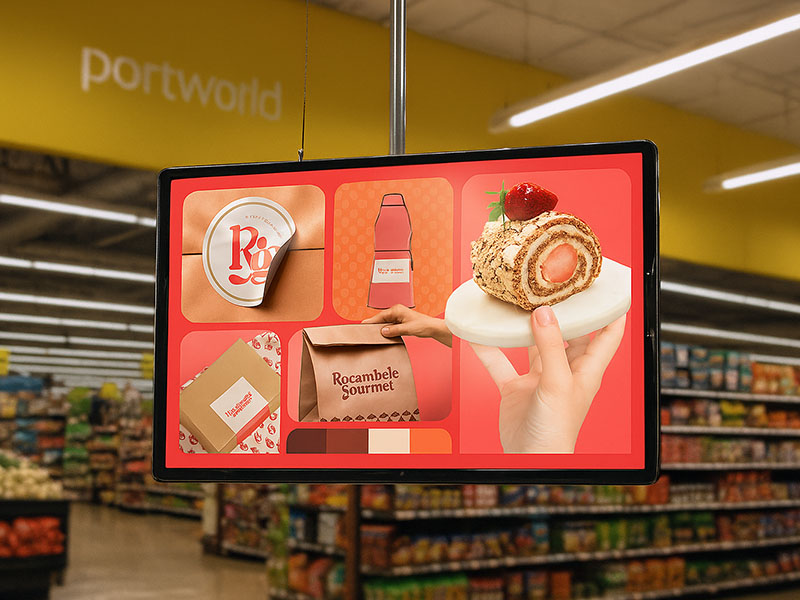
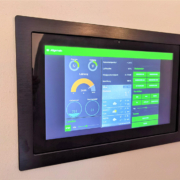
Wall-Mounted Digital Signage display
Full Hardware Control
Buildroot offers comprehensive management of the embedded hardware platform.
Developers have the ability to tailor:
- Linux kernel configuration
- Device tree
- Hardware drivers
- Bootloader settings
- Peripheral support
For digital signage displays, this facilitates the integration of:
- LCD panels
- HDMI output
- Touch controllers
- Wi-Fi modules
- Ethernet
- USB devices
- Cameras
- NFC/RFID modules
How to Customize Buildroot for a Digital Signage Display
1. Select the Hardware Platform
The initial step involves choosing an appropriate embedded processor platform.
Contemporary digital signage solutions frequently utilize ARM-based processors due to their:
- High multimedia performance
- Low power consumption
- Compact design
Common platforms consist of:
- Rockchip RK3566
- Rockchip RK3568
- Rockchip RK3576
- Rockchip RK3588
These platforms are compatible with applications such as:
- Commercial advertising displays
- Interactive kiosks
- Smart terminals
- Industrial touch panels
2. Set Up the Buildroot System
Buildroot employs configuration files to establish the Linux system.
Developers have the ability to customize:
Root Filesystem
Choose necessary packages such as:
- BusyBox
- Networking tools
- Multimedia libraries
- Graphics libraries
- System Services
Configure:
- Startup applications
- Background services
- Remote management tools
- Storage Options
Support:
- eMMC
- SD card
- NAND Flash
This results in a system tailored for the specific digital signage hardware.
55 inch Wall-Mounted Signage Display | YC-55MT Series
3. Tailoring the Linux Kernel and Drivers
The Linux kernel facilitates communication between software and hardware.
In the context of digital signage applications, customization of the kernel may encompass:
Display Drivers
Support includes:
- MIPI-DSI displays
- HDMI output
- LVDS interfaces
- Configurations for multiple screens
- Touchscreen Drivers
Support includes:
- Capacitive touch panels
- USB touch devices
- I2C touch controllers
- Hardware Modules
Integration with:
- Ethernet
- Wi-Fi
- Bluetooth
- Camera
- Audio devices
Effective driver integration is essential for ensuring stable performance in commercial settings.
4. Incorporate Multimedia Support
Digital signage necessitates dependable multimedia playback.
Buildroot has the capability to integrate multimedia frameworks including:
- GStreamer
- FFmpeg
- Qt Multimedia
This support includes:
For instance, a digital signage display powered by RK3588 can deliver robust multimedia performance suitable for high-demand advertising applications.