How to Update BIOS on a Smart Motherboard
Updating the BIOS on a smart motherboard is an essential step to ensure your system runs efficiently, supports the latest hardware, and benefits from security and performance improvements. Whether you are working with a smart home control panel, industrial HMI, or embedded motherboard, following a structured update process is crucial to avoid issues.
1. Understand Your Smart Motherboard Model
Before updating, verify your motherboard model and BIOS version. For example, Portworld offers high-performance boards such as:
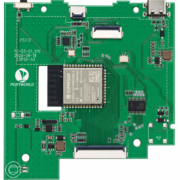
- YC-P76S01 Smart Motherboard – RK3576S-based motherboard for AI-driven applications and multimedia displays.
- YC-P3576 Smart Mainboard – Ideal for industrial automation, robotics, and smart building systems.
Knowing your exact model ensures you download the correct BIOS firmware compatible with your device.
2. Check the Manufacturer’s Support Resources
Visit the official Portworld support page or documentation for your motherboard. Most smart motherboards include:
- BIOS update files (often in
.binor.romformat) - Step-by-step instructions and flashing tools
- Release notes detailing improvements and fixes

rk3588 motherboard
3. Prepare Your System
- Backup Important Data: Although BIOS updates usually do not affect storage, unexpected errors can cause system issues.
- Ensure Stable Power: Use a reliable power source or UPS to prevent interruptions during the update.
- Connect Peripherals: Some updates may require USB drives, keyboard, or a serial interface.
4. Update BIOS
Portworld motherboards often allow multiple update methods:
- Via BIOS Utility: Access the BIOS menu during boot and select the update option using a USB drive.
- Via Manufacturer Tool: Portworld provides PC-based tools for Windows or Linux that can safely flash the BIOS.
- Network Update: Certain advanced models support firmware updates directly from a network source.
Follow instructions carefully, select the correct BIOS file, and do not power off the device during the update.
5. Verify the Update
After the update:
- Reboot the motherboard
- Enter the BIOS menu to check the new version
- Test peripheral functions and system stability
- Reset custom settings if necessary
6. Maintain BIOS for Optimal Performance
Regular BIOS updates from Portworld ensure your smart motherboards remain compatible with new OS releases, support emerging IoT protocols, and provide improved AI and industrial automation performance.

rk3588 motherboard
Portworld Services
Portworld not only provides high-quality smart motherboards but also offers:
- Comprehensive SDK and firmware support for secondary development
- CKD/SKD/PCBA solutions for large-scale OEM/ODM projects
- Technical assistance and documentation to ensure safe BIOS updates
Updating the BIOS on a smart motherboard is a straightforward process if you follow the correct procedure. With Portworld motherboards like YC-P76S01 and YC-P3576, regular BIOS updates maximize system performance, expand hardware compatibility, and maintain security for AI, industrial, and smart home applications.