Zigbee Gateway vs. Smart Home Hub: What’s the Difference?
As smart home automation grows in popularity, homeowners and system integrators are connecting more devices, such as smart lights, switches, sensors, thermostats, curtains, and security systems.
Coordinating these devices often requires a central system for communication and management. Zigbee gateways and smart home hubs serve this purpose.
Although the terms “Zigbee gateway” and “smart home hub” are often used interchangeably, they do not always describe the same function. A Zigbee gateway connects Zigbee devices to other networks or software systems. A smart home hub typically offers a broader platform for managing devices, creating automations, and interacting with the system.
Some products combine both functions in a single device; others keep them separate.
Understanding this distinction can help homeowners, developers, and smart home manufacturers select the right architecture for their projects.
1. What Is a Zigbee Gateway?
A Zigbee gateway is a device that links a Zigbee wireless network with another network or system, usually an IP-based network such as Ethernet or Wi-Fi.
Zigbee devices exchange data with other devices in a Zigbee mesh network using low-power wireless communication. However, unlike Wi-Fi devices, they generally do not communicate directly with standard IP-based applications.
A Zigbee gateway bridges these environments.
Main Functions of a Zigbee Gateway
A Zigbee gateway typically performs several tasks:
- Connects Zigbee devices to a smart home platform
- Receives sensor readings and device status information
- Transmits commands from applications or automation systems to Zigbee devices
- Enables communication over Ethernet, Wi-Fi, or another supported interface
- Supports device management and integration
- May translate protocols between Zigbee and other systems
For example, when a user switches on a Zigbee light using a mobile application, the command is sent to the gateway, which then communicates with the light.
A Zigbee gateway can also gather information from temperature, motion, and door sensors, as well as other connected devices, and provide it to a home automation system.
Zigbee Gateway Architecture
A typical Zigbee setup follows this structure:
Zigbee Sensors, Switches, and Lights → Zigbee Mesh → Gateway / Coordinator → IP Network → Smart Home Application
In many commercial products, the Zigbee gateway also includes the coordinator, which creates and manages the wireless network.
However, gateway and coordinator refer to distinct functions. A coordinator is a defined role within a Zigbee network, whereas a gateway connects different networks or systems.
2. What Is a Smart Home Hub?
A smart home hub is a central device or platform for managing multiple smart home devices and automation features.
Unlike a device dedicated solely to wireless communication, a smart home hub may bring together connectivity, device management, automation rules, application interfaces, and integration with broader ecosystems.
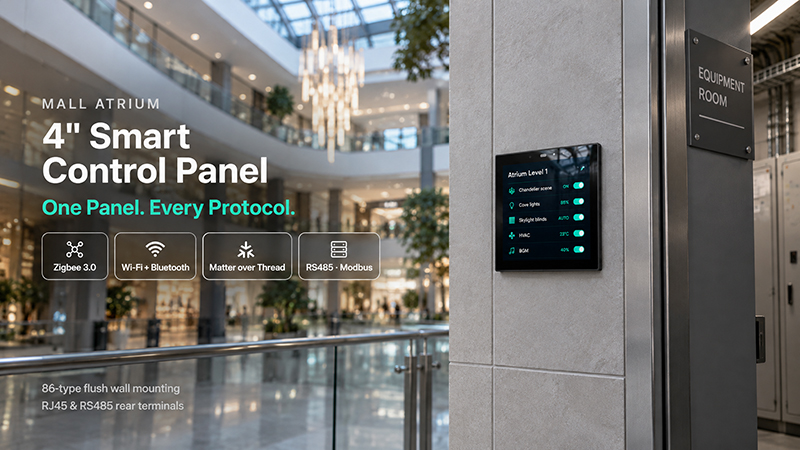
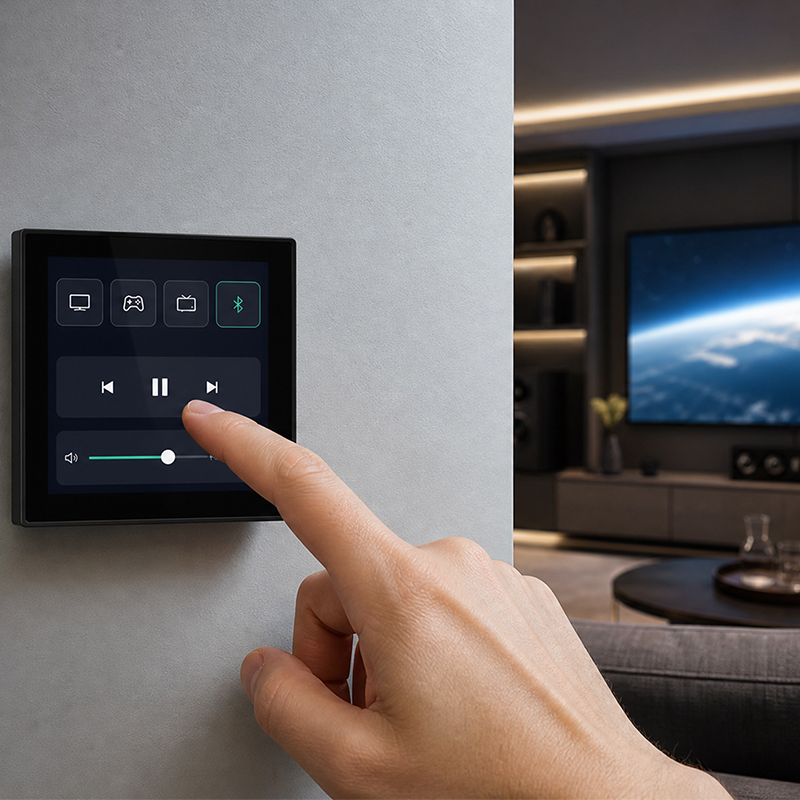
4 inch smart home control panel9
Depending on its design, a smart home hub may support:
- Zigbee
- Wi-Fi
- Bluetooth
- Thread
- Matter
- Z-Wave
- Proprietary smart home protocols
Not all smart home hubs support every technology listed above. Protocol support depends on the hardware, software, and product configuration.
Main Functions of a Smart Home Hub
A smart home hub may offer the following capabilities:
Centralized Device Management
Users can control lighting, switches, sensors, curtains, HVAC systems, and other connected devices from a single platform.
Automation Rules
The hub can run automations triggered by schedules, sensor events, device status, user actions, or other conditions.
Scene Control
Users can set up scenes such as “Home Mode,” “Away Mode,” “Movie Mode,” or “Good Night.”
Cross-Device Integration
A hub may link devices that use different protocols or ecosystems, as long as the necessary integrations are supported.
User Interface
Some hubs include a mobile app, voice-assistant integration, web dashboard, or touchscreen for managing the smart home.
In general, a smart home hub serves as a more comprehensive control platform than a basic Zigbee communication gateway, though capabilities differ substantially from one product to another.
3. Zigbee Gateway vs. Smart Home Hub: Key Differences
The main difference is their scope of functionality.
A Zigbee gateway primarily focuses on connecting Zigbee devices to another network or application. A smart home hub focuses on managing the overall smart home system.
| Feature | Zigbee Gateway | Smart Home Hub |
|---|---|---|
| Primary function | Connect Zigbee devices to another system | Centralize smart home management |
| Zigbee support | Usually the primary wireless technology | Optional, depending on hardware |
| Network connection | Ethernet, Wi-Fi, or other supported interfaces | Ethernet, Wi-Fi, or other interfaces |
| Device management | Zigbee devices and supported integrations | Multiple devices and protocols, depending on support |
| Automation | May be limited or integrated with another platform | Often includes an automation engine |
| Scene management | Depends on software | Commonly supported |
| Mobile application | May rely on another platform | Often includes or connects to a management app |
| Protocol integration | Focuses on Zigbee-to-platform communication | May integrate multiple wireless and wired technologies |
| Hardware design | Gateway or coordinator hardware | Hub computer, gateway, controller, or integrated platform |
| Typical application | Connecting Zigbee devices to software | Whole-home automation and centralized management |
The table outlines common product roles, not rigid industry definitions. Manufacturers may use “gateway,” “hub,” “bridge,” and “controller” differently, and one product can serve multiple functions.
4. Can a Zigbee Gateway Also Serve as a Smart Home Hub?
Yes. Many smart home products combine the functions of a Zigbee gateway and a smart home hub in a single device.
For example, a smart home hub may include:
- A Zigbee radio
- A Zigbee coordinator
- Ethernet or Wi-Fi connectivity
- A processor
- Device management software
- An automation engine
- Local or cloud services
- Application or dashboard integration
Such a product can establish a Zigbee network, communicate with Zigbee devices, manage automations, and connect the smart home system to other platforms.
The gateway function enables communication between networks, while the hub function oversees the broader automation system.
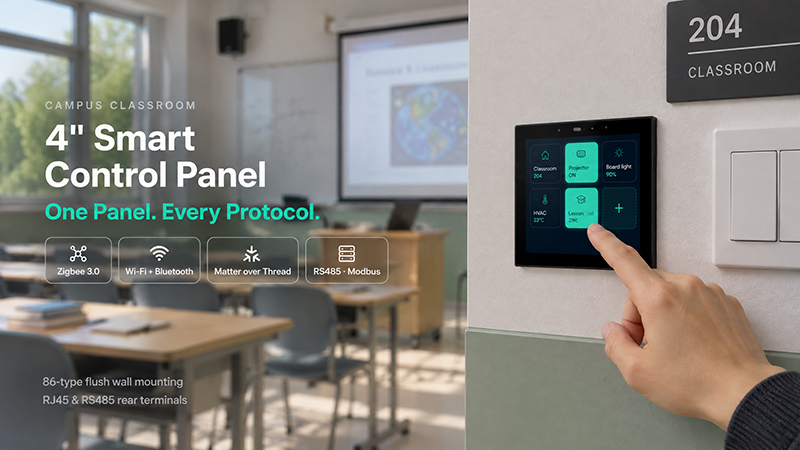
4 inch smart home control panel
Integrated Gateway and Hub
Using an integrated device can make installation easier, as users do not need to configure communication hardware and automation software separately.
For example:
- Zigbee Devices → Integrated Zigbee Gateway / Smart Home Hub → Mobile App or Touchscreen Panel
- This architecture is well suited to residential projects where straightforward installation and centralized management are priorities.
- Separate Gateway and Hub
- Some systems connect a dedicated Zigbee gateway to a separate smart home server or hub.
For example:
- Zigbee Devices → Zigbee Gateway → Home Automation Server → Touchscreen Panel / Mobile App
- This architecture gives developers the flexibility to choose hardware components that meet their specific requirements.
- The dedicated gateway can manage wireless communications, while the automation server handles scenes, schedules, device logic, dashboards, and integrations.
5. Zigbee Gateway vs. Smart Home Hub in Home Assistant Systems
Home Assistant is a widely used smart home platform that can control devices made by different manufacturers and using various technologies.
In a Home Assistant setup, gateway and hub responsibilities may be arranged differently than in a typical commercial smart home product.
A common architecture consists of:
- Home Assistant running on a server, mini PC, or supported device
- A compatible Zigbee coordinator
- Zigbee devices
- An Ethernet or Wi-Fi network
- Touchscreen panels or mobile apps
- The Zigbee coordinator supplies the radio link to the Zigbee mesh network.
Home Assistant, working with an integration such as ZHA or Zigbee2MQTT, handles device communication and makes supported device functions available to the automation system.
Using ZHA
ZHA is built into Home Assistant and works with compatible Zigbee coordinators.
It enables users to connect a wide range of Zigbee devices directly to Home Assistant, often without requiring a separate proprietary smart home hub.
Using Zigbee2MQTT
Zigbee2MQTT is another widely used option. It communicates with a compatible Zigbee coordinator and makes device data and commands available through MQTT.
Developers can integrate it with Home Assistant or other platforms that support MQTT.
In this setup, the coordinator manages Zigbee radio communication, while the software platform oversees device management and automation.
Separating these responsibilities gives smart home developers greater flexibility to customize their systems.
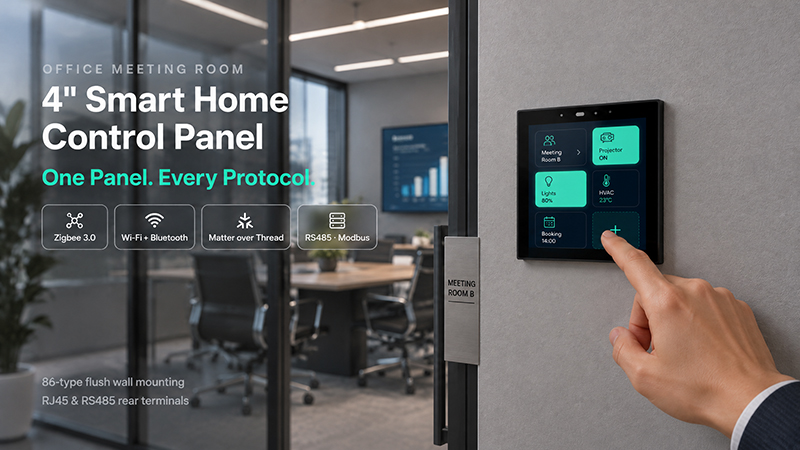
4 inch smart home control panel
6. How Do You Choose the Right Option for Your Smart Home Project?
The best solution depends on your project’s complexity, the number of devices involved, integration requirements, and the level of customization needed.
Choose a Zigbee Gateway When:
- You primarily need to connect Zigbee devices to another system.
- Your project already uses a smart home platform.
- You require a dedicated interface for Zigbee communication.
- You want to connect Zigbee sensors, switches, lights, and other devices to an existing automation system.
- You prefer to keep wireless connectivity separate from application logic.
A Zigbee gateway may be a good fit when the automation platform is already in place and the only missing component is Zigbee connectivity.
Choose a Smart Home Hub When:
- You want to manage smart home devices from a central location.
- You need to create automation rules and manage scenes.
- You want to control different types of devices through a single platform.
- You prefer a more integrated approach.
- You want to make installation and setup easier for end users.
A smart home hub is often a better choice for residential projects where users need a straightforward system for everyday use.
Choose an Integrated Gateway and Hub When:
- You want to minimize the number of separate devices.
- Your project needs both Zigbee connectivity and automation management.
- Simple installation is a priority.
- You want one central platform for managing and controlling devices.
For many residential projects, an integrated system offers a more convenient user experience. In customized projects, using a separate gateway and automation server may offer greater flexibility.
7. How Do Touchscreen Control Panels Fit into the Architecture?
A smart home touchscreen panel does not necessarily function as a Zigbee gateway or smart home hub.
Its main purpose is often to serve as a user interface for operating the smart home system.
A wall-mounted touchscreen panel can connect to a gateway or automation platform via Ethernet or Wi-Fi and show the status of connected devices.
For instance, a touchscreen panel may offer:
- Lighting control
- Curtain and blind control
- Temperature adjustment
- HVAC control
- Sensor status
- Scene activation
- Room-based dashboards
- Whole-home automation functions
A common system architecture is as follows:
Wall-Mounted Touchscreen Panel → Smart Home Platform / Hub → Zigbee Gateway / Coordinator → Zigbee Devices
The touchscreen panel serves as the visual interface, the hub or platform manages automation, and the Zigbee gateway or coordinator provides wireless communication with Zigbee devices.
Some systems combine these functions in a single device, while others keep them separate.
Why Separate the Touchscreen from the Zigbee Gateway?
Separating the touchscreen panel from the Zigbee gateway offers several potential benefits.
Flexible Hardware Selection
Developers can choose touchscreen panels based on display size, processor capabilities, operating system, and installation needs.
Centralized Zigbee Network
A single Zigbee coordinator can manage one Zigbee network, with multiple touchscreen panels accessing the same automation platform.
Simplified Expansion
Additional control panels can be installed in bedrooms, living rooms, entrances, and other locations without requiring a separate Zigbee network for each panel.
Customized User Interfaces
Different panels can display different interfaces according to the room and user requirements.
For example, a 10-inch panel in the living room may provide a centralized home dashboard, while a compact 4-inch panel in a bedroom provides lighting, curtains, and climate controls.
8. Portworld Smart Home Control Panels for Gateway and Hub Systems
Portworld offers smart home touchscreen panels and embedded hardware solutions for residential automation, smart buildings, hotels, and IoT projects.
With more than 18 years of experience in embedded hardware and touchscreen manufacturing, Portworld provides OEM/ODM development, motherboard and system customization, and UI/UX design services.
Its touchscreen panels can function as user interfaces for smart home hubs, Zigbee gateways, and customized automation platforms.
YC-SM41P – 4-Inch Smart Home Panel
- 4-inch touchscreen
- 480 × 480 resolution
- Rockchip RK3566
- 2GB RAM + 32GB storage configuration
- Android 11 or Debian 11 options
- PoE option
Designed for compact, room-level control, including bedroom lighting, curtains, and dedicated automation interfaces.
YC-SM55P – 5.5-Inch Smart Home Panel
- 5.5-inch touchscreen
- 720 × 1280 resolution
- Rockchip RK3566
- 2GB RAM + 16GB storage
- Android platform
- PoE option
Designed for room dashboards, multi-device control, and residential automation applications.
YC-SM10P – 10-Inch Centralized Control Panel
- 10-inch touchscreen
- 1280 × 800 resolution
- 500-nit brightness
- 10-point capacitive touch
- Rockchip RK3566
- Android 11
- 2GB RAM + 32GB storage
- PoE connectivity
Designed for centralized home automation interfaces, living room dashboards, and multi-room management.
These panels can connect to the selected smart home platform through supported network interfaces. Zigbee connectivity depends on the gateway, coordinator, radio hardware, and software architecture chosen for the project.
YC-SM43P ESP32 4″ Smart Touch Panel
Portworld OEM/ODM Services
Portworld offers customized smart home hardware and software development services, including:
- OEM/ODM touchscreen panel development
- PCB and motherboard customization
- Android and Linux system customization
- UI/UX design and branded interface development
- Customization of logos, packaging, and boot animations
- Ethernet, Wi-Fi, PoE, RS485, and other interfaces, depending on the model
- Smart home protocol and gateway integration
- SDKs, documentation, and technical development support
For smart home manufacturers and system integrators, these services offer the flexibility to develop customized control panels for gateway- or hub-based automation systems.
9. Frequently Asked Questions
Is a Zigbee Gateway the Same as a Smart Home Hub?
Not necessarily. A Zigbee gateway mainly links Zigbee devices to another network or platform, whereas a smart home hub typically offers broader device management and automation capabilities. Some products, however, perform both functions.
Does a Smart Home Hub Need a Zigbee Gateway?
Only when the hub must communicate with Zigbee devices but lacks compatible Zigbee radio and coordinator capabilities. Some smart home hubs include Zigbee support, while others need an external coordinator or gateway.
Can a Zigbee Gateway Work Without Internet?
Some Zigbee gateways and automation systems support local communication and control without an internet connection. Available functions depend on the gateway, software, cloud requirements, and network configuration.
Can Multiple Touchscreen Panels Use One Zigbee Gateway?
Yes. Multiple touchscreen panels can connect to the same smart home platform and control a shared Zigbee network. Each panel does not require its own Zigbee coordinator.
Is Home Assistant a Smart Home Hub?
Home Assistant is a smart home automation platform. When paired with compatible hardware and integrations, it can provide many hub capabilities, including device management, automation, dashboards, and Zigbee connectivity through a supported coordinator.
Is a Zigbee Gateway Required for Matter?
Not always. Matter runs over IP-based network technologies such as Wi-Fi, Ethernet, and Thread. A compatible bridge can make existing Zigbee devices available to Matter, but Zigbee and Matter are distinct protocols.