
Android Outdoor Floor Standing Digital Signage: A Selection Guide
Outdoor advertising is becoming increasingly important for retail stores, shopping centers, hotels, gas stations, and public spaces. Businesses need displays that capture attention in daylight, withstand changing weather, and deliver advertising content with minimal manual operation.
An Android outdoor floor-standing digital signage display combines a high-brightness screen, a weather-resistant enclosure, and an integrated Android media platform. It enables businesses to play promotional videos, show images, schedule advertising campaigns, and run compatible digital signage applications.
However, not every Android floor-standing display is built for outdoor use. Buyers should assess the screen, enclosure, Android hardware, cooling system, connectivity, and content management capabilities as a complete system.
This guide explains how to choose the right Android outdoor floor-standing digital signage solution for commercial projects.
1. Why Choose Android Floor-Standing Outdoor Digital Signage?
A floor-standing display is a freestanding advertising screen designed to capture attention in pedestrian areas. Unlike wall-mounted screens, it can be installed at entrances, along walkways, in plazas, and in other appropriate locations without requiring an existing wall.
An Android platform adds flexibility for commercial content applications.
Common benefits include:
- Built-in media playback: Display promotional images, videos, and advertising playlists.
- Application compatibility: Run supported Android signage applications.
- Remote content management: Connect to compatible CMS platforms to manage and update advertising centrally.
- Flexible customization: Install specialized applications and configure the startup experience.
- Network connectivity: Connect through Wi-Fi or Ethernet, depending on the hardware configuration.
Android is especially useful for businesses that need more than basic USB media playback. Its application environment can be tailored to different advertising and information-display needs.
However, Android hardware does not automatically come with a complete digital signage CMS. The playback application, remote management platform, and network services must be selected separately or integrated as part of the project.
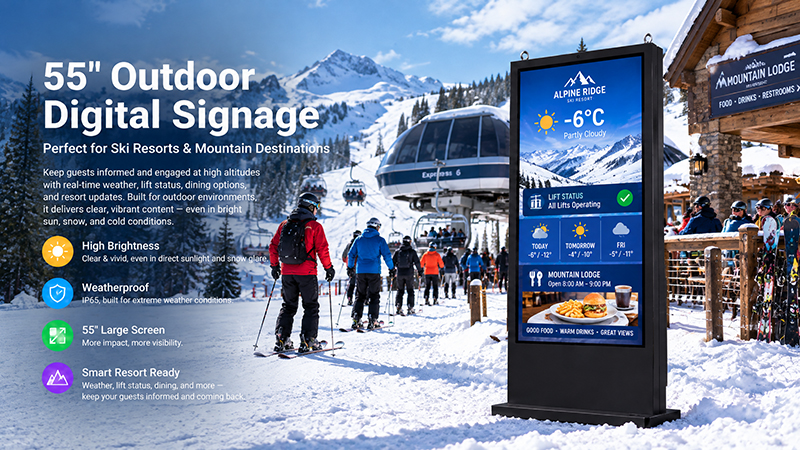
55 digital signage display
2. Choose the Right Screen Size and Orientation
Screen size affects visibility, installation space, and the amount of content that can be displayed.
Common sizes for floor-standing commercial displays include 43, 55, and 65 inches. Larger formats may be appropriate for open public spaces, while smaller screens can fit narrower entrances and commercial walkways.
| Screen size | Potential applications |
|---|---|
| 43-inch | Store entrances, smaller outdoor commercial areas |
| 55-inch | Shopping centers, hotels, gas stations, and public spaces |
| 65-inch | Large entrances, open plazas, and high-traffic locations |
These recommendations are intended as general planning guidance, not fixed standards.
Before selecting a size, consider:
- Available installation space
- Viewing distance
- Pedestrian traffic
- Advertising content and text size
- Screen height and overall cabinet dimensions
Portrait orientation is commonly used for advertising posters, promotional videos, and vertical campaigns. Landscape orientation may be more appropriate for some information displays or wide-format advertising.
Design content to match the screen’s native resolution and orientation to prevent stretched images or cropped text.
3. Choose an Appropriate Brightness Level for Outdoor Use
Brightness is among the key differences between indoor and outdoor digital signage.
A typical indoor floor-standing display offers approximately 300–500 nits, which may be adequate for shopping malls and hotel lobbies. However, this level is generally insufficient in areas exposed to intense daylight.
For outdoor installations, consider high-brightness options, such as 1500 nits or 2500 nits.
| Brightness | Potential installation environment |
|---|---|
| 1500 nits | Covered outdoor areas and partial shade |
| 2500 nits | More exposed outdoor locations with stronger daylight |
| Higher brightness | Projects requiring additional visibility under demanding sunlight conditions |
These figures serve as planning guidelines rather than universal requirements. Actual visibility depends on the direction of sunlight, screen orientation, anti-glare treatment, contrast, and viewing distance.
For instance, a display beneath a gas station canopy may require less brightness than one located in an open shopping plaza.
Automatic brightness adjustment is another factor to consider. An ambient light sensor can raise brightness in daylight and lower it at night, helping conserve energy and maintain viewing comfort.
4. Check the IP Rating and Outdoor Protection
An outdoor floor-standing display requires a well-designed enclosure to safeguard its internal electronics.
IP ratings indicate a product’s protection against solid particles and water under defined test conditions.
- IP65 is a commonly chosen protection level for outdoor digital signage.
- IP6X: Dust-tight protection.
- IPX5: Protection against water jets under specified test conditions.
IP65 is suitable for many outdoor commercial installations. However, it does not mean the display can be submerged or withstand every form of high-pressure cleaning.
For locations with more demanding water-jet exposure, consider evaluating IP66.
Buyers should verify that the rating applies to the fully assembled display, including service doors, cable entries, connectors, and other enclosure openings.
Additional environmental factors to consider include:
- Rainwater drainage
- Corrosion protection
- UV exposure
- Humidity and condensation
- Protective glass and screen sealing
Coastal and industrial settings may require separate specifications for enhanced corrosion and chemical resistance.
5. Assess the Android Hardware Configuration
The Android platform affects how smoothly the display runs applications and delivers advertising content.
A relatively modest embedded platform may be adequate for straightforward promotional playback. More demanding applications may call for greater processing power and additional memory.
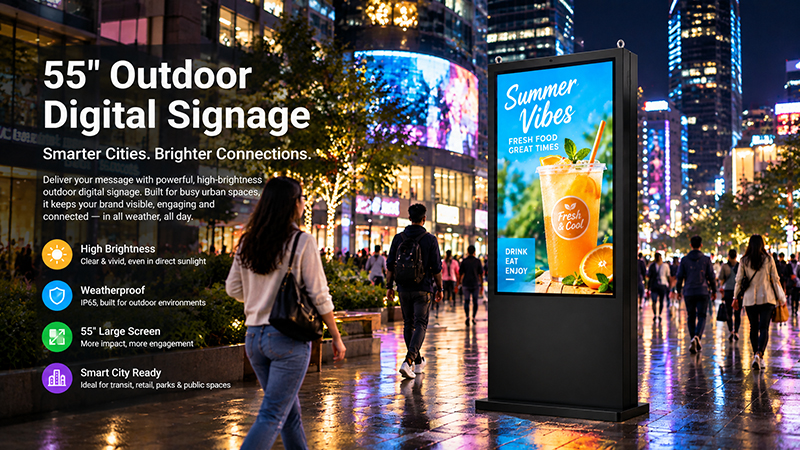
55 inch outdoor digital signage display
Key hardware specifications include:
- Processor: The CPU influences application performance and media playback. Select a platform that supports the required video formats and signage software.
- RAM: Memory capacity affects multitasking and application stability. Requirements vary according to the number and complexity of the applications.
- Storage: Internal storage holds the Android system, applications, and locally cached advertising content.
- Graphics and video decoding: Verify that the platform supports the required video resolution, codec, and playback format.
Operating system version: Ensure that the Android version is compatible with the intended CMS player and applications. Confirm the arrangements for software maintenance and updates as well.
For projects that use customized advertising applications, check whether the supplier can provide application preinstallation, automatic startup, system configuration, and SDK documentation.
6. Consider Connectivity and Remote Management
An outdoor advertising display requires a dependable method for receiving content and communicating with its management platform.
Common connectivity options include:
- Wi-Fi: Convenient where reliable wireless coverage is available.
- Ethernet: Appropriate for stable, wired network connections.
- USB: Useful for local media updates and maintenance tasks.
- HDMI: Supports external video input when available.
- Bluetooth: Supports compatible wireless peripherals.
For a single display, local media playback may be sufficient. Retail chains and advertising networks generally benefit more from remote management.
A compatible CMS may offer:
- Remote image and video uploads
- Advertising playlist management
- Scheduled content playback
- Device grouping by location
- Centralized control of multiple screens
- Remote device monitoring
Before making a purchase, verify that the Android display is compatible with the intended CMS. Some platforms require a particular Android version, processor architecture, or application framework.
7. Determine Whether Touchscreen Functionality Is Needed
Not every outdoor advertising display requires a touchscreen.
A non-touch display works well for passive advertising, promotional videos, announcements, and public information.
Touch functionality is beneficial when visitors need to interact with the display.
Possible applications include:
- Store and facility directories
- Interactive product catalogs
- Hotel service information
- Public navigation
- Self-service information terminals
- Interactive promotional campaigns
If touch interaction is required, assess the touch technology, responsiveness, protective glass, and software interface.
A touchscreen by itself is not a complete self-service solution. Ordering, payment, booking, and database access require compatible applications and integration with backend systems.
For outdoor touch applications, the display and touch system must also be designed to withstand the anticipated environmental conditions.
8. Consider Cooling and Operating Temperature
Outdoor floor-standing displays face fluctuating temperatures, so their internal components must stay within the manufacturer’s specified operating range.
High-brightness LCD panels produce heat, which can be more difficult to dissipate in a sealed enclosure.
Key factors to consider include:
- Thermal management: The enclosure should have a suitable cooling design to prevent excessive internal temperatures.
- Temperature monitoring: Sensors and control systems can help regulate cooling.
- Low-temperature operation: Displays used in cold climates may need heating or cold-start support.
- Operating schedule: Verify that the display supports the required daily operating hours.
- Power stability: Assess the power supply, protective measures, and recovery behavior following power interruptions.
A high IP rating does not, by itself, ensure effective thermal performance. Weather protection and heat management should be evaluated together.
9. Assess the Floor-Standing Structure and Installation
The mechanical design is as important as the electronic configuration.
Outdoor floor-standing displays require a stable cabinet and an appropriate installation method, particularly in areas exposed to wind and public activity.
Before placing an order, assess:
- Cabinet material and surface finish
- Base dimensions and structural integrity
- Ground-anchoring requirements
- Wind conditions at the installation site
- Protective glass and impact resistance
- Cable routing and waterproof connectors
- Maintenance access and the ability to replace components
In public spaces, an appropriate IK impact protection rating may also be essential.
For instance, IK10 represents a specified level of mechanical impact protection. It is distinct from the IP rating, so buyers should verify both ratings when choosing equipment for public installations.
10. Portworld Outdoor Floor-Standing Digital Signage Solution
For commercial projects that require large-format outdoor advertising, Portworld offers a 55-inch digital signage solution designed for outdoor use.
Key specifications include:
- Screen size: 55 inches
- Brightness options: 1500–2500 nits
- Ingress protection: IP65
- Impact protection: IK10
- Applications: Outdoor advertising and public information
- Design: Intended for the extended operating demands of commercial environments
The 1500-nit configuration may be considered for covered or partially shaded locations, while the 2500-nit option offers greater brightness for more exposed settings.
For projects that require an Android platform, buyers should verify the operating system and motherboard configuration offered with the selected outdoor model. Android compatibility, app installation, and CMS integration should be confirmed and specified before production, rather than inferred from the display’s outdoor ratings.
Portworld also offers OEM/ODM services for commercial display projects, including:
- Embedded motherboard configuration
- Android and Linux system customization
- Selection of display size and brightness
- Enclosure and structural design
- Supported network and peripheral interfaces
- Application preinstallation and automatic startup
- Customization of logos, housing, and packaging
These capabilities enable businesses and system integrators to develop outdoor display solutions tailored to their installation conditions and software requirements.
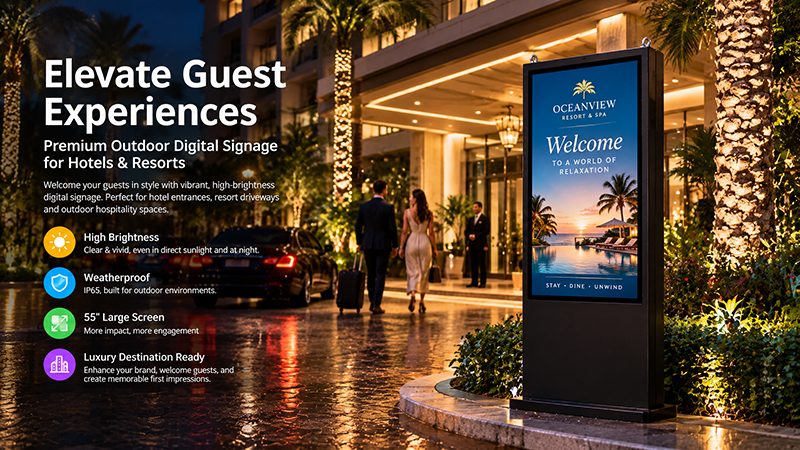
55 inch digital sigange display
11. Final Selection Checklist
Before purchasing an Android outdoor floor-standing digital signage display, review the following:
Confirm the screen size and orientation.
- Select the brightness level based on sunlight exposure.
- Verify the IP rating of the fully assembled enclosure.
- Check the IK protection rating if the display will be accessible to the public.
- Confirm the Android version and processor specifications.
- Assess the RAM, storage capacity, and video decoding capabilities.
- Verify CMS compatibility and remote management features.
- Determine whether touchscreen functionality is required.
- Review the cooling system and operating temperature specifications.
- Confirm cabinet stability, anchoring provisions, and cable protection.
- Request a sample or perform an installation test before starting mass production.
Android outdoor floor-standing digital signage combines high-brightness display technology, weather-resistant construction, and flexible embedded computing. It supports advertising, public information, retail promotions, and interactive applications across a wide range of commercial environments.
Selecting the right model, however, involves more than confirming that it runs Android. Screen brightness, IP protection, thermal management, hardware performance, software compatibility, and mechanical design must all suit the installation requirements.


