IP65 Outdoor Floor Standing Digital Signage: What You Need to Know
Outdoor advertising displays face rain, dust, direct sunlight, temperature fluctuations, and regular public contact. In contrast to indoor digital signage, outdoor floor-standing displays must be engineered to perform reliably in more challenging conditions.
A specification buyers often encounter is IP65 protection. This rating indicates that an enclosure is highly protected against dust and water jets, making it a popular option for outdoor commercial displays.
Nevertheless, an IP65 rating by itself does not ensure that a digital signage display is suitable for every outdoor setting. Brightness, thermal management, impact protection, structural stability, and ease of maintenance are also important considerations.
This guide outlines the meaning of IP65, explains how to choose an outdoor floor-standing digital signage display, and highlights what to review before making a purchase.
1. What Is IP65 Outdoor Digital Signage?
IP65 is an Ingress Protection rating established by the IEC 60529 standard. It indicates how effectively an enclosure shields its internal components from solid particles and water.
The two digits represent separate levels of protection:
- 6 – Dust-tight: Under the specified test conditions, the enclosure prevents dust from entering.
- 5 – Water-jet protection: Under the specified test conditions, the enclosure is protected against water jets from any direction.
- For outdoor digital signage, this protection helps limit the entry of dust and rainwater that could affect internal electronics.
However, IP65 has important limitations. It does not indicate that a display can be submerged, tolerate all high-pressure cleaning methods, or withstand corrosion from saltwater and chemicals.
Buyers should also verify that the rating applies to the fully assembled display, including service doors, cable entries, connectors, and other openings in the enclosure.
2. Why Choose a Floor-Standing Outdoor Digital Signage Display?
Floor-standing digital signage is intended for locations where advertisements and information must be displayed at eye level without depending on an existing wall or building structure.
Its freestanding design makes it a practical choice for commercial areas with heavy pedestrian traffic.
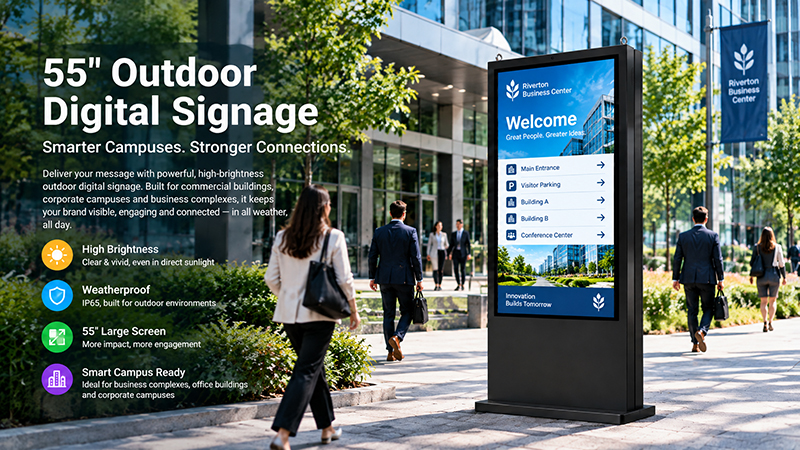
55 inch digital signage display9
Typical applications include:
Shopping malls and retail entrances
Present promotions, seasonal campaigns, store details, and advertising near entrances or in outdoor shopping areas.
Hotels and resorts
Display welcome messages, event schedules, service details, and promotions near entrances and outdoor reception areas.
Gas stations
Show fuel-related promotions, convenience-store offers, and service details in appropriate outdoor locations.
Restaurants and cafés
Promote menus, special offers, takeaway services, and seasonal products near entrances or outdoor dining areas.
Transportation and public spaces
Share directions, public announcements, and advertising in designated outdoor locations.
Unlike wall-mounted signage, a floor-standing unit can be positioned more flexibly. However, its base, anchoring, wind exposure, and the pedestrian space around it must be considered carefully.
3. Select the Appropriate Screen Brightness
Brightness is one of the most critical specifications for outdoor digital signage.
Indoor displays generally operate at considerably lower brightness levels. Outdoors, daylight and reflections can make standard commercial screens hard to read.
For outdoor installations, buyers often consider high-brightness options, including 1500 nits and 2500 nits.
| Brightness | Potential application | Main consideration |
|---|---|---|
| 1500 nits | Covered outdoor areas and partial shade | May have limitations under strong direct sunlight |
| 2500 nits | More exposed outdoor locations | Provides additional brightness headroom |
| Higher brightness | Demanding full-sun environments | Requires further evaluation of power and cooling |
These figures are planning guidelines, not universal requirements. Actual screen visibility varies with orientation, exposure to sunlight, anti-glare treatment, contrast, and viewing distance.
For instance, a display positioned beneath a deep canopy may provide adequate performance at 1500 nits. By contrast, a screen facing an open shopping plaza may benefit from a 2500-nit setup or another higher-brightness solution.
Automatic brightness adjustment is another factor to consider. An ambient light sensor can raise brightness in daylight and lower it at night, helping control power use and maintain viewing comfort.
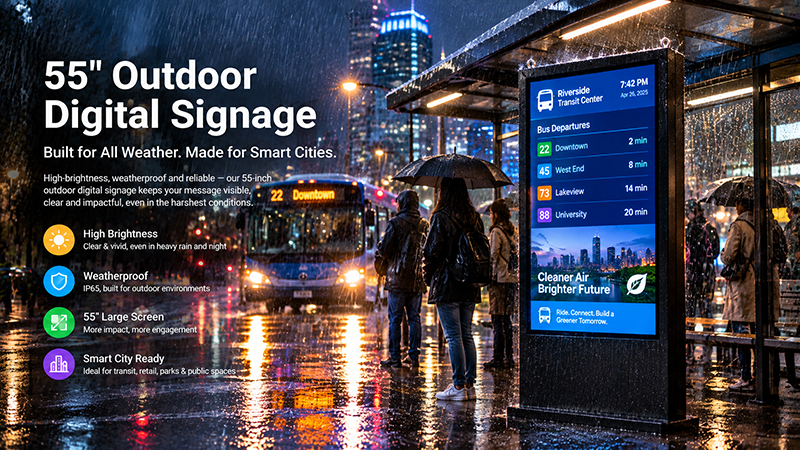
55 inch outdoor digital signage display
4. Assess the Display’s Protection Against Impact
Outdoor floor-standing displays are frequently installed in areas accessible to the public. Their screens and enclosures may be subject to accidental contact, shopping carts, luggage, and other physical impacts.
Mechanical protection is therefore an important factor when selecting a display.
IP65 and IK ratings indicate different forms of protection:
- IP65: Protection against dust and water jets.
- IK10: A defined level of protection against mechanical impact.
Where people can approach or touch the display, an IK-rated enclosure and suitable protective glass can help lower the risk of physical damage.
IK10 does not, however, mean the display is indestructible. Buyers should confirm which components of the assembled product were tested and whether the protective glass, enclosure, and mounting structure are included in the relevant test documentation.
5. Assess Thermal Management and Operating Temperatures
Outdoor displays are exposed to temperature fluctuations throughout the year.
High-brightness LCD panels produce heat while operating. If a display is housed in a sealed outdoor enclosure, this heat must be managed effectively.
Key factors to consider include:
- Heat dissipation: Design the enclosure to prevent excessive temperatures from building up inside.
- Cooling system: Depending on the design, the display may rely on internal air circulation, fans, heat exchangers, or alternative cooling methods.
- Temperature monitoring: Temperature controls can regulate cooling and protect components if internal temperatures rise too high.
- Low-temperature operation: Projects in cold climates may need heaters or other provisions for reliable cold starts.
Operating temperature range: Verify the rated operating temperature and humidity ranges specified by the manufacturer for the complete display.
A sealed IP65 enclosure does not, by itself, ensure adequate cooling. Thermal management and ingress protection must be designed to work together.
6. Evaluate the Floor-Standing Structure and Installation
Unlike wall-mounted signage, a floor-standing display must bear its own weight and remain stable in its intended setting.
Its mechanical structure is particularly important outdoors, where it may face wind, rain, and public access.
Before installation, assess the following:
- Base design: Verify that the base can adequately support the display’s dimensions and weight.
- Ground anchoring: Establish whether bolts, buried foundations, or other fastening methods are necessary.
- Wind exposure: Evaluate the site and ensure the structure is appropriate for local wind conditions.
- Drainage: Select a location where rainwater will not collect around the base.
- Cable routing: Shield power and network connections from water and accidental damage.
Maintenance access: Make sure technicians can reach service panels without taking apart the entire structure.
For permanent outdoor installations, confirm the foundation and anchoring method against the product drawings and site conditions.
Even a display with excellent weather protection can become unsafe if its mounting structure is installed incorrectly.
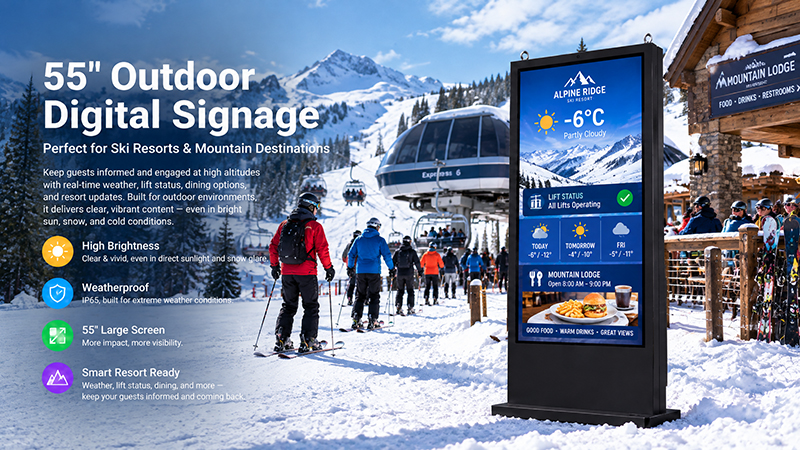
55 digital signage display
7. Choose the Appropriate Operating System and Connectivity
Outdoor digital signage requires dependable playback and content management capabilities.
Depending on the intended use, buyers can select an integrated Android platform, an external media player, or another embedded computing solution.
Android
Android supports dedicated digital signage applications, playback of locally stored media, scheduled content, and customized user interfaces.
It may be a suitable choice for projects requiring preinstalled applications, automatic startup, or compatibility with third-party software.
Connectivity Options
Common interfaces include:
- Wi-Fi for wireless network access
- Ethernet for reliable wired communication
- USB for updating locally stored media
- HDMI for external video input
- Bluetooth for compatible wireless peripherals
Remote content management is especially useful for advertising networks operating across multiple locations. Operators can update promotional videos, replace images, and schedule campaigns without visiting each display.
However, display hardware and the content management system (CMS) are distinct components. Verify that the chosen platform supports the required CMS or determine whether additional software integration is needed.
8. Assess Maintenance Needs and Long-Term Reliability
Outdoor floor-standing signage may run for many hours each day, so maintenance should be considered during the purchasing process.
Before choosing a model, evaluate the following:
- Can the screen and enclosure be cleaned without harming their protective surfaces?
- Are the service panels easy to access?
- Can internal components be replaced efficiently?
- Can the display meet the required operating schedule?
- Are replacement parts and technical support readily available?
- Is the power supply appropriate for local electrical conditions?
Coastal and industrial environments may require extra corrosion protection. An IP65 rating by itself does not ensure resistance to salt spray, industrial pollutants, or cleaning chemicals.
For large-scale projects, testing a sample in real site conditions can reveal potential issues before mass deployment.
9. Portworld 55-Inch Outdoor Digital Signage Solution
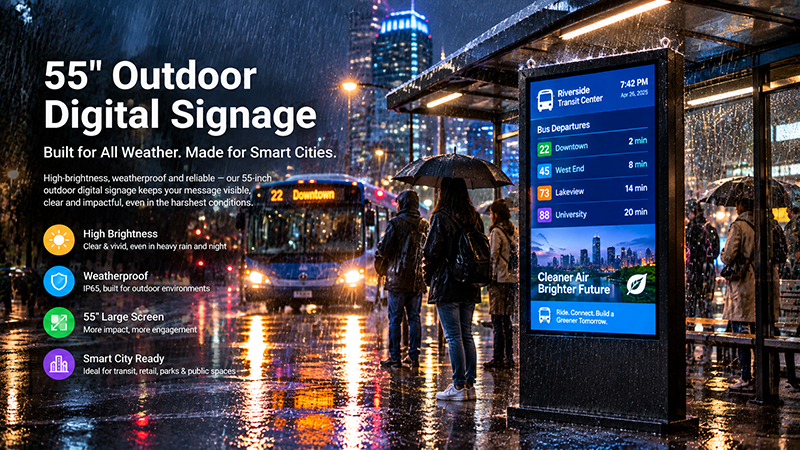
For commercial projects that require large-format outdoor advertising, Portworld offers a 55-inch digital signage solution with high-brightness options and a protective enclosure.
Key specifications include:
- Screen Size: 55 inches
- Brightness: 1500–2500 nits, depending on configuration
- Ingress Protection: IP65
- Impact Protection: IK10
- Application: Outdoor advertising and public information display
- Design: Suited to the demands of extended commercial operation
The 1500-nit configuration may be suitable for covered or partly shaded locations, while the 2500-nit option offers greater brightness for more exposed settings.
The IP65-rated enclosure helps protect the equipment from dust and water jets, while the IK10 rating indicates a defined level of impact protection.
For floor-standing installations, buyers should also verify the base structure, anchoring requirements, operating temperature range, and site conditions.
Portworld supplies digital signage hardware and OEM/ODM development services. Depending on project needs, customization options may include:
- Screen and brightness configuration
- Embedded motherboard and operating system
- Enclosure and structural design
- Logo and exterior branding
- Supported connectivity interfaces
- Application preinstallation and system customization
- Packaging and mass-production requirements
This enables the display hardware to be assessed in line with the installation environment and intended commercial use.
55 inch digital signage display
10. IP65 Outdoor Floor-Standing Digital Signage Selection Checklist
Before placing an order, review the following requirements:
| Selection factor | What to confirm |
|---|---|
| IP rating | IP65 protection for the complete assembled enclosure |
| Brightness | 1500 nits, 2500 nits, or another level based on sunlight exposure |
| Impact protection | IK rating and tested components |
| Cooling | Thermal management and temperature control |
| Operating temperature | Suitable for the installation region |
| Screen protection | Glass type and anti-glare performance |
| Structure | Base stability, anchoring, and wind exposure |
| Connectivity | Wi-Fi, Ethernet, USB, HDMI, and other required interfaces |
| Software | Android/Linux platform and CMS compatibility |
| Maintenance | Service access and replacement-part availability |
IP65 outdoor floor-standing digital signage provides an important level of protection against dust and water, making it suitable for many outdoor advertising and information-display projects.
However, IP65 is only one part of a complete outdoor display specification. Brightness, impact protection, thermal management, mechanical stability, and installation conditions all influence long-term performance.
Before choosing a display, evaluate the actual outdoor environment and confirm that the complete product—not just its LCD panel or enclosure component—meets the project’s requirements.