Thread-Based Smart Home Systems: Hardware Selection Guide
Smart home systems are becoming increasingly interconnected. Smart locks, lighting controllers, temperature sensors, motion detectors, and curtain motors must communicate reliably to function as a unified system. As deployment expands, traditional wireless solutions may not deliver the optimal combination of low power consumption, broad coverage, and interoperability.
Thread is a low-power wireless mesh networking protocol developed for connected devices. It uses IPv6-based communication to enable reliable links among smart home products. When combined with Matter, Thread also provides a key foundation for interoperable smart home ecosystems.
Choosing hardware for a Thread-based smart home system involves more than selecting a wireless chip. Developers must assess radio capabilities, processor performance, memory, power requirements, network architecture, and software support.
This guide outlines the essential hardware components and selection criteria for Thread-based smart home systems.
1. What Is Thread in Smart Home Automation?
Thread is a low-power wireless mesh networking protocol based on IPv6 and IEEE 802.15.4 radio technology.
Unlike conventional Wi-Fi networks, Thread is designed for devices that need dependable communication while using relatively little power.
Typical applications include:
- Smart lights and switches
- Temperature and humidity sensors
- Smart door locks
- Motion and occupancy detectors
- Curtain and blind controllers
- Battery-powered smart home devices
- Smart home automation gateways
Thread enables mesh networking, so compatible devices can communicate through other Thread nodes rather than depending on a single direct connection to a central access point.
When devices are distributed appropriately, this architecture can improve network coverage and reliability.
smart cotnrol panel6-1
Thread vs. Wi-Fi
| Feature | Thread | Wi-Fi |
|---|---|---|
| Technology | IEEE 802.15.4 | IEEE 802.11 |
| Network type | Low-power mesh | Typically access-point-based |
| Power consumption | Designed for low-power devices | Generally higher |
| IP support | IPv6 | IPv4 and IPv6 |
| Typical applications | Sensors, locks, switches | Touch panels, cameras, appliances |
| Border Router | Required for communication with external IP networks | Uses a router or access point |
Thread and Wi-Fi are not direct competitors in all applications. Each serves a distinct purpose, and both can operate together within a smart home system.
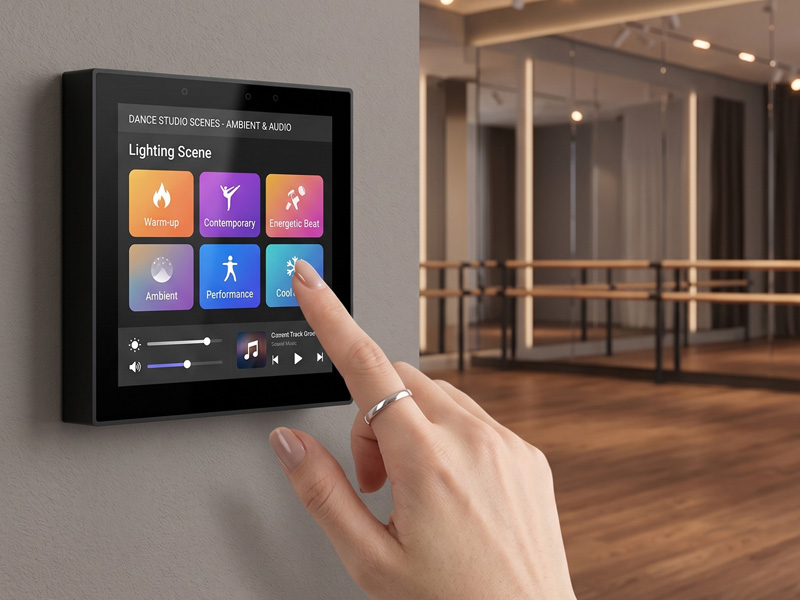
For example, battery-powered sensors may communicate using Thread, while a wall-mounted smart home control panel connects via Wi-Fi or Ethernet.
2. Understand the Basic Architecture of a Thread-Based Smart Home System
Before choosing hardware, developers should familiarize themselves with the key components of a Thread network.
A typical Thread-based smart home system consists of the following devices.
Thread End Devices
End devices are products that users interact with directly.
Examples include:
- Temperature sensors
- Door and window sensors
- Smart locks
- Motion detectors
- Battery-powered switches
These devices communicate with the Thread network but do not necessarily relay traffic for other devices.
Thread Routers
Thread routers forward network traffic between devices and help extend the mesh network.
They are typically mains-powered so they can remain available to route messages.
Thread Border Router
A Thread Border Router links the Thread network with other IP networks, including Wi-Fi and Ethernet.
It allows Thread devices to communicate with compatible controllers or applications across the broader home network.
A Border Router does not need to be a dedicated, standalone gateway. It may be built into a smart speaker, home hub, or another supported network device.
Matter Controller
When Matter over Thread is in use, a Matter Controller oversees device commissioning and control.
The Matter Controller and Thread Border Router have distinct roles, though a single physical product can provide both capabilities.
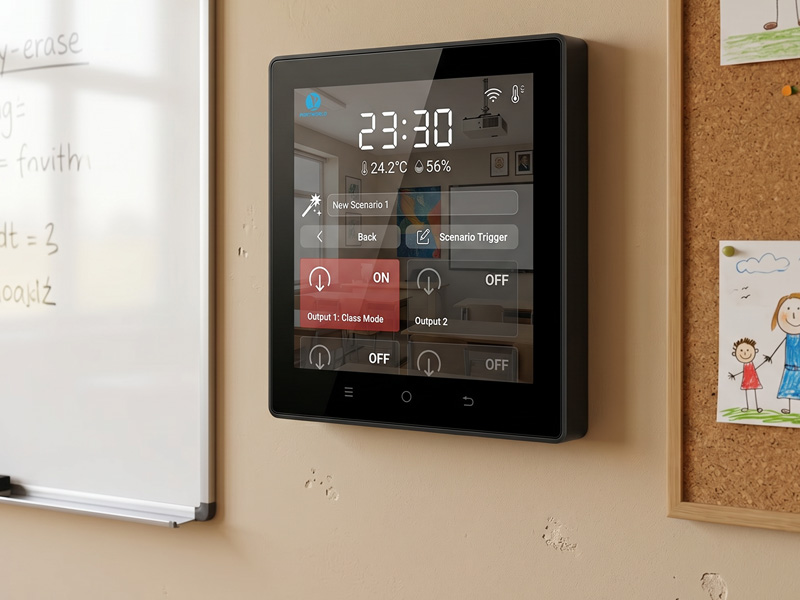
Recognizing this difference is essential when planning hardware architecture.
smart home control panel-1
3. Choosing the Right Thread Chipset
Selecting a wireless chipset is among the most important hardware decisions when developing a Thread-based product.
Developers should evaluate supported wireless standards, processing capacity, memory, power requirements, SDK availability, and ongoing software support.
ESP32-C6
The ESP32-C6 is a strong choice for many compact smart home products.
It supports:
- 32-bit RISC-V processor
- 2.4 GHz Wi-Fi 6
- Bluetooth Low Energy
- IEEE 802.15.4
Thread and Zigbee development, depending on the firmware configuration
By combining Wi-Fi, BLE, and 802.15.4, the ESP32-C6 can serve products that require several connectivity options.
Potential uses include smart switches, sensors, lighting controllers, and embedded devices compatible with Matter.
ESP32-H2
The ESP32-H2 is built for low-power wireless applications.
Its connectivity features include:
- 32-bit RISC-V processor
- Bluetooth Low Energy
- IEEE 802.15.4
Thread and Zigbee support with suitable software
Unlike the ESP32-C6, the ESP32-H2 does not have Wi-Fi.
It is especially well suited to low-power Thread end devices, including sensors and battery-powered smart home accessories.
Other IEEE 802.15.4 Platforms
Some projects may call for different wireless chipsets or dedicated radio modules.
When assessing these options, consider:
- Compatibility with the Thread specification
- Radio performance and antenna design
- Availability of SDKs and development tools
- Memory requirements
- Security capabilities
- Certification and regional radio regulations
- Long-term component availability
The best chipset is not always the one with the greatest processing power. It is the one that best meets the product’s connectivity, power, cost, and software requirements.
4. Selecting Hardware for a Thread Border Router
A Thread Border Router is a key component for connecting a Thread network to the broader home IP network.
Unlike a basic Thread end device, a Border Router must provide network connectivity and routing capabilities.
Key hardware factors include:
Processor Performance
A Border Router may operate several services, such as network routing, device discovery, security functions, and management software.
The processor should have enough capacity to handle the anticipated workload.
A low-power embedded processor may be adequate for a basic gateway, while more sophisticated smart home hubs may need a higher-performance ARM platform.
smart home control panel
Memory and Storage
Memory needs vary according to the operating system, networking stack, and other services.
Developers should assess:
- RAM capacity
- Flash or eMMC storage
- Firmware update requirements
- Storage for logs and configuration
- Memory available for additional applications
- Network Interfaces
- A Border Router requires a suitable connection to the IP network.
- Common choices include:
- Wi-Fi
- Ethernet
- USB-connected network interfaces
- An integrated IEEE 802.15.4 radio
For permanent smart home installations, Ethernet can deliver a reliable connection. Wi-Fi offers more flexibility where wired networking is not available.
Software Support
Hardware alone is not sufficient to make a device a Thread Border Router.
The chosen platform must support the necessary Thread Border Router software, networking services, and integration architecture.
Before finalizing the hardware design, developers should verify that the chipset, operating system, SDK, and software stack are compatible.
5. Selecting a Smart Home Control Panel for Thread Systems
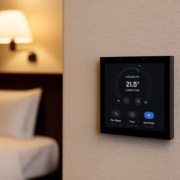
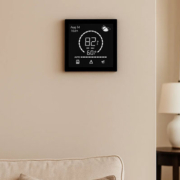
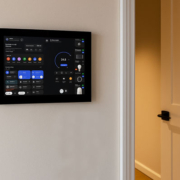
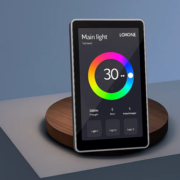
A smart home control panel offers a central interface for managing lighting, temperature, curtains, security, and other connected devices.
However, a touchscreen control panel does not become a Thread Border Router merely by supporting Wi-Fi or Ethernet.
When choosing a smart home control panel, developers should evaluate the following factors.
Processor and Operating System
ARM-based platforms are widely used in smart home control panels because they can run graphical interfaces, automation applications, and communication services.
Both Android and Linux are viable options, depending on the software architecture.
Android may be well suited to application-based control interfaces, while Linux can provide greater flexibility for customized embedded services.
Display and Touchscreen
The display should be suited to the installation environment and user needs.
Key factors to consider include:
- Screen size and resolution
- Brightness
- Capacitive touch responsiveness
- Viewing angles
- Wall-mounting design
- Requirements for continuous operation
- Network Connectivity
Wi-Fi and Ethernet enable a control panel to communicate with smart home controllers and other IP-based devices.
For direct Thread connectivity, the hardware must include a compatible IEEE 802.15.4 radio and the required software implementation.
Alternatively, the control panel can connect to a separate Thread Border Router through the local IP network.
Integration with Smart Home Platforms
The control panel may need to work with Matter controllers, home automation platforms, or custom management software.
Developers should confirm:
- Matter SDK compatibility
- Support for device commissioning
- Local network discovery
- User interface integration
- Firmware update procedures
- Security and device authentication
6. Thread vs. Zigbee vs. Wi-Fi: Which Should You Choose?
Thread, Zigbee, and Wi-Fi are all useful in smart home systems, but they serve different purposes.
| Feature | Thread | Zigbee | Wi-Fi |
|---|---|---|---|
| Wireless technology | IEEE 802.15.4 | IEEE 802.15.4 | IEEE 802.11 |
| Network architecture | Mesh | Mesh | Access-point-based |
| IP networking | Native IPv6 | Requires gateway for IP integration | Native IP |
| Power efficiency | Low-power design | Low-power design | Generally higher |
| Common applications | Matter sensors and locks | Sensors and automation devices | Touch panels and appliances |
| Gateway requirement | Border Router for external IP connectivity | Coordinator or gateway | Wi-Fi router or access point |
When to Choose Thread?
Thread is a strong option for projects that require:
- Low-power mesh networking
- IPv6-based communication
- Compatibility with Matter over Thread
- Flexible device-to-device communication
- Battery-powered smart home products
When to Choose Zigbee?
Zigbee may be appropriate when:
- The project already relies on a Zigbee ecosystem
- Existing Zigbee devices must remain in service
- A compatible coordinator and gateway are available
- The application requires established Zigbee devices
When to Choose Wi-Fi?
- Wi-Fi is generally well suited to products requiring:
- Higher data throughput
- Direct connectivity to IP networks
- Larger touchscreen interfaces
- Frequent communication with cloud or local services
- Integration with existing home networks
For many smart home projects, relying on just one wireless technology is not the best approach. Combining Thread, Wi-Fi, Ethernet, and existing Zigbee devices can create a more flexible system architecture.
smart home control panel
7. Key Hardware Selection Factors for Thread-Based Products
Beyond the wireless chipset, several additional considerations can determine the success of a Thread-based smart home product.
1. Power Consumption
Battery-operated devices need carefully optimized power management. Developers should evaluate sleep modes, transmission frequency, sensor activity, and battery capacity.
2. Antenna Design
Antenna placement and PCB layout have a direct impact on wireless performance. Metal enclosures, display assemblies, and other electronic components may affect RF characteristics.
3. Processor and Memory Resources
The chosen processor must provide sufficient resources to run the Thread stack, application firmware, security functions, and other required services.
4. Software and SDK Availability
An appropriate development platform should offer dependable SDKs, clear documentation, sample projects, and continued software support.
5. Security
Thread-based products should include suitable device authentication, secure commissioning, encrypted communications, and secure firmware update mechanisms.
6. Certification
Developers should account for relevant Matter, Thread, and regional radio certification requirements. Certification depends on the specific hardware and firmware, as well as the product’s intended market.
7. Supply Chain and Mass Production
For commercial projects, component availability, manufacturing consistency, bill of materials (BOM) cost, and long-term supply should also be assessed during the design phase.