Stretched LCD Displays for Restaurant Menu Headers: A Selection Guide
Restaurants continually seek better ways to showcase menus, highlight meal combinations, and communicate special offers without cluttering service counters. Standard 16:9 displays are effective for conventional digital menu boards, but they may not suit the narrow spaces above ordering counters or along restaurant walls.
Stretched LCD displays provide an alternative. Their long, narrow format fits areas where conventional screens may be too tall, making them suitable for menu headers, promotional strips, and queue information.
Selecting the right stretched display involves more than choosing an ultra-wide screen. Aspect ratio, native resolution, brightness, viewing distance, mounting, and content design all influence the final result.
1. What Is a Stretched LCD Display?
A stretched LCD display, also known as a bar-type LCD display, is a commercial screen with an elongated aspect ratio. Compared with conventional 16:9 displays, it is substantially wider in relation to its height.
Common formats include 32:9, 16:3, and other customized ultra-wide ratios. Exact dimensions and resolutions differ by manufacturer and model.
For restaurants, the elongated format enables information to be shown horizontally across a counter without the need to install multiple standard-sized monitors.
Common uses include:
- Menu headers above ordering counters.
- Breakfast, lunch, and dinner promotions.
- Combo meals and limited-time offers.
- Restaurant brand messaging.
- Queue directions and pickup instructions.
- Pricing and product details.
A stretched display can also enhance traditional menu boards by showcasing additional promotional content in a slim horizontal space.
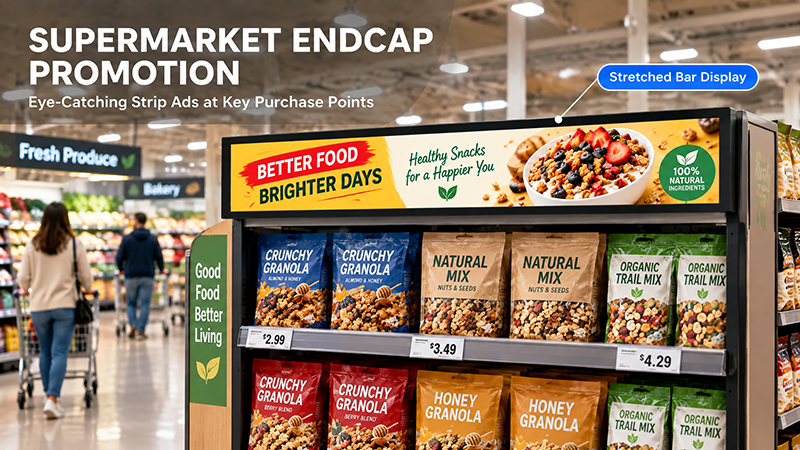
Stretched bar displays
2. Why Use Stretched Displays for Restaurant Menu Headers?
Restaurant counters often have little vertical space for displays. Large, standard screens may take up too much wall area, while smaller displays may not accommodate enough menu items.
Stretched LCD displays help solve this problem in several ways.
Efficient use of wall space
Their slim profile makes them well suited to placement above counters, beneath cabinets, or along architectural headers.
Horizontal menu presentation
Restaurants can show several food items, prices, and promotional messages across a single, continuous screen.
More flexible promotions
When connected to a suitable content management system, the display can be updated as menus, prices, or seasonal campaigns change.
Consistent visual presentation
Multiple menu sections can be combined into one coordinated layout, helping restaurants maintain consistent branding across different ordering areas.
For quick-service restaurants and cafés, this format can be especially useful when wall space is broad but relatively shallow.
3. Choose the Appropriate Aspect Ratio and Resolution
Aspect ratio is among the most important specifications to consider when selecting a stretched LCD display.
A standard 16:9 screen is intended for conventional video and menu layouts. Stretched displays can use a much wider aspect ratio, accommodating more horizontal content within limited vertical space.
| Aspect Ratio | Typical Characteristics | Potential Restaurant Application |
|---|---|---|
| 32:9 | Ultra-wide horizontal format | Menu headers and promotional strips |
| 16:3 | Long and narrow layout | Compact menu information |
| 3:1 | Wide horizontal canvas | Food promotions and menu sections |
| Customized ratio | Designed around project dimensions | Integrated restaurant fixtures |
These formats are examples, not interchangeable specifications. Always verify the selected panel’s native resolution and physical dimensions.
For example, a 1920 × 540 display has a 32:9 aspect ratio, while a 1920 × 360 display has a 16:3 aspect ratio. Although both are wide-format screens, they require different content layouts.
The design team should create content at the display’s exact native resolution. Otherwise, images may be cropped or distorted, or black areas may remain unused.
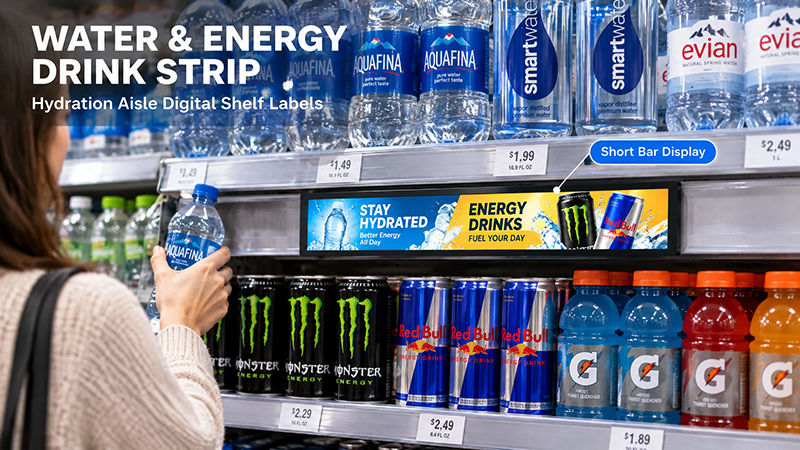
Stretched Display Series
4. Consider Brightness and Viewing Distance
Restaurant lighting can differ significantly. A display above a brightly lit counter has different needs from one in a softly lit café.
When choosing screen brightness, consider the following:
- Quick-service restaurants: Screens should remain easy to read beneath strong overhead lighting.
- Cafés: Moderate brightness may be adequate in comfortable indoor settings.
- Window-facing counters: Reflections and daylight may call for a brighter display and anti-glare treatment.
- Large dining areas: Content should be legible from the distances at which customers are expected to view it.
Viewing distance also affects the level of detail a screen should show. Customers close to an ordering counter may need to read individual prices and menu descriptions, while those farther away need larger text and simpler messages.
Do not select brightness solely because it is the highest specification available. Choose a level suited to the actual lighting conditions and planned installation.
5. Design Menu Content for an Ultra-Wide Screen
A stretched LCD display requires content tailored to its unusual proportions. Simply placing a standard restaurant menu image on an ultra-wide screen may leave empty space or make key information difficult to read.
A practical menu header can be organized into several content zones:
- Brand zone: Restaurant logo or campaign message.
- Food image zone: High-quality photos of popular meals.
- Menu zone: Product names and brief descriptions.
- Price zone: Prominently displayed prices and combo offers.
- Promotion zone: Limited-time discounts or seasonal announcements.
To improve readability, use large fonts, high contrast, and concise descriptions. Ensure food images are high quality and cropped appropriately. Avoid crowding the layout with text.
Restaurants should also account for how content varies throughout the day. If the content management platform supports scheduled playback, breakfast menus, lunch promotions, and dinner selections can be displayed at different times.
6. Plan Installation Above the Restaurant Counter
The installation location influences both screen visibility and the restaurant’s overall appearance.
Before choosing a stretched LCD display, measure the available space and verify:
- The screen’s total width and height.
- The available depth for mounting.
- The distance between the display and customers’ viewing positions.
- The locations of power and network connections.
- Compatibility with the mounting bracket.
- Access for cleaning and maintenance.
Wall mounting is a common choice for menu headers. Position the display so customers can read it as they approach the ordering counter.
Restaurants with multiple ordering stations may place several stretched displays side by side. Coordinate their dimensions and content layouts to maintain a consistent visual presentation.
Consider heat dissipation and ventilation as well, particularly when installing displays inside enclosed cabinets or decorative structures.
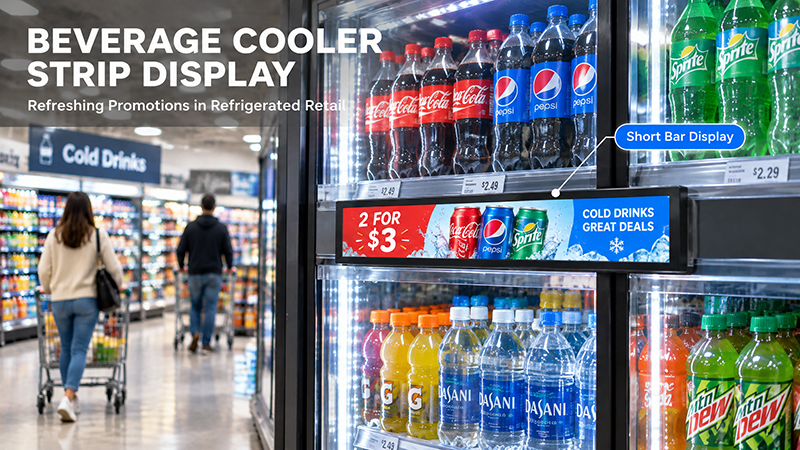
stretched display
7. Check Connectivity and Content Management
A stretched LCD display needs a compatible controller or media player to deliver the intended content.
Common connectivity options include:
| Interface | Purpose |
|---|---|
| HDMI | Connect an external media player or computer |
| USB | Local media playback or updates, depending on the platform |
| Wi-Fi | Wireless network connection |
| Ethernet | Wired network connectivity |
| RS232 / RS485 | Specialized control and integration requirements |
The operating system should be selected to meet the restaurant’s application requirements.
Android can run dedicated menu applications and customized digital signage interfaces. Linux may be appropriate for embedded systems with specialized software needs, while Windows is an option when required by the restaurant’s existing applications.
For restaurant chains, an appropriate CMS can help manage multiple displays, update menus, and schedule promotions across locations. Cloud publishing, remote monitoring, and POS integration, however, depend on the chosen software and the APIs it supports. A display’s hardware interfaces alone do not provide these capabilities.
8. Consider Touchscreen and POS Integration
Most stretched menu headers are non-touch displays, as customers generally review menus before placing their orders with restaurant staff.
Touchscreen features may nevertheless be useful for specific purposes, including:
- Interactive food catalogs.
- Self-service ordering systems.
- Product customization.
- Customer information terminals.
If a restaurant intends to connect its menu displays to its POS system, verify how the software exchanges data. Menu prices, product availability, and promotions, for example, may need to be synchronized using APIs or middleware.
Do not assume that connecting a display to the network automatically enables POS integration. The selected application and restaurant software must support this capability.
9. Portworld Custom Display and Embedded Hardware Solutions
Restaurant equipment manufacturers and digital signage integrators may need display configurations tailored to particular menu-header dimensions or counter structures.
Portworld offers commercial advertising players, touchscreen displays, and embedded motherboard solutions for digital signage applications.
For stretched LCD menu projects, key customization requirements may include:
- Custom display dimensions and aspect ratios, subject to panel availability.
- Compatible display controllers and signal interfaces.
- Android or Linux system customization.
- Mainboard and PCBA development.
- Wi-Fi, Ethernet, USB, and serial interface options, depending on the platform.
- Application preinstallation and automatic startup.
- Custom enclosures, branding, and packaging.
- SDKs and technical documentation for supported hardware configurations.
For projects requiring a specialized stretched panel, the LCD panel, controller board, mechanical structure, and software compatibility should be assessed as a complete system. This helps ensure the display works with the restaurant’s intended content and installation design.
Stretched LCD displays offer restaurants a practical way to use narrow horizontal spaces for digital menu headers and promotional content. Their elongated format can help present multiple food items, prices, and special offers without requiring the vertical space of conventional displays.