What are Digital Display Systems?
Digital display systems are advanced technology solutions used to visually present information, advertisements, and other multimedia content through digital screens. These systems can be found in a wide range of environments, including retail stores, corporate offices, airports, public spaces, and even industrial settings. Digital display systems often provide interactive features and are designed to engage audiences, communicate messages, and enhance user experiences in real-time.
Digital display systems include a wide array of displays such as digital signage, interactive kiosks, LED screens, LCD displays, and video walls, all of which are powered by software and hardware designed to manage and control the content shown on the screens. These systems can be as simple as a single screen showing a static ad or as complex as a large network of screens managed centrally to display dynamic content across multiple locations.
Key Components of Digital Display Systems
-
Display Hardware
- LED Displays: Common in large-scale outdoor and indoor signage applications, these displays offer high brightness, energy efficiency, and great visibility even in direct sunlight.
- LCD Displays: Ideal for indoor use, providing high-resolution visuals and wide viewing angles. They are commonly used for digital signage in shopping malls, airports, and restaurants.
- Touch Screens: Interactive displays that allow users to engage with the content. These displays can be found in kiosks, wayfinding systems, or self-service stations.
- Video Walls: A group of large screens arranged together to form a single, large image or video display. Often used in control rooms, public spaces, and event venues.
-
Content Management Software (CMS)
Content management software allows businesses to upload, schedule, and manage digital content across all their screens from a central location. With CMS, users can control what content is displayed, when, and where, whether on a single display or across multiple screens in different locations. It enables businesses to push dynamic, real-time updates, ads, and information to their digital displays. -
Connectivity and Networking
Digital display systems rely on strong connectivity to function. This could be through:
- Wired Connections: Ethernet or HDMI cables for consistent and high-quality data transmission.
- Wireless Connections: Wi-Fi or Bluetooth for easier installations where wiring may be impractical. Some systems support wireless content streaming to the displays.
- PoE (Power over Ethernet): Allows for both power and data to be transmitted through a single Ethernet cable, reducing installation complexity.
-
Mounting and Enclosures
Mounting solutions vary depending on the environment and the type of display. Displays may be wall-mounted, ceiling-hung, or installed on floor-standing kiosks. Enclosures, often weatherproof or vandal-resistant, are used for outdoor displays to protect the hardware from environmental factors and theft.
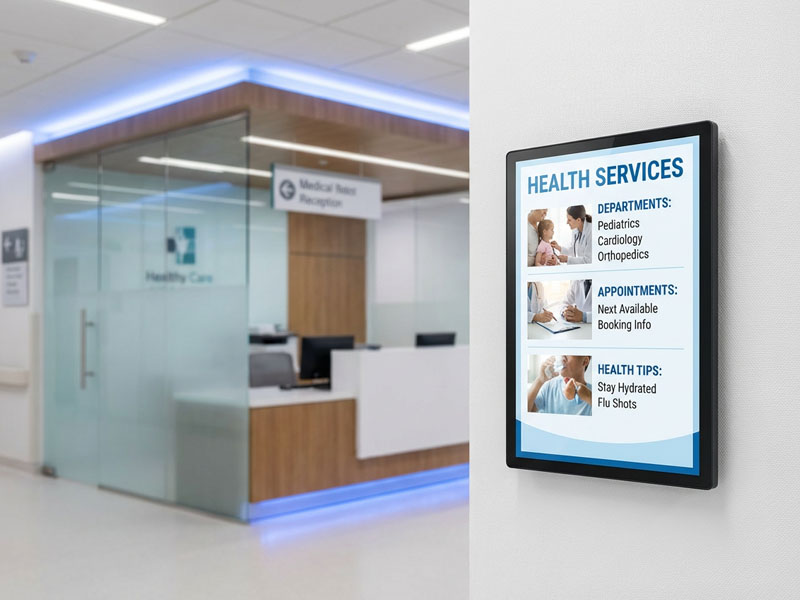
Digital Display Systems
Types of Digital Display Systems
- Digital Signage
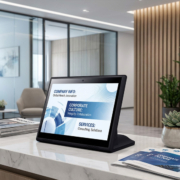
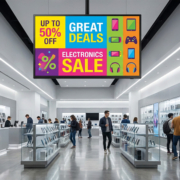
- Indoor Digital Signage: Primarily used in stores, offices, and lobbies to display advertisements, corporate messages, news, and promotions. It can be static or interactive, allowing customers to access specific information or engage with the display in real-time.
- Outdoor Digital Signage: Larger, high-brightness displays designed to be visible in direct sunlight. Used for billboards, public service announcements, and advertising in high-traffic areas.
- Interactive Kiosks
Interactive digital kiosks allow users to interact directly with the display. These systems are commonly used in self-service environments, such as in restaurants for ordering food, in airports for flight check-in, or in retail stores for browsing catalogs and checking out products. - Wayfinding Systems
Wayfinding digital display systems are interactive displays used in malls, hospitals, airports, or large campuses to help people navigate the space. These displays typically feature interactive maps, directories, and even real-time updates. - Video Walls
Video walls are composed of multiple displays (usually LCD or LED panels) arranged in a grid to create a large, continuous display. These systems are used in control rooms, public spaces, event venues, and digital art exhibitions, offering high-impact visuals and large-scale presentations. - Retail and Point of Sale (POS) Displays
Digital POS systems help retailers advertise products, promote offers, and engage customers. These displays can show dynamic pricing, product videos, promotional content, or customer service information. They can be integrated into checkout stations, product shelves, or store windows.
Advantages of Digital Display Systems
- Dynamic Content
Digital displays allow businesses to show up-to-date, relevant content at all times. Whether updating promotions, news, or product availability, digital signage ensures that information remains fresh and engaging. For example, a YC-3201T 32″ Touch Screen Digital Signage Display can display real-time product information, dynamic ads, or interactive content for customers in retail spaces. - Improved Customer Engagement
Interactive displays encourage customers to engage directly with the content, whether it’s browsing products, checking out information, or participating in surveys. This level of engagement helps increase dwell time and can lead to improved customer satisfaction and sales. - Cost-Effective
While initial setup costs may be high, digital signage systems save money over time by eliminating the need for printed materials and allowing for remote content management. Businesses can also target specific messages based on time of day or location, enhancing marketing strategies. - Customizable and Scalable
Digital display systems can be customized to meet the specific needs of a business, whether through content management, interface design, or hardware options. Additionally, they are scalable, allowing businesses to add more displays as their needs grow without significant increases in operational costs. - Remote Management
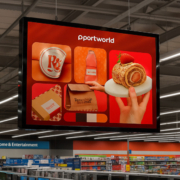
Digital signage systems, such as those offered by Portworld, come with cloud-based CMS that allows businesses to manage content across multiple locations from anywhere, making it easier to update promotions, schedules, or messages in real-time without having to be physically present.

Touch Screen Digital Signage Display-
Why Choose Portworld’s Digital Display Systems?
Portworld offers a range of digital display systems designed to meet the diverse needs of businesses. From interactive digital signage to high-performance video walls and POS touch screen terminals, Portworld’s products combine cutting-edge technology, reliability, and flexibility to ensure that your content engages your audience effectively.
Key products include:
- YC-3201T 32″ Touch Screen Digital Signage Display: A versatile display perfect for large-scale installations, providing vivid visuals and touchscreen interactivity.
- YC-2151T 21.5″ Wall-Mount POS POE Touch Screen Tablet: Ideal for use in retail, hospitality, and corporate environments, offering both power and data over a single cable (PoE).
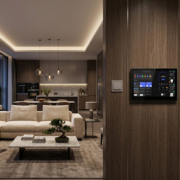
- YC-102P 10.1″ Wall Mounted Android POE Tablet: A compact and efficient display for digital signage applications, allowing businesses to connect and control content remotely.
Portworld’s OEM/ODM services also provide businesses with the ability to customize both hardware and software to meet specific needs, whether it’s custom branding, application integration, or hardware configurations.