Wall Mount Touch Screen Display: The Ultimate Solution for Smart Control
In today’s world, technology is increasingly becoming an integral part of our daily lives, and smart control systems are no exception. A wall-mounted touch screen display is one of the most efficient and stylish ways to manage and control smart systems within your home or business. Whether you’re looking to enhance your smart home automation, optimize your office space, or upgrade your industrial operations, a wall-mounted touchscreen offers both functionality and a modern aesthetic.
In this article, we will explore the benefits, features, and applications of wall-mounted touch screen displays, and why they are becoming the go-to solution for smart environments.
What is a Wall Mount Touch Screen Display?
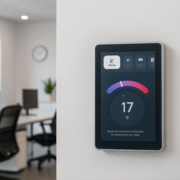
A wall-mounted touch screen display is a touch-enabled device that is fixed to a wall for easy accessibility and operation. These displays come in various sizes and can serve multiple purposes, from controlling smart home systems to managing security cameras and handling POS transactions in commercial spaces.
These devices typically run on popular operating systems such as Android, Linux, or Windows, and they can be integrated with other systems such as Home Assistant, SmartThings, or Industrial Automation Solutions. The idea is to offer a central hub where users can control multiple devices and monitor systems in a streamlined, easy-to-use format.
Benefits of Wall Mount Touch Screen Displays
1. Centralized Control for Smart Systems
A wall-mounted touch screen acts as the command center for all connected devices in a smart environment. Whether you are managing smart home devices, office automation systems, or even medical equipment, these touch screens allow you to control everything from a single interface.
- Smart Home Automation: Control lighting, climate, security, and entertainment systems with ease.
- Office Management: Optimize lighting, temperature control, and smart access in commercial buildings.
- Industrial Applications: Monitor equipment performance, control automation systems, and enhance operational efficiency.
By centralizing control, users can save time and reduce the complexity of managing various systems through different devices.
Wall Mount Touch Screen Displays-1
2. Intuitive Touch Interface
The user-friendly interface of a wall-mounted touch screen makes it simple for anyone to interact with complex systems. With multi-touch capabilities, users can perform various gestures like swiping, zooming, and tapping to quickly navigate through different control functions.
Whether you’re adjusting the temperature, opening the curtains, or switching between security camera feeds, the touch-based controls provide a highly intuitive way to manage your environment.
3. Space-Efficient and Aesthetic Design
One of the biggest advantages of a wall-mounted touch screen display is the space-saving aspect. These devices are mounted directly on the wall, eliminating the need for desks or counters cluttered with gadgets and cables. They blend seamlessly into the surrounding environment, offering a clean, modern look that can enhance the interior design of homes, offices, and commercial spaces.
- Sleek Aesthetics: Wall-mounted displays provide a premium, streamlined look that enhances the overall ambiance of any room.
- Minimalistic Setup: With the wall mount design, these devices can be installed in tight spaces, leaving more room for other furniture or equipment.
This makes them ideal for environments where space optimization and aesthetics are a priority, such as smart homes, boutique hotels, and modern offices.
4. Remote Monitoring and Control
Many wall-mounted touch screen displays are integrated with cloud-based systems, allowing users to monitor and control devices remotely. Whether you’re at home, at work, or even on vacation, these displays can be accessed from your smartphone or tablet via a dedicated app or through web-based dashboards.
- Remote Control: Adjust home lighting or security systems even when you’re not at home.
- Real-Time Monitoring: Access live data or video feeds from security cameras, alarms, or industrial machinery.
This feature provides convenience and peace of mind, especially when you’re on the go or managing multiple locations.

Wall-mounted displays-1
5. Power Over Ethernet (PoE) Support
Many modern wall-mounted touch screens come with Power over Ethernet (PoE) support. PoE simplifies installation by delivering both power and data through a single Ethernet cable, reducing cable clutter and ensuring a cleaner setup.
- Simplified Installation: Eliminate the need for separate power cables and reduce the number of connections.
- More Flexible Placement: The PoE feature allows the display to be installed in locations without the need for nearby power outlets.
This makes wall-mounted touch screens with PoE an excellent choice for businesses or residential spaces where ease of installation is important.
Applications of Wall Mount Touch Screen Displays
Wall-mounted touch screen displays have a wide range of applications in various settings:
1. Smart Home Control Panels
For smart homes, these displays serve as the central hub for controlling lights, thermostats, cameras, and security systems. Integrating with platforms like Home Assistant, they allow homeowners to manage their entire environment from a single touchpoint.
- Control lighting, curtains, and HVAC
- Monitor security cameras and alarms
- Adjust smart entertainment systems
2. Commercial and Retail POS Systems
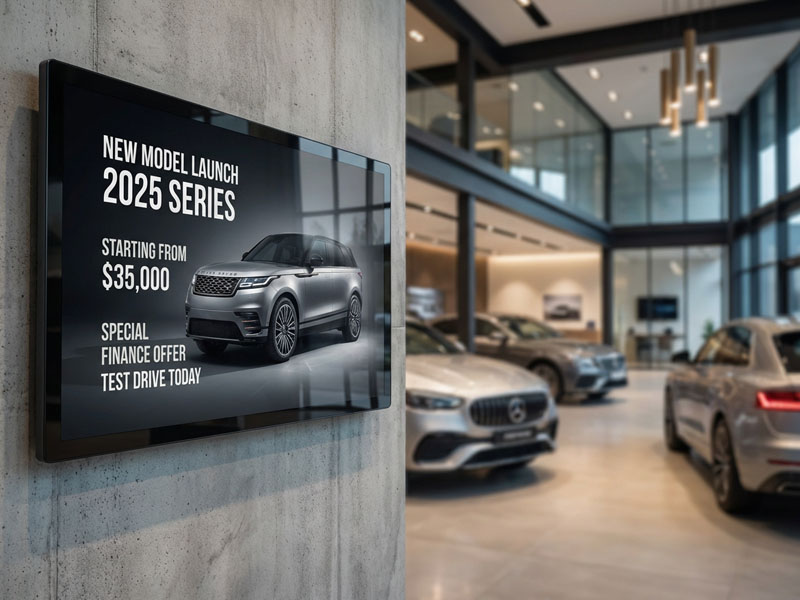
In commercial environments, wall-mounted touch screens are used in Point of Sale (POS) systems, providing quick and easy access to sales data, inventory, and customer information. They can also be used for digital signage and interactive kiosks in retail spaces.
- POS System Integration: Quickly process sales transactions.
- Customer Interactions: Provide self-service kiosks for ordering or product information.
3. Meeting Room and Conference Room Control
Wall-mounted touch screens are commonly used in conference rooms to control lighting, room booking systems, AV equipment, and video conferencing tools. This makes it easier for teams to collaborate and manage the environment during meetings.
- Room Booking Systems: Schedule and manage meeting spaces.
- Audio/Visual Equipment: Control AV equipment and projectors for presentations.
4. Industrial Automation and Dashboards
In industrial settings, these touch screens are used for monitoring and controlling machinery, production lines, and various automation systems. They display real-time data, performance metrics, and allow operators to make quick adjustments to optimize production.
- Machine Monitoring: Track operational data and performance.
- Control Systems: Interact with industrial automation systems for increased efficiency.
Wall-Mounted Touch Screen Displays
Recommended Wall-Mounted Touch Screen Displays
Portworld YC-SM10P – 10.1″ Smart Control Panel
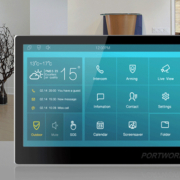
The YC-SM10P is a 10.1-inch Android-based touch control panel that offers multi-touch gestures, PoE support, and a sleek design. It’s perfect for smart home control, office automation, or even industrial applications.
- Android 11/ Linux OS
- PoE support for easy installation
- Multi-touch, gesture support
Portworld YC-SM08P – 8″ Smart Control Panel
The YC-SM08P is a compact 8-inch control panel that integrates seamlessly into smaller spaces. It’s an excellent option for smart home environments, kiosks, or industrial automation dashboards.
- Android OS
- Power over Ethernet (PoE)
- Compact and efficient design
Wall-mounted touch screen displays are the ultimate solution for centralized control, monitoring, and automation in smart homes, commercial spaces, and industrial settings. With their intuitive touch interfaces, space-saving designs, and seamless integration with various systems, they make controlling complex environments easier and more efficient than ever before.