L-Shaped Desktop Touch Screen Panel for Customer Service Terminals
In today’s competitive business environment, providing an exceptional customer service experience is more crucial than ever. Whether in retail, hospitality, banking, or healthcare, businesses must ensure that their customer service terminals are not only functional but also intuitive, engaging, and easy to use. One innovative solution that combines usability, aesthetics, and advanced functionality is the L-shaped desktop touch screen panel.
This specialized L-shaped design is crafted to offer a seamless, ergonomic interface for customer-facing applications. It’s a perfect fit for environments where space efficiency and optimal user interaction are paramount.
In this article, we will explore the key benefits of using L-shaped desktop touch screen panels for customer service terminals and why they are becoming a go-to solution for modern businesses. Plus, we’ll highlight some of Portworld’s L-shaped touch screen panels that are ideal for enhancing your service systems.
What is an L-Shaped Desktop Touch Screen Panel?
An L-shaped desktop touch screen panel is a unique type of touch interface designed with a sleek L-shaped configuration. This design allows for an optimal display angle and enhanced interaction, particularly in customer service settings where space and ease of use are essential. It is commonly used in customer-facing applications like self-service kiosks, POS systems, and information terminals.
For instance, the YC-102P 10.1-inch touch screen panel is a compact and space-saving solution that integrates easily into various service terminals. Powered by PoE (Power over Ethernet), it is a perfect fit for POS systems or customer-facing terminals where simplicity and functionality are key.
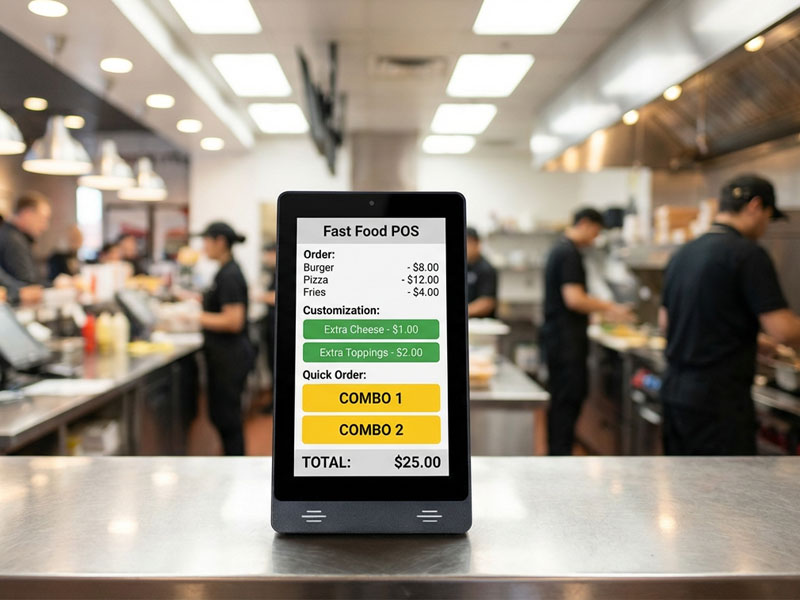
8-inch Touch Screen POS Terminal-1
Key Features of L-Shaped Desktop Touch Screen Panels
1. Ergonomic Design for Easy Interaction
One of the most important benefits of the L-shaped design is its ergonomic setup. The angled screen provides an optimal viewing angle, making it comfortable for users to interact with the customer service terminal.
- Reduced Strain: The angled orientation minimizes the need for users to tilt their head or strain their neck, offering a more comfortable interaction experience.
- Ideal for Countertop Use: This design is perfect for use at retail counters, hotel lobbies, bank branches, or any environment where customers need to engage with a screen from a standing or seated position.
Take the YC-LE101T 10.1-inch L-shaped touch screen as an example. It is specifically designed for environments like retail and self-service kiosks, with its ergonomic L-shape providing a comfortable user interface while saving space.
2. High-Resolution Display
Modern L-shaped touch screens come equipped with high-resolution displays that deliver sharp, vibrant visuals. Whether it’s for displaying product information, processing transactions, or showcasing advertisements, the screen provides crystal-clear images and text.
- Clear Communication: Displays are bright and legible even in well-lit environments, ensuring that customers can easily read content.
- Wide Viewing Angle: The L-shape design ensures that the content is easily visible from multiple angles, providing an excellent experience for customers and staff alike.
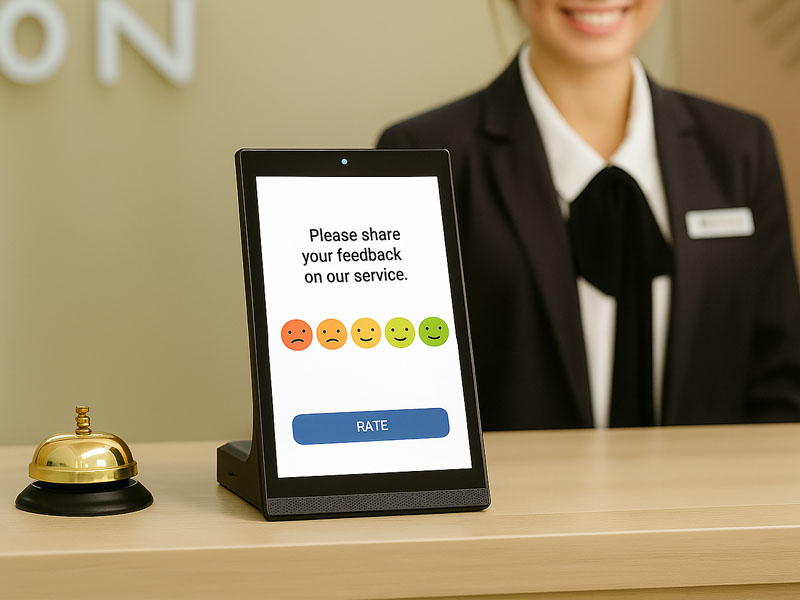
L-Shape Digital Signage Display
3. Multi-Touch Capacitive Technology
For efficient and intuitive customer interaction, the multi-touch capacitive technology used in these panels ensures that the screen is highly responsive to touch. This is especially important in fast-paced customer service environments where users may need to quickly navigate menus, complete forms, or interact with a POS system.
For example, YC-LE101 is a 10.1-inch interactive touch panel designed for customer feedback and survey systems. It supports multi-touch capacitive technology, making it perfect for use in high-traffic areas where customers need to interact quickly and efficiently with the system.
- Smooth and Precise: The capacitive touch interface offers responsive, precise touch recognition for multi-touch gestures such as zooming, swiping, and pinching.
- Durability: The touch panels are scratch-resistant and designed to handle frequent interaction without losing their touch accuracy over time.
4. Flexible Connectivity Options
L-shaped desktop touch screen panels are built with multiple connectivity options, making them highly versatile in a variety of customer service settings.
- USB and HDMI Ports: These interfaces allow the device to connect to external peripherals like scanners, printers, or additional monitors.
- Ethernet/Wi-Fi: For systems requiring network connectivity, built-in Ethernet or Wi-Fi options provide seamless integration into your existing network infrastructure.
The YC-LE101T offers easy integration through PoE, allowing for quick and efficient setup with minimal wiring. It’s ideal for applications where network integration and remote management are required.
5. Space-Efficient and Stylish Design
The L-shape design is not only functional but also space-efficient. The sleek and compact form factor allows the touch screen panel to fit into smaller spaces or tight counters without taking up too much room. At the same time, the design offers a professional and modern appearance, contributing to the overall aesthetic of the customer service area.
- Sleek Profile: The slim profile ensures that the panel takes up minimal space on the counter, leaving room for other essential equipment.
- Aesthetic Appeal: The stylish, modern design of the L-shaped panel complements various interior decor styles, elevating the customer service environment.
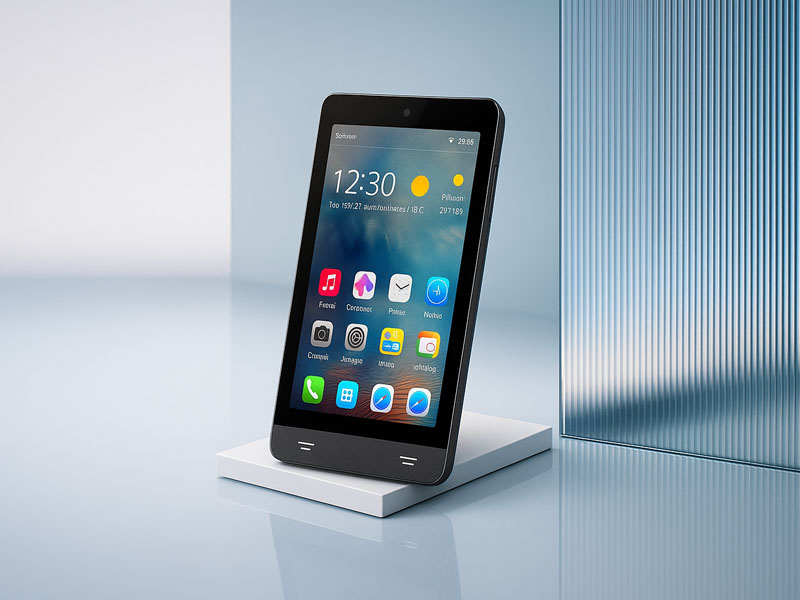
POS Android Advertising Display2
6. Customization for Branding
Many businesses choose to customize their touch screen panels to reflect their brand identity. This can include custom logos, boot screens, or user interfaces tailored to specific needs.
- Personalized Interface: The touch screen panel can be programmed with specific branding elements, such as colors, logos, and branded software interfaces.
- Custom Functions: Tailor the screen’s functionality to your needs by installing custom apps for self-checkout, feedback collection, or product browsing.
Ideal Applications for L-Shaped Desktop Touch Screen Panels
1. Retail Customer Service Terminals
In retail stores, L-shaped desktop touch screen panels can serve as self-service kiosks, POS systems, or customer feedback terminals. Customers can easily browse products, check out, or even ask questions via the touch interface.
- Interactive Product Catalogs: Customers can browse product catalogs, check prices, and view detailed product specifications.
- Self-Checkout Systems: The system can be used for self-checkout, improving customer experience and reducing wait times.
2. Hotel and Hospitality Reception
Hotels and hospitality businesses can leverage L-shaped desktop touch screen panels at the front desk or check-in areas. These systems can display room availability, check-in/out options, or serve as digital directories for guests.
- Efficient Check-In/Out: Guests can check in or out quickly using the intuitive touch interface, reducing wait times and improving overall efficiency.
- Information Display: Provide essential information like amenities, directions, and special promotions.
3. Banking and Financial Services
In banking environments, the L-shaped desktop touch screen panel can be used for customer service terminals, transaction processing, or information kiosks.
- Account Management: Customers can use the touch screen to check balances, make payments, or inquire about services.
- Queuing and Service Requests: The screen can display wait times, process service requests, and even allow customers to interact with banking systems directly.
4. Healthcare and Medical Facilities
In hospitals, clinics, and medical centers, these panels can streamline patient check-ins, appointment bookings, and provide health-related information.
- Patient Registration: Patients can register, check in for appointments, and confirm their details through the touch screen.
- Medical Information: The touch screen can display directions, patient education, or waiting room information.
5. Public Information Kiosks
Public areas such as airports, train stations, and tourist centers can benefit from these L-shaped panels for wayfinding and information dissemination.
- Wayfinding Kiosks: Help visitors navigate large spaces with interactive maps, real-time directions, and area-specific details.
- Public Announcements: Provide real-time updates, event schedules, or emergency information.
Why Choose Portworld’s L-Shaped Desktop Touch Screen Panels?
Portworld’s L-shaped desktop touch screen panels are designed for durability, efficiency, and ease of use. With a range of customizable options and high-performance features, they offer a seamless customer service experience across industries. Here’s why you should choose Portworld for your next customer service terminal:
- Advanced Touch Technology: High-performance capacitive touch panels with multi-touch support.
- Customizable Branding: Tailored interfaces and branding options to match your business needs.
- Space-Saving Design: Ideal for limited countertop space while providing a user-friendly interface.