
Outdoor Digital Advertising Kiosks for Hotels and Resorts
Hotels and resorts continually seek more effective ways to communicate with guests, promote amenities, and create memorable experiences. From welcoming visitors at the entrance to showcasing restaurants, spa services, and seasonal activities, digital advertising kiosks provide a flexible way to share information across a property.
Unlike conventional printed signs, outdoor digital kiosks can present videos, promotional campaigns, event schedules, maps, and real-time announcements. In hotels and resorts with multiple amenities or expansive outdoor areas, these displays can strengthen guest communication while supporting marketing efforts.
Yet outdoor hospitality settings require displays that pair appealing design with sunlight readability, weather resistance, and dependable performance. Selecting the right kiosk involves more than choosing a screen size.
1. Where Can Outdoor Digital Advertising Kiosks Be Used?
Hotels and resorts often feature expansive outdoor spaces where guests may need information without having convenient access to reception staff. Outdoor digital kiosks can serve as communication hubs throughout these areas.
Hotel Entrances and Drop-Off Areas
At hotel entrances, outdoor kiosks can greet guests, introduce the property’s services, and present essential information.
Content may include:
- Welcome messages and hotel branding
- Check-in and check-out details
- Restaurant operating hours
- Shuttle bus schedules
- Special offers
- Event notices
A strategically placed kiosk can help guests quickly learn about the hotel’s offerings while creating a professional first impression.
Resort Pathways and Garden Areas
Large resorts often include several buildings, restaurants, swimming pools, recreational facilities, and outdoor activity spaces. Guests may need assistance locating specific destinations or learning about available activities.
Digital kiosks positioned along walkways or at key junctions can present resort maps, directions, activity schedules, and promotional content.
At properties with extensive grounds, carefully placed kiosks can help prevent confusion and make it easier for visitors to explore the various facilities.
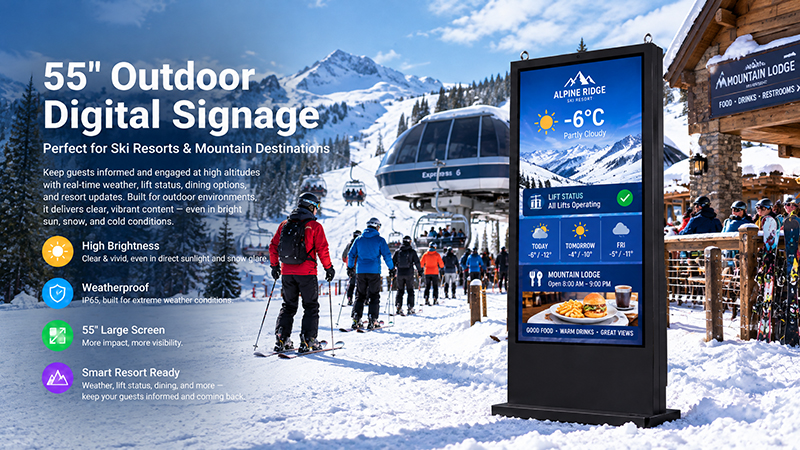
55 digital signage display
Restaurants, Bars, and Outdoor Dining Areas
Outdoor advertising kiosks can showcase restaurants, bars, and dining experiences throughout a hotel or resort.
They may feature:
- Restaurant menus and signature dishes
- Happy-hour offers
- Dining reservation details
- Seasonal food and beverage promotions
- Live entertainment schedules
For instance, a kiosk beside a poolside bar can promote cocktails, food specials, or evening events, while a kiosk near a resort entrance can introduce guests to the available dining options.
Poolside and Recreation Areas
Poolside spaces, beach clubs, spas, fitness facilities, and recreation areas offer valuable opportunities to communicate with guests.
Displays can highlight spa packages, fitness classes, water activities, children’s programs, and upcoming entertainment. They can also share practical details, including facility hours and activity registration instructions.
Choosing suitable hardware is especially important in these locations, where displays may be exposed to intense sunlight, humidity, water splashes, and temperature fluctuations. Assess the site’s actual exposure conditions before installation.
2. Select an Appropriate Screen Size and Installation Format
Choose a screen size based on its location, viewing distance, available space, and the type of information it needs to present.
Smaller displays can be effective near restaurant entrances or service counters. Larger screens are generally better suited to main entrances, outdoor plazas, and other areas where guests must read information from farther away.
Typical size options include:
- 32-inch displays: A good fit for compact information points and smaller outdoor spaces.
- 43-inch displays: A practical option for restaurant entrances, pathways, and moderate viewing distances.
- 55-inch displays: Well suited to main entrances, resort plazas, and larger outdoor communication areas.
- 65-inch and larger displays: Worth considering in prominent locations with longer viewing distances or more extensive content needs.
The installation format is also important. Freestanding kiosks suit open areas, while wall-mounted displays may work better at building entrances or in covered outdoor spaces.
Hotels and resorts should assess the kiosk’s appearance alongside its functionality. Its enclosure, screen orientation, finish, and mounting structure should complement the property’s architectural style instead of appearing disconnected from the surrounding design.
3. Choose Brightness Appropriate for Outdoor Viewing Conditions
Outdoor displays must remain legible as daylight conditions change.
A screen beneath a covered entrance may need less brightness than one in an open courtyard or along an exposed resort walkway.
As a general planning guide:
- 1,000–1,500 nits: May be suitable for some shaded or partially covered outdoor areas.
- 1,500–2,500 nits: Provides improved visibility for many outdoor advertising applications.
- Higher brightness levels: May be necessary in demanding direct-sunlight settings, depending on screen orientation and ambient conditions.
Brightness alone does not ensure readability. Anti-glare glass, contrast, viewing angle, the direction of sunlight, and content design also affect visibility.
For hotels and resorts, content should be easy to absorb at a glance. Large text, strong contrast, clear images, and uncluttered layouts are often more effective than crowded promotional screens.
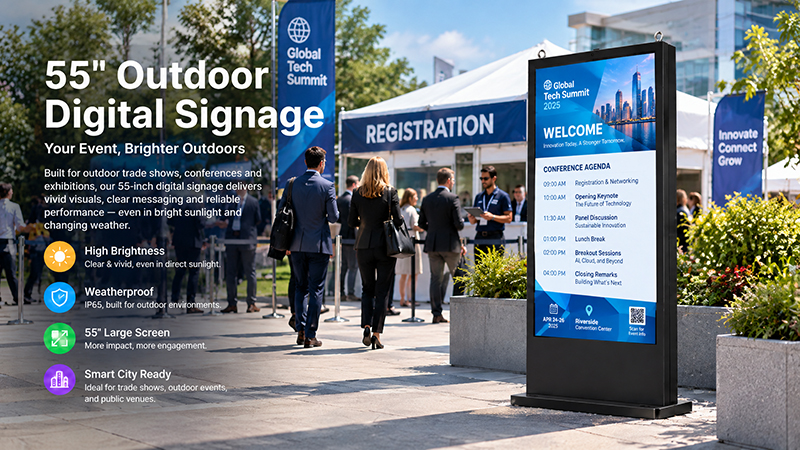
55寸 digital signage display
4. Assess Weather Protection and Outdoor Durability
Outdoor kiosks should be designed to withstand the conditions where they will be installed.
Hotels in tropical regions may experience heavy rainfall, high humidity, and heat. Beach resorts may also need to address salt exposure and corrosion, while mountain resorts may face low temperatures, strong winds, and seasonal weather shifts.
When choosing outdoor digital advertising kiosks, assess:
- IP rating for dust and water protection
- Enclosure materials and sealing
- Front glass protection
- Impact resistance
- Operating temperature range
- Internal cooling or thermal management
- Cable and connector protection
- Service access and maintenance design
For instance, an IP65-rated enclosure is dust-tight and protected against water jets under specified test conditions. However, an IP rating does not by itself ensure protection from salt corrosion, immersion, chemicals, or all environmental conditions.
For coastal hotels, corrosion-resistant materials and appropriate environmental testing may also be important.
5. Choose Between Non-Touch and Interactive Kiosks
Not every hotel or resort requires an interactive touchscreen.
A non-touch kiosk works well for passive communication, such as presenting advertisements, promotions, event schedules, and hotel announcements. It is typically easier to deploy when the primary goal is to make content visible.
Interactive touch kiosks can provide more advanced guest services, such as:
- Interactive resort maps
- Restaurant and facility directories
- Activity browsing and booking
- Event information
- Self-service information lookup
- QR code-based service access
Choose touch functionality based on the guest workflow it is meant to support. Hardware alone does not deliver booking, payment, reservation, or concierge capabilities; these functions depend on appropriate software and system integration.
For outdoor touch applications, buyers should also confirm that the system will perform reliably in expected conditions, including moisture, temperature changes, and possible use with gloves.
6. Consider Android Hardware and Content Management
The operating system and hardware setup affect kiosk performance and the ease with which hotel staff can manage content.
Android-powered outdoor advertising kiosks can be a good fit for dedicated signage, customized user interfaces, video playback, and integration with selected management software.
When assessing a configuration, review:
- Processor performance
- RAM and storage capacity
- Android version
- Ethernet and Wi-Fi connectivity
- Optional cellular connectivity
- Video playback capabilities
- CMS compatibility
- Remote content updates
- Device monitoring and maintenance options
For hotels operating multiple kiosks, centralized content management can streamline routine tasks. Marketing teams can update promotions, schedules, and announcements across locations without needing to visit each display.
However, Android hardware does not automatically come with a complete CMS. Verify whether the content management platform is included, requires a separate license, or will be supplied by the hotel or its software partner.
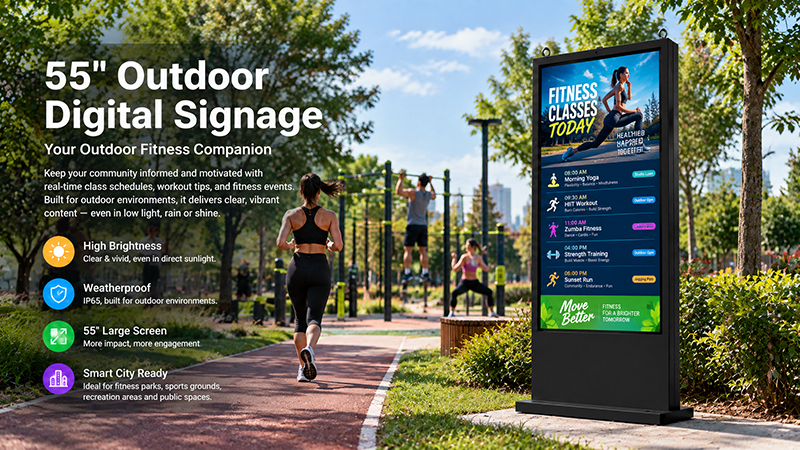
55 digital signage display1
7. Plan Content Around the Guest Journey
An effective digital kiosk strategy involves more than placing screens throughout a hotel. Every kiosk should have a specific communication role.
At the entrance, screens can share welcome messages, check-in details, and hotel highlights.
Near restaurants, they can showcase dining options and menus.
In recreation areas, screens can feature activities, packages, and entertainment schedules.
At key intersections along guest pathways, kiosks can provide maps, directions, and facility details.
Hotels can also tailor content to the time of day, season, or guest activity. Breakfast offers may appear in the morning, poolside activities in the afternoon, and restaurant or entertainment promotions in the evening.
Content should suit each kiosk’s location. Guests are more likely to pay attention to helpful information than to repeated advertisements.
8. Consider Security, Installation, and Maintenance
Outdoor kiosks are commonly placed in publicly accessible locations and may need to run for long periods without direct supervision.
Their enclosures should provide appropriate physical protection, secure mounting, protected cable routing, and access for authorized service personnel.
Installation planning should address:
- Foundation or mounting structure
- Power supply location
- Network connectivity
- Cable routing and protection
- Drainage and environmental exposure
- Maintenance access
- Cleaning requirements
- Protection against unauthorized access
For larger resort deployments, plan spare parts and maintenance procedures in advance. Using a consistent hardware configuration across multiple kiosks can make replacements and troubleshooting easier.
9. Portworld Outdoor Digital Advertising Kiosk Solutions
Portworld supplies outdoor digital signage hardware for commercial advertising and information display applications.
Its 55-inch outdoor digital signage model includes:
- 55-inch display
- Brightness of 1,500–2,500 nits
- IP65 protection rating
- IK10 impact resistance
- Design intended for extended operation
These capabilities make the model a potential fit for outdoor hospitality projects requiring highly visible advertising and information displays.
Based on project needs, Portworld can also provide OEM/ODM customization, including hardware configuration, motherboard selection, operating system adaptation, branding, enclosure specifications, and project-specific production.
Hotel and resort operators can discuss screen size, installation format, software requirements, network connectivity, and environmental conditions to develop a display solution suited to their needs.
