Why Is Zigbee Used in Smart Home Automation?
Smart home automation depends on dependable communication among connected devices. Lights, switches, motion and door sensors, thermostats, curtains, and other equipment must share information and respond to commands efficiently.
Wi-Fi is common in connected devices, but it is not the ideal option for every smart home product. Many automation devices send only small amounts of data, such as sensor readings, switch commands, or status updates. They must also use power efficiently, often running on batteries for months or even years.
That is one reason Zigbee is widely used in smart home automation.
Zigbee is a low-power wireless protocol designed for monitoring, control, and connected-device networks. Its mesh networking, low energy use, scalability, and established ecosystem of compatible devices make it well suited to smart homes and building automation.
In this article, we examine why Zigbee is used in smart home automation, its main advantages, and how it supports today’s home automation systems.
1. What Is Zigbee?
Zigbee is a wireless communication protocol built on IEEE 802.15.4 technology. It supports low-power, low-data-rate networks that connect sensors, switches, lighting products, and other Internet of Things (IoT) devices.
Whereas Wi-Fi is commonly used for internet access, video streaming, and other high-bandwidth tasks, Zigbee is designed for brief control commands and sensor readings.
Common Zigbee smart home devices include:
- Smart bulbs and lighting controllers
- Wireless switches and dimmers
- Motion sensors
- Door and window sensors
- Temperature and humidity sensors
- Smart plugs
- Curtain and blind controllers
- Smart locks and other automation devices
Zigbee is especially useful in homes with numerous connected devices, as it allows them to communicate without requiring each one to connect directly to the Wi-Fi router.
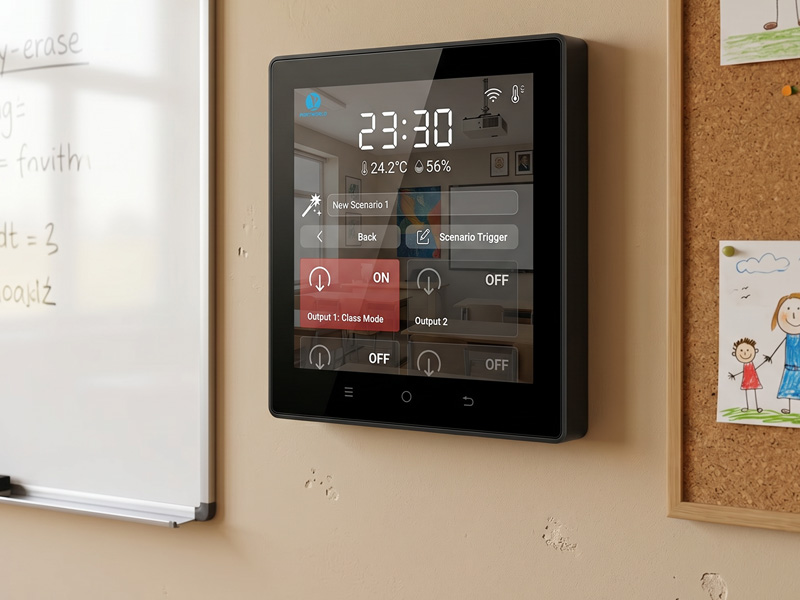
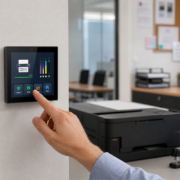
smart home control panel-1
2. Why Is Zigbee Used in Smart Home Automation?
Zigbee was developed to meet the needs of automation systems, rather than high-bandwidth consumer networks.
Several features make it well suited to smart home applications.
2.1 Low Power Consumption
Low power consumption is one of Zigbee’s main advantages.
Many smart home devices do not need to communicate continuously. A door sensor may transmit only when the door opens or closes. A temperature sensor may report readings at set intervals. A wireless button may send a command only when pressed.
Zigbee enables battery-powered devices to remain in sleep mode most of the time and wake when communication is required.
This reduces energy use and can significantly extend battery life, depending on the device’s design, reporting frequency, battery capacity, and network configuration.
For homeowners, low power consumption means fewer battery replacements and simpler installation in places without power outlets.
For manufacturers, it supports the development of compact sensors and wireless switches with efficient power requirements.
2.2 Mesh Networking Extends Coverage
Zigbee supports mesh networking, in which compatible router devices relay messages among network nodes.
In a traditional star network, devices communicate directly with a central access point. When a device is too distant or obstacles interfere with the signal, its connection may become unreliable.
A Zigbee mesh network can rely on intermediate routers to forward messages between devices.
For example:
- A coordinator establishes the Zigbee network.
- A smart plug in the living room serves as a router.
- A smart light in the hallway forwards network traffic.
- Bedroom sensors communicate through nearby routing devices.
- This design can extend wireless coverage throughout a home.
Mesh networking is particularly useful in multi-room apartments, larger houses, and buildings where devices are spread across several areas.
2.3 Suitable for Large Numbers of Smart Devices
A smart home can include dozens or even hundreds of connected devices.
When every sensor, switch, light bulb, and controller uses a direct Wi-Fi connection, managing the network may become more complex. The impact depends on factors such as the router, access point capacity, device traffic, and network design.
Zigbee creates a separate, low-power mesh network for many automation devices.
One Zigbee network can accommodate various device types, such as lights, sensors, switches, and other compatible products. Its capacity depends on the coordinator, implementation, routing design, and device behavior, so the practical limit differs from system to system.
This makes Zigbee a good fit for homes intending to expand their automation systems over time.
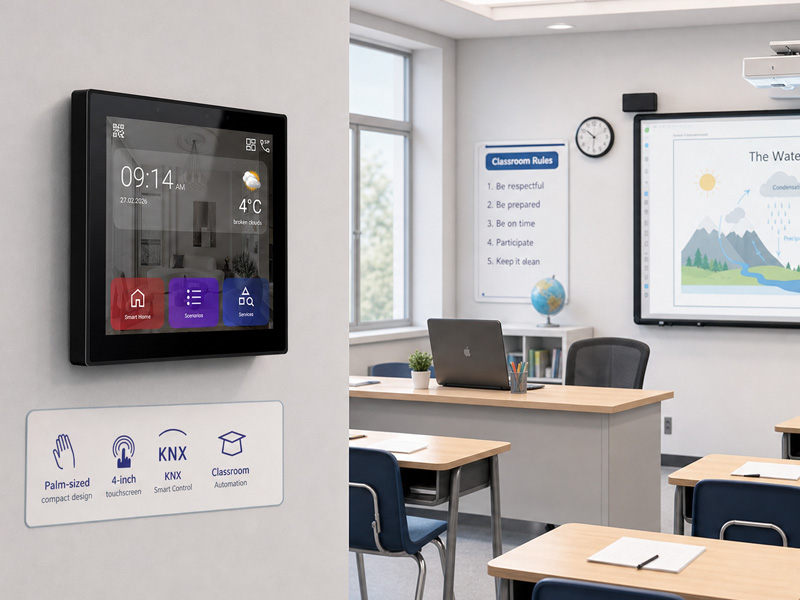
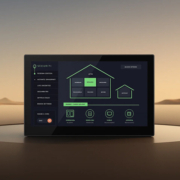
smart control panels-1
2.4 Efficient for Small Data and Control Commands
Most smart home devices need only modest data throughput.
Common Zigbee messages include:
- Turn a light on or off
- Adjust brightness
- Change color temperature
- Report temperature
- Detect motion
- Report door status
- Activate a scene
- Control a curtain motor
- These tasks require relatively little data.
Zigbee’s low data-rate design is therefore well suited to automation devices that exchange brief messages instead of streaming video or transferring large files.
For applications such as cameras, high-resolution video doorbells, and media streaming, Wi-Fi or other technologies with greater bandwidth are generally more suitable.
2.5 Reliable Communication Through Mesh Routing
Wireless communication can be disrupted by walls, furniture, interference, and distance.
Zigbee mesh networking can improve communication by enabling messages to pass through multiple routing devices rather than depending on one direct connection.
If a route becomes unavailable, the network may identify or use another path, depending on its topology and routing conditions.
This can increase network resilience in smart homes where devices are spread across several rooms.
However, mesh networking cannot ensure uninterrupted communication. Network planning, router placement, device compatibility, and radio interference remain important.
2.6 Lower Installation Complexity
Because Zigbee devices communicate wirelessly, they can reduce the need for additional communication wiring.
This is especially helpful when installing sensors or switches in existing buildings where adding new cables may be challenging.
Examples include:
- Adding motion sensors to hallways
- Installing door sensors on windows
- Adding wireless switches beside beds
- Deploying smart lighting in renovated homes
- Expanding automation into rooms without network cabling
Wireless installation can reduce construction work and make it easier to relocate devices when needed.
2.7 Established Device Ecosystem
Zigbee has supported smart home and building automation applications for many years.
Its mature ecosystem includes lighting products, sensors, switches, plugs, gateways, and automation platforms.
Zigbee certification and standardized device functions can enhance interoperability among compatible products. However, certification does not guarantee that every device will support all functions on every gateway.
Always verify compatibility with the chosen coordinator, platform, device profile, and feature set.
For projects that use existing Zigbee products, the ecosystem’s maturity can simplify device selection and system expansion.
3. How Zigbee Works in a Smart Home
A typical Zigbee smart home system includes a coordinator, routers, end devices, and a smart home platform.
Zigbee Coordinator
The coordinator creates the network and manages network-related tasks.
A Zigbee network typically has a single coordinator, which may be built into a smart home gateway or connected to an automation server.
Zigbee Routers
Routers relay messages between devices and expand network coverage.
Many mains-powered Zigbee products, including smart plugs and some lighting devices, can operate as routers.
Zigbee End Devices
End devices communicate through a parent device or coordinator. Many battery-powered sensors are end devices, as they can sleep when not sending or receiving data.
Smart Home Platform
The automation platform manages device states, scenes, schedules, and automation rules.
For example, when a motion sensor detects movement, the platform can receive the event and issue a command to switch on the hallway lights.
A typical system architecture is:
Zigbee Sensors and Switches → Zigbee Mesh Network → Coordinator / Gateway → Smart Home Platform → Touchscreen Control Panel
The touchscreen panel provides the user interface, while the Zigbee coordinator manages the wireless network.
Depending on the system architecture, these functions may be combined in a single product or distributed among several devices.
4. Zigbee vs. Wi-Fi: Why Not Use Wi-Fi for Everything?
Wi-Fi is excellent for devices requiring higher data rates, internet access, and direct IP connectivity. However, not every smart home device needs these capabilities.
| Feature | Zigbee | Wi-Fi |
|---|---|---|
| Primary purpose | Low-power automation | General networking and high-bandwidth communication |
| Power consumption | Designed for low-power operation | Typically higher for continuously connected devices |
| Network topology | Mesh-capable | Usually infrastructure-based |
| Battery-powered sensors | Well suited | Often less suitable for long battery life |
| Data throughput | Low | Much higher |
| Typical devices | Sensors, switches, lights | Cameras, media devices, appliances |
| Network architecture | Separate Zigbee network with coordinator | Connected through Wi-Fi access points |
| Typical messages | Short control commands and sensor data | Control, internet traffic, streaming, and larger data transfers |
In many smart home systems, Zigbee and Wi-Fi serve complementary roles rather than competing directly.
Wi-Fi connects touchscreen panels, cameras, and other high-bandwidth devices, while Zigbee supports low-power sensors, switches, and lighting controls.
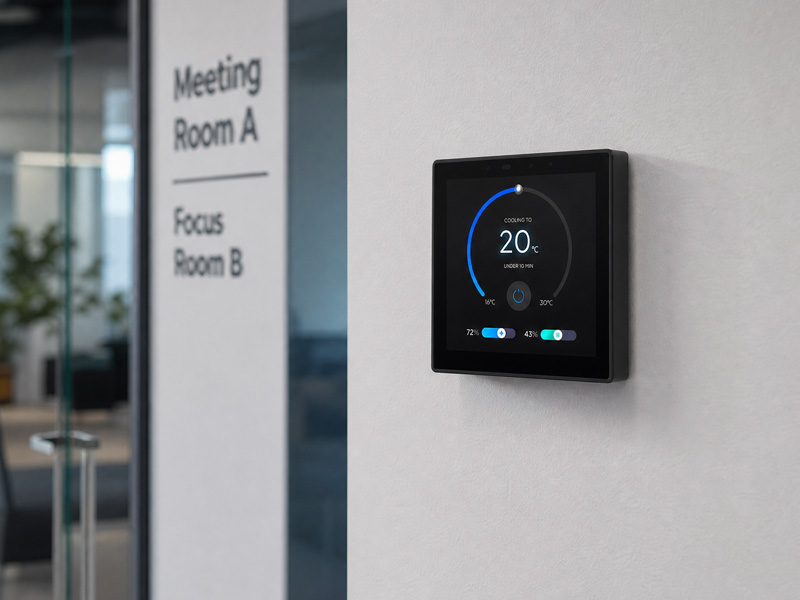
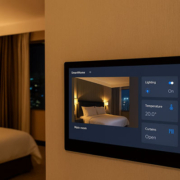
smart home control panel
5. Common Uses of Zigbee in Smart Homes
Zigbee supports a wide range of home automation applications.
Smart Lighting
Zigbee lighting systems can manage:
- On/off control
- Brightness levels
- Color temperature
- RGB color settings
- Lighting groups
- Automated scenes
Users can operate lights using wireless switches, mobile apps, or touchscreen panels.
Smart Sensors
Zigbee sensors can monitor:
- Temperature
- Humidity
- Motion
- Door and window status
- Water leaks
- Selected environmental conditions
These sensors can initiate automation rules in response to detected events.
Smart Curtains and Blinds
Zigbee curtain controllers can enable scheduled operation, remote access, and scene-based automation.
For instance, curtains can be set to open in the morning and close in the evening using schedules or automation rules.
HVAC and Climate Control
Zigbee-compatible thermostats, temperature sensors, and control devices can support automated climate management.
A smart home platform can use sensor readings to adjust heating or cooling based on occupancy, schedules, or conditions defined by the user.
Security and Monitoring
Zigbee door sensors, motion sensors, and other compatible devices can report their status to a home automation platform.
Automation rules can send notifications or activate selected devices when specified conditions are detected.
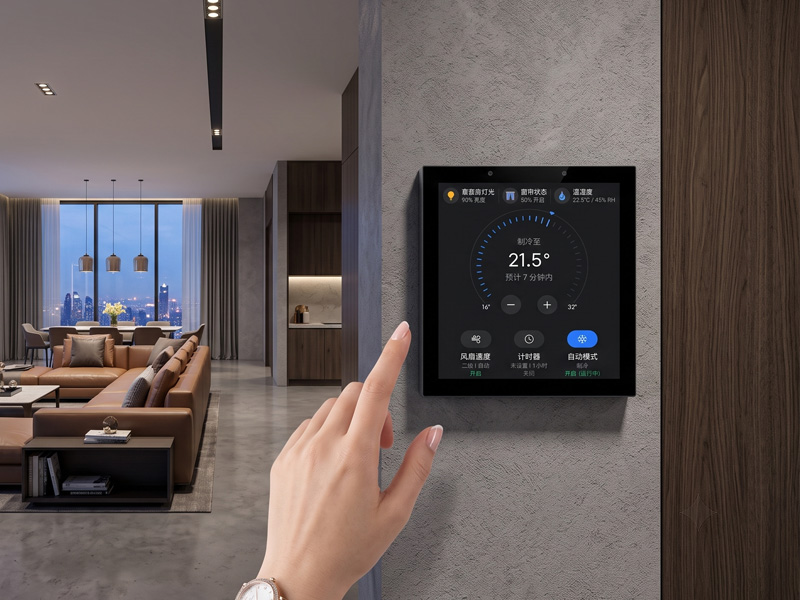
6. Zigbee and Smart Home Touchscreen Control Panels
Although Zigbee enables communication among smart home devices, homeowners still need a convenient interface for controlling them.
A wall-mounted touchscreen can offer centralized control of lighting, curtains, climate settings, sensors, and scenes.
A typical setup may include:
- Zigbee lighting and sensors
- A Zigbee coordinator or gateway
- A smart home automation platform
- Wall-mounted touchscreen panels
- Ethernet or Wi-Fi network connectivity
For instance, a living room touchscreen can operate the lights and curtains, while a bedroom panel provides access to sleep scenes, temperature controls, and bedside lighting.
Several touchscreen panels can connect to the same automation platform and control the same Zigbee network.
Notably, a touchscreen panel does not necessarily require an integrated Zigbee radio. It can connect to the automation platform through Ethernet or Wi-Fi, while the coordinator manages the Zigbee devices.
This architecture allows touchscreen hardware and wireless networking components to be selected independently.
7. Why Zigbee Is a Strong Option for Smart Home Manufacturers
Zigbee benefits not only homeowners but also smart home product manufacturers and system integrators.
Flexible Product Development
Manufacturers can build a range of products around a shared Zigbee network, such as:
- Wireless sensors
- Smart switches
- Lighting controllers
- Smart plugs
- Curtain controllers
- Gateway devices
With compatible implementations, products across these categories can operate within a single automation architecture.
Reduced Wiring Requirements
Wireless Zigbee devices can make installation simpler in new buildings, renovation projects, and retrofit applications.
Scalable Product Ecosystems
A smart home setup can start with a small number of lighting devices and sensors, then grow as the homeowner introduces additional automation features.
Integration with Touchscreen Hardware
Touchscreen control panels can serve as the interface for various smart home platforms, while Zigbee gateways manage the wireless device network.
This division can help manufacturers create customized touchscreen hardware without building support for every wireless protocol directly into the panel.
8. Limitations of Zigbee: Key Considerations
Despite its many benefits, Zigbee is not the right choice for every application.
Limited Data Rate
Zigbee is intended for low-bandwidth communication and is not designed to support video streaming or large data transfers.
Gateway or Coordinator Requirements
Most Zigbee networks need a compatible coordinator or gateway to establish and manage the network.
Compatibility Differences
Devices made by different manufacturers may vary in their supported features, clusters, and implementation details. Verify compatibility rather than assuming devices will work together.
Wireless Interference
Zigbee typically operates in the 2.4 GHz band, which is also used by Wi-Fi and Bluetooth.
Choosing channels carefully, positioning devices appropriately, and planning the network can help minimize interference.
Mesh Network Planning
Larger homes may need strategically positioned router devices to maintain reliable coverage.
Battery-powered devices generally do not function as mesh routers, so plan network coverage around compatible routing devices.
Smart Home Touch Control Panel
9. Portworld Smart Home Control Panels for Zigbee Automation
Portworld offers touchscreen control panels and embedded hardware solutions for residential automation, smart buildings, and IoT applications.
Drawing on more than 18 years of experience in embedded hardware and touchscreen manufacturing, Portworld supports OEM/ODM projects across touchscreen hardware, embedded motherboard design, operating system customization, and user interface development.
Its smart home panel lineup includes a range of screen sizes and hardware platforms.
YC-SM41P – Compact 4-Inch Control Panel
- 4-inch touchscreen
- 480 × 480 resolution
- Rockchip RK3566 processor
- 2GB RAM + 32GB storage configuration
- Android 11 or Debian 11 options
- PoE option
Designed for bedroom control, lighting scenes, and room-level smart home interfaces.
YC-SM55P – 5.5-Inch Touchscreen Panel
- 5.5-inch touchscreen
- 720 × 1280 resolution
- Rockchip RK3566 processor
- 2GB RAM + 16GB storage
- Android platform
- PoE option
Designed for multifunctional room control, lighting management, curtain control, and smart home dashboards.
YC-SM10P – 10-Inch Centralized Control Panel
- 10-inch touchscreen
- 1280 × 800 resolution
- 500-nit brightness
- 10-point capacitive touch
- Rockchip RK3566 processor
- Android 11 operating system
- 2GB RAM + 32GB storage
- PoE connectivity
Designed for centralized smart home control, multi-room dashboards, and larger touchscreen applications.
OEM/ODM Customization Services
Portworld offers:
- OEM/ODM hardware development
- PCB and motherboard customization
- Android and Linux system customization
- UI/UX design and branded interfaces
- Customization of logos, model names, packaging, and boot animations
- Ethernet, Wi-Fi, PoE, RS485, and other interfaces, depending on the model
- Integration with smart home protocols and gateways
- SDKs, documentation, and technical development support
For Zigbee projects, Portworld can provide customized touchscreen hardware and integration support for the chosen Zigbee gateway or automation platform.