How to Choose Between CPU, GPU, and NPU Inference on Rockchip
1. Understanding CPU, GPU, and NPU in Rockchip AI Systems
Rockchip processors combine several computing units, each designed for specific tasks. When deploying AI models on embedded Linux or Android, developers should understand how each unit performs computations.
CPU: General-Purpose Computing
The CPU serves as the primary processor, handling operating system execution, application logic, data processing, communications, and control tasks.
For AI inference, the CPU can run model operations through software libraries and optimized kernels. It offers flexibility and supports a broad range of algorithms, though complex neural network workloads may use substantial CPU resources.
Best suited for:
- Lightweight AI models
- Data preprocessing and postprocessing
- Decision-making and control logic
- AI models containing operators unsupported by accelerators
- Small-scale inference workloads
- GPU: Parallel Computing and Graphics Processing
The GPU is built to perform many operations simultaneously. Besides rendering graphics and user interfaces, it can support some AI workloads through compatible GPU compute frameworks.
On Rockchip platforms, GPU compute availability depends on the GPU architecture, drivers, operating system, and software framework. Where supported, developers may use APIs such as OpenCL.
Best suited for:
- Parallel workloads
- Some image-processing operations
- AI models compatible with the GPU
- Graphics and AI workloads that share the GPU
- Applications with available and validated GPU compute support
NPU: Purpose-Built Neural Network Acceleration
The NPU is engineered to speed up neural network operations. Rockchip platforms equipped with an NPU can execute supported AI models using the RKNN software stack.
A typical development process converts a trained model to RKNN format with RKNN-Toolkit2, then deploys it to the target device using the appropriate runtime.
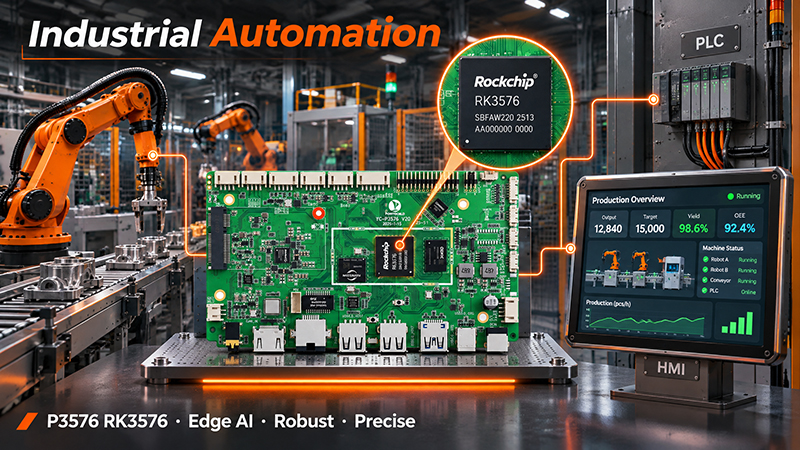
P3576 rk3576 motherboard Industrial Automation
Best suited for:
- Object detection
- Image classification
- Face detection
- Pose estimation
- AI-driven image analysis
- Supported neural network inference workloads
For compatible AI models, the NPU is often the preferred accelerator when performance and energy efficiency are priorities.
2. CPU vs GPU vs NPU: Key Differences
| Comparison | CPU | GPU | NPU |
|---|---|---|---|
| Main Purpose | General computing | Graphics and parallel computing | Neural network acceleration |
| Computing Style | General-purpose processing | Highly parallel processing | AI-specific optimized operations |
| AI Compatibility | Broad software flexibility | Depends on compute framework and GPU support | Depends on model conversion and operator support |
| Typical AI Workload | Lightweight models, logic, preprocessing | Parallel operations and supported AI workloads | CNNs, detection, classification, and supported models |
| Software Development | Familiar CPU libraries | OpenCL or other supported compute APIs | RKNN Toolkit and runtime |
| Power Efficiency for AI | Workload-dependent | Workload-dependent | Often advantageous for supported inference |
| Flexibility | Very high | High for supported operations | More specialized |
| Best Use | Control and general processing | Parallel computing | Dedicated AI inference |
The most suitable computing unit depends on the model architecture, supported operators, performance goals, memory requirements, and overall system workload. Not every AI task needs to run on the NPU.
3. When Should You Choose CPU Inference on Rockchip?
CPU inference is often a practical starting point for AI development, especially when validating a model or using algorithms that the NPU or GPU compute stack does not support.
Lightweight AI Applications
Small models with modest computational requirements may perform adequately on the CPU.
Examples include:
- Simple classification models
- Basic signal analysis
- Lightweight image processing
- Small inference workloads
- Sensor-based prediction algorithms
When inference demands are limited and sufficient CPU resources are available, choosing the CPU can simplify development and reduce software integration effort.
Unsupported AI Operators
Some neural network models include operators that the available NPU runtime or conversion toolchain does not support.
When this occurs, unsupported operations may need to run on the CPU or through a hybrid implementation.
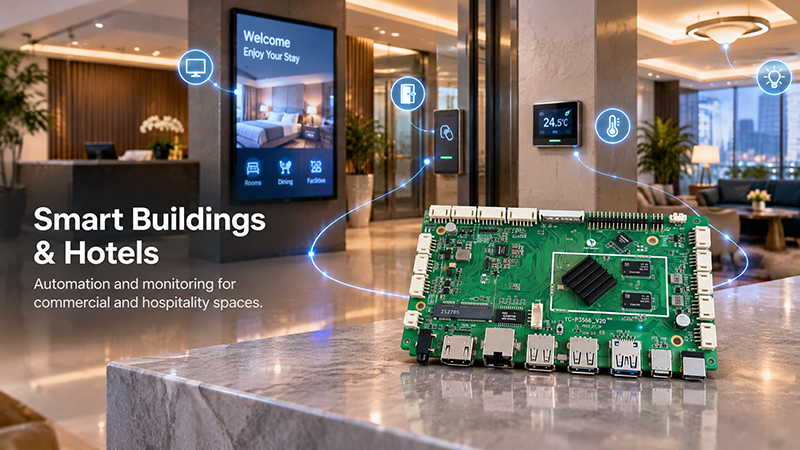
YC-P3566 rk3566 motherboard Smart Buildings Hotels
Integrating AI with Control Logic
Embedded systems often need to perform AI inference while also managing system control.
For instance, an industrial monitoring device might execute a classification model, gather sensor data, communicate over MQTT, and operate external equipment.
Even when another processing unit accelerates AI inference, the CPU remains vital for application logic, communications, and control tasks.
- Benefits of CPU Inference
- Broad software compatibility
- Simpler debugging
- Convenient development and testing
- Capable of running general application logic
- Able to process unsupported model operations
- Limitations
- Can use significant CPU resources
- May affect other applications running at the same time
- May not satisfy real-time performance needs for complex models
- Can raise system power consumption under demanding AI workloads
CPU inference is especially useful during development, with small models, and as a fallback for unsupported operations.
4. When Is GPU Inference the Right Choice on Rockchip?
GPU inference may be appropriate when a workload can take advantage of parallel processing and the software stack supports the necessary operations.
Unlike an NPU, a GPU is not dedicated solely to neural network acceleration. Its performance depends significantly on the application, GPU architecture, drivers, compute API, and model implementation.
Parallel Image Processing
Certain image-processing and mathematical tasks can benefit from GPU acceleration.
Examples include:
- Image transformations
- Parallel filtering
- Some computer vision tasks
- Image preprocessing
- Specific AI operations supported by GPU compute frameworks
- Applications That Combine Graphics and AI
- GPU computing can be useful when graphics and AI tasks are closely integrated.
For instance, an interactive AI terminal may render a touchscreen interface, display camera images, and carry out selected image operations supported by the GPU.
However, developers should account for competition over GPU resources when graphics rendering and AI processing occur at the same time.
- Advantages of GPU Inference
- Parallel processing capabilities
- Well suited to certain image-processing workloads
- Provides graphics and compute capabilities on compatible platforms
- Can serve as an alternative for workloads that CPUs do not handle efficiently
Limitations
- Compute frameworks and driver support can be complex
- Some AI operators may not be supported
- GPU resources may be shared with display rendering
- Performance and power efficiency can vary considerably depending on the workload
GPU inference should be assessed through benchmarks using real applications rather than assumed to outperform CPU or NPU execution.
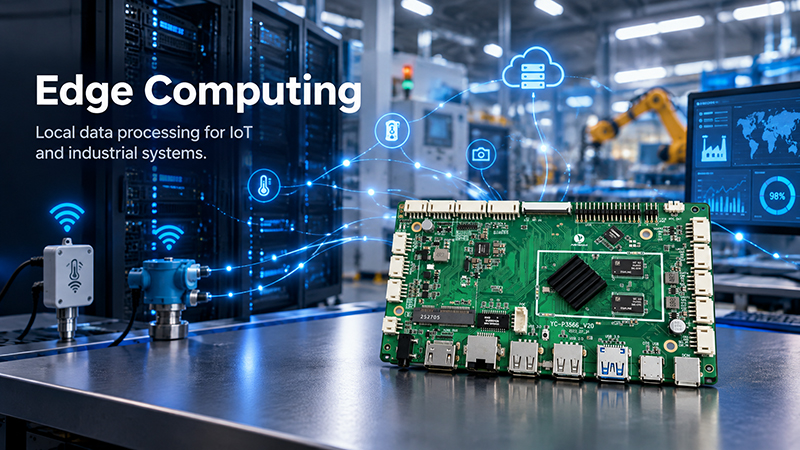
YC-P3566 RK3566 Motherboard Edge Computing
5. When Should You Choose NPU Inference on Rockchip?
For compatible neural network models, the NPU is often the first accelerator to evaluate in an embedded AI project.
Rockchip’s RKNN software stack offers a model-conversion and deployment workflow for supported processors with NPUs.
AI Vision Applications
NPU acceleration is often useful for AI vision tasks, including:
- Object detection
- Image classification
- Face detection
- Person detection
- Pose estimation
- Image segmentation, when supported
For example, an industrial inspection system could use an NPU to identify defects in images while the CPU manages camera communication, processes results, and controls the application.
Edge AI Processing
NPU-based inference enables supported models to run directly on an embedded device, eliminating the need to send every image or data sample to a cloud service.
Potential benefits include:
- Reduced reliance on cloud-based inference
- Lower network traffic for AI workloads
- Local processing and decision-making
- Improved integration with standalone embedded systems
- Efficient use of dedicated AI hardware with compatible models
Advantages of NPU Inference
- Dedicated acceleration for AI workloads
- Potentially greater inference throughput for supported models
- Often improved power efficiency for suitable AI tasks
- More CPU capacity available for system operations
- Suitable for continuous edge AI workloads, depending on thermal design
Limitations
- Models may need to be converted to RKNN format
- Operator support differs across SoCs and SDK versions
- Quantization can affect model accuracy
- Some operations may fall back to CPU execution
- Runtime, driver, and model compatibility require verification
NPU performance cannot be judged by TOPS alone. Real-world inference speed is also affected by model architecture, input resolution, quantization, memory bandwidth, operator support, and software optimization.
6. CPU, GPU, and NPU Inference Across Rockchip Platforms
Rockchip processors offer varying computing resources. Before choosing an inference approach, developers should confirm the specific chip, board configuration, SDK, and supported accelerators.
RK3566 and RK3568 platforms are frequently used in embedded control systems, smart displays, industrial HMIs, IoT devices, and edge applications.
Depending on the configuration and software support, developers may use:
- CPU inference for lightweight workloads
- GPU processing for supported parallel operations
- NPU acceleration for compatible AI models
- These platforms can serve compact edge AI systems with moderate computing requirements.
RK3576
The RK3576 features an octa-core CPU, a Mali-G52 MC3 GPU, and an NPU rated at up to 6 TOPS for INT8 workloads, according to the chip specification.
Potential applications include:
- AI-enabled HMI systems
- Smart retail devices
- Robotics
- Intelligent cameras
- Edge AI terminals
- Multimedia and AI applications
For supported neural network workloads, NPU inference can reduce CPU utilization, allowing the CPU to handle system services and application logic.
RK3588
The RK3588 features a high-performance CPU architecture, a Mali-G610 MC4 GPU, and a 6 TOPS INT8 NPU.
It is well suited to demanding embedded computing tasks, such as:
- AI vision systems
- Multi-camera edge AI
- Robotics
- Smart retail analytics
- Industrial inspection
- Advanced HMI
- AI-enabled digital signage
For complex AI workloads, developers can combine video decoding, image preprocessing, NPU inference, CPU-based postprocessing, and application-level control.
These resources should be managed carefully, as workloads may compete for memory bandwidth and thermal capacity.
7. Deploying AI Models on the Rockchip NPU with RKNN
Deploying a model on a Rockchip NPU typically requires several development stages.
Step 1: Train or Select an AI Model
Developers can train a model with frameworks such as PyTorch or TensorFlow, or choose a suitable pretrained model.
Select a model based on:
- Target application
- Required accuracy
- Input resolution
- Inference speed requirements
- Memory usage
- Operator compatibility
- Step 2: Convert the Model
Use the appropriate RKNN toolchain to convert the original model into a format supported by the target Rockchip platform.
Depending on the supported workflow, developers may need to configure:
- Model input dimensions
- Data format
- Quantization settings
- Target platform
- Supported operators
Step 3: Assess and Optimize
Evaluate the converted model to verify its performance and accuracy.
Optimization options may include:
- INT8 quantization
- Input resolution tuning
- Model simplification
- Operator compatibility verification
- Memory optimization
Quantization may reduce model size and improve inference efficiency. However, accuracy must always be validated with representative data.
Step 4: Deploy to the Embedded Board
Use the appropriate RKNN runtime on the target board.
Depending on the platform, SDK, and project requirements, the application can be developed through C/C++ or Python interfaces.
Step 5: Integrate into the Complete Application
AI inference is generally just one component of the system.
A complete embedded AI application may include:
- Camera input
- Video decoding
- Image preprocessing
- AI inference
- CPU postprocessing
- Application logic
- Network communication
- User interface
- Data storage
Test the finished system under its intended operating conditions, including concurrent video processing, AI inference, communications, and display operation.
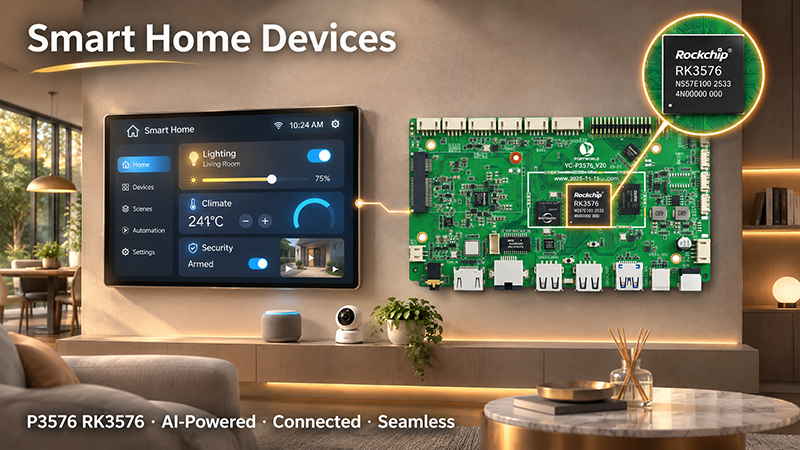
P3576 rk3576 motherboard Smart Home Devices
8. CPU + GPU + NPU: Why Hybrid AI Processing Can Be Better
In practical embedded AI projects, the most efficient solution is often not to use only one computing unit.
A hybrid architecture allows different tasks to run on the hardware best suited to them.
Example: AI Camera System
| Processing Stage | Recommended Computing Unit |
|---|---|
| Camera and system management | CPU |
| Video stream handling | Dedicated multimedia hardware where supported |
| Image preprocessing | CPU, GPU, or dedicated image processing hardware |
| Neural network inference | NPU for compatible models |
| Detection result processing | CPU |
| Display rendering | GPU and display hardware |
| Network communication | CPU |
This approach enables workloads to be distributed across the system.
For instance, in an AI camera built around the RK3588, dedicated multimedia hardware may handle video decoding and image processing, the NPU can run supported neural network inference, and the CPU can manage detection results, MQTT communication, and system operations.
The specific processing pipeline depends on the software framework and the hardware interfaces available.
9. Choosing the Right Inference Hardware for Your Project
Before selecting CPU, GPU, or NPU inference, assess the following factors.
Model Compatibility
Verify that the target accelerator and software framework support the model’s operators.
Inference Speed
Determine the required latency, frame rate, and number of simultaneous streams.
Power Consumption
Measure power use under the actual inference workload instead of relying solely on theoretical performance specifications.
Software Development
Assess the development tools, model conversion process, driver availability, debugging workflow, and ongoing maintenance requirements.
System Resource Allocation
AI inference may compete with display rendering, video decoding, network communication, and application processing.
Thermal Performance
Continuous AI workloads can increase chip temperature. The motherboard and enclosure should be validated for sustained operation under the expected environment.
Accuracy and Quantization
INT8 quantization may improve inference efficiency, but model accuracy should be tested with representative data before deployment.
P3576 rk3576 motherboard Smart Home Devices
10. Portworld Rockchip AI Computing Solutions
Portworld offers Rockchip-based embedded motherboards, System on Modules, and customized hardware for AI edge computing, robotics, industrial systems, and commercial applications.
Developers can assess different platforms based on their project requirements.
YC-P3576 RK3576 Mainboard
The YC-P3576 is intended for embedded systems that need strong computing performance, AI acceleration, and adaptable hardware integration.
Potential applications include AI-enabled HMIs, edge computing, smart devices, and intelligent control systems.
YC-Core3588 RK3588 System on Module
The YC-Core3588 is an RK3588-based computing platform for advanced edge AI applications.
It can support development projects in AI vision, robotics, industrial inspection, multimedia systems, and customized embedded devices.
Portworld also provides:
- Motherboard and carrier board customization
- RAM and storage configuration
- PCB and PCBA development
- Interface customization
- Android and Linux software adaptation
- SDK and development support
- OEM/ODM services
- Prototype development and mass production
By pairing an appropriate processor platform with suitable AI software and hardware integration, developers can create edge AI systems tailored to specific applications.
Selecting CPU, GPU, or NPU inference on Rockchip depends on the model, workload, software support, performance goals, and available power budget.
CPU: A flexible choice for general-purpose computing, lightweight models, application logic, and operations that other processors do not support.
GPU: Suitable for parallel processing and certain AI or image-processing tasks when compatible compute frameworks are available.
NPU: Often the best choice for supported neural networks that need efficient inference at the edge.
For many Rockchip AI systems, a hybrid design offers the strongest balance: the CPU manages the application, the GPU handles graphics and selected parallel workloads, and the NPU runs supported neural network inference.
The most reliable approach is to benchmark the full application on the target hardware instead of relying solely on theoretical computing performance.