How to Specify an OEM Android Tabletop Advertising Display
As organizations embrace hybrid work and more flexible meeting practices, effective management of shared meeting spaces has become increasingly important. Employees need to know which rooms are free, whether a meeting is underway, and when the next reservation starts. Without clear information, rooms may be double-booked, sit unused after a reservation holder fails to arrive, or be occupied by people unaware of a scheduled meeting.
Meeting room status displays address these challenges by presenting availability and scheduling details outside each room. Rather than consulting a computer calendar or asking coworkers, employees can check the room’s status at a glance.
For businesses considering these displays, selecting a screen is only one step. Factors such as display size, touchscreen capability, calendar integration, network access, power requirements, mounting choices, and software compatibility all affect the success of an installation.
This guide outlines the essential features of meeting room status displays and the practical considerations for deploying them in modern office settings.
What Is a Meeting Room Status Display?
A meeting room status display is a digital screen positioned outside a conference room or meeting space to show whether the room is available and what is scheduled.
Depending on the software platform, the screen may display:
- Room name and location
- Current status: Available, Occupied, or Reserved
- Details about the current meeting
- Upcoming meeting schedules
- Meeting start and end times
- Room capacity and available equipment
- Booking or check-in options
Some displays only present information. Interactive models may also let employees book an available room, check in to a scheduled meeting, extend a reservation, or make a room available before the booking ends.
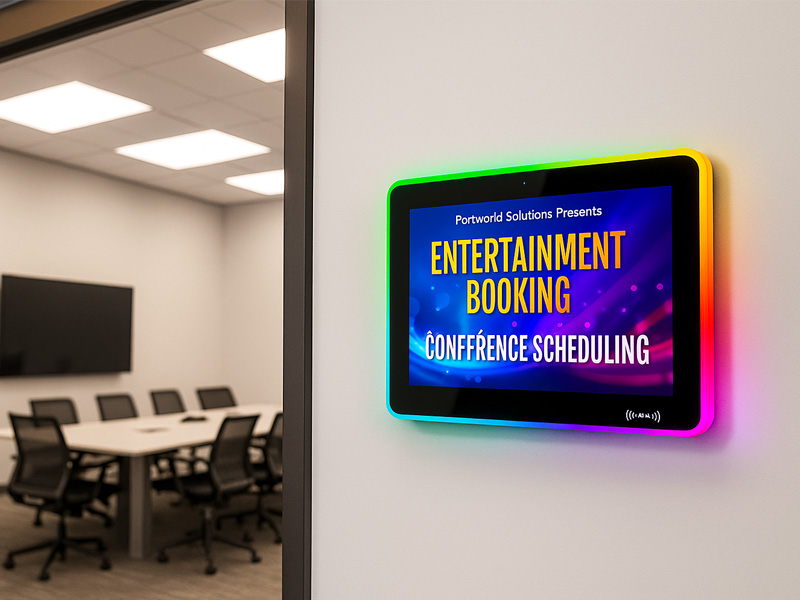
YC-LE156
15.6″ Meeting Room Display Panels
A meeting room status display is not necessarily a complete room-booking system. It serves as the user interface, while scheduling, calendar synchronization, and reservation management are handled by connected software and backend services.
For example, a company may link its displays to room calendars in Microsoft 365 or Google Workspace. When a meeting is created or changed, the scheduling platform can synchronize the details and update the relevant room display.
Key Features of Meeting Room Status Displays
1. Real-Time Room Availability
A meeting room status display primarily shows whether a room is available.
Clear visual cues let employees find open spaces without accessing a booking application. Many systems use distinct colors or labels to indicate whether a room is available, occupied, or reserved for an upcoming meeting.
A typical interface may show:
- Available: No current reservation is scheduled.
- Occupied: A meeting is in progress.
- Upcoming: A reservation is due to begin soon.
- Reserved: The room has a future booking.
- Out of Service: The room is temporarily unavailable.
- The status categories vary depending on the scheduling software.
In offices with several meeting rooms along one corridor, clear status indicators can prevent unnecessary interruptions and help employees find an available space more easily.
2. Meeting Schedules and Calendar Details
In addition to indicating current room availability, meeting room displays can show upcoming bookings.
A display may list the next meeting’s start time, duration, title, and other approved details. This allows employees to see when a room will be free and helps prevent confusion about its use.
Calendar integration is especially valuable for organizations that already schedule meetings through services such as Microsoft 365, Exchange, or Google Workspace.
Before choosing a display, confirm that its software platform supports the required calendar service and room-resource setup. Calendar synchronization depends on the software, not the display hardware alone.
Privacy is another important consideration. Some organizations choose to display only the meeting time and booking status, without showing the meeting title or organizer’s name.
3. Touchscreen Booking and Check-In
Touchscreen capability can transform a meeting room status display from a simple information panel into an interactive management tool.
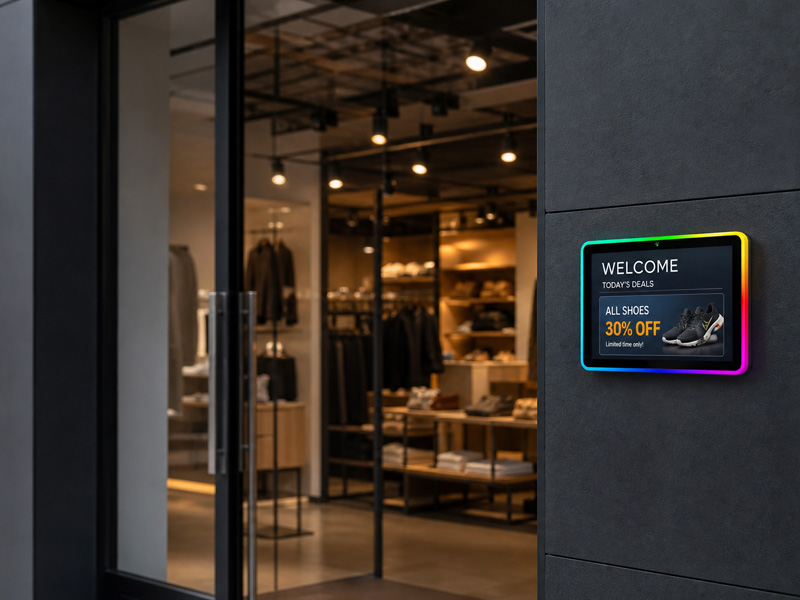
YC-LE156
15.6″ Meeting Room Display Panels
Depending on the software in use, employees may be able to:
- Reserve an available room immediately.
- Check in to an existing reservation.
- Extend an active meeting when the following time slot is free.
- End a meeting early and make the room available.
- Review upcoming reservations.
- Locate other available meeting rooms.
Check-in features can also help organizations control unused reservations. If the meeting organizer fails to check in within a defined period, the scheduling system may automatically cancel the reservation and release the room.
These capabilities depend on integration with the room scheduling application. A touchscreen display alone does not provide booking or calendar-management functionality.
For projects that only require availability information and upcoming schedules, a non-touch display may be adequate. Touchscreen hardware is better suited to environments where employees must interact directly with the room management system.
4. Clear Displays and Visual Indicators
A meeting room display should be clearly legible from the corridor and from a range of viewing angles.
Key display specifications to consider include:
- Screen size
- Resolution
- Brightness
- Viewing angle
- Touch responsiveness, where applicable
- Screen orientation
- Color and contrast
Compact screens can suit small meeting rooms, while larger displays may be better for conference rooms, shared areas, or settings where people need to view more detailed schedules.
Some systems also feature LED indicators around the screen or its edges. These can show room availability from a distance, before someone comes closer to the display.
When choosing a screen, take the installation environment into account. A brightly lit office corridor, a glass wall, or an area with strong overhead lighting may require different display features than a small interior meeting space.
5. Customizable Interface and Branding
In corporate settings, meeting room displays contribute to the workplace’s broader visual identity.
A tailored interface may feature the company logo, room name, brand colors, icons, and preferred language. Its layout can also emphasize the information employees need most.
For instance, a small meeting room may show only its name, current status, and next reservation. A larger conference room might include its capacity, available equipment, and a more comprehensive schedule.
Some organizations also use QR codes to let employees open a booking page on their phones. This feature requires compatible software and a properly configured booking workflow.
6. Remote Device Management
For businesses operating numerous meeting rooms or offices in several locations, centralized device management can make maintenance more efficient.
A compatible management platform may enable administrators to monitor connected displays, deploy software updates, adjust interface settings, and manage content remotely.
Useful management capabilities may include:
- Monitoring whether devices are online or offline
- Remote configuration
- Application updates
- Screen brightness and sleep schedules
- Centralized interface customization
- Error notifications
Available capabilities vary depending on the software and hardware platform. Before deploying displays across multiple offices, businesses should confirm which management tools are included.
digital signage display-1
How to Select the Right Meeting Room Status Display
Choosing suitable hardware starts with understanding how the display will be used and which systems it needs to support.
Screen Size and Installation Location
The screen size should suit the amount of information shown and the distance at which employees will view it.
A compact display may be adequate for a basic available/busy status and the time of the next meeting. A larger screen may be preferable when the interface shows multiple upcoming bookings, room capacity, or interactive reservation controls.
The installation location also matters. Position the display where it is easy to see without obstructing doorways, covering room signs, or making installation difficult.
For glass meeting room walls, confirm that an appropriate mounting solution is available. Ensure the bracket and installation method are suitable for both the display’s weight and the glass structure.
Touchscreen or Non-Touch Display
The choice between touchscreen and non-touch hardware depends on the required workflow.
| Requirement | Non-Touch Display | Touchscreen Display |
|---|---|---|
| Show room availability | Suitable | Suitable |
| Display upcoming meetings | Suitable | Suitable |
| On-screen room booking | Requires another device or interface | Possible with compatible software |
| Meeting check-in | Usually requires another device | Possible with compatible software |
| Extend or release bookings | Requires another device or interface | Possible with compatible software |
| Hardware complexity | Generally simpler | Requires touch hardware and interface support |
When employees only need to view room availability, a non-touch display may be the simpler choice. If the organization requires users to book rooms or check in on site, a touchscreen can offer a more convenient experience.
Operating System and Hardware Performance
The operating system determines which room-scheduling applications the display can support.
Android-based devices may work well with compatible room-management apps, browser-based interfaces, and custom software. However, the organization’s applications or IT infrastructure may require a different platform.
When assessing hardware, review the processor, RAM, internal storage, supported operating system version, network connections, and ongoing software compatibility.
The necessary performance level depends on the application. A basic web-based status page may require fewer resources than a more sophisticated interface featuring animations, multiple schedules, or additional interactive capabilities.
Also confirm that the device can automatically open the required application after a restart. This can minimize the need for manual intervention in daily use.
How Portworld Supports Meeting Room Display Projects
Meeting room status displays depend on a combination of appropriate hardware, reliable embedded systems, and compatible scheduling software.
Portworld offers meeting room display hardware and OEM/ODM customization services for business projects. Its meeting-room product lineup includes YC-LE and YC-D series displays, which may suit projects requiring dedicated room-display hardware.
Based on the chosen product and project needs, customization options may include display configuration, embedded motherboard selection, Android or Linux software adaptation, interface specifications, branding, and application preinstallation.
Businesses developing their own room-scheduling platform should plan hardware configurations to meet the software’s operating system, processor, memory, network, and interface requirements. Calendar integration and booking features must be implemented or supplied by the selected software platform.
Portworld can assist with the hardware and embedded-system aspects of these projects, helping customers assess configurations for their intended deployments.