meeting room booking display panels
In today’s modern office environment, efficient use of space is crucial for maximizing productivity and minimizing downtime. One of the most important aspects of an office’s day-to-day operations is the management of meeting rooms. Companies are increasingly adopting meeting room booking display panels to streamline scheduling, improve communication, and enhance the overall office experience.
These intuitive digital displays not only show real-time meeting room availability but also allow employees to quickly book, manage, and cancel meetings. Whether used in corporate offices, coworking spaces, or shared environments, meeting room booking displays are becoming an essential tool for improving organizational efficiency and reducing scheduling conflicts.
In this article, we will explore the benefits, features, and applications of meeting room booking display panels and how they can help your organization run more smoothly.
What are Meeting Room Booking Display Panels?
Meeting room booking display panels are digital screens mounted outside of meeting rooms, allowing employees and visitors to easily view the availability of a room and make reservations. These panels are typically integrated with calendar software, such as Google Calendar, Microsoft Outlook, or Office 365, allowing users to schedule, modify, or cancel bookings directly from the display.
The panels are designed to be user-friendly and provide a clear visual representation of the room’s availability, such as:
- Available: The room is free for booking.
- In Use: The room is currently occupied.
- Reserved: A meeting has been scheduled for the upcoming time slot.
- Overbooked: The room is double-booked or unavailable due to another meeting.
Most modern systems also allow employees to interact with the panel via touchscreens or mobile applications for added convenience.
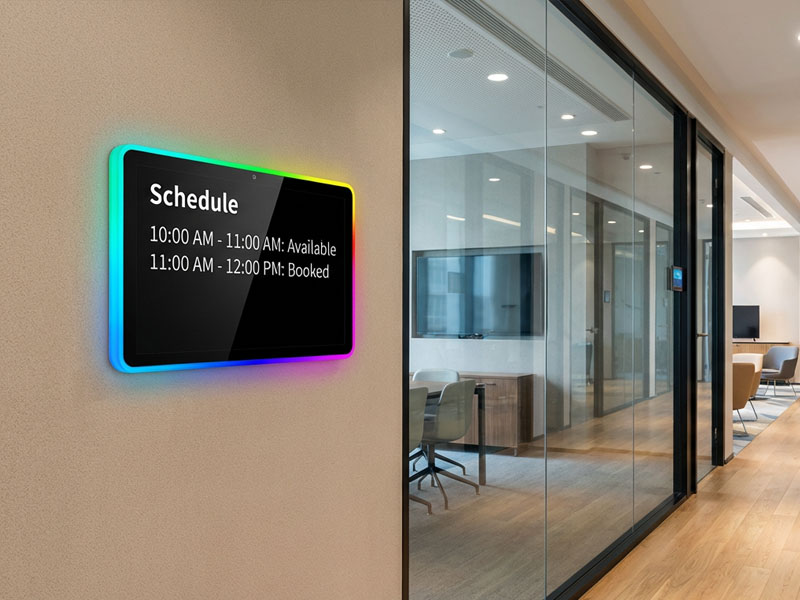
Meeting Room Display Panels
Key Features of Meeting Room Booking Display Panels
1. Real-Time Availability Updates
The primary function of a meeting room booking display panel is to show real-time room availability. These panels sync with digital calendars to reflect the current status of each meeting room, ensuring that employees always know if a room is available or in use.
- Instant Updates: Changes made to bookings in the calendar (e.g., bookings or cancellations) are reflected instantly on the display, keeping everyone informed.
- Color-Coded Status: Rooms are typically color-coded based on their availability, with green for free, red for in use, and yellow for upcoming reservations, making it easy to interpret the status at a glance.
2. Integrated Scheduling Systems
Most meeting room booking panels integrate with popular calendar and scheduling software, such as Google Calendar, Office 365, or Microsoft Exchange. This allows employees to:
- Book Rooms: Easily book a meeting room from the panel or via an integrated mobile app.
- Sync Meetings: Any changes made to the meeting schedule automatically reflect in the digital display, ensuring accurate room scheduling.
- Cancel Reservations: Employees can quickly cancel or adjust meetings directly from the panel, freeing up the space for others if necessary.
3. Touchscreen Functionality
Many modern meeting room booking panels feature touchscreen interfaces for ease of use. Employees can interact directly with the screen to:
- Check Availability: View a room’s schedule and upcoming meetings.
- Book Meetings: Schedule meetings on the spot, or extend existing bookings if the room is available.
- Modify or Cancel: Quickly make changes to the schedule or cancel meetings, reducing the chance of room misuse or double bookings.
Touch-enabled displays make it simple for users to interact with the system, enhancing efficiency and minimizing errors.
4. Room Usage Analytics
Meeting room booking display panels can be integrated with analytics software to provide valuable insights into how meeting rooms are being used.
- Occupancy Data: The system can track how often rooms are booked, how long meetings last, and how frequently rooms are left underutilized.
- Reports: Organizations can generate reports to better understand room usage trends, which can be used to optimize office space or allocate resources more effectively.
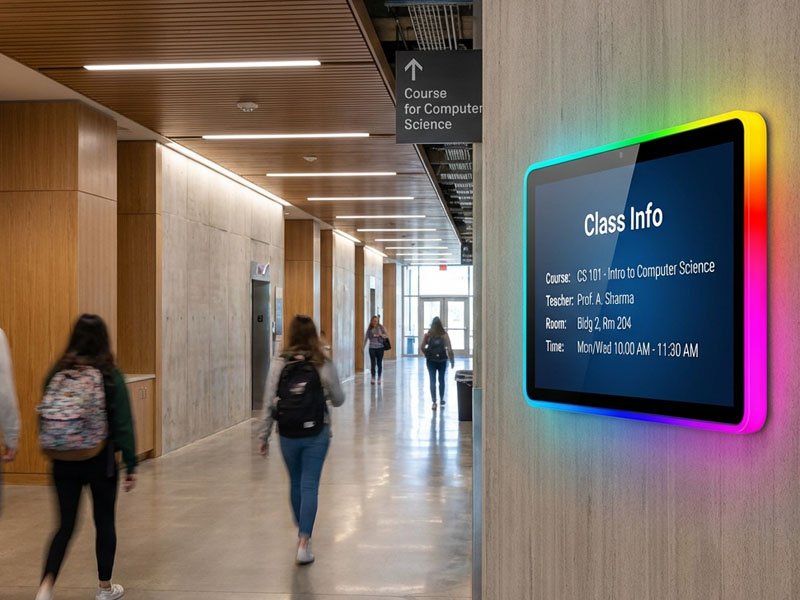
Meeting Room Display Panels
5. Integration with Other Office Systems
In modern offices, meeting room booking displays don’t operate in isolation. They can integrate with other office systems to provide a seamless experience for employees.
- Room Controls: Integration with smart office systems can allow the display panel to control the room’s lighting, temperature, and AV equipment, ensuring that the room is ready for the meeting once the booking is confirmed.
- Access Control: Some booking panels come with NFC or RFID card readers, allowing employees to use their access cards to book rooms and unlock doors automatically when they arrive for a meeting.
6. Custom Branding and Personalization
Many meeting room booking panels offer custom branding options, allowing businesses to display their logos, color schemes, and other company-specific information on the screens. This helps integrate the system seamlessly into the corporate environment.
Some panels also allow for personalization of the interface, including options for:
- Welcome Messages: Display a welcome message for the meeting organizer or a list of the attendees.
- Room Information: Show relevant details, such as the room’s capacity, available equipment, or special instructions.
Benefits of Meeting Room Booking Display Panels
1. Improved Space Utilization
One of the main advantages of meeting room booking panels is their ability to optimize room usage. With real-time updates and seamless scheduling integration, organizations can better track how their meeting rooms are being used and ensure they are being booked efficiently.
- Avoid Double-Bookings: Automatic syncing with calendar systems helps reduce the risk of scheduling conflicts and double-booking rooms.
- Maximize Room Usage: By tracking usage patterns and occupancy rates, organizations can identify which rooms are underutilized and adjust their resources accordingly.
2. Enhanced Productivity
The simplicity of meeting room booking panels helps reduce the time spent searching for available rooms or waiting for confirmation. Employees can quickly see room availability, book meetings on the spot, and know the status of the room before heading to the location.
- Minimize Time Wasted: With quick access to room schedules and instant updates, employees spend less time searching for available rooms or dealing with scheduling conflicts.
- Real-Time Updates: Employees can easily modify, cancel, or extend meetings directly from the panel, helping avoid disruptions and scheduling confusion.
3. User-Friendly Interface
The intuitive interface of meeting room booking displays makes it easy for employees to interact with the system. Whether they’re booking a room, viewing the schedule, or checking the status of a meeting, the straightforward interface reduces the learning curve and improves overall user experience.
- Visual Clarity: The color-coded status, along with the easy-to-read layout, makes it easy for employees to understand room availability at a glance.
- Touchscreen Convenience: With many systems offering touchscreen functionality, booking or managing meetings becomes a quick and easy process.
4. Streamlined Communication
Meeting room booking panels ensure better communication between teams and departments by providing accurate and up-to-date information about meeting room availability. These displays help eliminate confusion and provide clear visibility for everyone.
- Instant Notifications: The system can send out alerts or notifications to the meeting organizer or participants in case of changes to the booking schedule.
- Clear and Transparent Scheduling: With real-time updates on availability, employees have a clear understanding of when meeting rooms are available and who is using them.
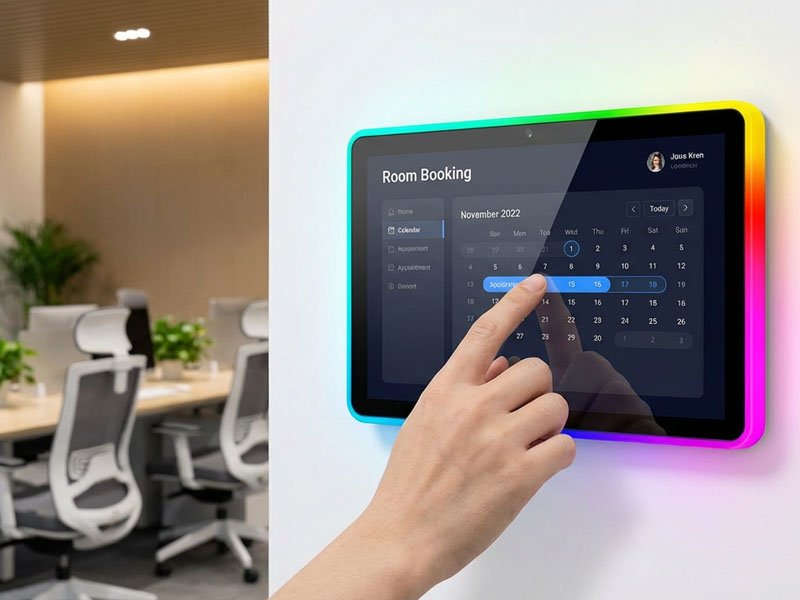
Meeting Room Display Panels9-1
Applications of Meeting Room Booking Display Panels
- Corporate Offices: Meeting room booking panels are essential for businesses with multiple meeting spaces. These displays provide a seamless way to manage room availability, reducing scheduling conflicts and improving overall efficiency.
- Co-working Spaces: In shared office environments, these panels help manage the availability of shared meeting rooms, making it easy for tenants to book and use spaces.
- Educational Institutions: Schools and universities can use booking panels for classrooms, lecture halls, and conference rooms to ensure proper scheduling and utilization of their facilities.
- Government and Public Sector: Government offices and public organizations can use these systems to manage meeting rooms, ensuring effective use of space and streamlined operations.
Meeting room booking display panels are an essential tool for businesses looking to enhance productivity, improve space utilization, and simplify room scheduling. By providing real-time updates, integration with calendar software, and intuitive interfaces, these digital displays offer a seamless solution to managing meeting spaces efficiently.
Whether you’re a corporate office, co-working space, or educational institution, adopting meeting room booking displays can save time, reduce scheduling conflicts, and ensure that your office runs smoothly. At Portworld, we provide advanced, user-friendly digital signage solutions tailored to meet the needs of modern workplaces. Reach out today to learn more about our meeting room booking display panels and how they can help optimize your office operations.